Patient recall: how to bring patients back, with 11 sample recall and reactivation messages

Muhammad Hassan, FounderLinkedIn
Published Updated
Patient recall is how a practice brings patients back for care they are due: a dental check-up, a hygiene visit, a yearly health check or an eye test. The practice keeps a list of who is due, sends each patient a recall message, follows up with those who don’t answer, and books the visit when they reply.
We make HiQBot, a customer service platform with AI agents, live chat, guided flows and WhatsApp calling. With HiQBot, a recall goes out as a WhatsApp broadcast to the patients due, the AI agent answers every reply and books the check-up, and your front desk confirms it from the dashboard. Below are 11 recall, follow-up and reactivation messages to copy. We set up the recall for a sample dental practice in the real product; the screens are that setup.
Patient recall vs appointment reminders
A reminder is for a visit that is already booked. A recall is for one that isn’t booked yet: the patient is due, and the message asks them to choose a time. Once they book, the usual reminders take over; our appointment reminder templates cover those, and our guide to reducing patient no-shows covers the visits that still get missed. Recall is also a large part of patient retention, since each check-up booked keeps the patient with your practice.
Dental recall: how often to recall patients
The recall interval is set by the dentist for each patient. In England, NICE guidance puts the time between check-ups at 3 to 24 months for adults and 3 to 12 months for under-18s, based on each patient’s oral health (NICE, dental checks: intervals between oral health reviews). Six months is a common default, and doctors, optometrists and physios set their own intervals the same way. Your recall list follows whatever your clinicians decide; the messages below work for any of them.
| Message | When | Who gets it |
|---|---|---|
| First recall message | Two to four weeks before the due date | Everyone due this month |
| Second message | About two weeks later | Patients who read it and didn’t reply |
| Recall letter or call | After the second message | Patients with no WhatsApp number or no reply |
| Reactivation message | Well past the due date, often 18 months | Patients you haven’t seen |
How to set up patient recall, step by step
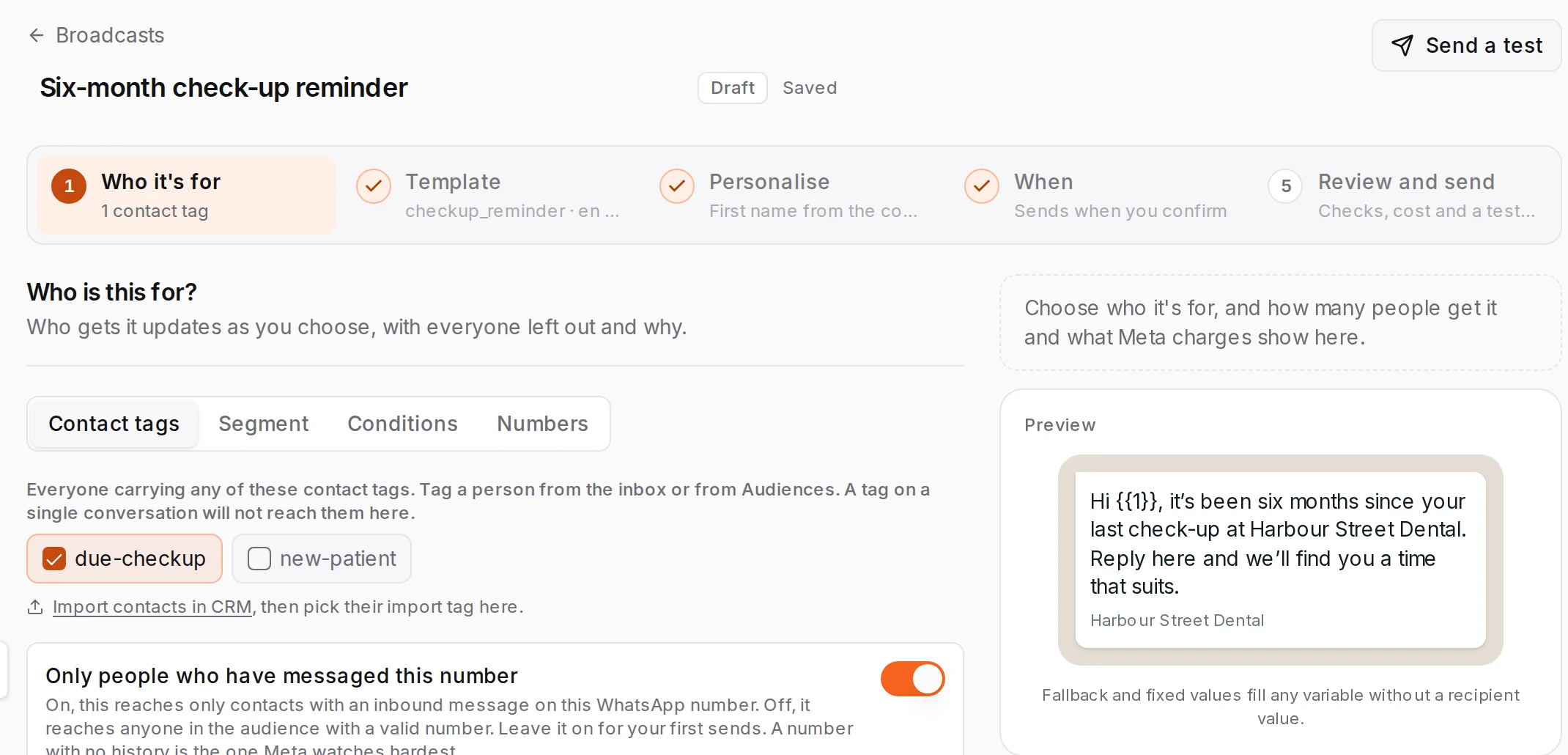
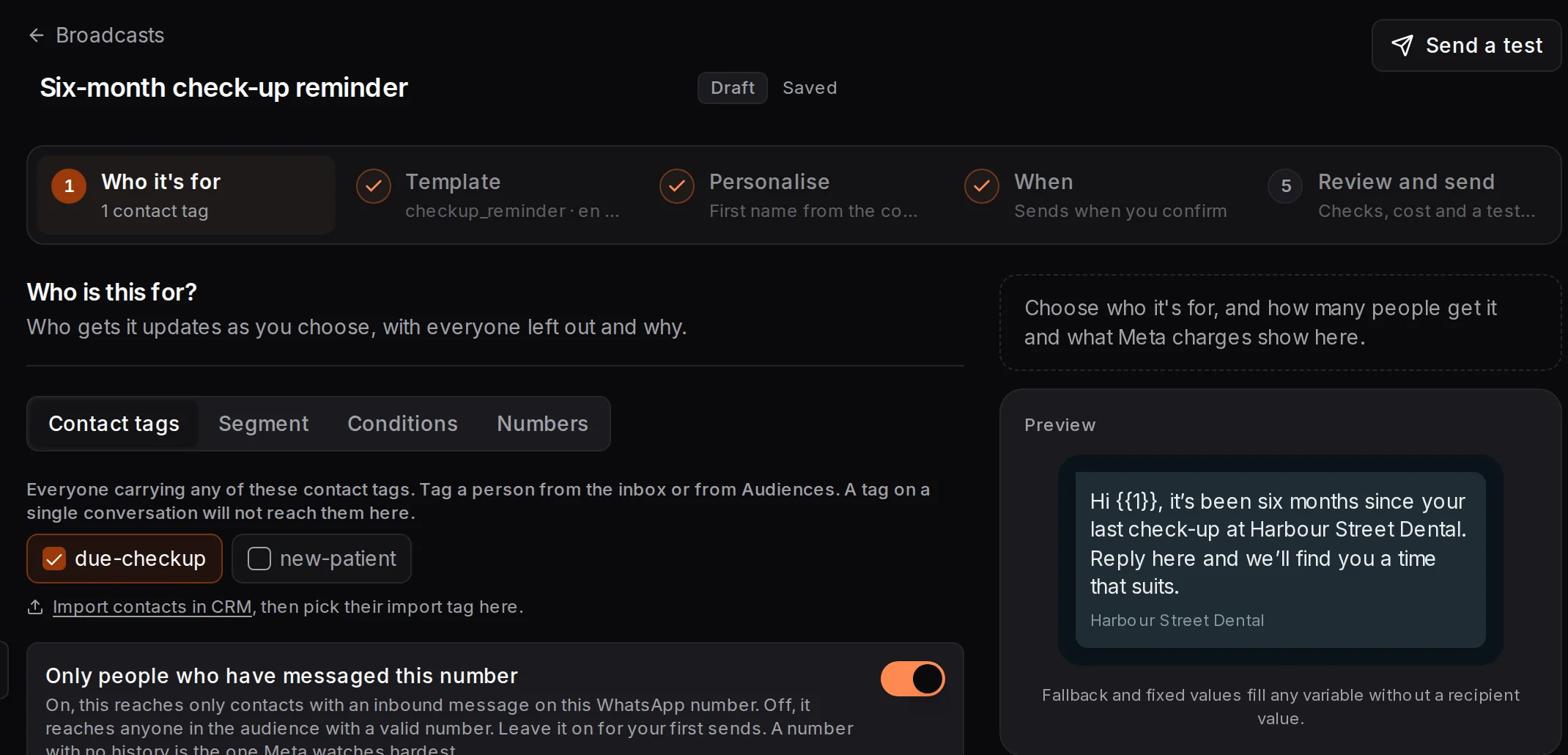
- List who is due. Pull the patients due this month from your records. In HiQBot, import them into the CRM as a CSV; each import gets its own tag, such as “due-checkup”, and that tag becomes the audience.
- Check consent. Message only patients who agreed to hear from you on WhatsApp. By default a HiQBot broadcast reaches only people who have messaged your WhatsApp number before.
- Write the recall message. Pick one of the samples below, write it as a template in the dashboard and submit it to Meta for approval.
- Fill in each name and test it. Each patient’s first name comes from their contact, with a fallback when it is missing. Preview it per patient and send a test to your own phone.
- Send it. Send now or at a set time. With a large list, HiQBot sends what your daily WhatsApp limit allows, then picks up on its own.
- Answer and book. Replies land in your inbox. The AI agent answers and books the check-up, and your front desk confirms it.
- Follow up once. Two weeks later, send the second message to those who read it and didn’t reply.
When the patient replies
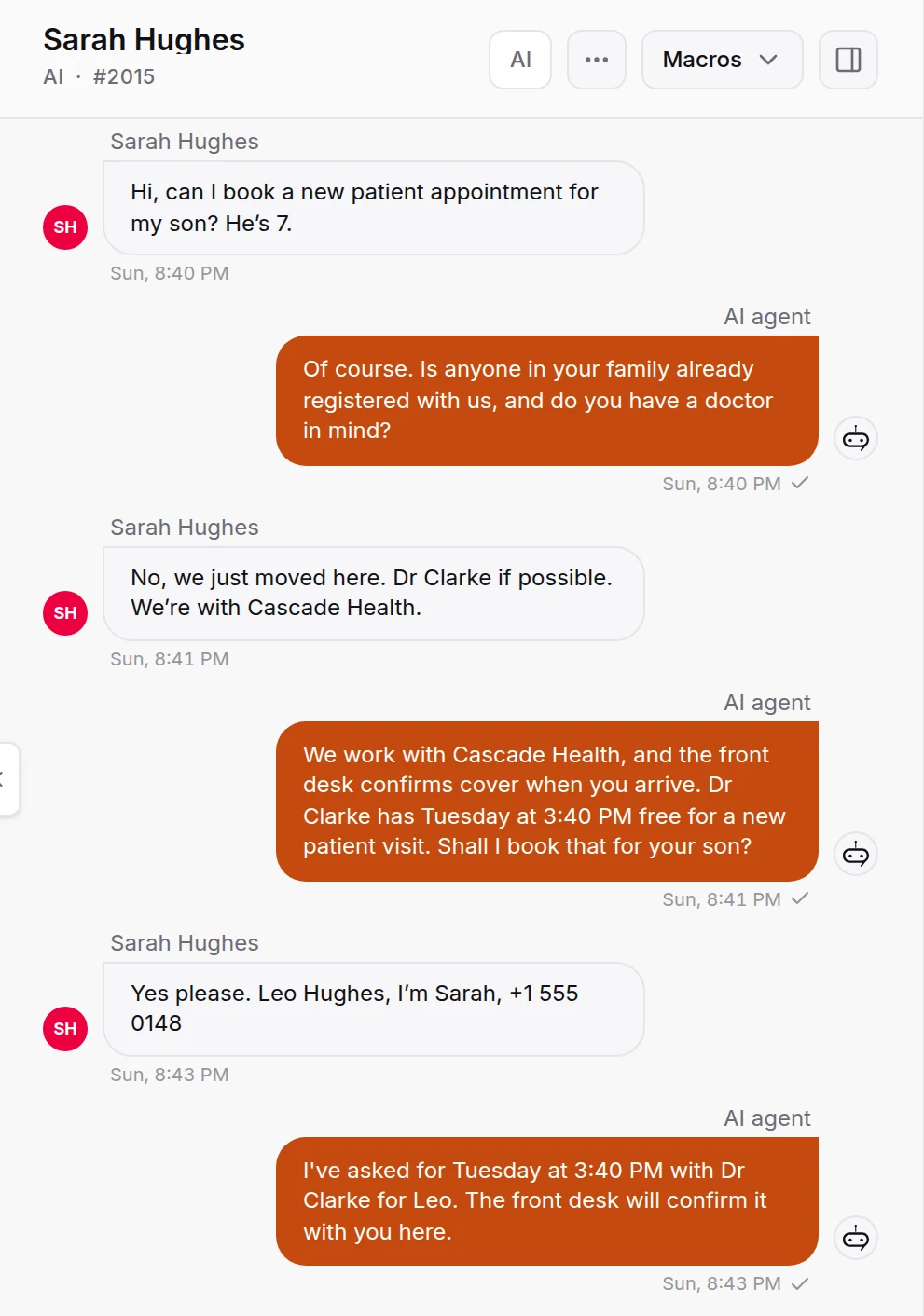
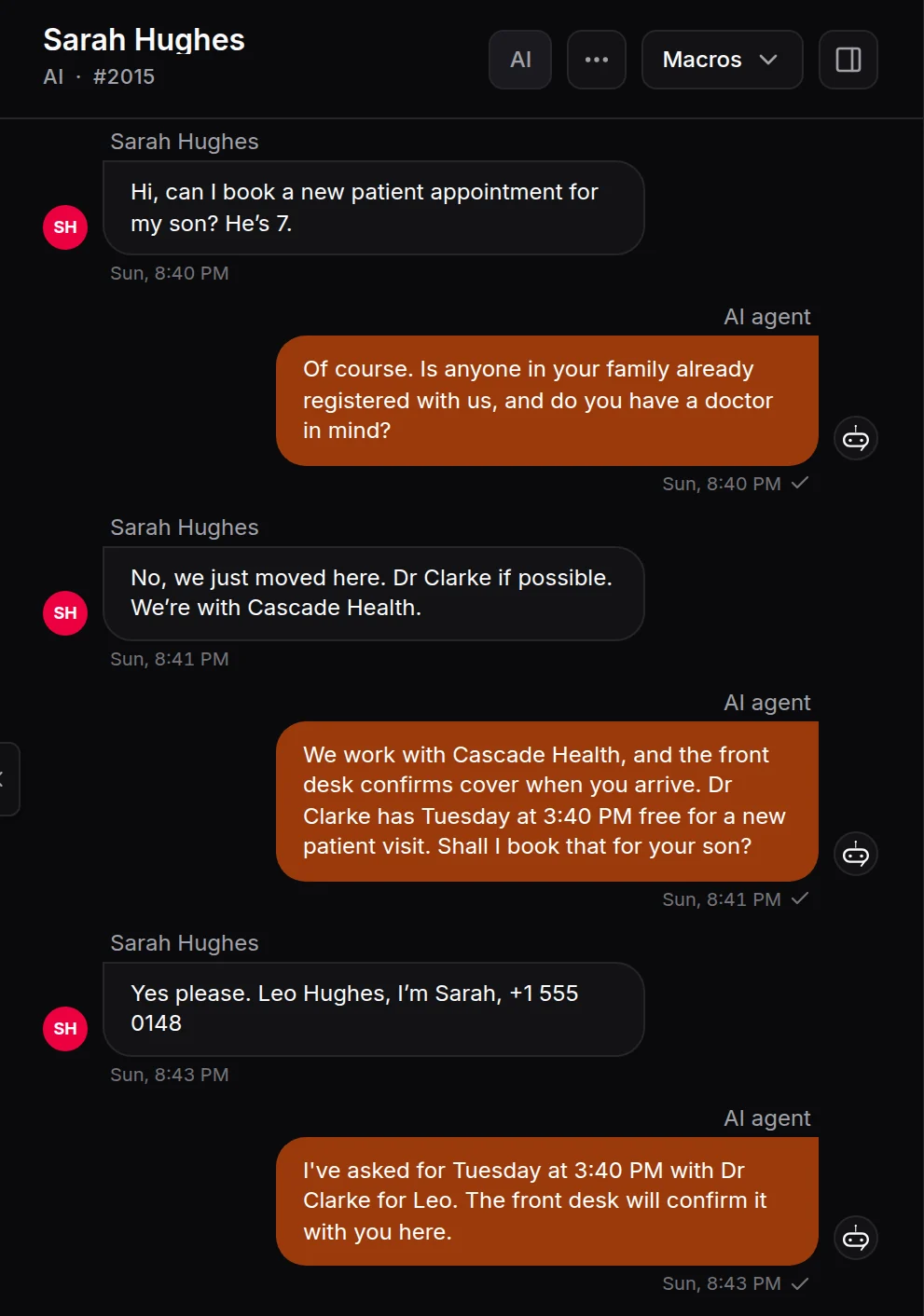
The AI agent answers in the same WhatsApp chat, at 10 p.m. as well as 10 a.m. It asks what the visit needs, such as which clinician and whether the patient is new or registered, offers a free time, and books the appointment. It tells the patient the front desk will confirm. It never gives medical advice, and a patient who describes an emergency is told to call the emergency services first. A patient who would rather talk can call your WhatsApp Business number, and it rings your team in the inbox (WhatsApp calling). Your team can take over any chat.
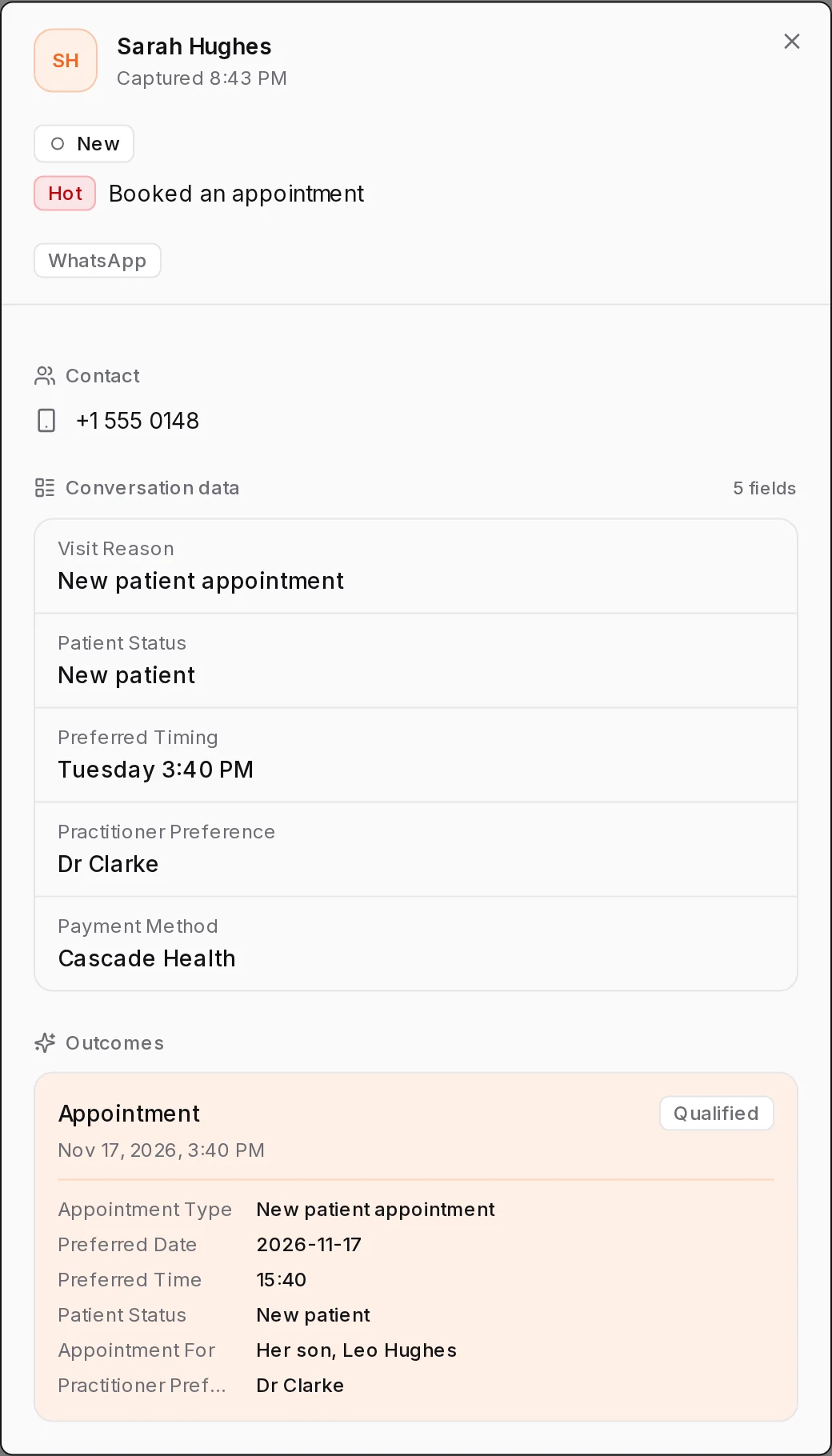
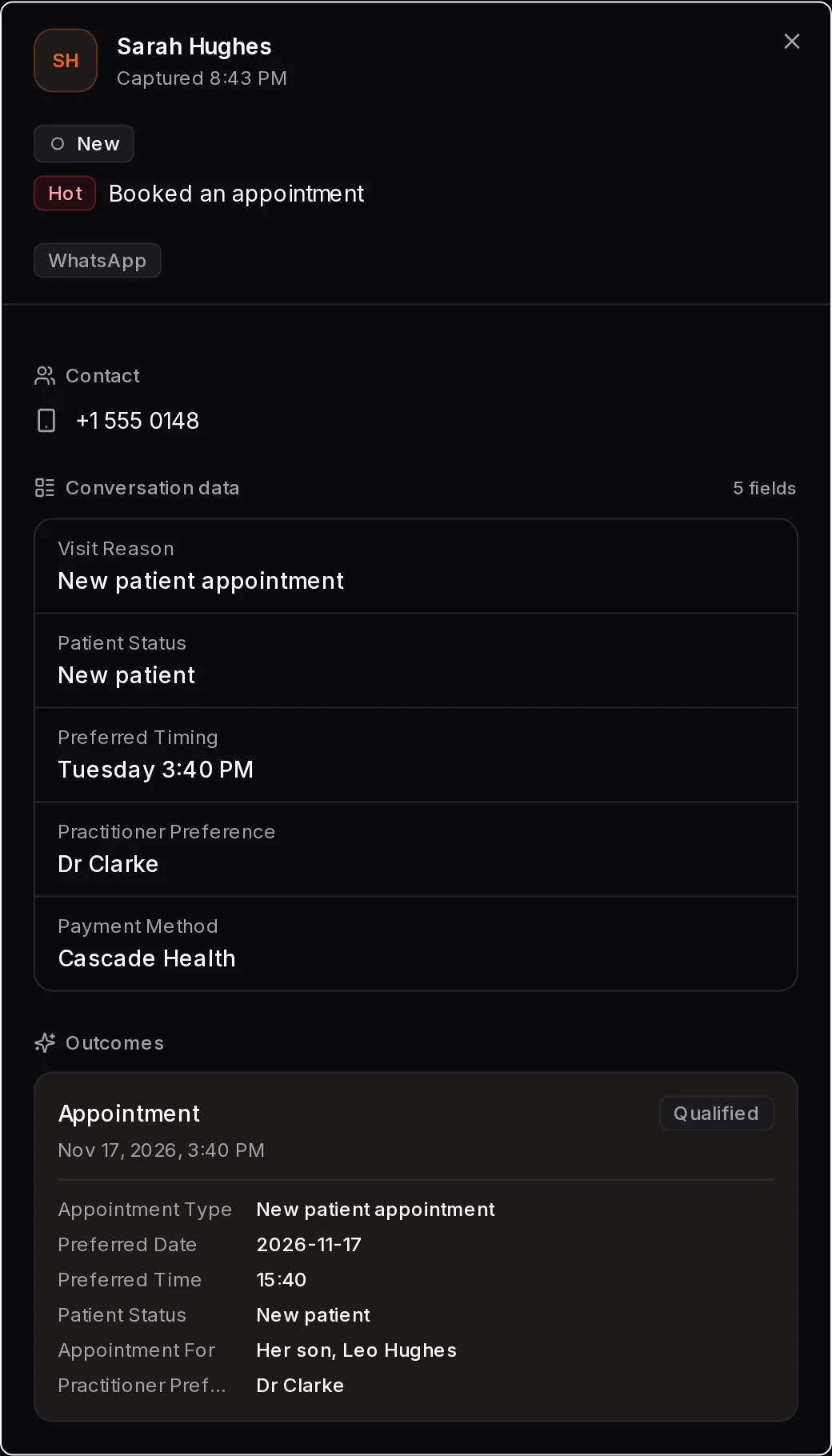
Your team confirms the check-up
Every check-up the AI books lands in the Bookings list, and on your Google Calendar if you connect it. Your team confirms with one tap, or declines or moves it. From there, a reminder automation can go out from 2 hours to 7 days before the visit.
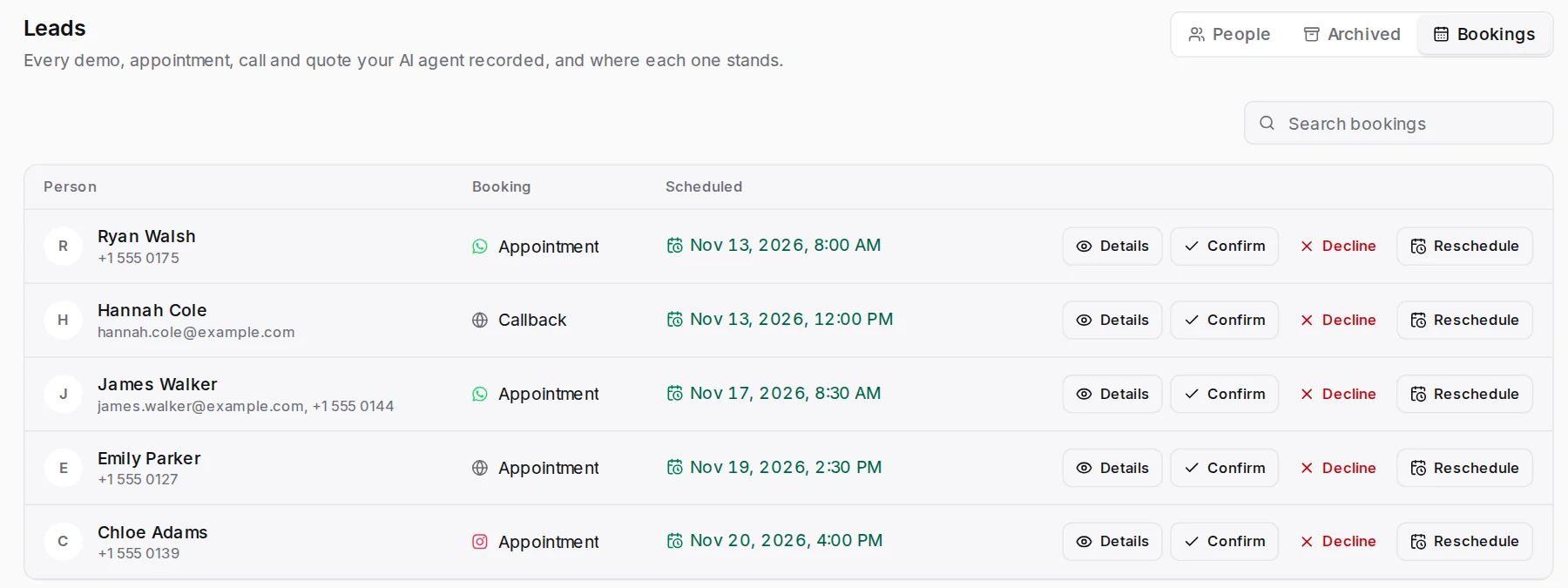
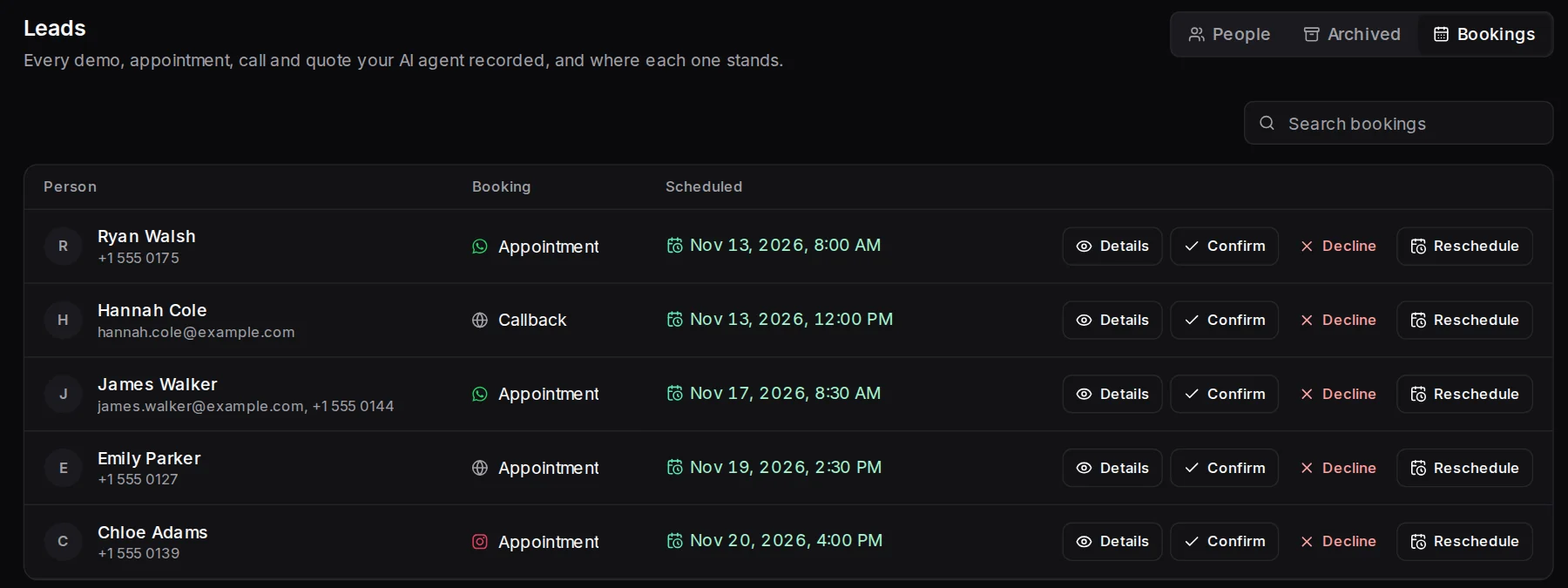
Sample patient recall messages
Send the first recall message two to four weeks before the patient is due. Words in double curly brackets change for each patient and are filled from their contact record; words in square brackets are yours to type once. Keep the reason for the visit general, because the message shows on a lock screen, and end marketing messages with how to stop them.
Dental recall: six-month check-up
Hi {{first_name}}, it’s been six months since your last check-up at [practice name]. Reply here and we’ll find you a time that suits. Reply STOP to stop these messages.
Likely category: marketing168 charactersTwo to four weeks before the check-up is due
An invitation to book a visit the patient hasn’t asked for is usually marketing. This is the message in the recall screen further down.
Hygiene appointment due
Hi {{first_name}}, your hygiene appointment at [practice name] is due. Reply with a day that suits you and we’ll book you in. Reply STOP to stop these messages.
Likely category: marketing160 charactersTwo to four weeks before the cleaning is due
Child’s check-up, sent to the parent
Hi {{first_name}}, {{child_name}} is due for a check-up at [practice name]. Reply here with a day that suits and we’ll find a time after school. Reply STOP to stop these messages.
Likely category: marketing179 charactersBefore the school holidays, when after-school times fill up
The child’s name comes from a field you import with the contact list.
Medical recall: yearly check-up
Hi {{first_name}}, [practice name] here. You’re due for your yearly check-up with [doctor’s name]. Reply here and we’ll book a time that suits you. Reply STOP to stop these messages.
Likely category: marketing182 charactersA month before the anniversary of the last visit
Eye test due
Hi {{first_name}}, it’s been two years since your last eye test at [practice name]. Reply here and we’ll find a time that suits you. Reply STOP to stop these messages.
Likely category: marketing167 charactersA month before the test is due
Physio recall: review appointment
Hi {{first_name}}, [clinician’s name] would like to see you for a review at [clinic name]. Reply here and we’ll find a time. Reply STOP to stop these messages.
Likely category: marketing159 charactersWhen the clinician asked to see the patient again
A second recall message for patients who didn’t reply
Some patients read the first message and mean to reply later. Send one more about two weeks later to the people who haven’t replied, and stop there.
Second recall message
Hi {{first_name}}, your check-up at [practice name] is still due. Would mornings or afternoons suit you better? Reply STOP to stop these messages.
- Mornings
- Afternoons
Likely category: marketing146 charactersAbout two weeks after the first, to patients who didn’t reply
A quick-reply button makes the answer one tap, and the tap arrives in your inbox like any reply. Leave stopping to the typed word STOP: a button labelled Stop is not read as an opt-out.
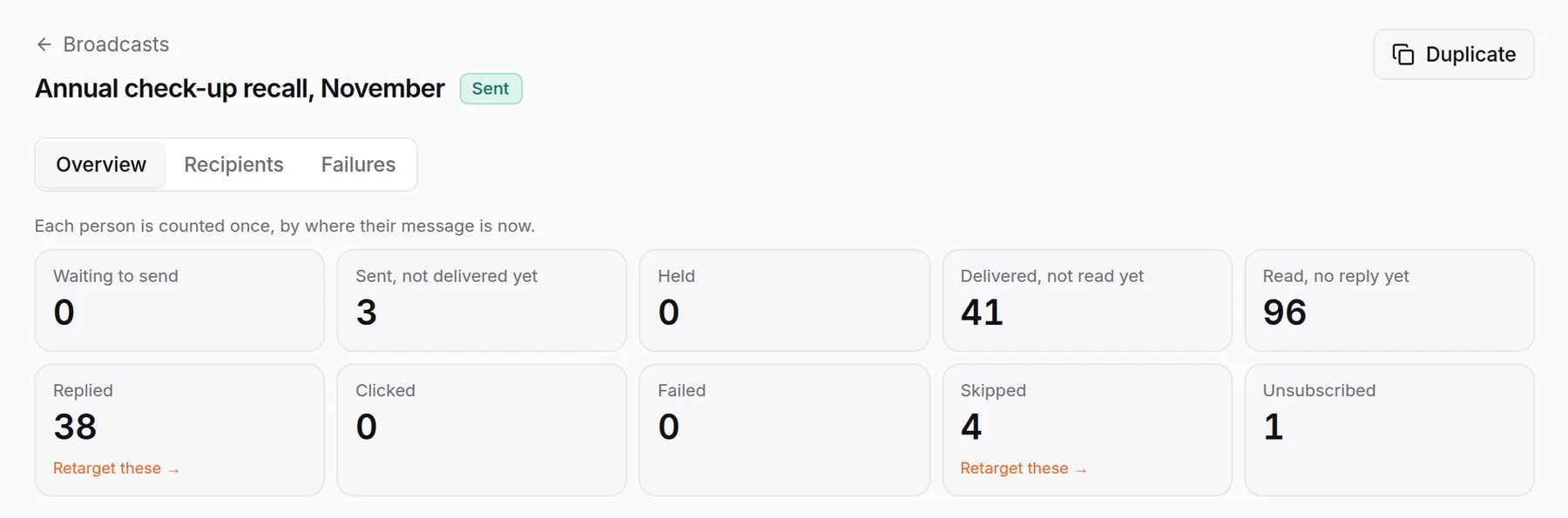
The recall report shows who got the message, who read it, who replied and who was skipped. From there you can copy the broadcast to a new draft for the people who didn’t reply.
Patient reactivation messages
Patient reactivation means writing to patients you haven’t seen for well past their recall date, often 18 months or more. Keep it friendly: an invitation to come back in, with no mention of how overdue they are.
Dental reactivation
Hi {{first_name}}, we haven’t seen you at [practice name] since {{last_visit}}. We’d love to see you for a check-up. Reply here and we’ll find a time that suits. Reply STOP to stop these messages.
Likely category: marketing196 charactersFor patients not seen since well past their recall date
The last visit date comes from a field you import with the list.
Chiropractic reactivation
Hi {{first_name}}, it’s been a while since your last visit to [clinic name]. If you’d like to come back in, reply here and we’ll find a time with [chiropractor’s name]. Reply STOP to stop these messages.
Likely category: marketing203 charactersFor patients who stopped coming
Are you still a patient here?
Hi {{first_name}}, are you still a patient at [practice name]? Reply YES to book your next check-up, or tell us if you’ve moved and we’ll update your record. Reply STOP to stop these messages.
Likely category: marketing192 charactersFor patients not seen in two years or more
It brings some patients back and cleans the list of people who have moved away.
Recall letter or recall message?
Many practices still post a recall letter or postcard. It reaches patients with no WhatsApp number, but nobody can reply to paper, so the patient has to call. A dental recall letter needs the same three things as a message: who it’s from, what is due and how to book.
Recall letter or postcard
Dear [patient name], our records show you are due for your check-up at [practice name]. Please call us on [phone number] or message us on WhatsApp at [WhatsApp number] to book a time that suits you.
Printed198 charactersA month before the visit is due
What a patient recall system does
A patient recall system, or a dental recall system, keeps each patient’s due date, sends the recall, follows up and books the visit. Here is how each job works in HiQBot. HiQBot doesn’t read your practice software, so the list of who is due comes in as a CSV.
| Job | In HiQBot |
|---|---|
| Know who is due | Import the patients due this month from your records as a CSV; the import becomes a tag |
| Send the recall message | An approved WhatsApp template, sent now or at a set time, with each name filled in |
| Answer the replies | The AI agent answers at any hour, and your team can take over any chat |
| Book the visit | The AI books the check-up into your Bookings list; your team confirms with one tap |
| Remind before the visit | An automatic reminder from 2 hours to 7 days before |
| Follow up and track | Sent, read, replied, skipped and unsubscribed for each recall, and a new draft for those who didn’t reply |
The same AI agent answers patients on your website chat, Instagram, Messenger, Telegram and LINE, so a patient who books from your website gets the same answers. The full setup for clinics is on our clinic chatbot page, for dentists on the dental chatbot page, and the WhatsApp side in WhatsApp recall messages for clinics. For bringing in new patients, see our guide to dental marketing.
WhatsApp rules for recall messages
Consent and STOP
You need each patient’s consent to message them on WhatsApp, and keeping that record is your practice’s job. A patient who types STOP or UNSUBSCRIBE, or turns off marketing messages in WhatsApp, gets no more marketing messages, recalls included, from then on; typing START turns them back on.
Marketing or utility
Meta treats a message about something the patient asked for, such as their booking, as utility. An invitation to book a visit they haven’t asked for is usually marketing (Meta, template categorization). WhatsApp doesn’t currently deliver marketing templates to US numbers (Meta’s per-user marketing limits), so US practices recall those patients by letter or phone, and the reminder for a booked visit still goes on WhatsApp.
Privacy on the lock screen
Name the visit and leave out the reason for it. “Your check-up is due” is fine to show on a lock screen; a treatment or a condition is not.
Cost
Meta charges per delivered template, at a rate set by the category and the patient’s country (Meta, pricing), and bills your WhatsApp account directly. HiQBot shows the estimated cost before you send and adds nothing per message.
Common questions
What is patient recall?
Patient recall is how a practice brings patients back for care they are due, such as a dental check-up or a yearly health check. The practice tracks who is due, sends a recall message and books the visit when the patient replies.
What is the difference between a recall and a reminder?
A recall asks a patient to book a visit they are due for; a reminder is for a visit already booked. Recall comes first, and the reminder follows once the patient books.
How often should dental recall be?
The dentist sets it for each patient. NICE guidance in England puts it at 3 to 24 months for adults and 3 to 12 months for under-18s; six months is a common default.
What should a recall message say?
Who it is from, that the patient is due for a check-up, and how to book: “Reply here and we’ll find a time that suits.” Leave the reason for the visit out, and end marketing messages with how to stop them.
How do you reactivate inactive patients?
Send a short, friendly message to patients you haven’t seen in 18 months or more, asking if they’d like to come back in, with a one-reply way to book. Answer every reply the same day.
Can you send patient recall messages on WhatsApp?
Yes, as a template Meta has approved, sent to patients who agreed to hear from you. Recall invitations are usually marketing templates, which WhatsApp doesn’t currently deliver to US numbers.
Does HiQBot connect to my practice management software?
No. You import the patients due as a CSV, and HiQBot sends the recall, answers the replies and books the check-ups for your front desk to confirm.
NICE’s guidance and Meta’s documentation were read on , and the screens are the real HiQBot product with sample data. How we write and check posts: editorial standards.