Appointment reminder templates: 19 confirmation, reminder and follow-up messages for WhatsApp and chat

Muhammad Hassan, FounderLinkedIn
Published Updated
An appointment reminder template is a message you write once and send before every booking, with the client’s name, service and time filled in. A good appointment reminder says who it is from, what is booked and how to move it. A WhatsApp reminder sent over 24 hours after the client’s last message must be a template Meta has approved.
We make HiQBot, a customer service platform with AI agents, live chat, guided flows and WhatsApp calling. Below are 19 confirmation, reminder and follow-up messages for salons, med spas and clinics that also work for dentists and gyms. Each is marked with the category Meta is likely to give it and its length. We set up the confirmation and the 24-hour reminder in HiQBot for a sample salon and a sample clinic; the screens are that setup in the real product.
What to include in an appointment reminder message
- The client’s first name and your business name, so they know who is writing.
- The service, the day and the time. Add the staff member’s name when clients choose one.
- The address, for a first visit or a business with more than one location.
- Anything they need to do first: arrive early, come with dry hair, bring a form.
- How to move or cancel: “reply here” is the shortest path, and a button makes it one tap.
- Nothing about the reason for a medical visit, since the message shows on a lock screen.
A Cochrane review of eight trials with 6,615 people found that 78.6% of patients sent a text message reminder came to their healthcare appointment, against 67.8% with no reminder (Gurol-Urganci and others, 2013). The trials used SMS text messages. If your booking system sends texts or emails, the templates below work there too.
When to send each message
| Message | When | Template needed on WhatsApp? |
|---|---|---|
| Booking made | Straight away | Yes, unless the client wrote in the last 24 hours |
| Confirm or prepare | 48 to 72 hours before | Yes, usually |
| Main reminder | 24 hours before | Yes, usually |
| Same day | That morning | Yes, unless the client wrote in the last 24 hours |
| Moved or cancelled | When it happens | Yes, unless the client wrote in the last 24 hours |
| Follow-up and review | Hours to days after | Yes, usually |
Send them in the daytime, between about 8 a.m. and 8 p.m. where your clients live.
Appointment confirmation messages
Send a confirmation the moment a booking is made. An appointment confirmation text tells the client you have the right service, day and time, and how to change it. Words in double curly brackets change for each client, and HiQBot fills them from the booking: the first name, the date and the time. Words in square brackets are yours to type once, such as your business name.
Booking confirmed
Hi {{first_name}}, your [service] at [business name] is booked for {{date}} at {{time}}. Reply here if you need to move it.
Likely category: utility123 charactersAs soon as the booking is made
About the client’s own booking, with nothing to sell, so it fits utility.
Confirmation in the chat the client booked from
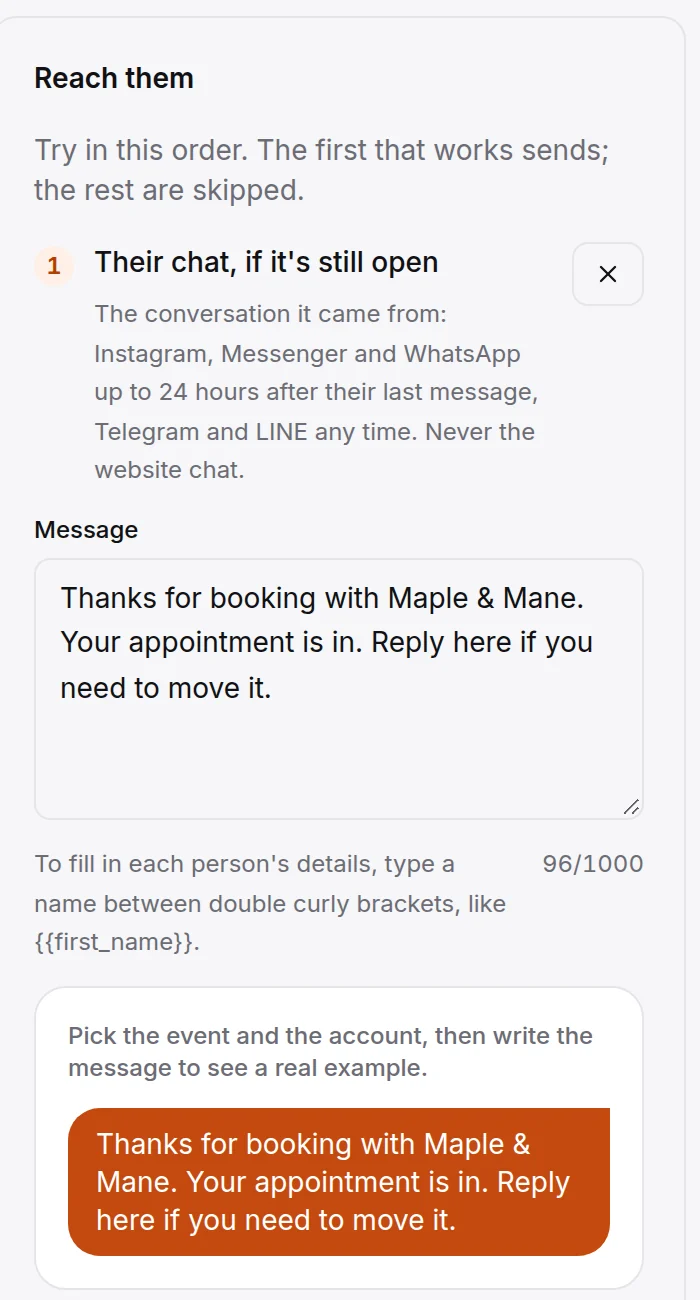
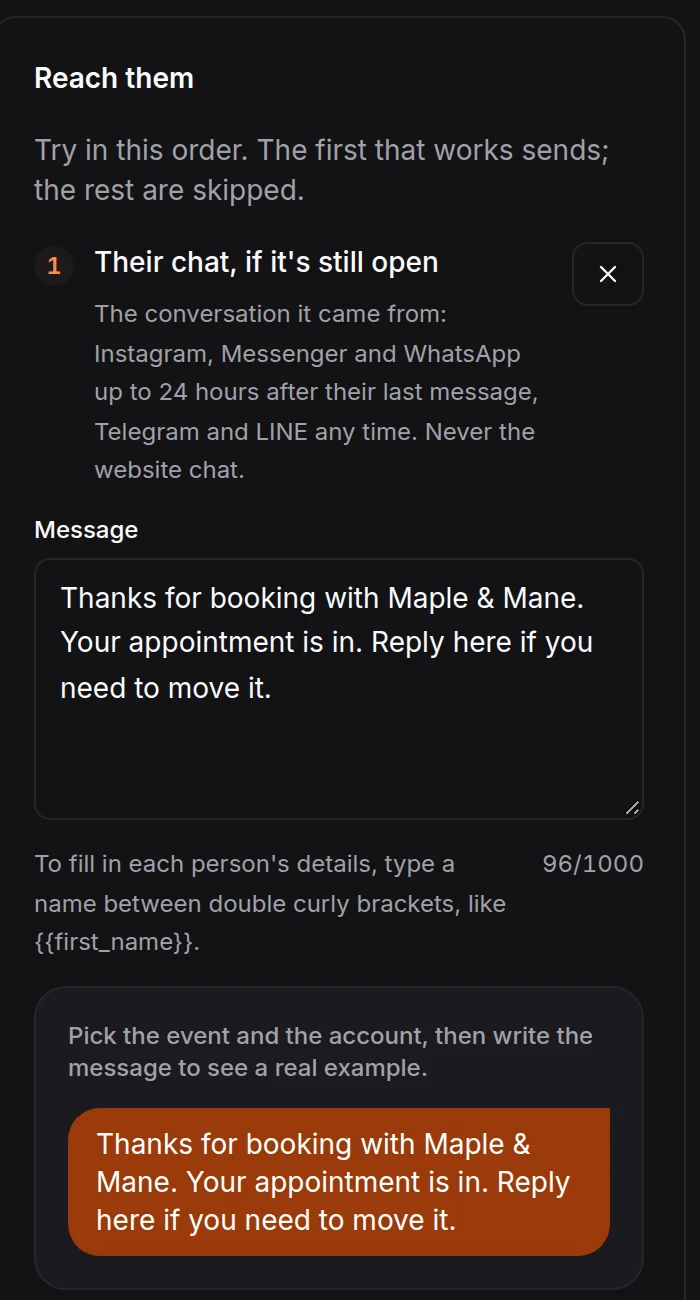
Thanks for booking with [business name]. Your appointment is in. Reply here if you need to move it.
Free reply99 charactersAs soon as the booking is made, while their chat is open
Sent in the client’s own Instagram, Messenger or WhatsApp chat within 24 hours of their last message, so it needs no template. This is the sample salon’s confirmation in the screen further down.
Confirmation with your cancellation policy
Hi {{first_name}}, you’re booked for [service] with [staff name] on {{date}} at {{time}}. If you can’t make it, please tell us 24 hours before so we can offer the time to someone else.
Likely category: utility184 charactersAs soon as the booking is made
A cancellation notice belongs in a utility template. A discount or an add-on offer would make it marketing.
Consultation booked at a clinic or med spa
Hi {{first_name}}, your consultation at [business name] is booked for {{date}} at {{time}}. It takes about [how long it takes], and [staff name] will talk you through your options. Reply here with any questions before then.
Likely category: utility223 charactersAs soon as the booking is made
Appointment reminder messages to send before the visit
Most businesses send one reminder 24 hours before. Add a second, 48 to 72 hours ahead, when the client must prepare or the visit is long.
The 24-hour reminder
Hi {{first_name}}, a reminder of your [service] at [business name] tomorrow at {{time}}. Reply here if you need to move or cancel it.
- See you then
- I need to move it
Likely category: utility133 characters24 hours before
Quick-reply buttons make the answer one tap. The tap arrives in your inbox like any reply.
Asking the client to confirm
Hi {{first_name}}, can you still make your [service] on {{date}} at {{time}}? Tap below to confirm, or tell us if you need another time.
- Yes, I’ll be there
- I need another time
Likely category: utility136 characters48 to 72 hours before
Reminder with what to bring or do
Hi {{first_name}}, your [service] is on {{date}} at {{time}}. Before you come: [what to do first]. Reply here if you have a question.
Likely category: utility133 characters48 hours before
Replace [what to do first] with your own instructions, such as “please arrive 10 minutes early to fill in your form”. Write one template per service that needs it.
Same-day reminder
Hi {{first_name}}, see you today at {{time}} at [business name], [address]. Running late? Reply here and we’ll tell you if we can still fit you in.
Likely category: utility147 charactersThe morning of the appointment
Send it in the morning. In HiQBot a reminder that would land within 2 hours of the start isn’t sent.
Reminder templates for salons, med spas, clinics and gyms
The same structure works in every business: who, what, when, and how to change it. These add the detail each kind of client asks about.
Hair salon: colour appointment
Hi {{first_name}}, your colour with [staff name] is tomorrow at {{time}}. Please come with dry hair and allow about [how long it takes]. Need to move it? Reply here.
Likely category: utility165 characters24 hours before
Lash and brow studio: infill
Hi {{first_name}}, your lash infill is on {{date}} at {{time}}. Please come with clean lashes and no mascara. Reply here to move it.
Likely category: utility132 characters24 hours before
Med spa or aesthetic clinic: treatment
Hi {{first_name}}, a reminder of your appointment at [business name] on {{date}} at {{time}}. If anything about your health or medicines has changed since your consultation, please tell the clinic before your visit.
Likely category: utility215 characters48 hours before
It leaves the treatment name out, since the message shows on the client’s lock screen. The health question goes to your practitioner, never to a chatbot.
Dental or medical clinic
Hi {{first_name}}, this is [business name]. Your appointment with [staff name] is on {{date}} at {{time}}. Reply here if you need to change it.
Likely category: utility143 characters24 hours before
Keep the reason for the visit out of the message.
Gym or studio: class or personal training
Hi {{first_name}}, your [class] session is tomorrow at {{time}}. For your first visit, please arrive 10 minutes early and bring water. Can’t come? Reply here so we can give your place to someone else.
Likely category: utility200 characters24 hours before
Follow-up, review request and rebooking messages
These go after the visit, or after a booking falls through. Keep the thank-you and the review request as two messages: one is about the client’s visit, the other asks a favour.
After a cancellation
Hi {{first_name}}, your [service] on {{date}} is cancelled. When you’d like a new time, reply here and we’ll find one.
Likely category: utility118 charactersWhen a booking is cancelled
After a missed appointment
Hi {{first_name}}, we missed you at your [service] today. Would you like another time? Reply with a day that suits you.
Likely category: marketing119 charactersThe same day
Asking a client to book again can be read as marketing, so send it in their chat while it’s still open. Mention a fee only if your policy has one and the client agreed to it when booking.
Thank-you with aftercare
Hi {{first_name}}, thank you for coming in today. Your aftercare notes for [treatment] are here: [aftercare link]. If anything worries you, reply here or call us.
Likely category: utility162 charactersA few hours after the visit
Link to the aftercare your practitioner wrote, rather than putting medical advice in the template.
Asking how the visit went
Hi {{first_name}}, how was your [service] with [staff name] yesterday? Reply with a number from 1 to 5, and tell us anything we could do better.
Likely category: utility144 charactersThe day after
Meta accepts feedback about a specific visit as utility, but not a general survey.
Google review request
Thanks for visiting [business name], {{first_name}}. If you were happy with your [service], a Google review helps other clients find us: [review link]
Likely category: marketing150 charactersTwo or three days after
A request for a public review helps your business rather than the client, so plan on Meta treating it as marketing.
Time to rebook
Hi {{first_name}}, it’s been [six] weeks since your last [service]. [staff name] has openings next week. Reply with a day that suits you and we’ll book it.
Likely category: marketing155 charactersFour to eight weeks after, by service
A prompt to book again is marketing. Send it as a broadcast to clients tagged by service.
For more ways to bring clients back, see our guide to salon marketing.
WhatsApp template rules for appointment reminders
The 24-hour window
When a client messages or calls your WhatsApp number, you can reply in your own words for 24 hours. Outside that window you can only send a template Meta has approved (Meta, pricing and the customer service window). A reminder for next week’s appointment almost always falls outside it.
Approval
Meta reviews every new or edited template, which can take up to 24 hours. Each variable needs a sample value, and each language is its own template (template fundamentals). The body can be up to 1,024 characters and a button label up to 25 (template components); every template above is far shorter.
Utility or marketing
A utility template must be about something the client asked for or needs, such as their booking, with no promotional intent. A template that mixes the two is marketing, and Meta accepts feedback about a specific visit as utility but not a general survey (template categorization). Send the reminder and this month’s offer as two messages.
Clients with US phone numbers
WhatsApp does not currently deliver marketing templates to US numbers (Meta’s per-user marketing limits). Utility templates still go, so a reminder about the booking alone reaches US clients. For them, ask for the review in person or in the chat while it is still open.
What a reminder costs
Meta charges per delivered template, at a rate set by the category and the client’s country (pricing), and bills your WhatsApp account directly. HiQBot adds nothing per message.
How to send appointment reminders automatically in HiQBot
HiQBot’s AI agent books appointments in the chat on your website, WhatsApp, Instagram, Messenger, Telegram and LINE. Bookings land in HiQBot and, if you connect it, on your Google Calendar, and automated appointment reminders go out from there. HiQBot doesn’t send SMS or email, so the messages go on WhatsApp and in the client’s own chat.
The confirmation, in their chat first
When a booking is made, the automation writes into the conversation it came from if that chat is still open: Instagram, Messenger and WhatsApp up to 24 hours after the client’s last message, Telegram and LINE at any time. If it isn’t open, it sends your WhatsApp template instead. When the AI has already confirmed the booking in the chat, the automation can skip it so the client doesn’t hear it twice. For a booking made in your website chat, messages go to the WhatsApp number the client gave.
The reminder, before every booking
A reminder automation goes out from 2 hours to 7 days before each booking and sends your approved template. You can also set sending hours, so nothing goes out at night.
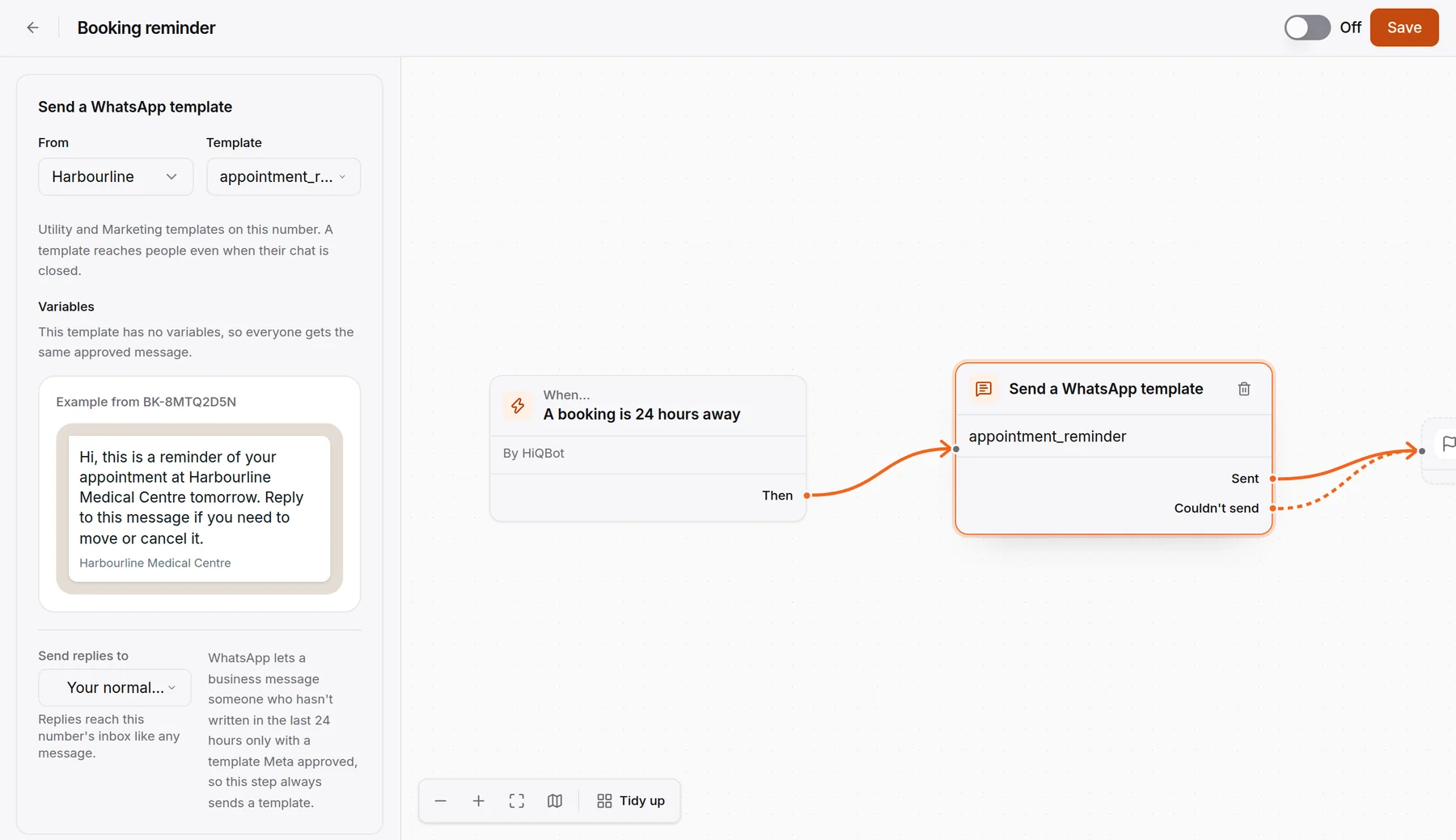
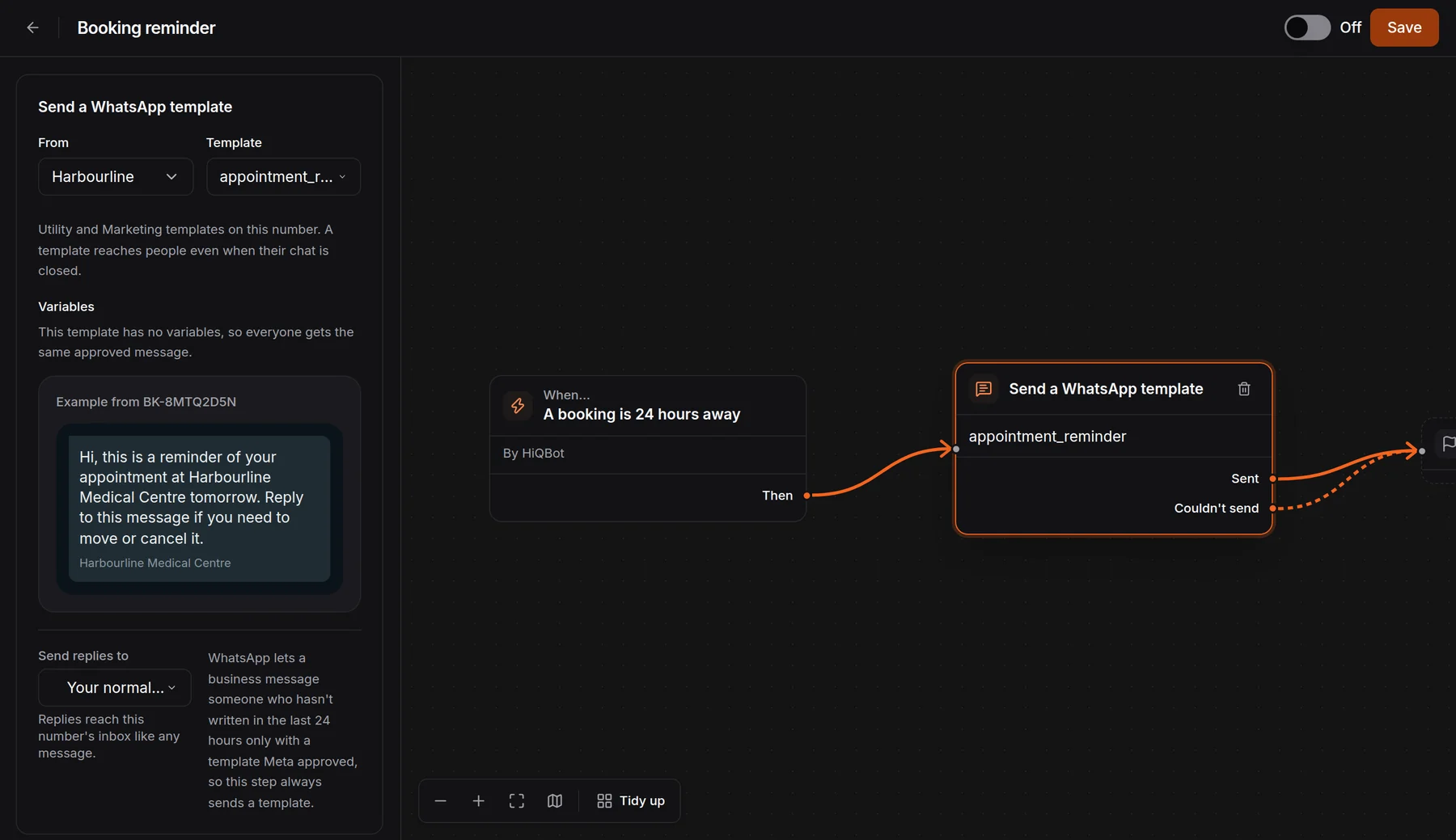
Both can be one automation: confirm when the client books, then wait until 24 hours before and remind.


Moves and cancellations
Separate automations can send a message when a booking is moved, cancelled or declined, such as the cancellation template above. A cancelled booking gets no reminder, and a moved booking is reminded at its new time.
When the client replies
Replies land in the same inbox as every other message. The AI agent answers from your own service list and policies, and it can move or cancel a booking it took; your Google Calendar follows. Your team can take over any chat, and a client who would rather talk can call your WhatsApp Business number, which rings your team in the inbox (WhatsApp calling). The AI itself works in writing.
After the visit
Automations start from a booking being made, coming up, moved or cancelled, not from the visit ending. Send the thank-you and the review request from the inbox, and the rebooking message as a WhatsApp broadcast to clients you tag by service. You need each client’s consent.
The full setup for a salon is on our salon chatbot page, and for clinics on WhatsApp for clinics.
Common questions
What should an appointment reminder say?
The client’s name, your business name, the service, the day and time, and how to move or cancel it. Add the address for a first visit and anything they need to do before they arrive.
When should you send an appointment reminder?
24 hours before is the most common choice. Add one 48 to 72 hours ahead when the client must prepare or the visit is long.
How do I write an appointment confirmation text?
Name the client, your business, the service, the day and the time, and end with how to change it: “Hi Sara, your cut at Maple & Mane is booked for Friday at 3 p.m. Reply here if you need to move it.”
Can you send appointment reminders on WhatsApp?
Yes, as a template Meta has approved, because most reminders go out more than 24 hours after the client last wrote. A reminder about the booking alone is usually a utility template and reaches US numbers too.
Is an appointment reminder a utility or a marketing message?
Utility, when it is only about the client’s booking. Add an offer or an upsell and Meta treats it as marketing.
Do appointment reminders reduce no-shows?
Yes. In a Cochrane review of eight trials, 78.6% of people sent a text reminder came to their healthcare appointment, against 67.8% with no reminder.
Does HiQBot send SMS or email reminders?
No. HiQBot sends reminders as WhatsApp templates and as messages in the client’s chat on Instagram, Messenger, WhatsApp, Telegram and LINE.
Meta’s documentation and the Cochrane review were read on , and the screens are the real HiQBot product with sample data. How we write and check posts: editorial standards.