Custom AI customer support agents that check the account before they answer
Built on your knowledge base and connected to your systems. Routine requests handled, the rest handed to your team.
Emily Carter
Website chat
Emily Carter: Our Contacts export downloads as an empty file. My whole team is blocked.
AI agent: Sorry about that. Which browser and app version are you on? I'll get this to engineering with the details.
Emily Carter: Chrome 124 on Windows, latest web version.
- Ticket opened in Jira, priority set to urgent
AI agent: Done. Engineering has it as urgent, and you'll get updates right here. Sarah from support is on this thread too.
- Sarah joined with the full thread
- Answers from your knowledge base
- Checks orders and accounts in your systems
- Hands over with the full thread
- You own the agent and its code
How an AI support agent resolves a customer request
A customer writes in on your website, WhatsApp or Instagram. The agent reads what they need, answers from your help material if the answer is there, and looks up anything that depends on their account: an order, a booking, a subscription, a claim. If it can finish the job inside the rules you set, it does. If it cannot, or it should not, it opens a ticket with the details already filled in or passes the conversation to a person on your team, who sees the whole thread.
The customer gets an answer in their own language, at any hour, without repeating themselves. Your team sees every conversation in one inbox and only picks up the ones that need a person.
A customer asks for help
"Where is my order?" on any channel
It answers from your material
Help centre, policies, product guides
It checks their account
Order, booking or plan in your system
Your rules pick the next step
Fix it, or file it for you to approve
Your team takes over
Ticket or live chat, with the thread
Which requests the agent may finish alone, and which wait for a person on your team, is agreed in discovery and written into the scope.
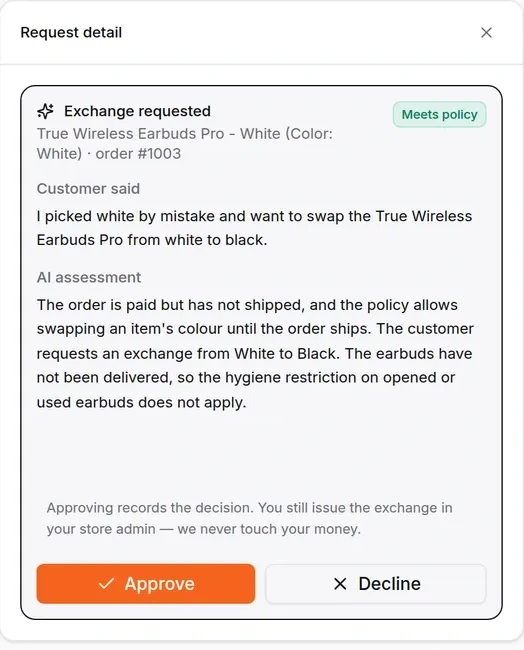
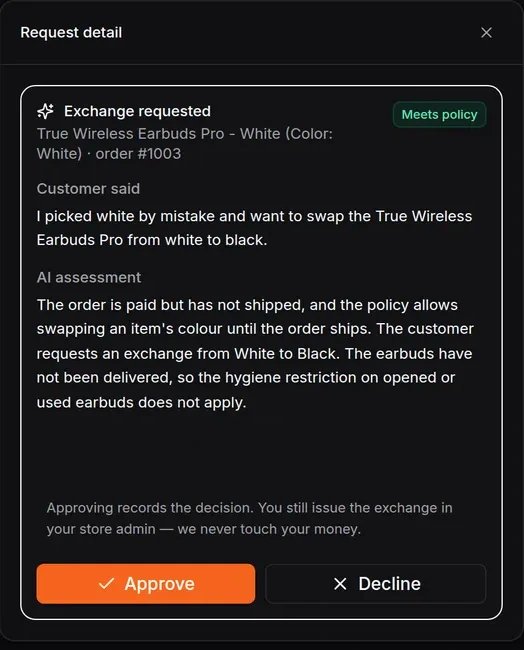
Act, ask for approval or hand over: you set the rules
Every action the agent can take is given one of three settings in discovery, and you can change them later.
- Acts on its own: routine, low-risk and easy to undo, such as answering a question or checking a status.
- Proposes, a person approves: anything that costs money or is hard to reverse. The agent does the work and a named person on your team says yes.
- Hands over: the customer is upset, the question is outside what it was given, or it is not sure. The person gets the whole conversation and what the agent already checked.
Most builds start with more actions needing approval, and loosen as the test results and your team's confidence grow.
HiQBot plan or custom AI support agent?
Many support teams do not need a custom build. Here is where the line sits.
| HiQBot plan (from Starter) | Custom support agent, built for you | |
|---|---|---|
| Answers from your help material | Yes, from the files you upload | Yes, plus the sources you name in discovery |
| Looks up the customer's order | Yes, for a connected WooCommerce store, once the customer gives the order number and checkout email or phone | Yes, in your own order, booking or account system |
| Opens a ticket when it cannot fix the issue | Yes, with a linked issue in Jira or a ticket in HubSpot | Yes, in the system your team works from |
| Hands over to a person | Yes, checking working hours and assigning to someone on shift | Yes, with your own routing rules |
| Takes an action in your systems (reschedule, reissue, update a record) | Refunds, cancellations and address changes go to a person to approve and carry out | Inside rules you set, with approval where a wrong move costs money |
If the left column covers your support, start with live chat and the support agent on HiQBot and skip the build.
When a custom AI support agent pays off
A build is worth it when the answer your customer needs lives somewhere a plan cannot reach, or when the right next step depends on rules only your business has. Three situations come up most on our calls:
- Your orders, bookings or accounts sit in a system you built or a platform the plans do not connect to, and "where is my order" is a large share of your tickets.
- The answer depends on who the customer is: their plan, their contract, their region, their history with you.
- Your team spends its day on a few repeat actions that follow clear rules, such as reissuing a code or moving a date, and you want the agent to do them with a person approving the costly ones.
What we need from you
- One person who knows how your support decisions are really made, including the parts nobody wrote down.
- Your help material, and read access to the systems the agent needs to check.
- Twenty or so real conversations, including a few awkward ones, so we can write the test cases the agent has to pass before launch.
AI customer support agents by industry
Here is what a support agent can take off your team in each industry HiQBot serves, and which system it needs to reach to do it.
Order status once the customer confirms the email or phone used at checkout. Refunds, exchanges and cancellations filed with a read of your returns policy, for a person to approve.
More on E-commerce & RetailHow-to questions answered from your docs. When something breaks, it collects the version and browser and opens the ticket in the tracker your engineers work from.
More on SaaS & TechnologyQuestions about the stay answered from your house rules and opening hours, and bookings moved or cancelled inside the rules you set.
More on HospitalityAllergy and menu questions answered from your own menu, table bookings moved or cancelled, and anything it cannot confirm passed to a person.
More on RestaurantsWhat a trip includes and leaves out, answered from your own terms. Changes to a booked trip go to your team with the booking details attached.
More on Travel & TourismJob status checked in your workshop system and service bookings moved. A complaint about a repair you already did goes straight to a person.
More on AutomotiveHow we test an AI support agent before launch
The real conversations you give us become the test cases. Each one records what the customer asked, what the agent should look up, and what a correct reply or action is, agreed with the person on your team who knows how support really works.
The agent has to pass them before launch, and a small group on your side uses it next. After launch the same cases run again whenever the agent changes, so a new rule or a newly connected system cannot break an answer that used to be right without anyone seeing it. You get the cases and the latest results at handover.
How we build your support agent
The same five steps as every build we do, shaped around support. The full process is on our AI agent development services page.
Scoping call
Bring your most common ticket types and the systems behind them. An engineer tells you which ones an agent should take and which a HiQBot plan already covers.
You know what is worth building
Discovery and a written scope
We go through real conversations with the person who knows your support, and write down each action the agent may take, what needs approval and when it hands over.
Every action has a rule
Quote from our sales team
Our sales team quotes the support agent against that written scope, before any work starts.
You decide with the scope in hand
Build
Built on your help material, connected to your systems and checked against your real conversations. Your support team uses it before customers do.
It passes your test cases
Handover and support
The support agent is handed over to your organisation, on your cloud or ours, and we stay on to adjust its rules as your team's confidence grows.
The agent is yours
AI customer support agent FAQs
How is this different from a support chatbot?
A chatbot answers questions. A support agent also looks things up and takes the next step, such as checking the order or opening the ticket, and knows when to stop and bring in a person.
Will it replace my support team?
It takes the repeat questions and lookups off them. Your team handles the conversations the agent hands over, and they see everything the agent did first.
Can it work with our helpdesk?
On a plan, support tickets can open a linked issue in Jira or a ticket in HubSpot. A custom build can connect to other systems your team works from.
What stops it from giving a wrong answer?
It answers from the material you give it, and we test it against real conversations before launch. When it is not sure, it hands over. Email addresses and phone numbers are masked in the text the AI works on.
Can the agent issue refunds itself?
In a custom build, yes, inside limits you set, with a person approving anything above them. On a HiQBot plan, refunds, cancellations and address changes go to a person to approve and carry out.
Does it answer in the customer's language?
Yes. It replies in the language the customer writes in, from the same material your team maintains.
Who owns the support agent?
You do. It is handed over to your organisation with its code, instructions and test cases, and runs on your cloud or on ours.
Which channels does it work on?
On the HiQBot platform: website chat, WhatsApp, Instagram, Messenger, Telegram and LINE, with every conversation in one inbox. On your own infrastructure: the channels we connect it to in discovery.
We also want an agent for campaign replies. Is that the same build?
Yes, the same team builds both, and they can share the HiQBot inbox if you run them there. See our agents for campaign replies.
Tell us about your support queue
Thirty minutes with an engineer. Bring your most common ticket types and the systems behind them, and we will tell you what a plan covers and what, if anything, is worth building.