WhatsApp Business Calling, answered by your team in the inbox
Customers call your business from their WhatsApp chat, and the call rings your team in the HiQBot dashboard. Your team calls customers back from the same conversation, and every call stays in the chat history.
Last updated . Spotted something out of date? Email support@hiqbot.com. See how we check our pages.
What is WhatsApp Business Calling?
WhatsApp Business Calling lets a customer call your business over WhatsApp, on the number they already message, and lets your team call them back once they allow it. It runs on the WhatsApp Business API, so in HiQBot the calls reach the same inbox as the chats. Whoever answers can see what the customer wrote before they called, and afterwards the call appears in that chat for the next teammate to read.
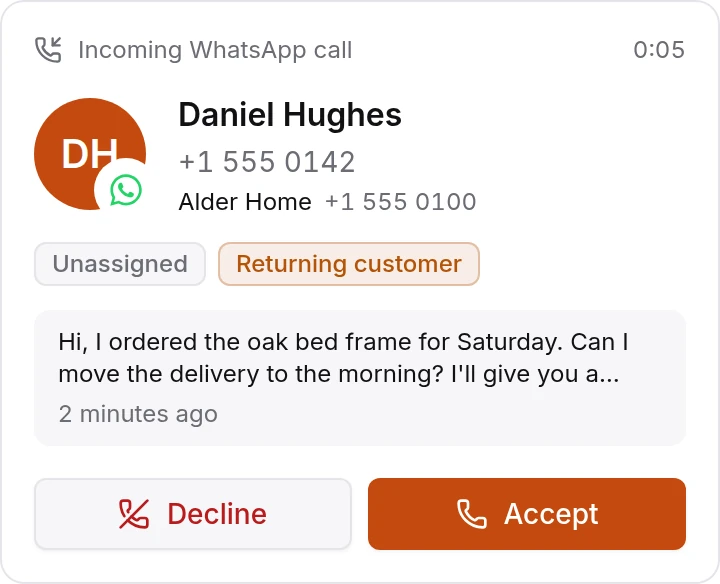
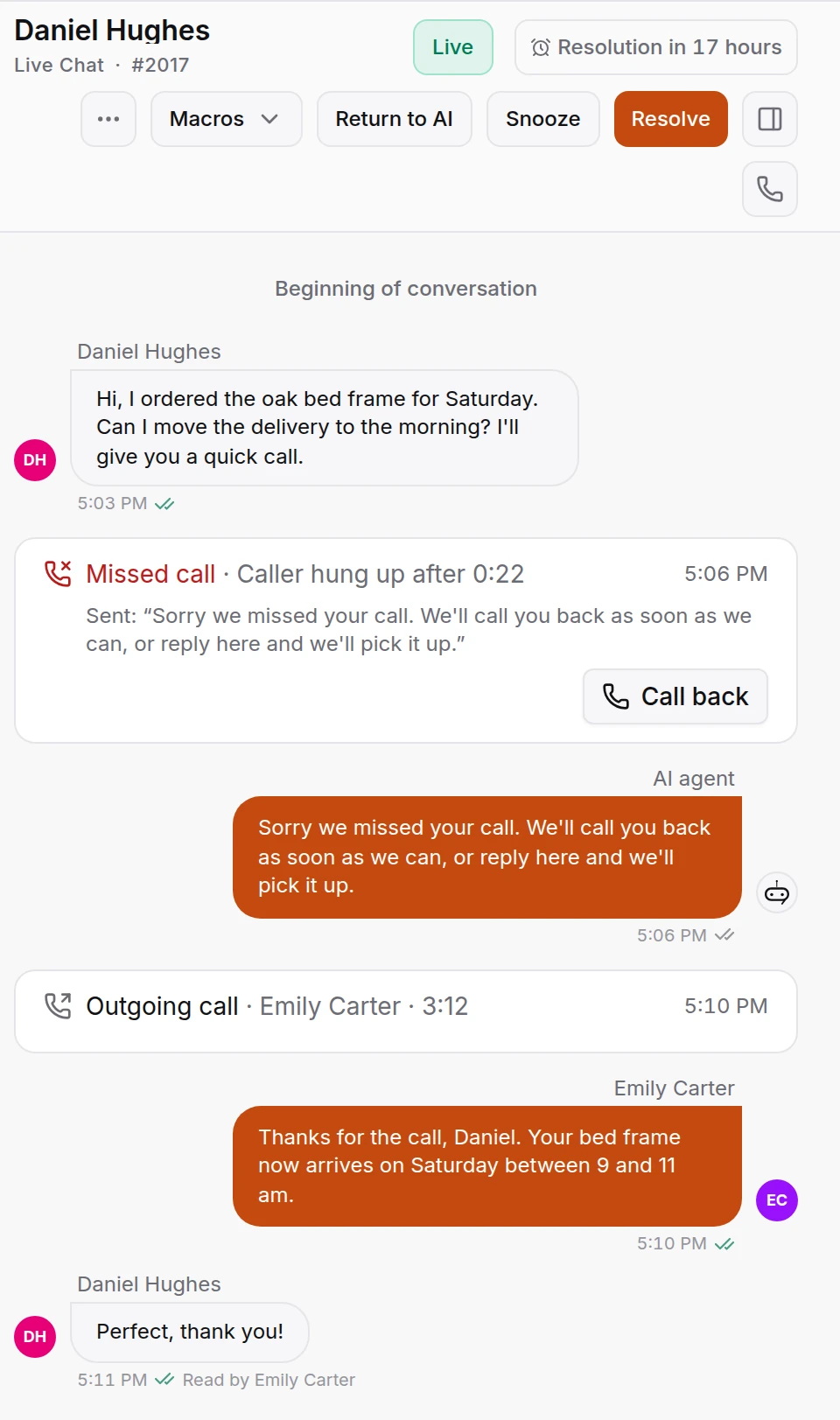
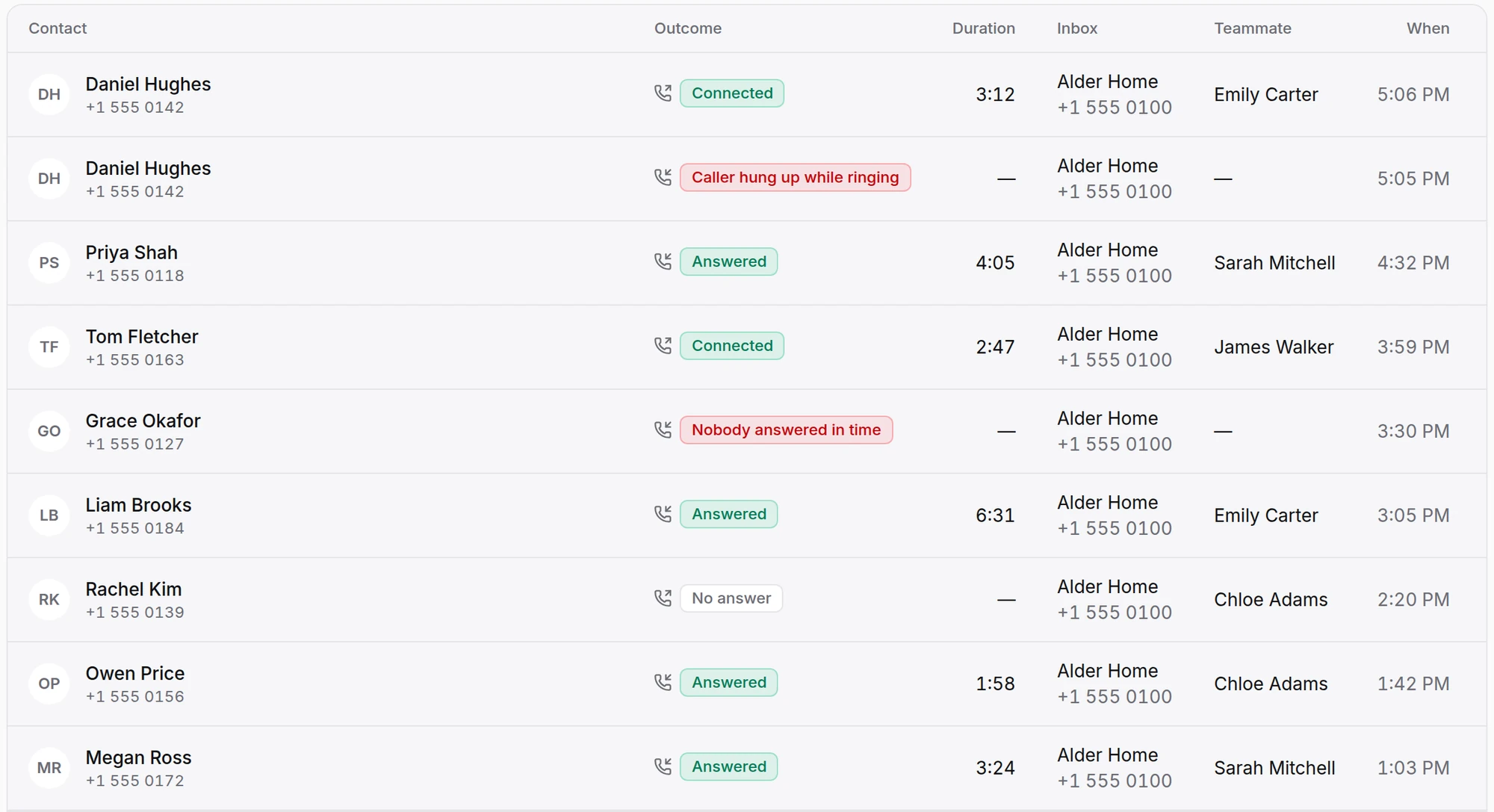
Harbour Street Kitchen, a restaurant, takes table bookings and menu questions on WhatsApp. When Daniel Hughes calls for the first time, the call rings Emily Carter alone first, because his chat is assigned to her, and then the rest of the team. Daniel hangs up before anyone answers, so the missed call lands in his chat with a Call back button, and on Emily's call-back list.
Incoming calls
When a customer calls your WhatsApp number
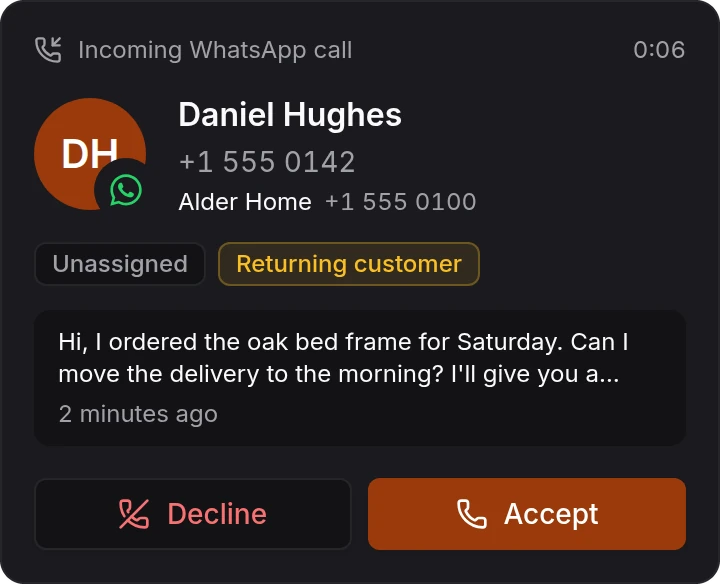
The call rings on whatever dashboard page your team has open, with a ring tone, a browser notification and a flashing tab title. The card shows who is calling, who the chat is assigned to, whether they have been in touch before and their last message. Accept or Decline from the card.
Calls follow the same rules as live chat assignment. A teammate rings only when they can open the chat, are on shift and have calls switched on. Each inbox picks the order:
Assigned teammate first, then everyone
The teammate who has the chat rings alone for a few seconds. If they don’t pick up, everyone who can take the chat rings.
Everyone at once
Everyone who can take the chat rings together, and the first to answer gets the call.
One teammate at a time
Teammates ring in turn, in the order the inbox assigns chats.
On the call
- Mute, hold and resume. On hold, the customer hears your own hold music.
- Pick the microphone and speaker from the call bar.
- Hand the call to a teammate with a note. The call ends, they get a Call back task, and they can call the customer without asking for permission first.
- With call waiting on, a teammate can answer a second call while the first caller waits on hold.
Missed calls
When nobody answers
A missed call joins Waiting for a call back on the Calling page, marked for the teammate who has the chat and sorted by the priority you give each inbox. Once someone calls the customer back and they pick up, the call leaves the list.
The customer gets one message from your business straight away. Write your own, keep HiQBot's standard one in 11 languages, or switch the message off.
Voice messages and call hours
Upload a short greeting and switch voice messages on. When your team declines a call, or nobody answers in time if you choose that too, WhatsApp plays your greeting and records the caller, and the message arrives in their chat.
Or set call hours, with up to two time ranges a day and closed dates for holidays. Outside them, WhatsApp offers the customer a message or a call-back request. A number uses one of the two, because WhatsApp can't run both.
Outgoing calls
Calling customers from the conversation
Press the call button in a WhatsApp conversation, or open New call and search for a contact or type a number with its country. WhatsApp only lets a business call people who have allowed it. If the customer hasn't yet, Ask to call sends them a WhatsApp message asking them to allow calls from you, and the dashboard tells you when they do. You can write that message in your own words.
WhatsApp decides how long the permission lasts, how often you can ask and how many calls you can place. The dialer shows whether the customer allows calls, until when, and the date you can ask or call again.
Switch on Ask callers if you may call them back, and after a customer calls you, WhatsApp asks them to allow calls from your business.
Call history
Every call stays in the conversation
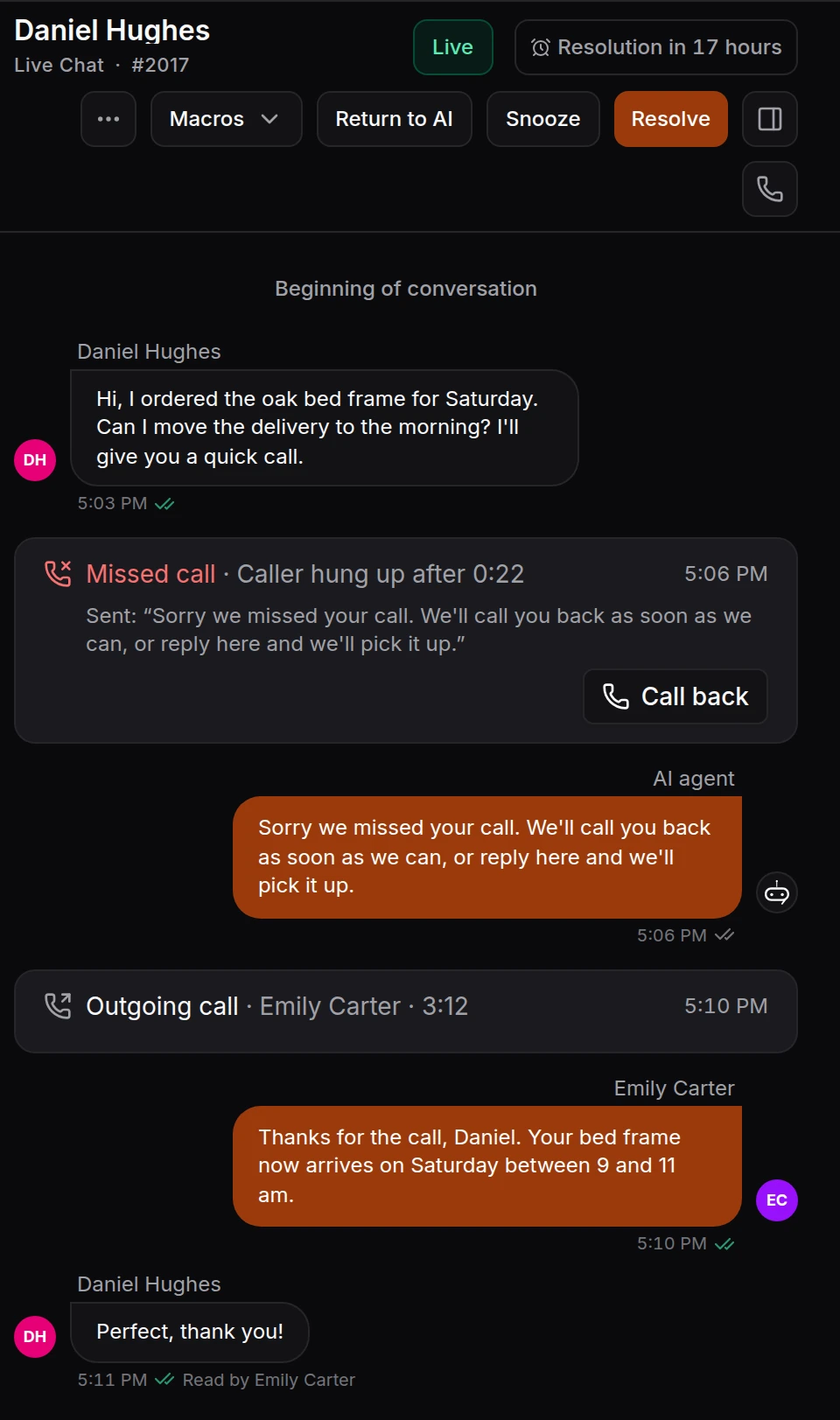
When a call ends it is written into the customer's chat: incoming, outgoing or missed, who answered and for how long. The recording, the transcript, any voice message and the missed-call message you sent all show on that line, between the messages before and after it.
The Calls page lists every call, with filters for incoming, outgoing and missed and a search by name or number. Open one to see who it rang, step by step. Call reports show the answer rate, average wait, talk time, missed calls called back and why calls were missed, by teammate, inbox and team.
Recording and transcripts
Recording stays off until you switch it on for an inbox. WhatsApp then tells both sides that the call is recorded and why, in the language you pick, and either side can hang up.
Keep recordings for 30, 90, 180 or 365 days, after which they are deleted. Anyone who can open the chat can play one, and people with access to reports can download it. WhatsApp writes the transcript, split between your teammate and the customer, and it appears about a minute after the call.
Setting it up
How to start taking WhatsApp calls
- 01
Connect your WhatsApp number
Connect the number through the WhatsApp Business API from the HiQBot dashboard. The setup guide covers what Meta asks for.
WhatsApp Business API setup guide - 02
Turn calling on for the inbox
In the inbox’s calling settings, switch WhatsApp calls on, choose who rings and decide what happens when nobody answers.
- 03
Let your team take calls
Each teammate allows the microphone in their browser once and keeps calls switched on while they work. From then on, calls ring on any page of the dashboard.
WhatsApp calls by industry
- Car dealerships
A buyer calls about a test drive from the chat where they asked about the car.
- Clinics
A patient calls to move an appointment, and the front desk sees their last message on the call card.
- Hotels
A guest calls about a reservation request, and the call is saved in the same thread as the request.
- Real estate
An agent asks a buyer to allow calls, then rings them about a viewing.
- Travel
A traveller calls with a question before departure, and whoever answers has the tour chat open.
- Restaurants
A diner calls about a table, and whoever answers sees what they last wrote in the chat.
Questions about WhatsApp business calls
What is WhatsApp Business Calling?
It is voice calling on the WhatsApp Business Platform, on your business number. A customer taps the call button in their chat with you, or your team calls them. In HiQBot your team answers and places these calls in the dashboard, and each call is saved in that customer's conversation.
Can customers call my business on WhatsApp?
Yes, once calling is on for the number. The call rings the teammates who can take that chat, in the order you choose: the assigned teammate first and then everyone, everyone at once, or one teammate at a time. You can also switch incoming calls off and only call out, or hide the call button in the chat.
Can my team call customers on WhatsApp?
Yes. Start the call from the conversation, or open New call and search for a contact or type a number. WhatsApp lets a business call only people who have allowed it, so when a customer hasn't yet, HiQBot sends them a request to allow calls and tells you when they accept. WhatsApp also limits how often you can ask and call, and the dialer shows the date you can try again.
Does an AI answer the calls?
No. A person on your team is on every call. The AI agent can keep answering chats on the same number, and when a call rings, the card shows the customer's last message and what the AI last did in that chat, so whoever answers starts with the context.
Can WhatsApp business calls be recorded?
Yes, when you switch recording on for the inbox. Before recording starts, WhatsApp tells both sides that the call is recorded and why, and either side can hang up. You choose to keep recordings for 30, 90, 180 or 365 days, after which they are deleted. WhatsApp can also write a transcript, which appears on the call in the chat about a minute after it ends.
What happens when nobody answers a call?
The call joins Waiting for a call back on the Calling page, marked for the teammate who has the chat. The customer gets one short message from your business saying you'll call back, or that they can reply in the chat. You can write that message yourself or switch it off. HiQBot's standard message comes in 11 languages.
Can callers leave a voice message?
Yes. Upload a short greeting and switch voice messages on. When your team declines a call, or nobody answers in time if you choose that too, WhatsApp plays your greeting and records the caller, and the message arrives in their chat for your team to play.
Can I take calls only during business hours?
Yes. Set weekly call hours, with up to two time ranges a day, and closed dates such as public holidays. Outside those hours WhatsApp offers the customer a message or a call-back request instead. WhatsApp cannot keep call hours and take voice messages on the same number, so you choose one of the two.
What does my team need to take calls?
A computer with a browser and a microphone, signed in to the HiQBot dashboard. Calls ring on any dashboard page, with a ring tone and a flashing tab title, plus a browser notification if they allow notifications. A teammate who has switched calls off, or is off shift, is not rung.
Can I call a landline or a number without WhatsApp?
No. The call runs over WhatsApp, so the customer needs WhatsApp on that number.
Are video calls supported?
No. WhatsApp calls in HiQBot are voice calls. Messages, photos and documents go through the chat as usual.
What do I need before I can switch calling on?
A WhatsApp Business API number connected to HiQBot. WhatsApp turns calling on only for numbers with a messaging limit of at least 2,000, and the calling settings tell you if yours is still below it. Which plan includes calling is on the pricing page.
To see which plans include WhatsApp calling, go to pricing. For the rest of what HiQBot does on WhatsApp, see the WhatsApp Business API page and the omnichannel inbox.
Let customers call the number they already message
The call rings the teammate who has the chat, and stays in that chat once it ends.