Hotel chatbot for reservation requests and guest questions
A chatbot for hotels, resorts and guesthouses. It takes room reservation requests, table reservations and room service orders 24/7 on your website, WhatsApp and Instagram, and answers guests from your own rates and menus. Your team confirms each one with one tap.
7-day free trial.
What is a hotel chatbot?
A hotel chatbot is AI software that answers guests in chat for a hotel, resort or guesthouse, from your own rates, policies and menus, then takes the room reservation request, the table reservation or the room service order 24/7 for your team to confirm.
It asks when and how many first, because those two facts settle price and availability, and it says what each price covers: a night, a room or a person. It works for the rooms, the restaurant and the spa, so it is a hospitality chatbot for the whole property. The hospitality agent is one of HiQBot's industry-tuned AI agents.
HiQBot is a conversational platform for customer service, with AI agents and live chat on website chat, WhatsApp, Instagram, Messenger, Telegram and LINE.
Hotel chatbot examples, from city hotels to guesthouses
A city hotel
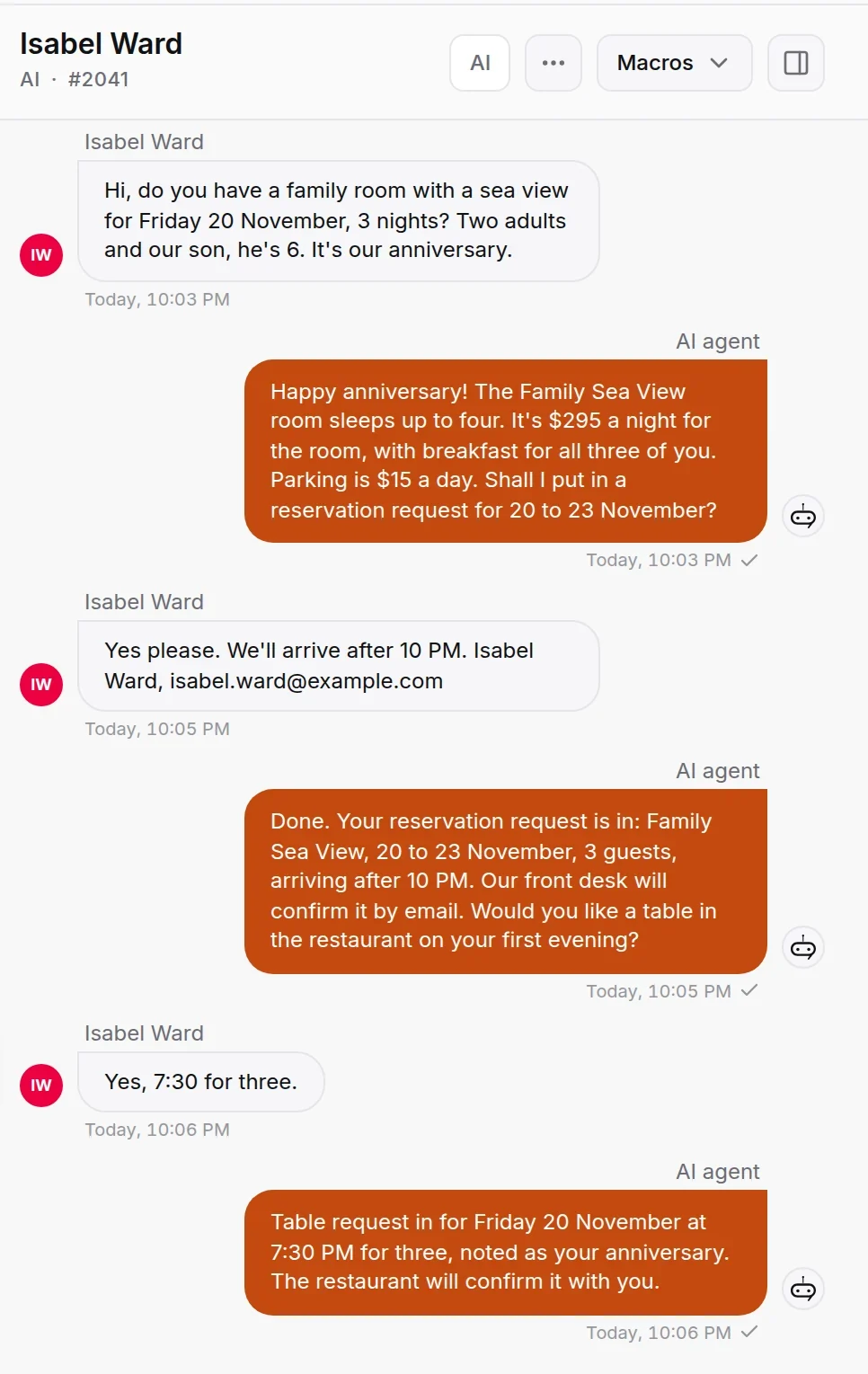
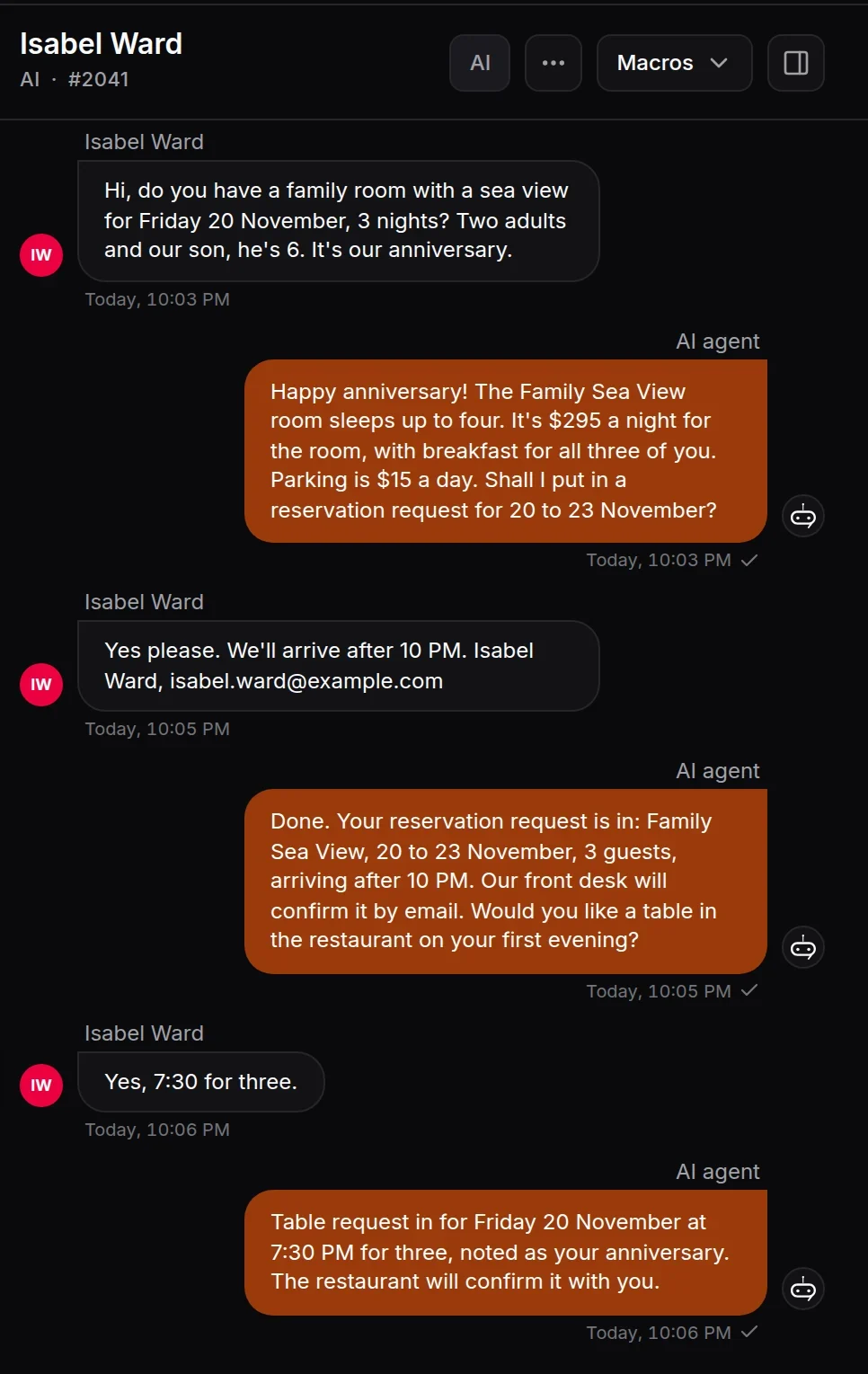
“We land at 11 PM. Can we still check in, and is there parking?” It answers from your check-in and parking notes, then takes the reservation request with the late arrival on it.
A resort
“Is dinner included in half board?” It says what the rate covers and what costs extra, then takes a spa treatment as a reservation request.
A guesthouse or B&B
“Can we bring the dog?” It answers from your house rules. Anything your rules do not cover goes to you.
A hotel with a restaurant
“Table for two tonight, I’m coeliac.” A table reservation for your restaurant, with the allergy in the guest’s own words.
A restaurant without rooms: see the page for restaurants and cafés. Weddings at a venue that is not a hotel: see the event venue chatbot.
A hotel booking chatbot that takes reservation requests for your front desk
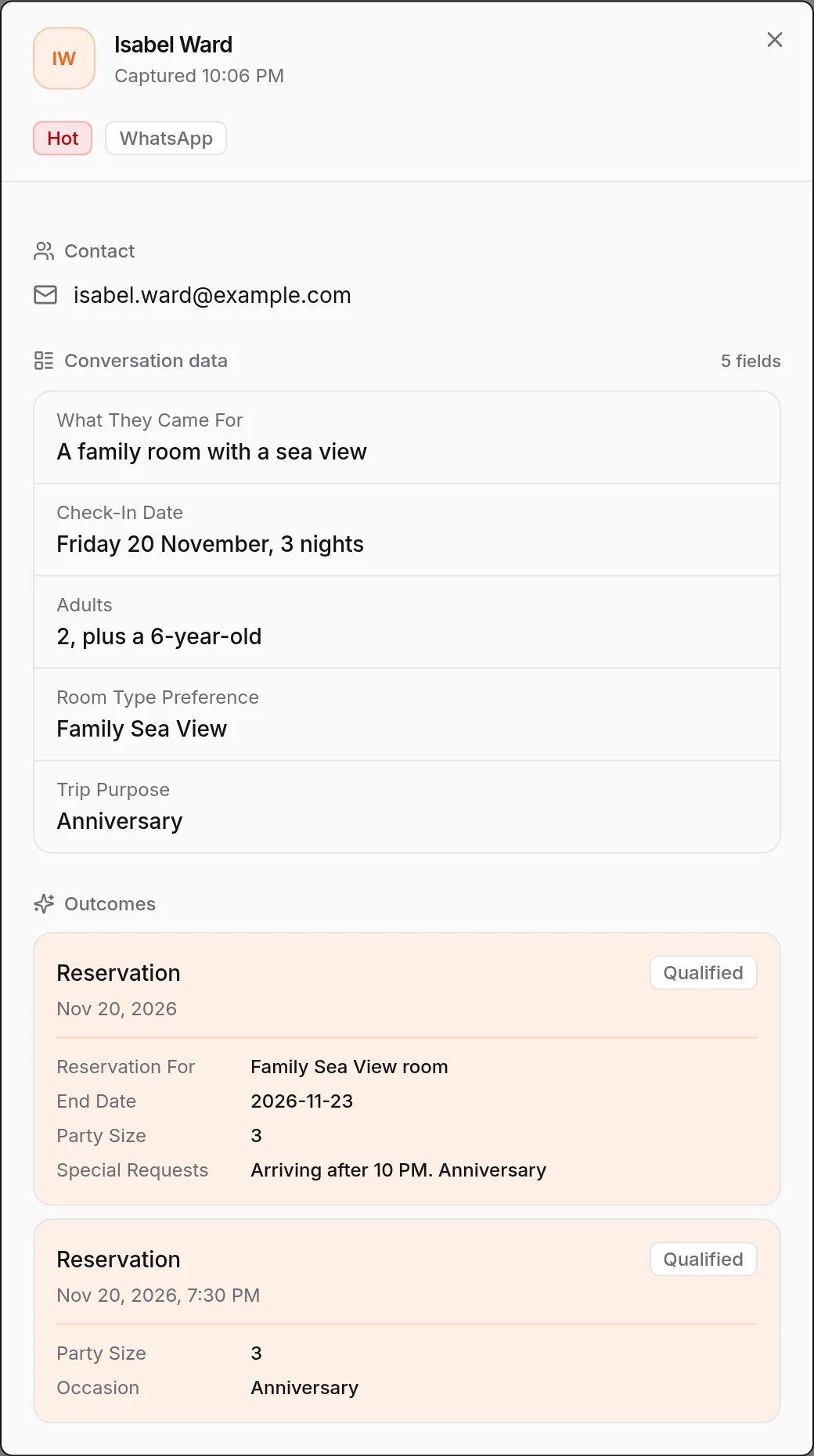
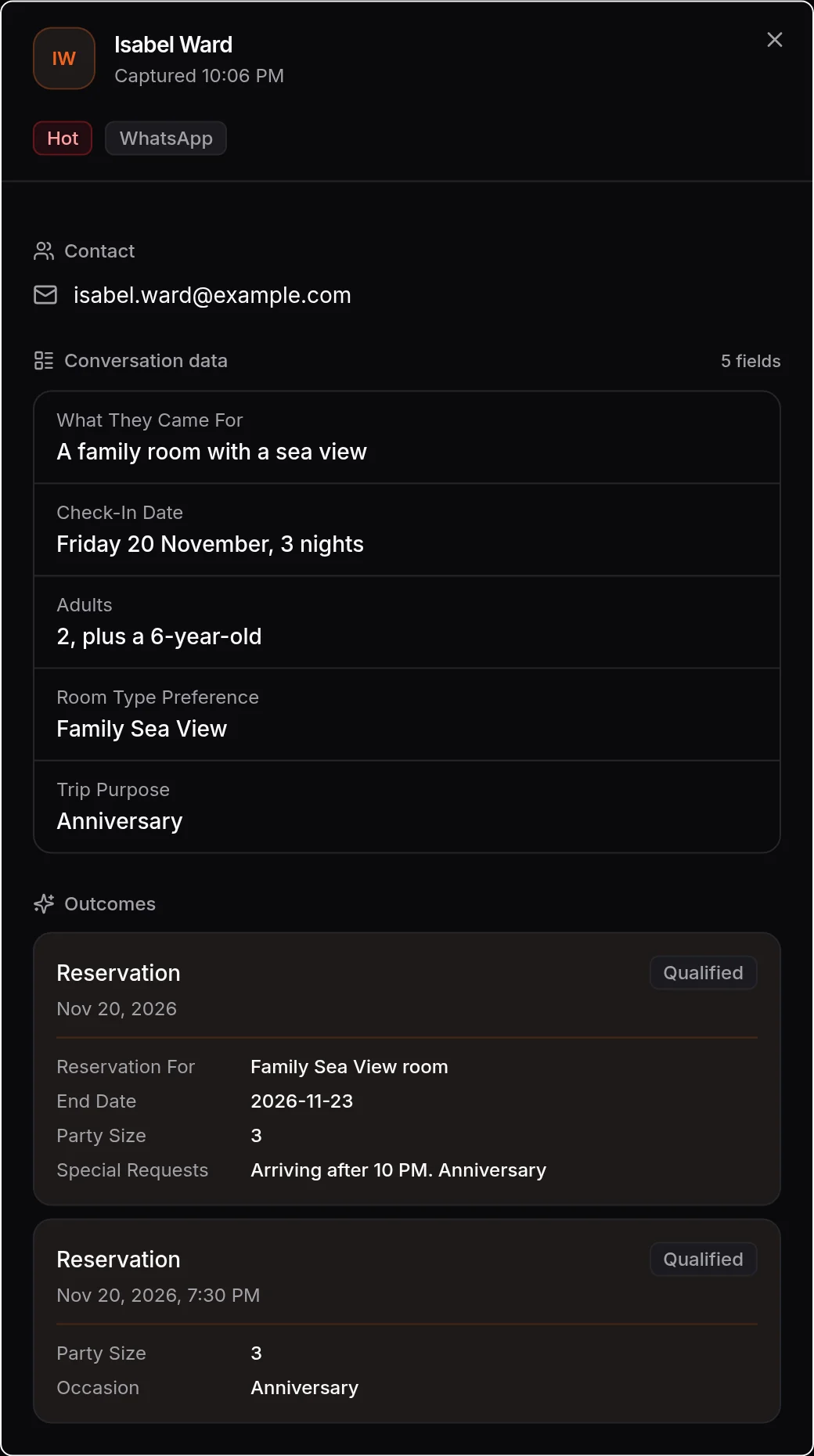
The AI asks for the dates and how many guests, one at a time, and rough dates are fine. It quotes from your rates and says what each price covers. Then it notes the room and anything that changes the stay, such as a late arrival or an access need, and takes the reservation request into your Bookings list. The guest is told your front desk will confirm it, which they do with one tap. On your website, rooms with a photo show as cards.
- Offers a dinner table once, straight after the room
- Moves or cancels a reservation in the chat
- Google Calendar follows every move and cancellation
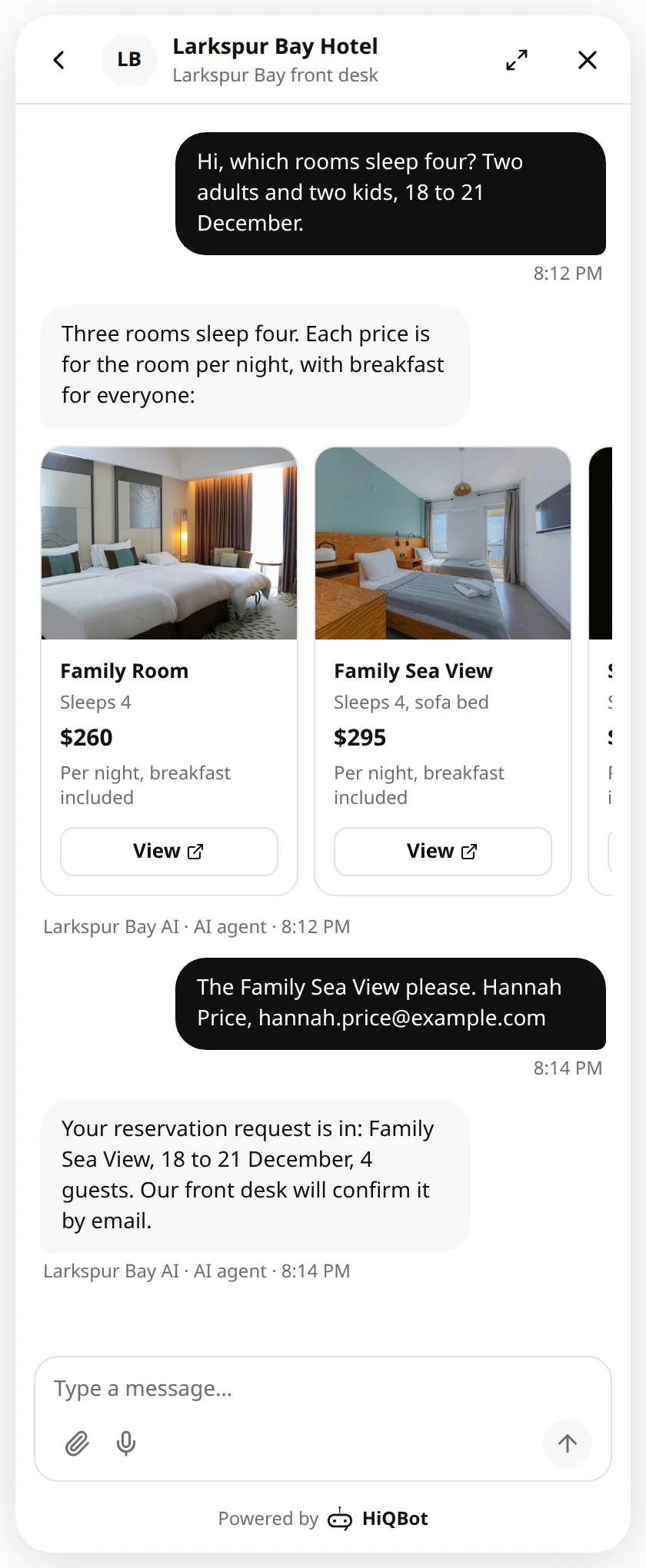
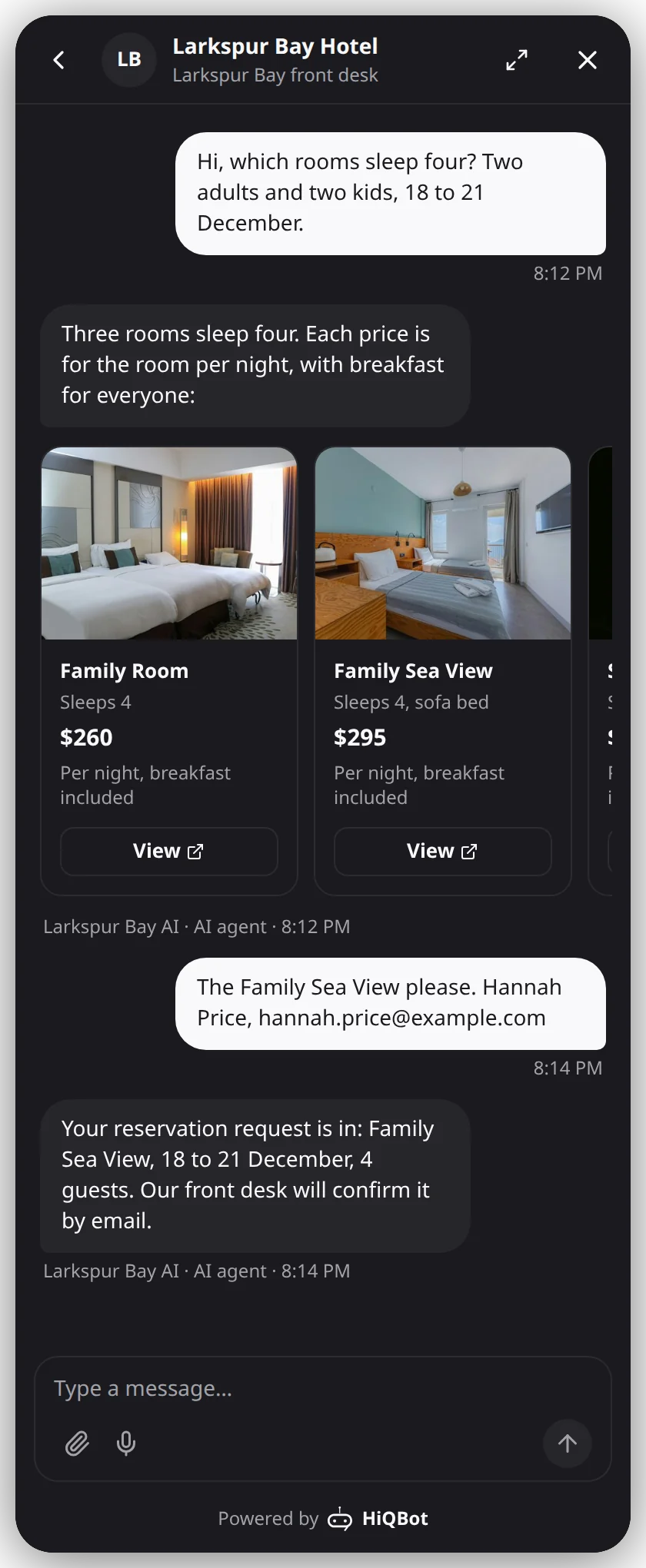
Dinner, room service and the spa in the same chat
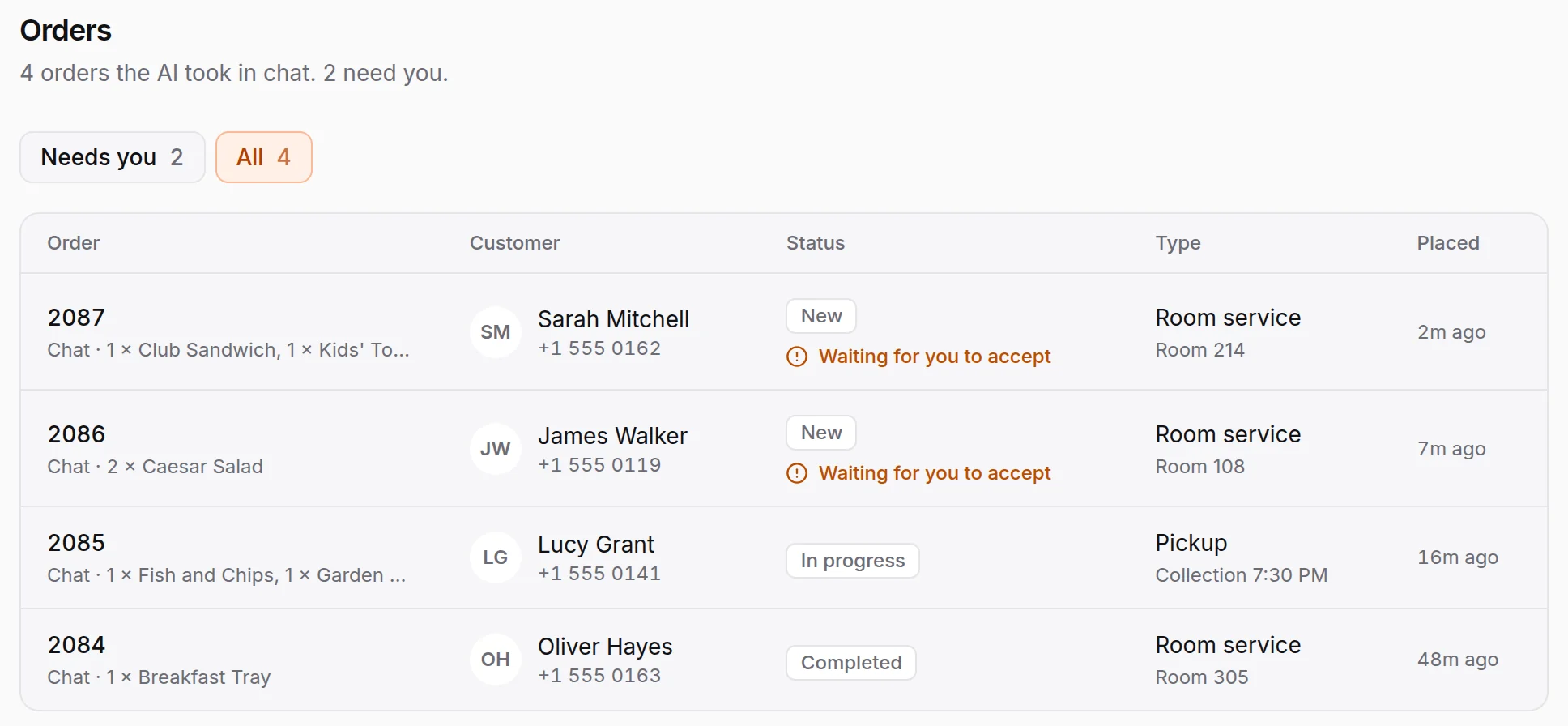
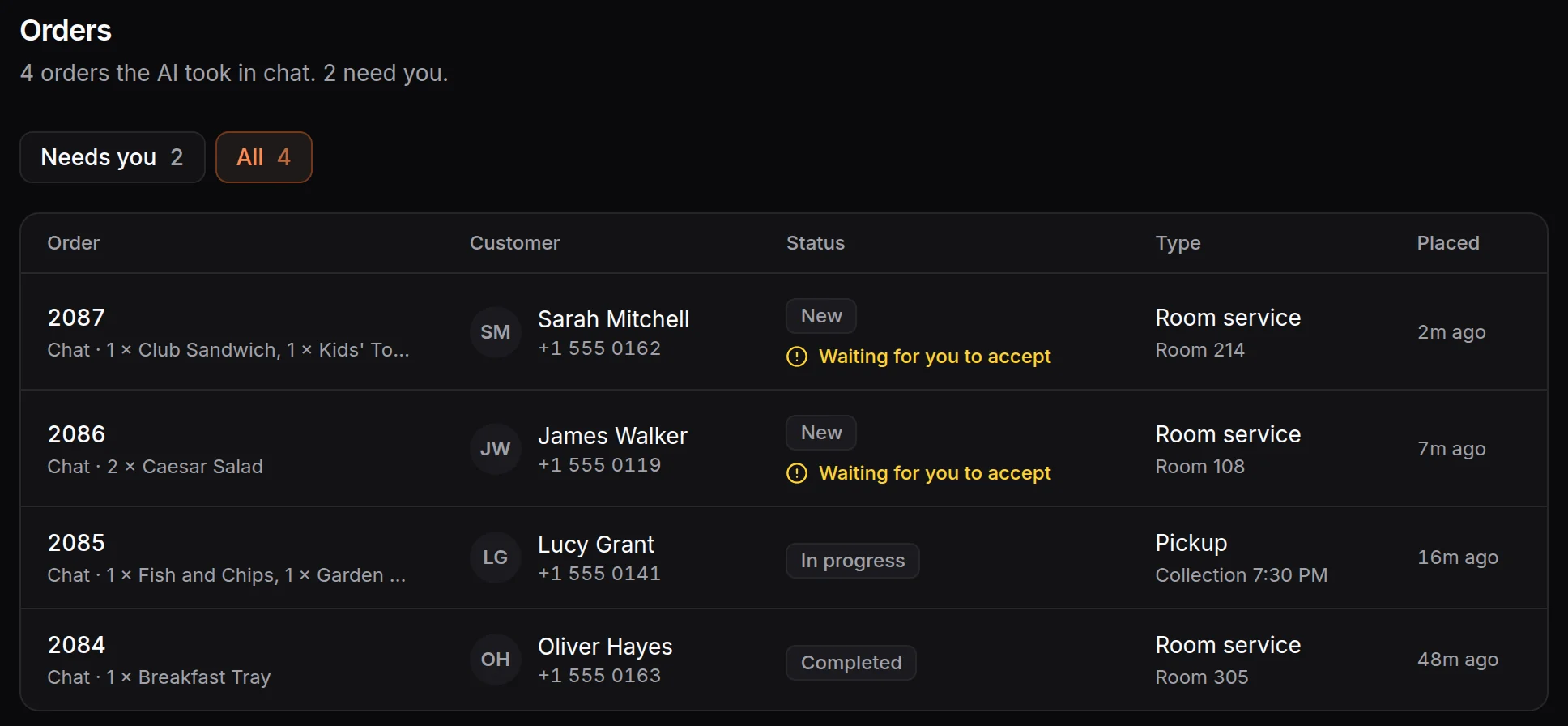
Room service uses the names on your menu and the room number, is read back before it goes, and lands in your Orders view for the kitchen to confirm. An allergy goes onto the table reservation and the order in the guest’s own words, even if it came up while booking the room. When a guest wants a person, your team takes over the same chat or follows up from the details the AI took.
- Table reservations with the time, the party and the occasion
- Never says a dish is safe; a buffet is a question for the kitchen
- Treatments and meeting rooms as reservation requests
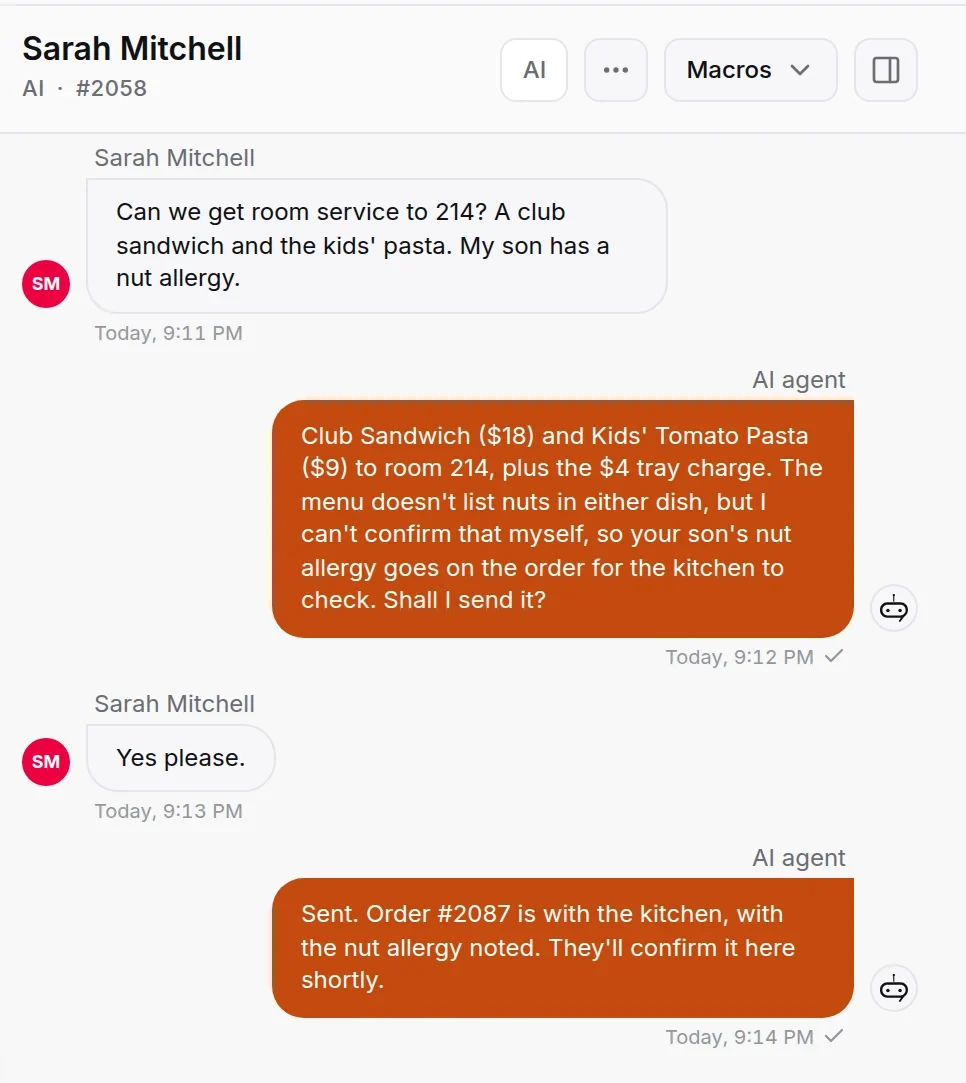
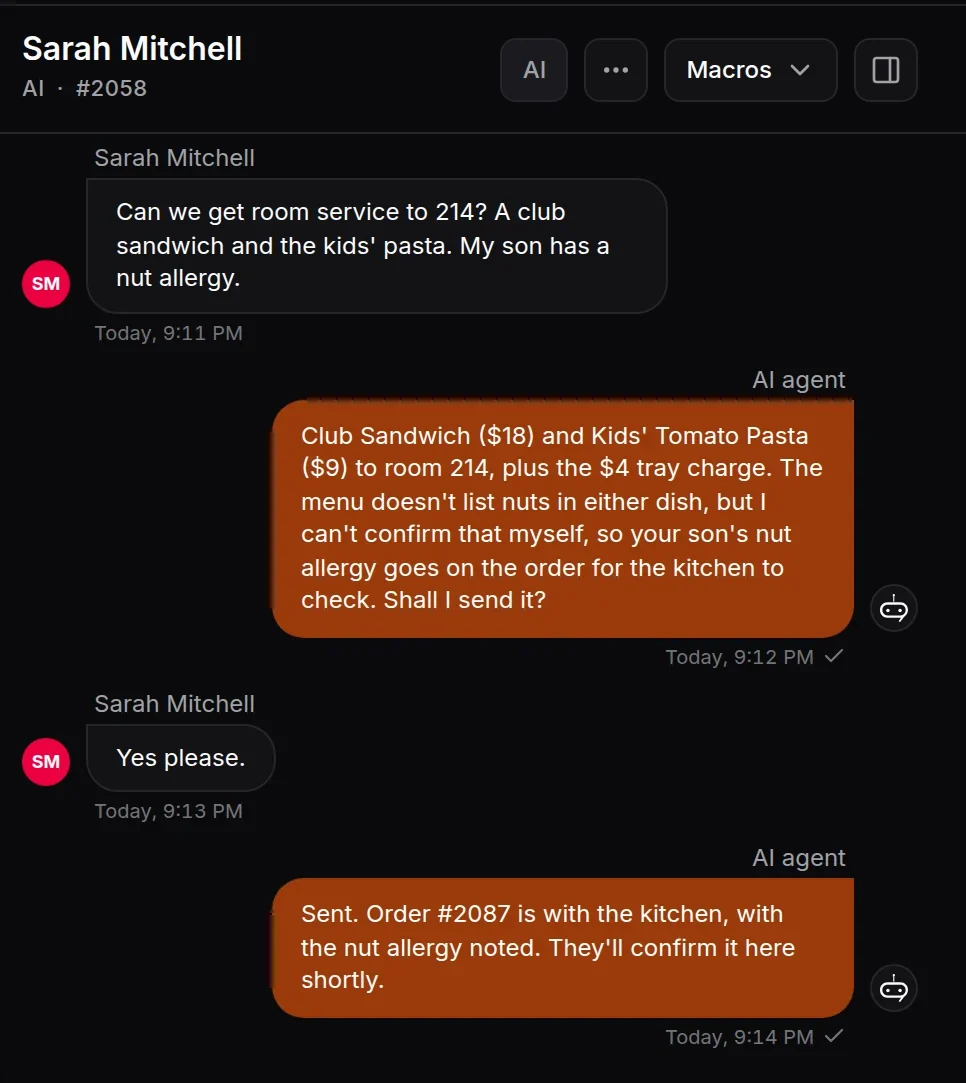
A WhatsApp welcome with buttons, and a message before arrival
Your hotel welcome message can be a guided flow that greets every new WhatsApp chat with buttons: Book a stay, Food & room service, Front desk. Each answer goes to the AI or to your team. When a reservation request comes in, an automation can write to the guest, and another can send a reminder from an hour to a week before arrival, in the chat or as a WhatsApp template. Flows also run on Instagram, Messenger, Telegram and LINE. More on WhatsApp for hotels.
WhatsApp chatbot and guided flowsEvery guest chat in one inbox
Guest messaging from website chat, WhatsApp, Instagram, Messenger, Telegram and LINE lands in one inbox your team shares. The AI replies in each guest's own language, and reads a photo a guest sends. Our hotel guest messaging guide covers each stage of the stay and compares the main tools.
One inbox for every channelInstagram comments that turn into reservation requests
Pick a post and a keyword, such as SPA or SUITE. Everyone who comments it gets a short public reply and a private message, and the AI answers knowing which post brought them in.
How Instagram comment to DM worksWhen a guest needs help during the stay
The AI answers what your material covers, from Wi-Fi to breakfast hours and late checkout terms. A problem it cannot fix goes to your team: a person takes over the same chat and sees everything already said, or the AI takes the details and your team follows up. After hours it tells the guest when the team is back.
Where reservations, tables and orders land
Everything lands in your HiQBot dashboard, next to the conversation that produced it, ready for your team to confirm, and you can send past guests a WhatsApp broadcast. Our hotel marketing guide shows how posts, ads and broadcasts become reservation requests.
- Room reservation requests, table reservations and callbacks in Bookings and on Google Calendar
- Quote requests on the lead, with what the guest wants priced
- Room service and takeaway orders in your Orders view
- Each guest saved as a contact, with past requests, marked hot, warm or cold
- Reports on busy hours and the questions the AI could not answer
How to set it up
- 1
Pick Hospitality & Tourism
The AI starts by working out whether a guest wants a room, a table or something else, and offers only what your property does.
- 2
Add your rooms, rates, policies and menus
Upload files, link a Google Sheet of your rooms or menu, or add your website pages.
- 3
Set when you take reservations and tables
Your notice period, how far ahead guests can ask, and the days you are closed.
- 4
Connect your channels and Google Calendar
Website chat, WhatsApp, Instagram, Messenger, Telegram and LINE, or just the ones your guests use.
- 5
Choose when a chat goes to a person
Your team confirms each reservation, table and order. You choose which chats go straight to a person.
Questions hotels and resorts ask
Last updated . Spotted something out of date? Email support@hiqbot.com. See how we check our pages.
What is a hotel chatbot?
A hotel chatbot is AI that answers guests in chat for a hotel, resort or guesthouse, and with the restaurant and spa included it works as a hospitality chatbot for the whole property. HiQBot answers from your own rates, policies and menus, and takes room reservation requests, table reservations and room service orders 24/7 for your team to confirm. It works on website chat, WhatsApp, Instagram, Messenger, Telegram and LINE.
Can a hotel chatbot take bookings?
Yes. It takes the dates, the number of guests, the room and anything that changes the stay as a reservation request in your Bookings list. Your front desk confirms it with one tap, and an automation can send the guest a reminder before arrival.
Does it connect to our PMS or booking engine?
HiQBot is its own reservation system: requests land in your Bookings list and on Google Calendar, and your front desk confirms each one. It does not sync with a property management system, a booking engine or a channel manager, so your team checks availability and enters the confirmed stay there.
Can it take restaurant tables and room service?
Yes. A table reservation carries the time, the party and the occasion, and the restaurant confirms it. Room service uses the names on your menu and the room number, lands in your Orders view, and the kitchen confirms it.
How does it handle group bookings and weddings?
It takes a quote request. Anything your published rates do not settle, such as a room block, a wedding or a retreat, is written up with the dates or a rough window, the number of guests and what they want included. Your team prices it.
Can it answer allergen and dietary questions?
Yes, from your own menu notes and nothing else. It writes every allergy onto the table reservation or the order in the guest’s own words and never says a dish is safe. Cross-contact, and anything on a buffet, is a question for your kitchen.
What happens when a guest has a problem during the stay?
It goes to your team. A person takes over the same chat and sees everything already said, or the AI takes the details and your team follows up. Refunds, free nights and upgrades stay your team’s call.
Does it reply in the guest’s language?
Yes. It replies in the language each guest writes in, from the same rates and policies, with no language list to set up.
Can it message guests before they arrive?
Yes. An automation can write to the guest when a reservation request comes in and send a reminder before arrival, in the chat or as a WhatsApp template. Past guests you tagged can also get a WhatsApp broadcast.
Can guests change or cancel a reservation in the chat?
Yes. The chatbot finds the reservation by the email or phone it was made with, moves or cancels it in the same chat, and a connected Google Calendar updates to match.
Can guests pay a deposit in the chat?
Not in the chat. Guests pay the way you already take payment, once your team confirms the stay.
Does it answer phone calls?
The AI agent works in writing and never takes a call, but your team can. Calls to your WhatsApp Business number ring your team in the HiQBot inbox, beside the chat, and your team can call back from there. A guest can also ask in the chat for a callback at a time that suits them.
Answer tonight's guests before the front desk opens
Add your rooms, rates and menus, ask it what your guests ask you, and see the reservation request land in your dashboard.