No code chatbot builder for WhatsApp, Instagram, Messenger, Telegram and LINE
Build guided chats with buttons, questions and bookings. When a customer goes off script, the AI agent answers or your team takes over.
7-day free trial.
What is a no code chatbot builder?
A no code chatbot builder lets you design an automated chat as a series of steps, such as a question with tappable answers, a request for a phone number or a booking, without writing code. You choose what happens after each answer, test it, and switch it on.
HiQBot's chatbot builder is called guided flows: scripted chats inside WhatsApp, Instagram, Messenger, Telegram and LINE that hand the conversation to HiQBot's AI agent or your team when a customer needs more than the script. It suits businesses that take enquiries, quotes and bookings in customers' messages.
Guided flows are a visual chatbot builder: you lay out each flow on a canvas in the HiQBot dashboard. For a wider guide to planning a bot, read how to create a chatbot, or compare tools in the best AI chatbot platforms.
HiQBot is a conversational platform for customer service, with AI agents and live chat on website chat, WhatsApp, Instagram, Messenger, Telegram and LINE.
A chatbot conversation flow example
The video at the top shows Fernhill Cleaning's quote flow. It turns a WhatsApp message into a booked home visit for a quote.
- 1
A new WhatsApp chat starts
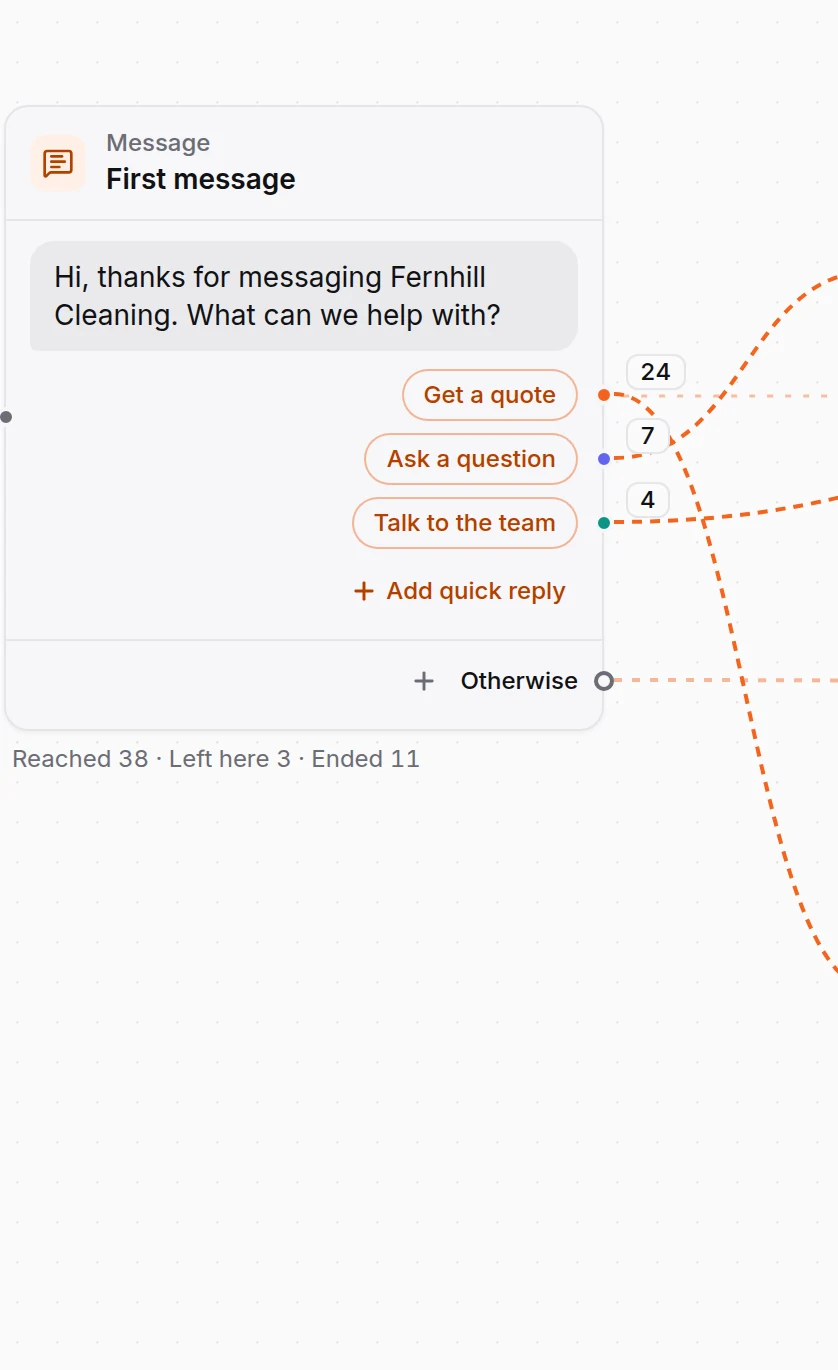
The flow greets every new chat with three answers: Get a quote, Ask a question and Talk to the team.
- 2
Pick the service
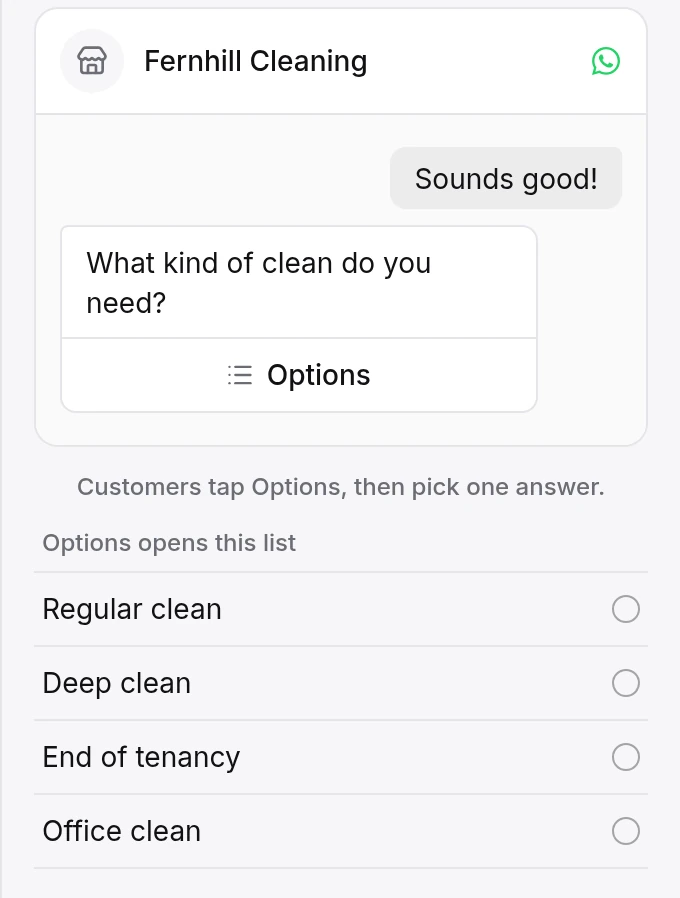
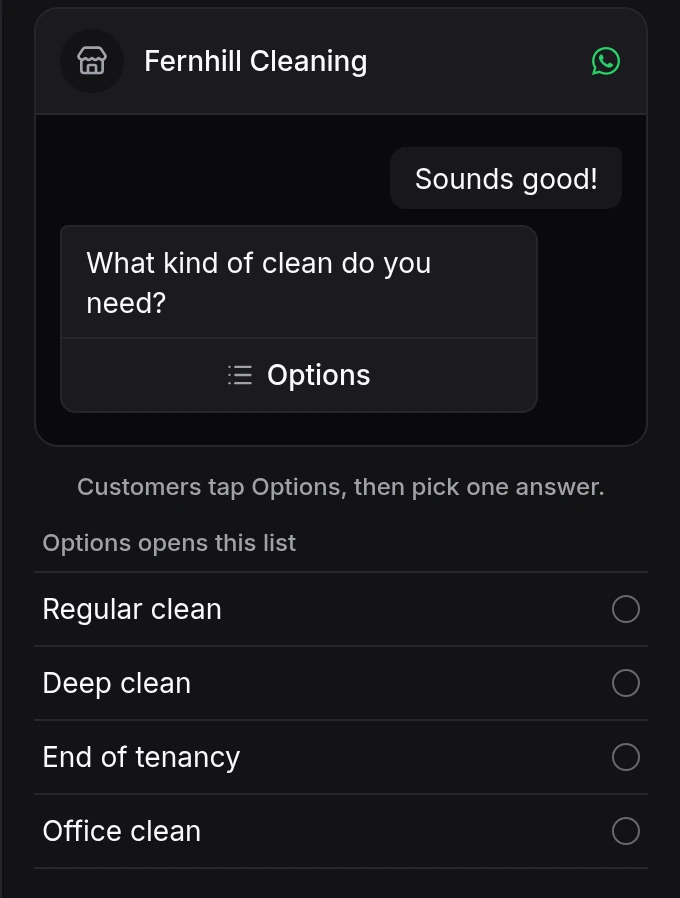
Regular clean, deep clean, end of tenancy or office clean. With four answers, WhatsApp shows them as a list.
- 3
Size the job
Three buttons for the number of bedrooms.
- 4
Ask for a name and a phone number
The flow checks the number and asks again if it doesn't look right.
- 5
Book a free home visit
It offers the next free times from your HiQBot bookings, and the customer taps one.
- 6
Hand off when needed
Ask a question goes to the AI agent, which answers and offers a way back to the step. Talk to the team passes the chat to your team.
What the chatbot builder can do
Messages, photos and cards
Send text with link buttons, a photo, or up to 10 cards with a photo, a title and buttons. Rotate wordings so regulars see something new.
Questions with tappable answers
Each answer leads to its own next step. Number the answers and customers can type 2 instead of tapping.
Name, email and phone
Ask for a detail and check it. If the reply doesn't fit, the flow asks again, and the detail is saved on the customer's contact, ready for lead qualification.
Bookings
Offer free times and book, move or cancel in HiQBot's own booking calendar.
Conditions
Branch on contact details, custom fields, an earlier answer, working hours, or whether someone follows your Instagram account.
A/B splits
Send people down two versions at random, then compare them in the step counts.
Pauses and a reminder
Wait before the next step, and send one reminder if the customer goes quiet.
Tags, fields and requests
Tag the contact, set a contact field, log a request for your team, or go to another flow.
One builder for five messaging apps
Each flow belongs to one inbox, and each inbox is one app. You build with the same kinds of steps on all five, HiQBot offers the templates each app can run, and every app shows the flow in its own buttons and cards.
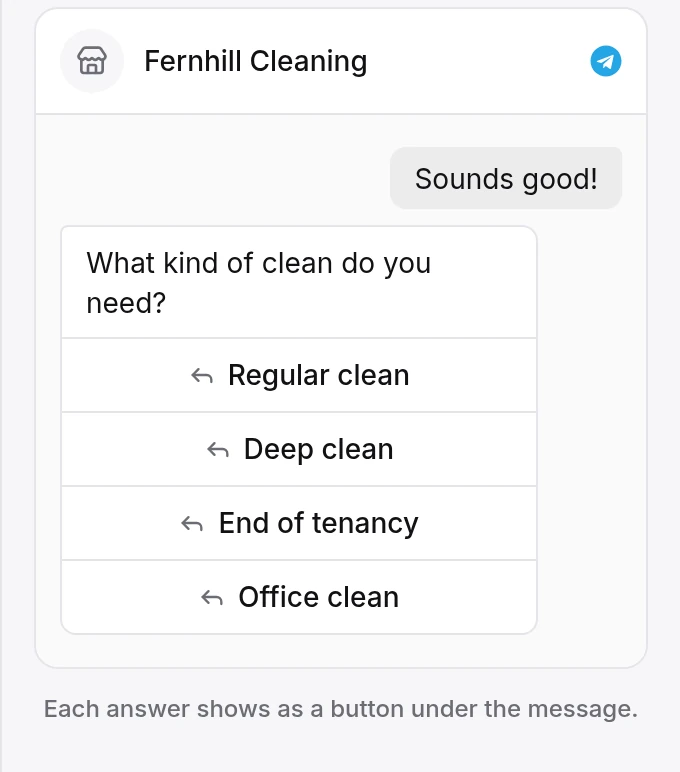
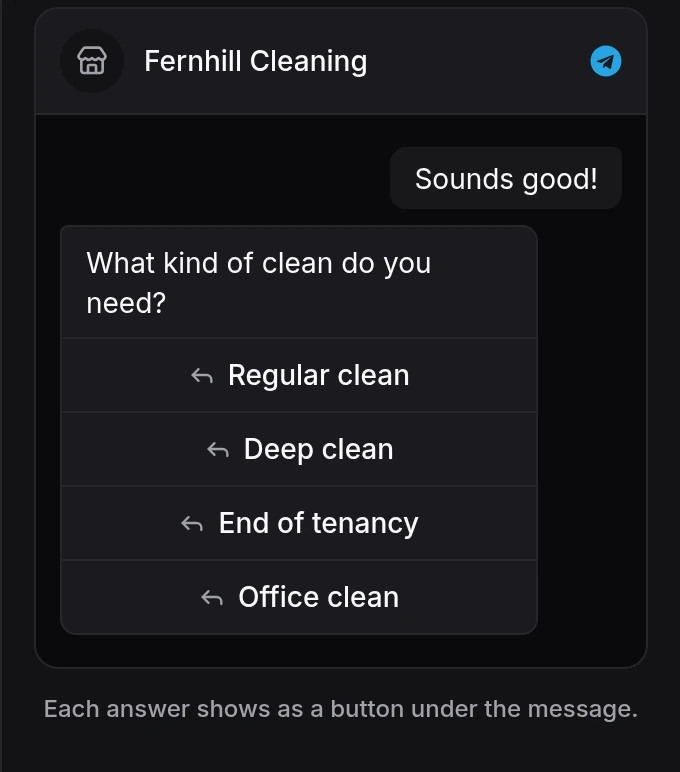
Telegram
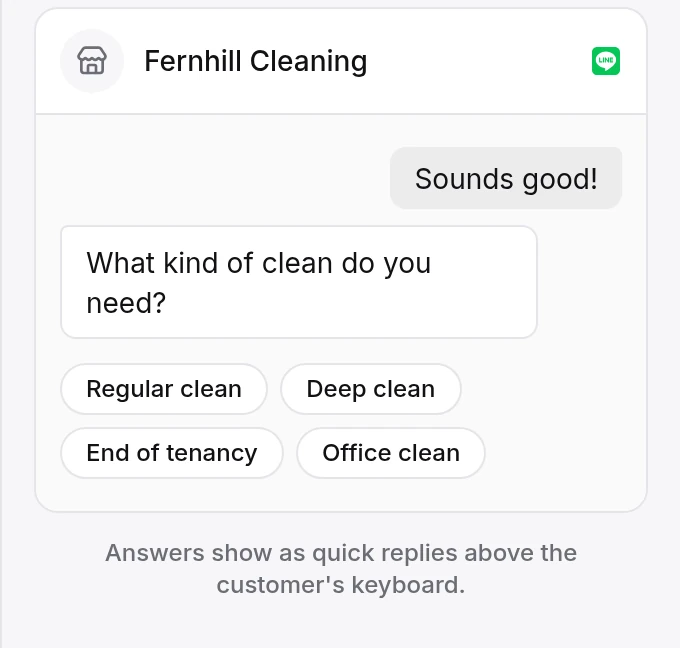
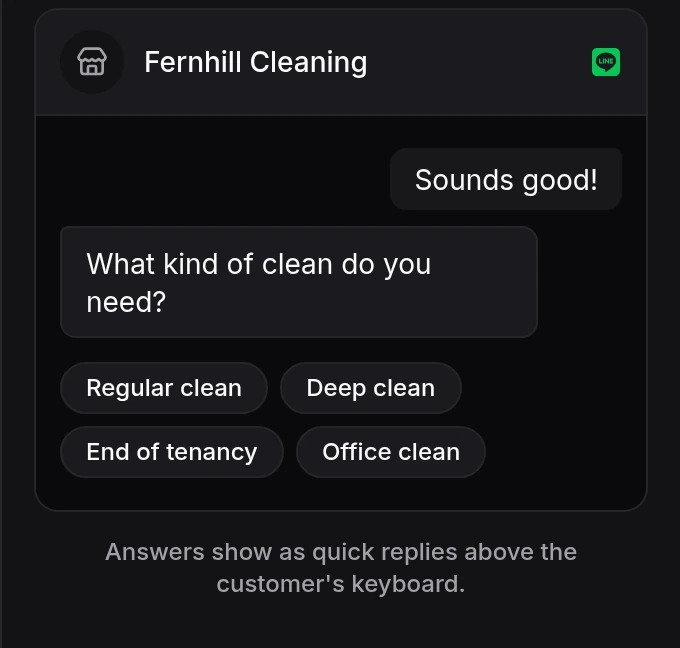
LINE
| App | Answers | Cards |
|---|---|---|
| WhatsAppWhatsApp chatbot | Up to 3 reply buttons, or a list of up to 10 | Card carousel |
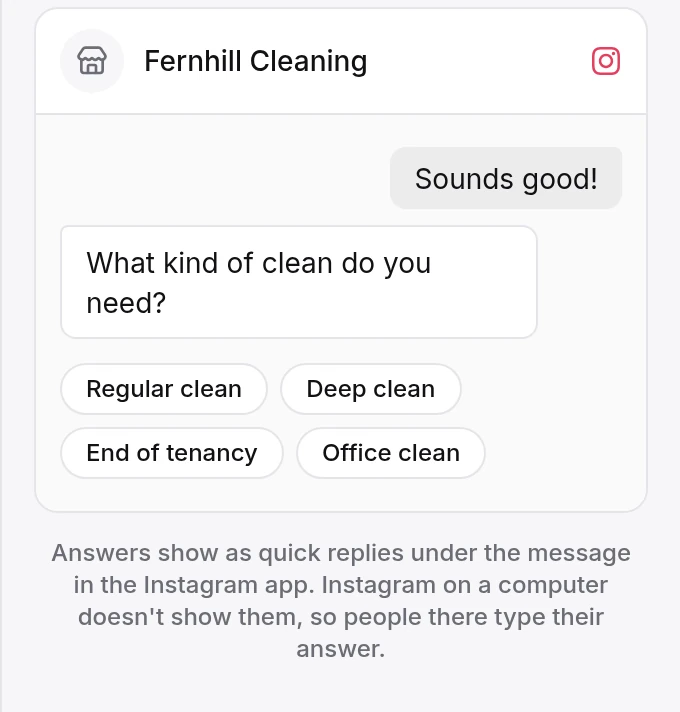
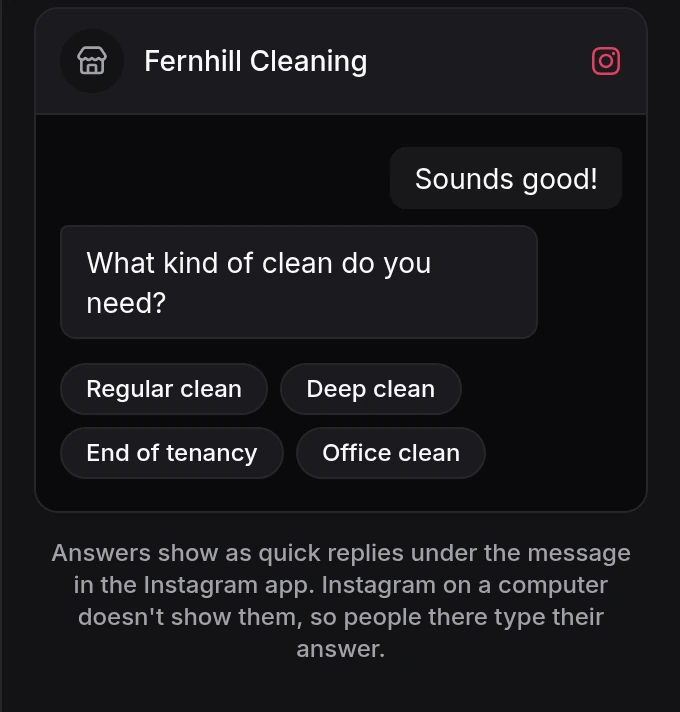
| Instagram and MessengerMessenger chatbot | Quick replies under the message | Card carousel |
| TelegramTelegram chatbot | A button under the message for each answer | One photo card per message |
| LINELINE chatbot | Quick replies above the keyboard | Flex card carousel |
Guided flows run in the messaging apps, not in the chat on your website. There, the AI agent answers, and a greeting with tappable chips opens the chat. Meta's WhatsApp Flows are in-app forms, a separate product; guided flows are chat messages with buttons, lists and cards.
How a flow starts
- Every new chat
- One flow per inbox greets each new conversation, and greets again when someone writes after a quiet spell (15 minutes unless you change it).
- Telegram Start or a new LINE friend
- The flow opens when someone presses Start on your Telegram bot or adds your LINE Official Account.
- Another flow
- Any step can send people on to a different flow.
- An Instagram comment
- A keyword comment on a post you choose can open a flow in DMs, with comment to DM.
When a customer goes off script, the AI agent or your team takes over
A flow covers the path you planned. For everything else, you choose where the chat goes.
- Any answer can go to the AI agent. It replies from your own information, then offers a Continue button back to the step.
- Or to your team: they pick up the chat, or a request is logged for them to follow up.
- If a customer types instead of tapping, the flow still has a route: a side question, an unclear reply, “I want a person” and “stop” each go where you set.
- While a teammate holds the chat, the flow waits.
- When the flow ends, the chat goes back to the inbox's usual AI agent or team.
Start from a chatbot template
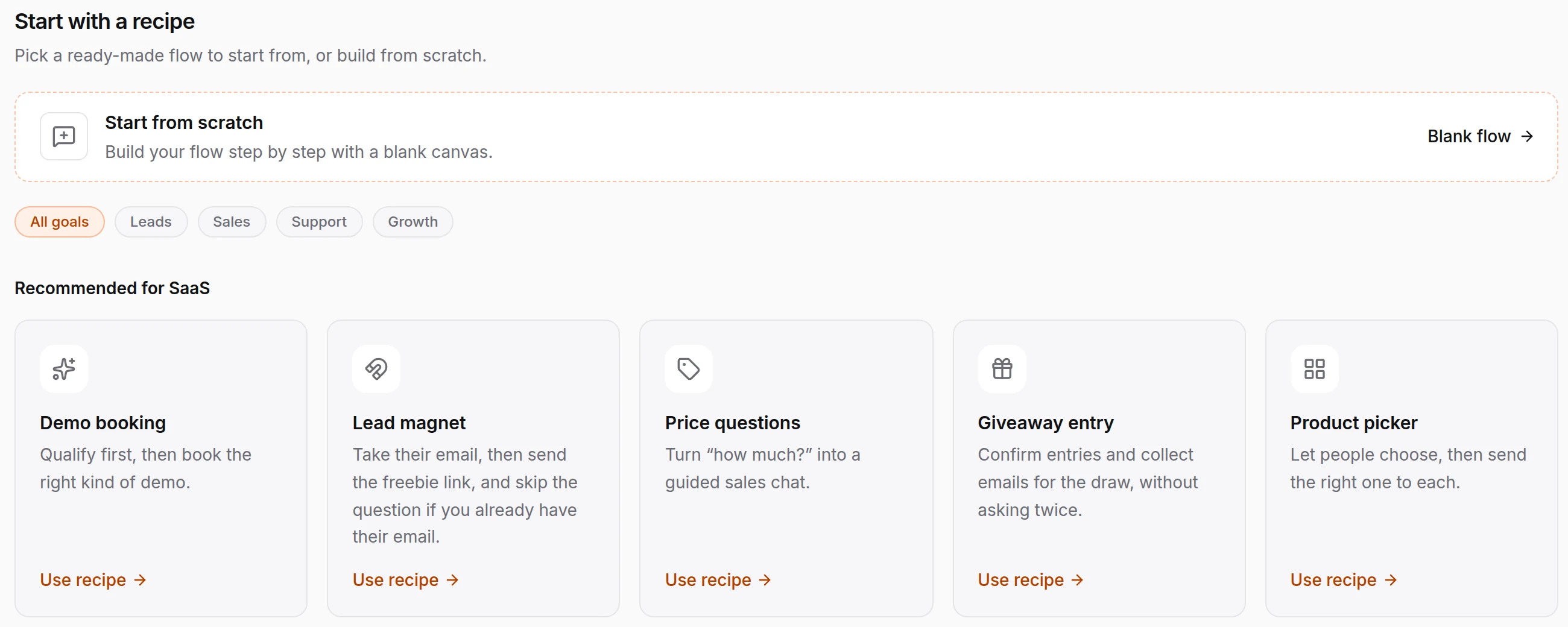
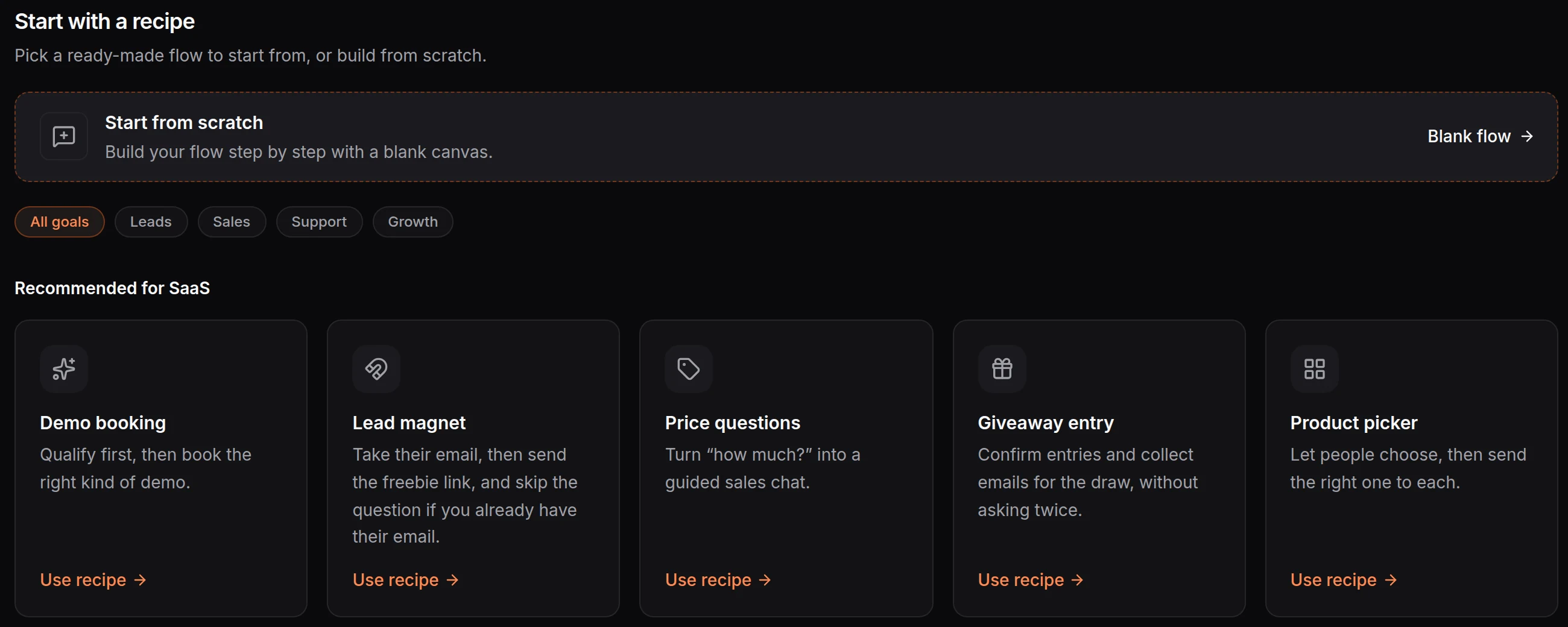
Twenty templates cover the common jobs. HiQBot puts the ones made for your industry first and only offers those the app can run. Every template opens in the chatbot flow builder with its steps already joined up.
- Questions and welcome
- Welcome DM, price questions, objection handler, review ask
- Leads
- Qualify lead, lead magnet, giveaway entry
- Selling
- Product picker, product drop link, discount code, restock alert
- Bookings and quotes
- Demo booking, trial signup, trip quote, planner callback, reservation enquiry, private events, test drive, price quote
- Instagram comments
- Link in comments
See where people tap, drop off and finish
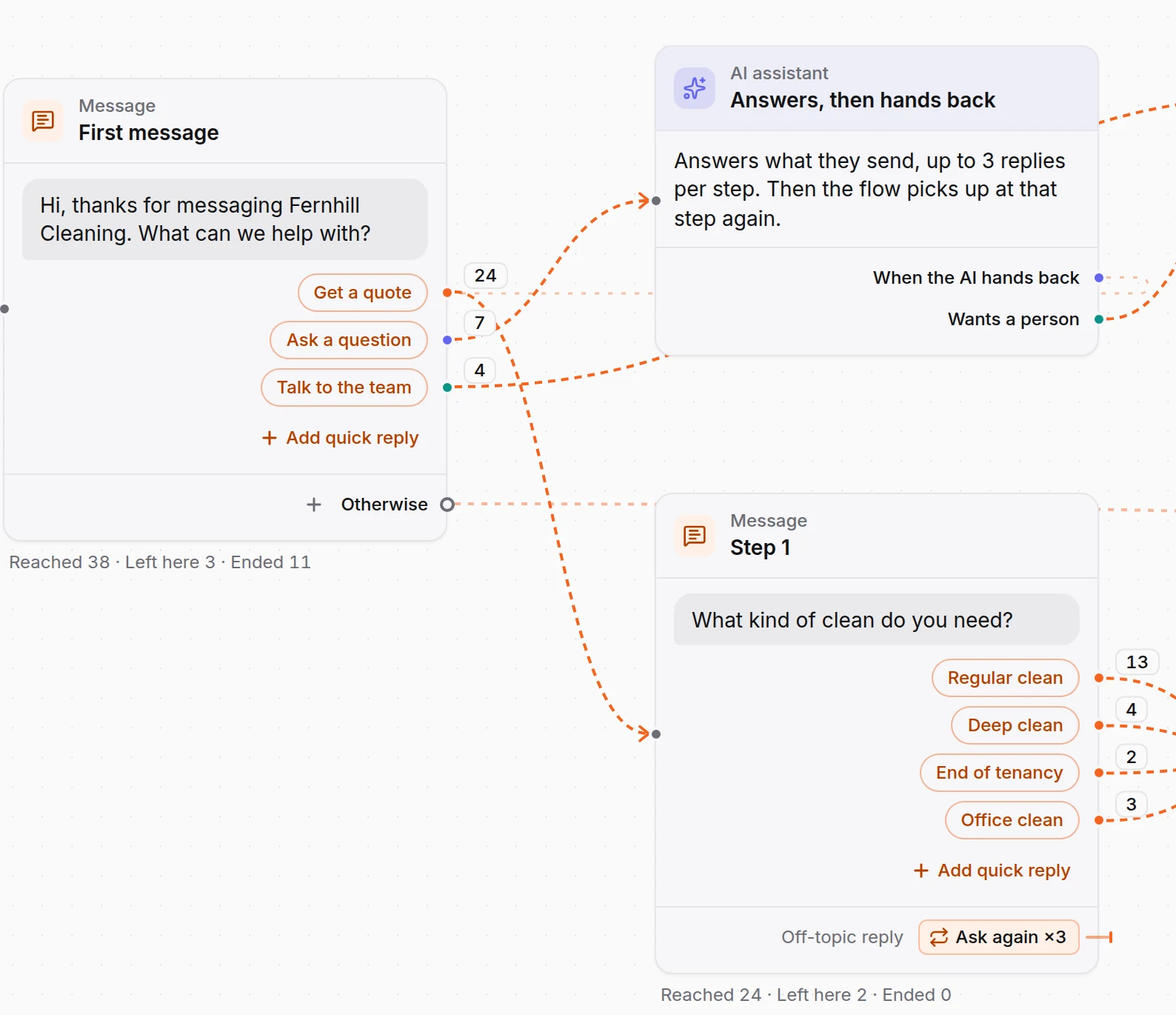
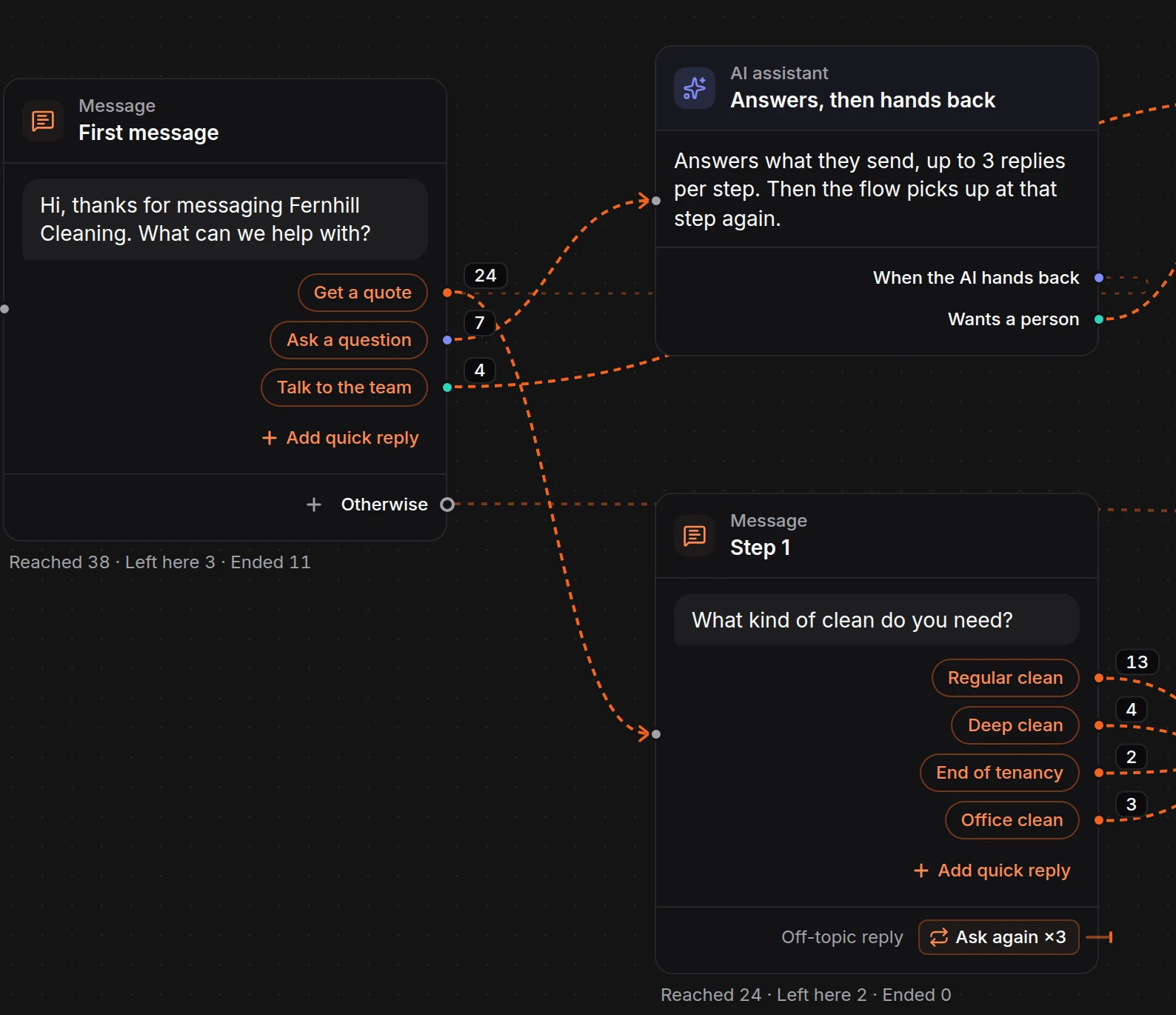
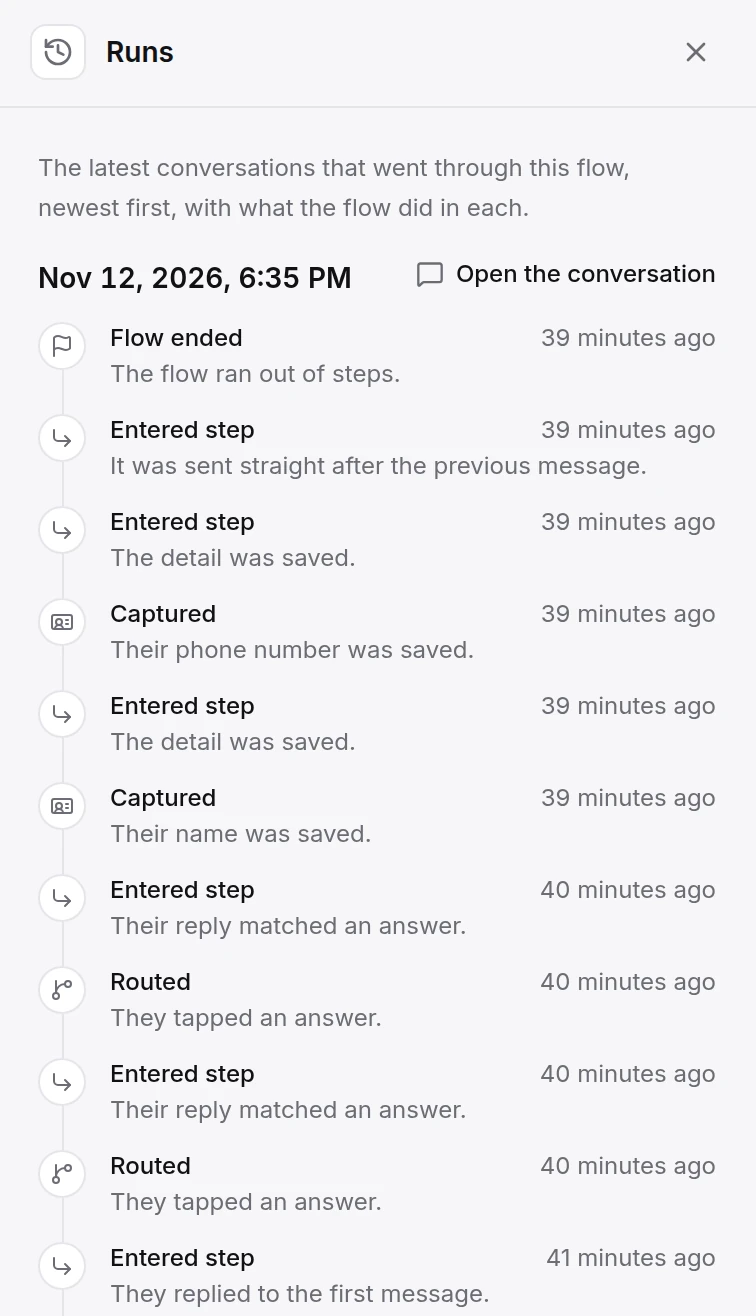
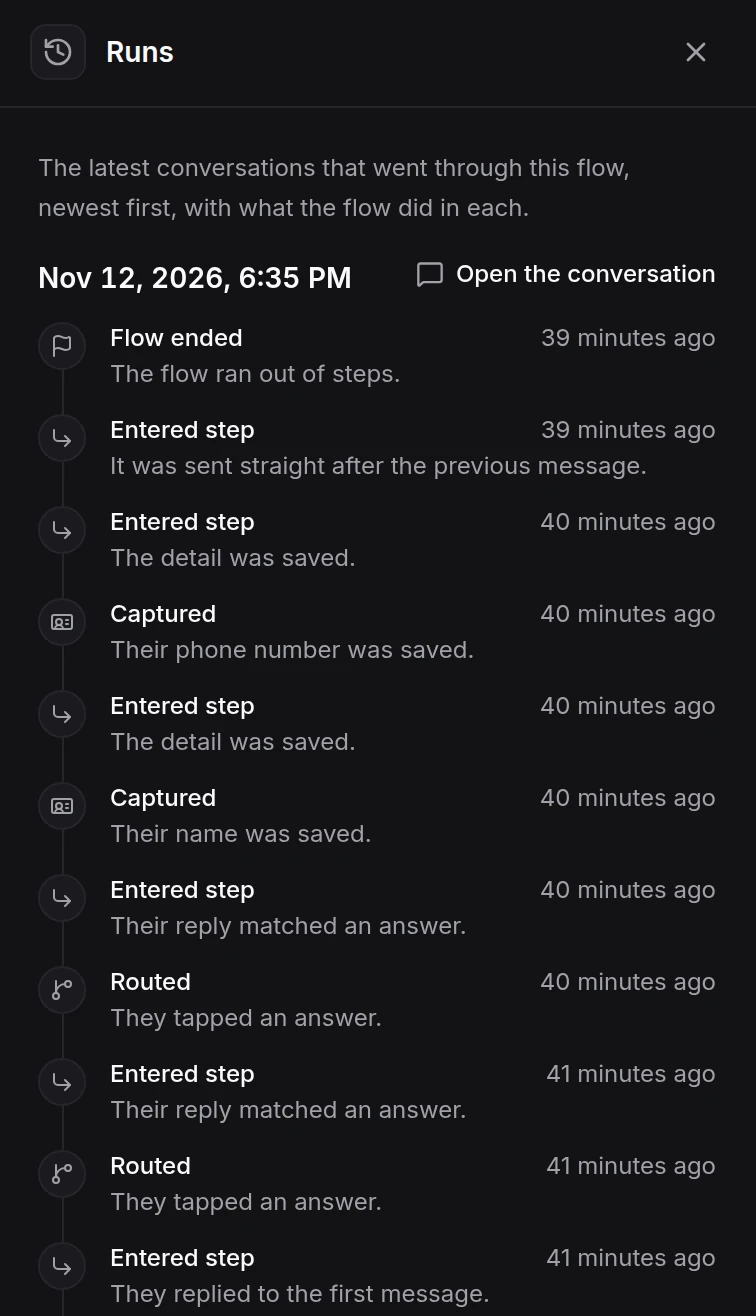
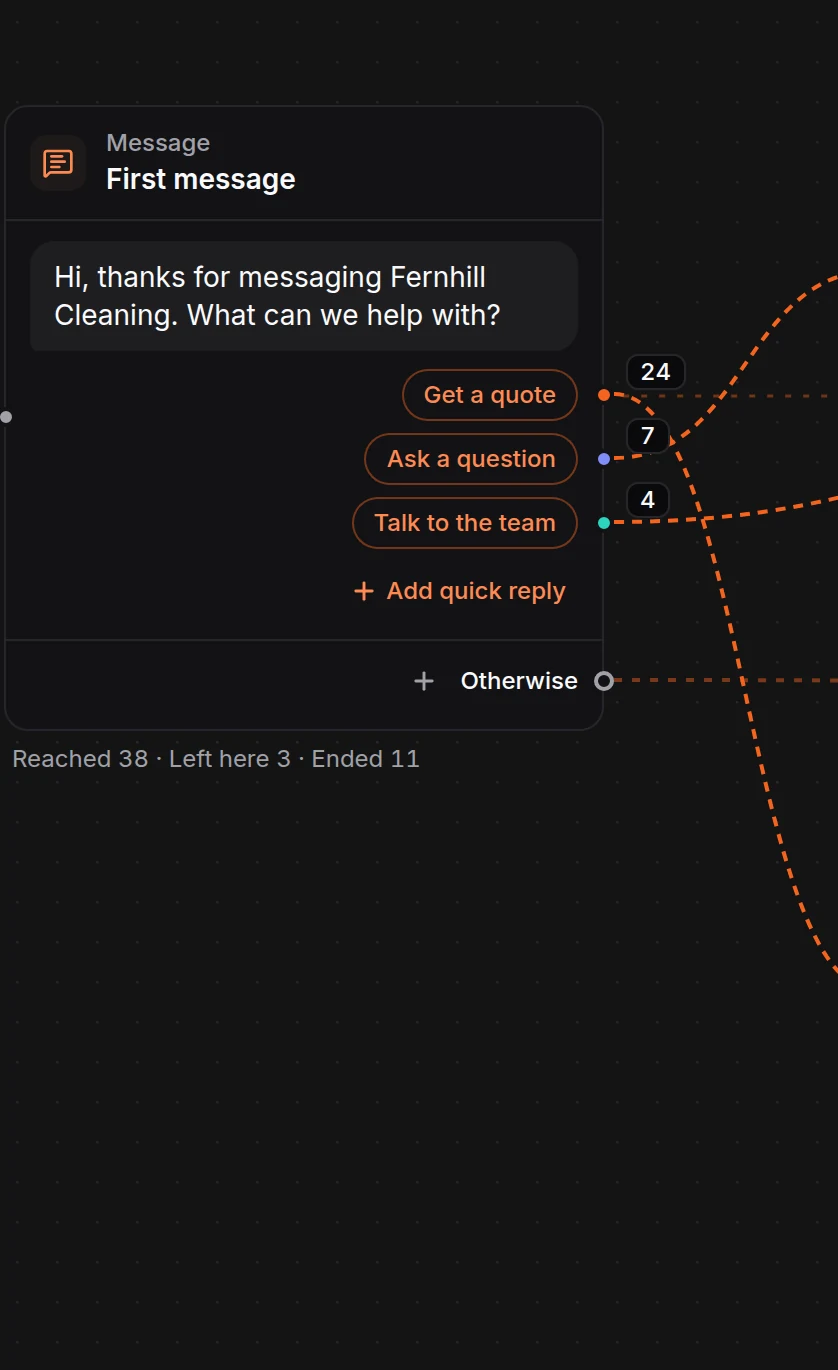
Before a flow goes live, tap through it in the preview. A test run sends nothing to customers. Once it is on, turn on step counts for the last 7 or 30 days: how many conversations reached each step, left there or ended there, and which answers people took. The runs panel lists the latest 20 conversations with what the flow did in each.
Guided flows or the AI agent?
Use a guided flow when the path is fixed
Quotes, bookings and collecting a phone number go the same way every time. Buttons get the customer there in a few taps, and every answer is one you wrote.
Use the AI agent for open questions
It answers from your files, website pages and price lists, in the language the customer writes in. See the AI agent and the knowledge base it learns from.
Run both in one inbox: the flow keeps to the path and hands side questions to the AI agent, and your team steps in from the team inbox when a person should.
Questions about the chatbot builder
Last updated . Spotted something out of date? Email support@hiqbot.com. See how we check our pages.
What is a no code chatbot builder?
A no code chatbot builder is a tool for designing an automated chat without writing code. You lay out the steps, such as messages, questions with tappable answers, requests for details and bookings, and choose what happens after each answer. In HiQBot this builder is called guided flows.
Can I build a chatbot without coding?
Yes. Pick a template or start from a blank canvas, change the words and answers, try it in the preview, then switch the flow on. The steps are set with menus and text boxes, so there is nothing to code.
Which apps do guided flows run on?
WhatsApp, Instagram, Messenger, Telegram and LINE. Guided flows don't run in the chat on your website. There, the AI agent answers, and a greeting with tappable chips opens the chat.
Can I create a chatbot in WhatsApp?
Yes. Connect your WhatsApp Business number to HiQBot and build a flow for that inbox. Answers show as up to three reply buttons or a list of up to ten, and cards show as a carousel the customer swipes.
Can the chatbot hand over to a person?
Yes. Any answer can hand the chat to your team, or log a request so they follow up. While a teammate holds the chat, the flow waits.
Do I need a chatbot builder if I have an AI agent?
They do different jobs, and you can run both in the same inbox. A guided flow suits fixed paths like quotes, bookings and collecting a phone number. The AI agent suits open questions. Inside a flow, any answer can go to the AI agent and come back to the step.
What starts a guided flow?
A new chat. One flow per inbox greets every new conversation and greets again after a quiet spell, and it opens when someone presses Start on Telegram or adds your LINE account. Other flows start from another flow, and an Instagram keyword comment can open one. A keyword in a DM, a link, an ad or a schedule doesn't start a flow.
Can I test a flow before customers see it?
Yes. The preview shows each step as it looks in that app, and a test run lets you tap through the whole flow. Nothing is sent to customers.
How do I know if a flow is working?
Turn on step counts. For the last 7 or 30 days you see how many conversations reached each step, left there or ended there, and which answers people took. The runs panel lists the latest 20 conversations with what the flow did in each.
Are guided flows the same as WhatsApp Flows?
No. WhatsApp Flows are Meta's in-app forms. Guided flows are chat messages with buttons, lists and cards that you build in HiQBot, and they also run on Instagram, Messenger, Telegram and LINE.
Build your first flow from a template
Choose the app, pick a template, change the words, try it in the preview and switch it on.