An omnichannel inbox that holds every conversation your business has
What is an omnichannel inbox?
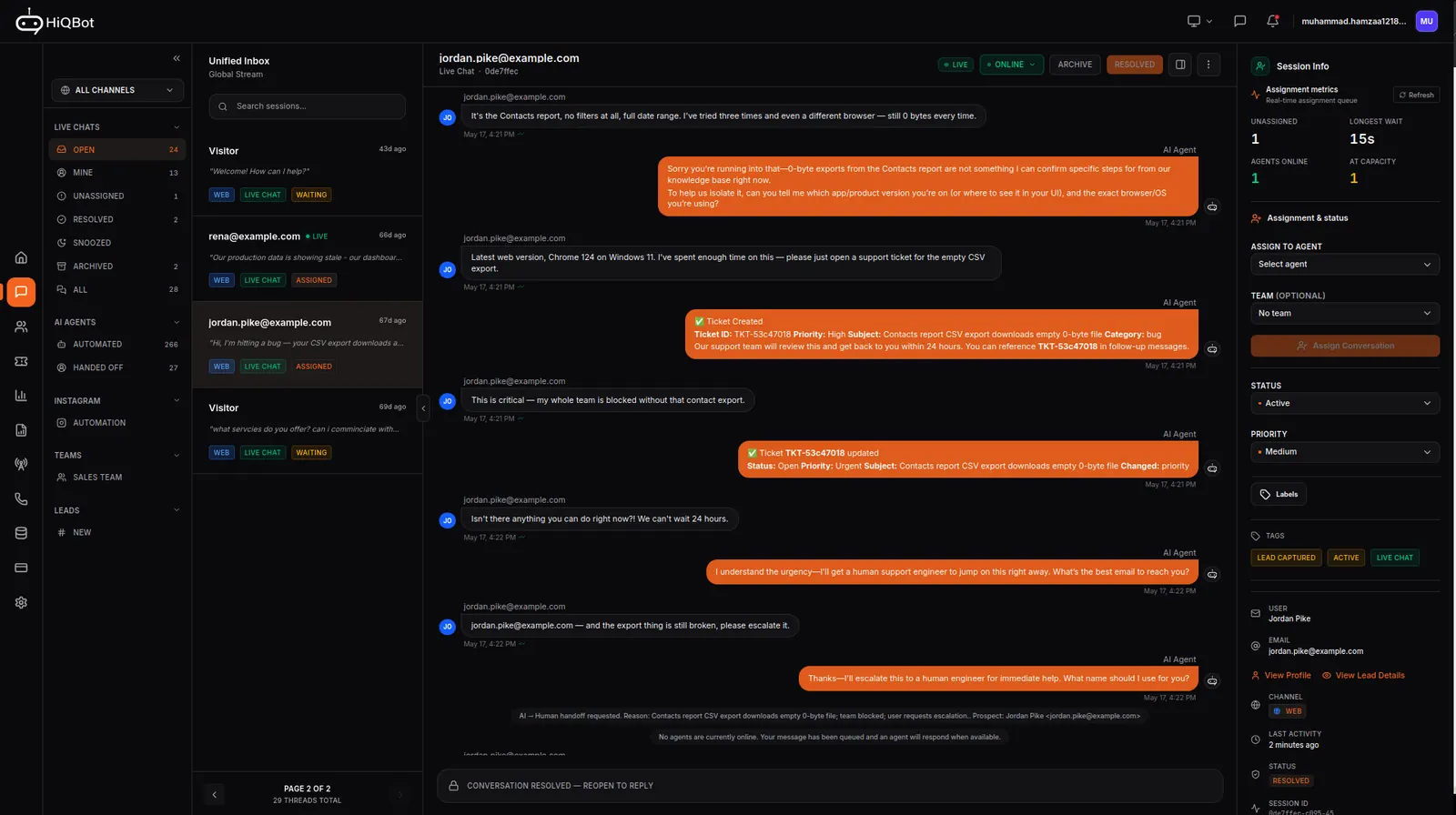
An omnichannel inbox is one queue that holds the messages from every channel a business uses, so a team answers them in one place instead of app by app. HiQBot takes website chat, WhatsApp, Instagram, Messenger, Telegram and LINE. Each thread arrives tagged with the channel it came from, and it lands in the inbox whether the AI agent handled it or a person did.
A channel can run its own agent, so WhatsApp can answer differently from Instagram, both from documents you upload. It can run as a single seat for an owner who reads every thread, or scale into a team inbox with seats that reply inside conversations, handoff from the agent, routing by shift, a support agent and support tickets. New to the idea? Read our guide to omnichannel customer service for a small team.

The messaging apps your customers already use.
Each one is built and maintained by us rather than resold, which is why they behave the same way once they hit the inbox. For what each channel covers, see every channel we unify. The comment bot for Instagram replies to people under your posts, and the Telegram chatbot answers anyone who messages your bot. Selling into Japan, Thailand or Taiwan? See how the LINE Official Account chatbot works. Shortlisting respond.io? See what changes if you pick HiQBot.
Built for a team, not a single browser tab.
One queue instead of six tabs
Messages from every connected channel arrive in the same list. Nobody has to remember to open the Instagram app before they log off.
Routing that knows who’s on shift
Assign round-robin or to whoever has the lightest load right now. Working hours and per-agent capacity are part of the decision, so nothing lands with someone who left at six.
AI answers first, people answer next
The agent handles what it can. It brings in a person when it should not be the one deciding, and the handover carries the whole thread.
Each channel can run its own agent
WhatsApp can run a different agent from Instagram, and every thread still lands in the same inbox. The AI level is set per inbox too, so a busy sales channel and a support widget can think at different depths.
PII masking built in
Email addresses and phone numbers are masked in the text the AI agent processes.
Replies in your customer’s language
The agent reads the language someone writes in and answers in it automatically.
How a conversation moves
From a stranger’s message to the right person.
It arrives
Someone messages your WhatsApp number or comments on an Instagram post. It joins the same queue as everything else, tagged with the channel it came from.
The agent takes the first pass
It answers from your documents, picks up who the person is and what they want, and books or qualifies when that’s where the conversation is heading.
A person picks it up
When it needs a human, it goes to someone free and on shift with everything said so far already in front of them. The customer doesn’t start again.
What the omnichannel inbox includes.
- Website chat, WhatsApp, Instagram, Messenger, Telegram and LINE in one inbox
- The sales agent can run on autopilot, with every thread landing in the inbox for you to check
- Live chat, routing, team reports and SLA policies for a team inbox
- An AI support agent that resolves conversations, with support tickets that route into Jira
- Advanced analytics
- WhatsApp calling from the inbox
Credits pay for AI replies: a Core reply uses one credit, Balanced uses four and Max uses eight, and you set the level per inbox. A live chat channel your team answers does not draw credits for its replies. With intake switched on, the conversation draws a single credit when it reaches a person, and nothing after that. See how live chat for your website works on Starter and Growth.
Setting it up
How to set up the inbox
Connect your channels
Add the website chat tag to your site, sign up for WhatsApp inside the dashboard, and link your Instagram business account. Messenger, Telegram and LINE connect from the same dashboard.
Pick an agent and a level for each inbox
Every connected channel is its own inbox. Choose the agent it runs and the AI level it answers at, or set it to live chat so your team answers instead.
Add your team
Give teammates their seats, set working hours and capacity, and choose round-robin or least-busy assignment.
Stop checking five apps for messages.
Connect the channel your customers use most, watch a week of real conversations land in one place, then add the rest.