WhatsApp marketing messages: 16 templates for an online store, with Meta’s rules

Muhammad Hassan, FounderLinkedIn
Published Updated
A WhatsApp marketing message is a message a business sends on WhatsApp to promote something: a new collection, a restock, a sale or a discount code. Unless the customer wrote to you in the last 24 hours, it must be a marketing template that Meta has approved, sent only to people who agreed to hear from you.
We make HiQBot, a customer service platform with AI agents, live chat, guided flows and WhatsApp calling, and it sends WhatsApp broadcasts. Below are 16 copy-ready messages for an online store: new arrivals, restocks, offers and the order updates that Meta treats differently. Each shows the category Meta is likely to give it and its length. The rules come from Meta’s developer documentation, read on 13 November 2026.
What is a WhatsApp marketing message?
It is any message whose job is to sell or to bring a customer back, also called a WhatsApp promotional message. Meta defines marketing templates as messages that “enable businesses to achieve a wide range of goals, from generating awareness to driving sales and more” (Meta, template categorization). Every template is filed in one of three categories, and replies inside an open chat need no template at all:
| Category | For | Store example | Reaches US numbers? |
|---|---|---|---|
| Marketing | Selling and bringing customers back | New collection, restock, sale, discount code | No |
| Utility | Following up on something the customer did | Order confirmation, shipping update, delay | Yes |
| Authentication | One-time codes that prove who someone is | Login code | Yes |
| Service reply (no template) | Answering within 24 hours of the customer’s last message | “Yes, the blue one is in stock in medium” | Yes |
A business can send a marketing message in three ways: a broadcast list in the WhatsApp app, a paid business broadcast in the WhatsApp Business app where it is offered, or an approved template through the WhatsApp Business API. The app routes and their limits are in our WhatsApp broadcast list guide. The templates below are written for the API. In the app, drop the buttons and type each name yourself.
What makes a good WhatsApp marketing message
- The customer’s first name and your store name in the first line, so they know who is writing.
- One product, collection or offer. A message about three things gets read as an advert.
- A reason to reply: a question or a button. A reply opens a 24-hour window where you can answer in your own words.
- An end date on every offer, and only true claims about stock.
- A photo of the product as the header when the product is the point.
- A way out at the end: “Reply STOP to opt out”.
Send in the daytime where your customers live, and leave a few days between campaigns. Meta rates your number’s quality from how people respond, and blocks and reports count against it (Meta, messaging limits).
New arrival and launch messages
Words in double curly brackets change for each customer, and HiQBot fills them from the contact: the first name here. Words in square brackets are yours to type once, such as your store name. Each marketing message ends with “Reply STOP to opt out”, so customers know how to stop them. In HiQBot, a customer who types STOP gets no more marketing messages.
New collection
Hi {{first_name}}, our [collection name] is in at [store name]: [number] new styles from [price]. Want to see them? Reply STOP to opt out.
- Show me
Likely category: marketing138 charactersThe day the collection goes live
Add a photo of the collection as the header. A tap on “Show me” arrives in your inbox as a reply, so someone, or the AI agent, can send the pieces in that size and budget.
Product launch, with a date
Hi {{first_name}}, [product name] goes on sale at [store name] on [date] at [time]. Want a message the moment it is live? Reply STOP to opt out.
- Yes, tell me
Likely category: marketing144 charactersA few days before the launch
Tag everyone who taps “Yes, tell me” and send the launch message to that tag on the day. They asked to hear about it.
Early access for regular customers
Hi {{first_name}}, thanks for shopping with [store name]. Our [sale name] opens to you on [date], a day before everyone else. Want the first look? Reply STOP to opt out.
- Show me
Likely category: marketing169 charactersA day before a sale opens to everyone
Send it to a tag of repeat customers rather than your whole list.
Back in stock and price drop messages
Restock messages work best for the people who asked. When a shopper asks for a size you don’t have, tag them in the inbox with the product, then send this to that tag when it comes back.
Back in stock, for the people who asked
Hi {{first_name}}, the [product name] you asked about is back in stock at [store name] in [size or colour]. Want the link to order it? Reply STOP to opt out.
- Send the link
Likely category: marketing157 charactersThe day the item is back
Still marketing, even though the customer asked: it invites a purchase, and Meta sets the category from what the message says.
Low stock
Hi {{first_name}}, only a few [product name] are left in [size or colour] at [store name]. Want us to send the link before they go? Reply STOP to opt out.
- Send the link
Likely category: marketing154 charactersWhen a popular item is nearly gone
Send it only when it is true. Customers who find the item still in stock a week later stop believing the next one.
Price drop on an item they asked about
Hi {{first_name}}, the [product name] you asked about is now [new price], down from [old price], until [date]. Want the link? Reply STOP to opt out.
- Send the link
Likely category: marketing148 charactersWhen the price changes
WhatsApp promotional message examples: offers and discount codes
Promotion message ideas for a store: a sale with an end date, a discount code, a thank-you to repeat customers and a win-back. Keep one offer per message and put the end date in it.
Weekend sale
Hi {{first_name}}, the [store name] weekend sale is on: [percent] off [category] until Sunday night. Tell us what you’re looking for and we’ll check your size. Reply STOP to opt out.
- Shop the sale
Likely category: marketing182 charactersFriday, before noon
Discount code with a copy button
Hi {{first_name}}, here is [percent] off your next order at [store name]. Tap the button to copy the code and use it at checkout before [date]. Reply STOP to opt out.
- Copy code
Likely category: marketing166 charactersAny time you run a code
The code can be up to 20 characters, and a template holds one copy-code button. The shopper pastes the code on your own checkout.
Festival sale
Hi {{first_name}}, our Diwali sale is on at [store name]: [percent] off [category] until [date], and free delivery over [amount]. Want to see what’s on offer? Reply STOP to opt out.
- Show me
Likely category: marketing181 charactersThe first day of the sale
Change the festival for your customers: Eid, Christmas, Black Friday or the end-of-season sale.
Thank-you offer for a repeat customer
Hi {{first_name}}, thank you for ordering from [store name] again. Here is [percent] off your next order until [date] with the code below. Reply STOP to opt out.
- Copy code
Likely category: marketing161 charactersA week or two after their second order
Meta gives almost this message (“As a thank you for your last order, please enjoy 15% off your next order”) as its own example of marketing.
Win-back, for customers who haven’t ordered in a while
Hi {{first_name}}, it has been a while since your last order at [store name]. Here is what’s new this month, with [percent] off until [date] if something catches your eye. Reply STOP to opt out.
- Show me
Likely category: marketing194 charactersTwo to three months after the last order
Order update messages (utility, not marketing)
Order updates go to the one customer who placed the order and say nothing to sell. Meta files them as utility, and they still reach US numbers. Words in double curly brackets come from the order: its number, total and currency, and the carrier and tracking number when your store records them.
Order confirmation
Hi {{first_name}}, thank you for your order {{order_number}} at [store name]. The total is {{order_total}} {{currency}}. We will message you here when it ships.
Likely category: utility160 charactersAs soon as the order is placed
Add “and enjoy 10% off next time” and Meta treats it as marketing. Send the offer as a separate message.
Cash on delivery confirmation
Hi {{first_name}}, we have your cash on delivery order {{order_number}} for {{order_total}} {{currency}} at [store name]. Please confirm it so we can send it out.
- Confirm order
- Cancel order
Likely category: utility162 charactersBefore you dispatch a cash on delivery order
The tap arrives in your inbox as a reply. Your team then confirms or cancels the order in the store.
Order shipped, with tracking
Hi {{first_name}}, your order {{order_number}} from [store name] is on its way with {{carrier}}. Tracking number: {{tracking_number}}. Reply here if you have a question.
Likely category: utility169 charactersWhen the order ships (marked Completed in WooCommerce)
Meta rejects a template that starts or ends with a variable, so the tracking number sits before the last sentence.
Order delayed
Hi {{first_name}}, your order {{order_number}} is taking longer than we said. We now expect to ship it by [date]. Reply here if you would rather cancel.
Likely category: utility152 charactersAs soon as you know it will be late
After delivery: did it arrive as expected?
Hi {{first_name}}, your order {{order_number}} should have arrived. Is everything as you expected? Reply here and we will sort out anything that isn’t.
Likely category: utility151 charactersA day or two after delivery
About one order, with no offer and no request to shop again. Ask for a review in the chat once they reply.
Meta’s rule for these order management messages is that they “should not promote, recommend, upsell, or cross-sell products” (template categorization). Its own example of mixed content that becomes marketing is “an order update with a promo”.
WhatsApp message templates: the categories Meta approves
A template is a message you write once, submit to Meta, and send to many customers with their details filled in. Every WhatsApp marketing template goes through the same steps:
- Write it. The body can be up to 1,024 characters; add a header with an image, video or document, and buttons: quick replies of up to 25 characters (10 at most), links, a call button, and no more than one copy-code button (template components).
- Pick the category. Marketing or utility. Meta checks it, and a template with mixed content is marketing. Meta can move an approved utility template to marketing, usually with a day’s notice (template categorization).
- Wait for review. Review can take up to 24 hours, and each language is its own template (template overview).
Why templates get rejected
Meta lists the common reasons (template review). The ones that catch store owners:
- The message starts or ends with a variable, such as a template that ends on the tracking link.
- Too many variables for the length of the message.
- Variables with symbols such as #, $ or %, or out of order.
- Content that breaks WhatsApp’s Commerce Policy or Business Policy.
- A copy of a template you already have.
Who you may send WhatsApp marketing messages to
The WhatsApp Business Messaging Policy lets you message people only if they gave you their number and agreed to hear from you, and you must stop when they ask. Ask at checkout, on a sign-up form or in the chat, and name your store when you ask. A list you bought or copied is never consent.
Customers with US phone numbers
WhatsApp does not currently deliver marketing templates to US numbers (Meta, per-user marketing limits), a pause Meta started on 1 April 2025. Utility templates still go, so US customers get their order updates. Meta may also limit how many marketing messages any one person receives from businesses, based on how they engage with them.
Customers who want to stop
A customer can turn off marketing messages from your business in WhatsApp, or reply STOP. Any tool you use should stop marketing to them from then on, while still sending their order updates.
What a WhatsApp marketing message costs
Since 1 July 2025 Meta charges per message, and only when it is delivered. The rate depends on the category and the customer’s country (Meta, pricing). Since 1 October 2026 Meta also charges for utility templates sent inside an open chat, and for ordinary replies after each number’s first 1,000 a month. When you send from HiQBot, Meta bills your own WhatsApp account and HiQBot adds nothing per message. Our WhatsApp pricing calculator shows the rate per country, India included.
How to send WhatsApp marketing messages from HiQBot
HiQBot sends WhatsApp broadcasts through the WhatsApp Business API, and its AI agent answers the replies in the same inbox as every other chat.
- Write the template in the dashboard and submit it to Meta, start from Meta’s Template Library, or bring in the templates already on your account. Rejected templates come back with plain advice.
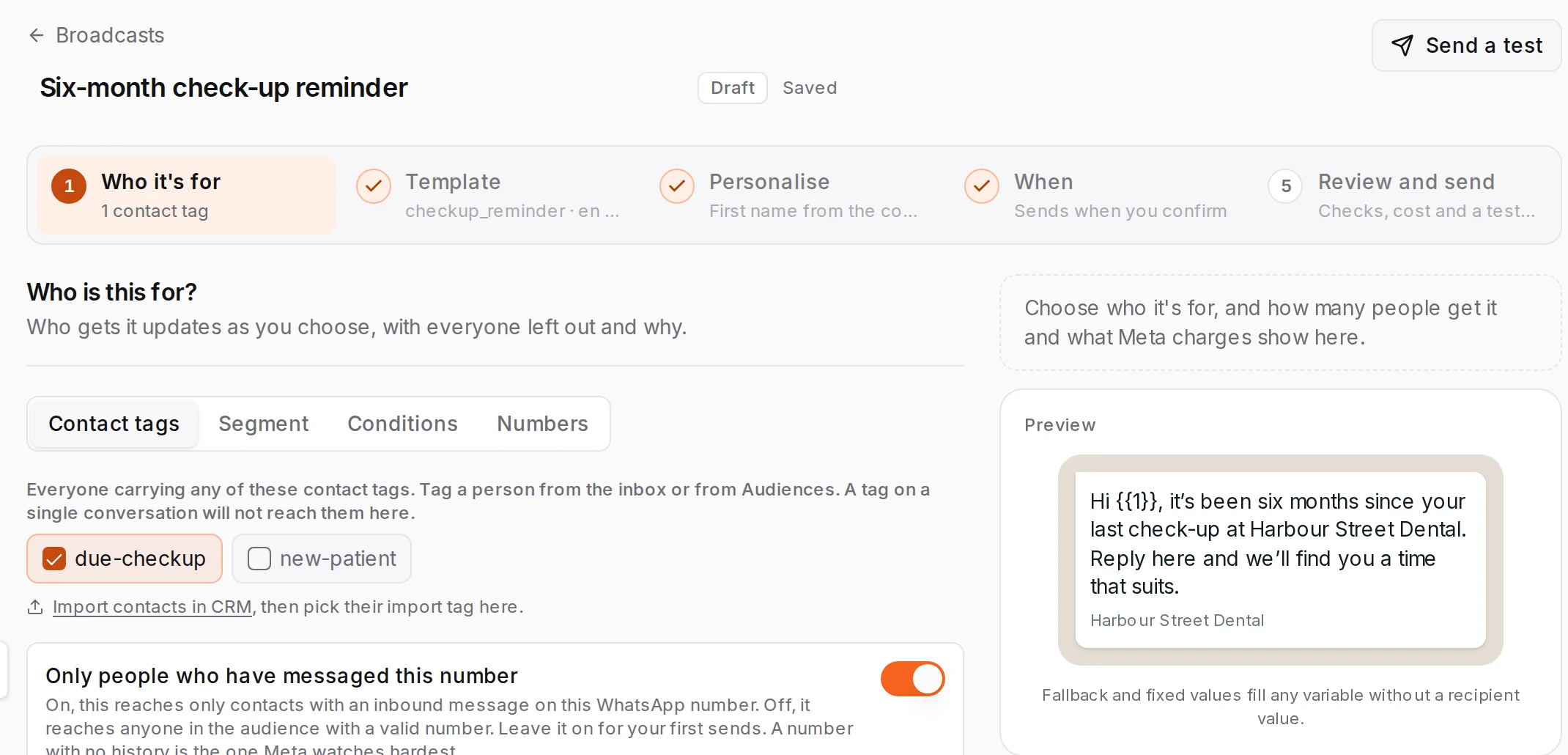
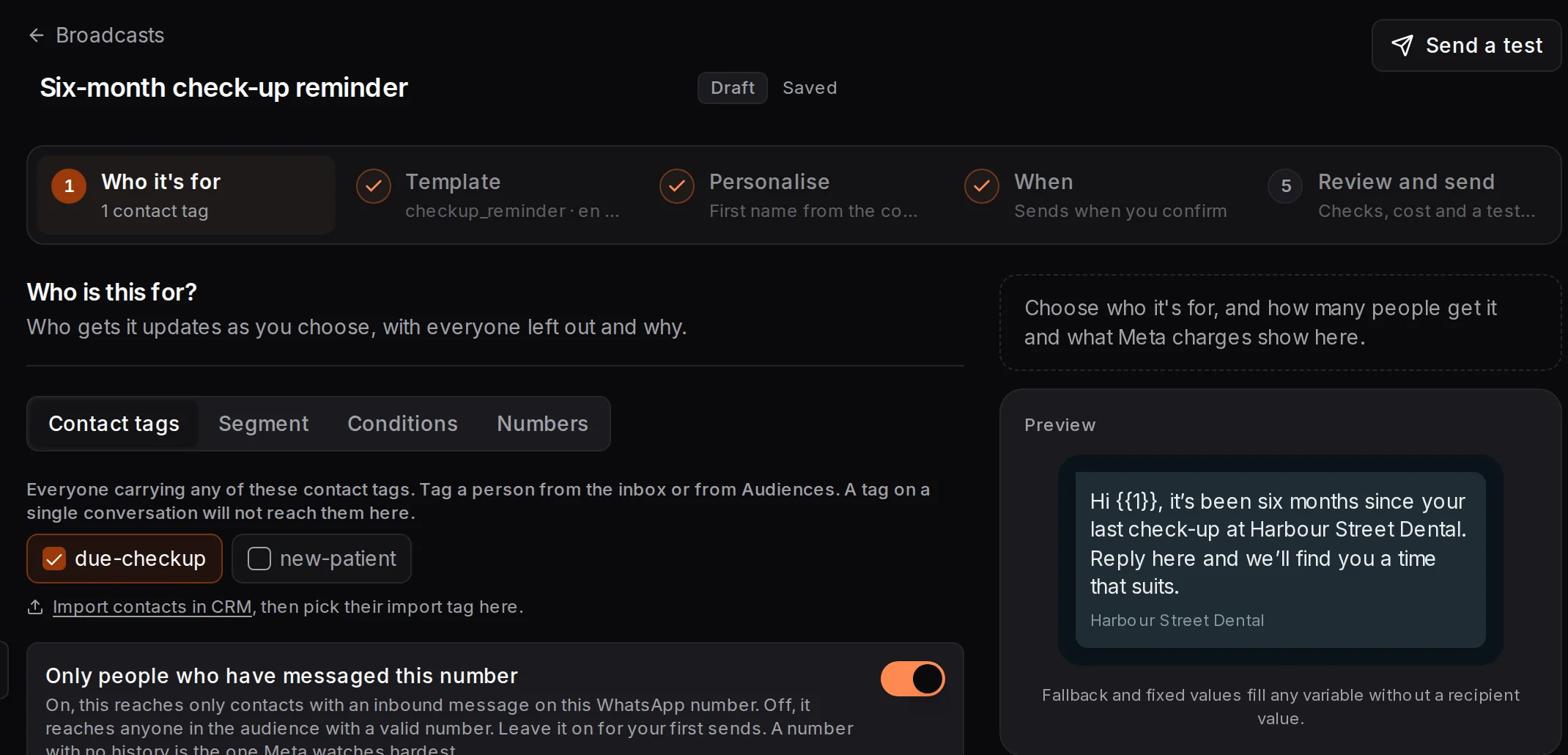
- Choose who gets it: customers with a tag, such as “asked about the linen shirt”, an imported list, or every contact with a WhatsApp number. By default a broadcast goes only to people who have already messaged your number.
- Fill in the names. Each variable comes from the contact’s name or a field in your CRM, with a fallback when it is empty and a preview for each person.
- Check and send. A check before sending covers the template, every variable, your daily limit and an estimate of what Meta will charge. Send a test to your own phone, then send now or at a set time. HiQBot adds nothing per message.
Anyone who types STOP or UNSUBSCRIBE, or turns off marketing messages in WhatsApp, is skipped for marketing from then on, and US numbers are always skipped for marketing templates. HiQBot keeps no opt-in record for you, so consent stays your job. Our WhatsApp broadcast page shows each step.
Order updates that send themselves
With a WooCommerce store connected, an automation can send your order confirmation when an order is placed and your shipping update when you mark the order Completed. The order number and total fill in from the order, and the carrier and tracking number when your store records them. The confirmation goes into the customer’s open chat when there is one, and as your approved template when there isn’t.
When customers reply
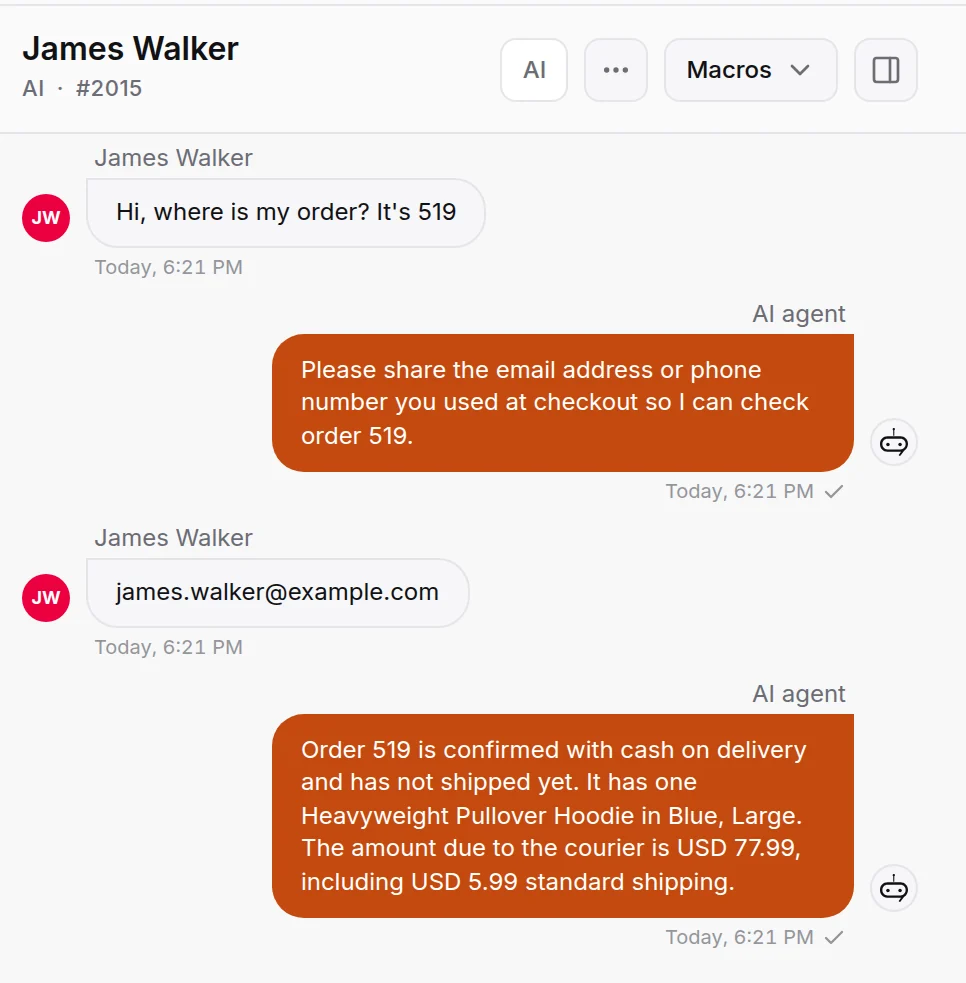
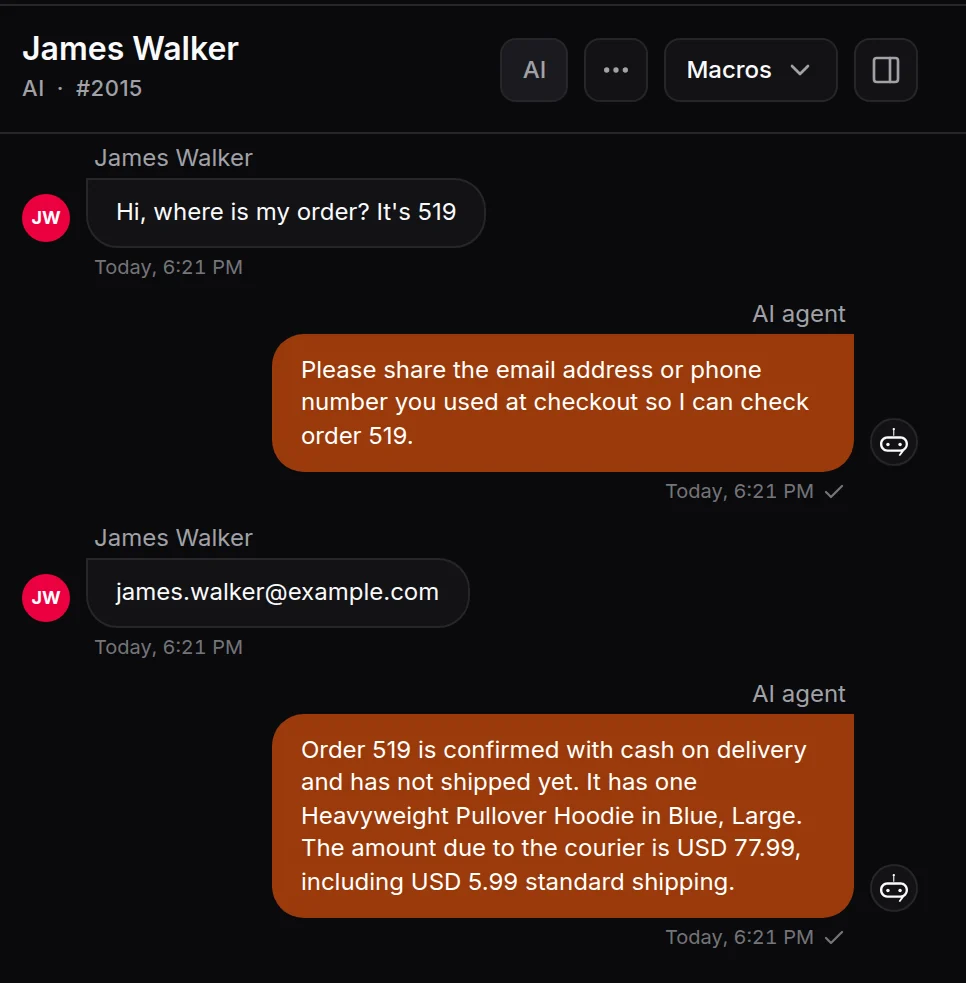
In HiQBot the AI agent answers replies first. For a WooCommerce store it answers price and stock from your catalogue, sends a checkout link with the items in the cart that the shopper pays on your own store’s checkout, and looks up an order once the shopper gives the order number and the email or phone used at checkout. It never takes payment in the chat. The rest is on our AI chatbot for ecommerce page, and the store connection on our WooCommerce chatbot page.
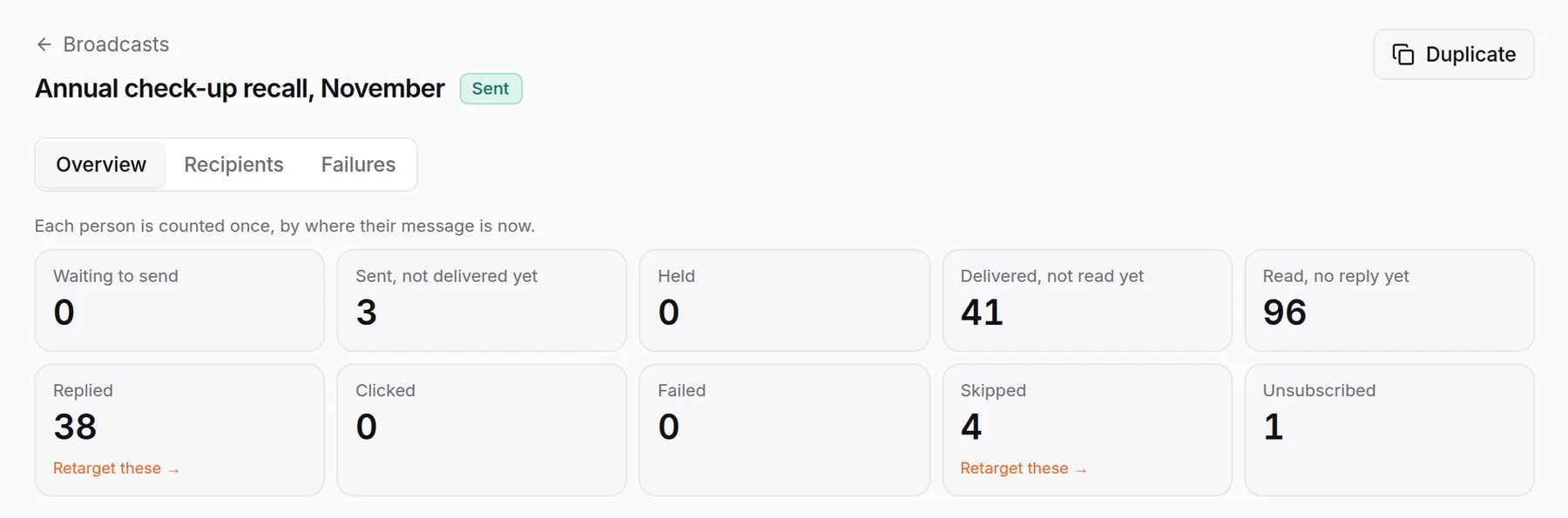
After the send, the report shows who it reached, who read it, who replied within seven days and who was skipped and why. Link clicks are not tracked.
To compare tools that send WhatsApp marketing campaigns, see our WhatsApp marketing software comparison.
Common questions
What are marketing messages in WhatsApp?
Messages a business sends to sell or bring customers back, such as offers, new arrivals and restocks. Through the WhatsApp Business API they go out as marketing templates that Meta has approved, and Meta charges for each one delivered.
What is a good message to promote my business on WhatsApp?
A short one with the customer’s name, one offer with an end date and a reason to reply: “Hi Priya, our winter collection is in, from ₹999. Want to see it? Reply STOP to opt out.”
How much does it cost to send a marketing message on WhatsApp?
Meta charges for each marketing message delivered, at a rate set by the customer’s country. Our WhatsApp pricing calculator shows the current rate for each country. HiQBot adds nothing per message.
How do I create a message template on WhatsApp?
Write it in WhatsApp Manager or in a platform connected to the WhatsApp Business API, choose marketing or utility, add sample values for the variables, and submit it. Meta’s review can take up to 24 hours.
What is the 24-hour rule on WhatsApp?
When a customer messages you, you can reply in your own words for 24 hours. After that, any message you start must be an approved template.
Is an order confirmation a marketing message?
No. An order confirmation or shipping update is a utility message, as long as it has nothing to sell. Add a discount for the next order and Meta treats it as marketing.
Can I send WhatsApp marketing messages to US numbers?
No. WhatsApp does not currently deliver marketing templates to US phone numbers. Utility templates, such as order updates, still reach them.
How do customers stop WhatsApp marketing messages?
They can reply STOP or turn off marketing messages from your business in WhatsApp. Stop marketing to them from then on; their order updates can still go.
Meta’s developer documentation and the WhatsApp Business Messaging Policy were read on . The screens are the real HiQBot product with sample data. To report an error, see our editorial standards.