WhatsApp broadcast list: how to create one and send a broadcast message

Muhammad Hassan, FounderLinkedIn
Published Updated
A WhatsApp broadcast list is a saved list of up to 256 contacts that you message all at once from the WhatsApp or WhatsApp Business app. Each person gets your message as a private chat, nobody sees who else got it, and only contacts who saved your number receive it. Replies come back to you one to one.
That works for a small shop or salon. Past 256 people, or for customers who never saved your number, you need a different tool. This guide covers both: the app steps, read from WhatsApp's Help Center on 13 November 2026, and the route through the WhatsApp Business API with approved templates. We make HiQBot, which sends WhatsApp broadcasts through the API, so we say where it fits at the end.
What is a broadcast in WhatsApp?
A broadcast in WhatsApp is one message sent to many people at once, where each person receives it in their own chat with you. There are now three ways to send one, and they follow different rules:
- Broadcast lists, free in both WhatsApp apps, for up to 256 contacts who saved your number.
- Business broadcasts, a paid feature of the WhatsApp Business app, available in limited countries. You pick contacts from your lists, add media and an optional button, and pay for each message delivered.
- Broadcasts through the WhatsApp Business API, sent from a platform with approved message templates. This is how a business messages thousands of customers and answers them as a team.
| Broadcast list | Business broadcast | API broadcast | |
|---|---|---|---|
| Where you send it | WhatsApp or WhatsApp Business app, on a phone | WhatsApp Business app, in limited countries | A platform connected to the WhatsApp Business API |
| Who can get it | Contacts who saved your number | Contacts on your lists who agreed to hear from you | People who agreed to hear from you, saved number or not |
| Size | Up to 256 contacts per list | Not stated by WhatsApp | Your daily limit: 250 people at first, rising to unlimited |
| Message | Anything you type | Text, media and an optional button; Meta reviews it | An approved template, with an image, video or document if you want |
| Cost | Free (a monthly limit in some countries) | A fee per delivered message, after any free messages | Meta charges per delivered template message, by country and category |
How to create a broadcast list on WhatsApp
You create a broadcast list on your phone. WhatsApp does not support broadcast lists on Windows, Mac or WhatsApp Web. The steps below are WhatsApp's own, from its Help Center article on broadcast lists.
On Android
- Open WhatsApp and go to the Chats tab.
- Tap the three dots (More options), then Broadcast lists.
- Tap the button to start a new list.
- Search for or select the contacts you want to add.
- Tap the check mark to save the list.
On iPhone
- Tap Settings or your profile picture.
- Tap Broadcast messages, then New List.
- Search for or select the contacts you want to add.
- Tap Create.
In the WhatsApp Business app
The steps are the same. The Business app also has business broadcasts, under Tools, where they are available; those are the paid messages in the table above, not broadcast lists.
Before you send, ask the people on the list to save your number. Anyone who has not saved it will not receive your broadcast.
How to send a broadcast message on WhatsApp
- Open the broadcast list from your chats (on iPhone, from Broadcast messages).
- Type your message, or attach a photo, video or document, as in any chat.
- Tap send. Each contact on the list gets it in their own chat with you.
When someone replies, the reply shows up as an ordinary chat between you and that person. It never goes to the rest of the list.
How to find and edit a broadcast list
On Android, open the list from your chats, tap the three dots, then Broadcast list info: there you can rename it, add or remove people with Edit recipients, or delete it. On iPhone, go to Settings, then Broadcast messages, and tap the "i" next to the list to edit it; swipe left on a list to delete it.
WhatsApp broadcast list vs group
A broadcast list sends your message to each person privately. A group puts everyone in one shared chat. For customers, a broadcast list is almost always the right choice, because nobody sees anyone else's number or reply.
| Broadcast list | Group | |
|---|---|---|
| Who sees replies | Only you | Everyone in the group |
| Who sees the other members | Nobody | Everyone |
| Who receives it | Contacts you add who saved your number | Everyone in the group |
| Best for | One message to many customers, answered one to one | A conversation among a set of people |
Some people search for a "broadcast group". WhatsApp has no feature by that name; they usually mean a broadcast list.
WhatsApp broadcast list limits
- 256 contacts per list. You can make as many lists as you like, but each one stops at 256.
- Saved numbers only. A contact who has not saved your number does not receive the message.
- A monthly limit in some countries. WhatsApp says people in some countries might see a monthly broadcast limit, and that it is rolling out gradually.
- Phone only. No broadcast lists on WhatsApp Web, Windows or Mac.
- No team inbox. Replies come to your own WhatsApp account and its linked devices, so you answer them yourself.
Send to people who do not expect your message and some will block or report you, which can get a WhatsApp account restricted. That is the same in the app and on the API.
WhatsApp bulk messages through the API
When the list outgrows 256 people, when customers never saved your number, or when a team needs to answer the replies, a business moves to the WhatsApp Business API. Bulk messages there follow Meta's rules:
- Approved templates. A message you start must be a template that Meta has approved, filed as marketing (offers, restocks) or utility (order and booking updates). Meta checks the category and moves a promotional "utility" template to marketing.
- Daily limits. A new business portfolio can message 250 people in 24 hours, rising to 2,000, 10,000, 100,000 and then unlimited. The limit is shared by every number in the portfolio.
- No marketing templates to US numbers. Since 1 April 2025, Meta does not deliver marketing messages to WhatsApp users with US numbers. Utility messages and replies still go.
- A charge per message. Meta charges per delivered message, by country and category. Our WhatsApp pricing calculator shows the rate in each country.
How to send a WhatsApp broadcast through the API
- Connect your business number to the WhatsApp Business API through a platform.
- Write a template, add an image, video or document if you want one, and submit it to Meta.
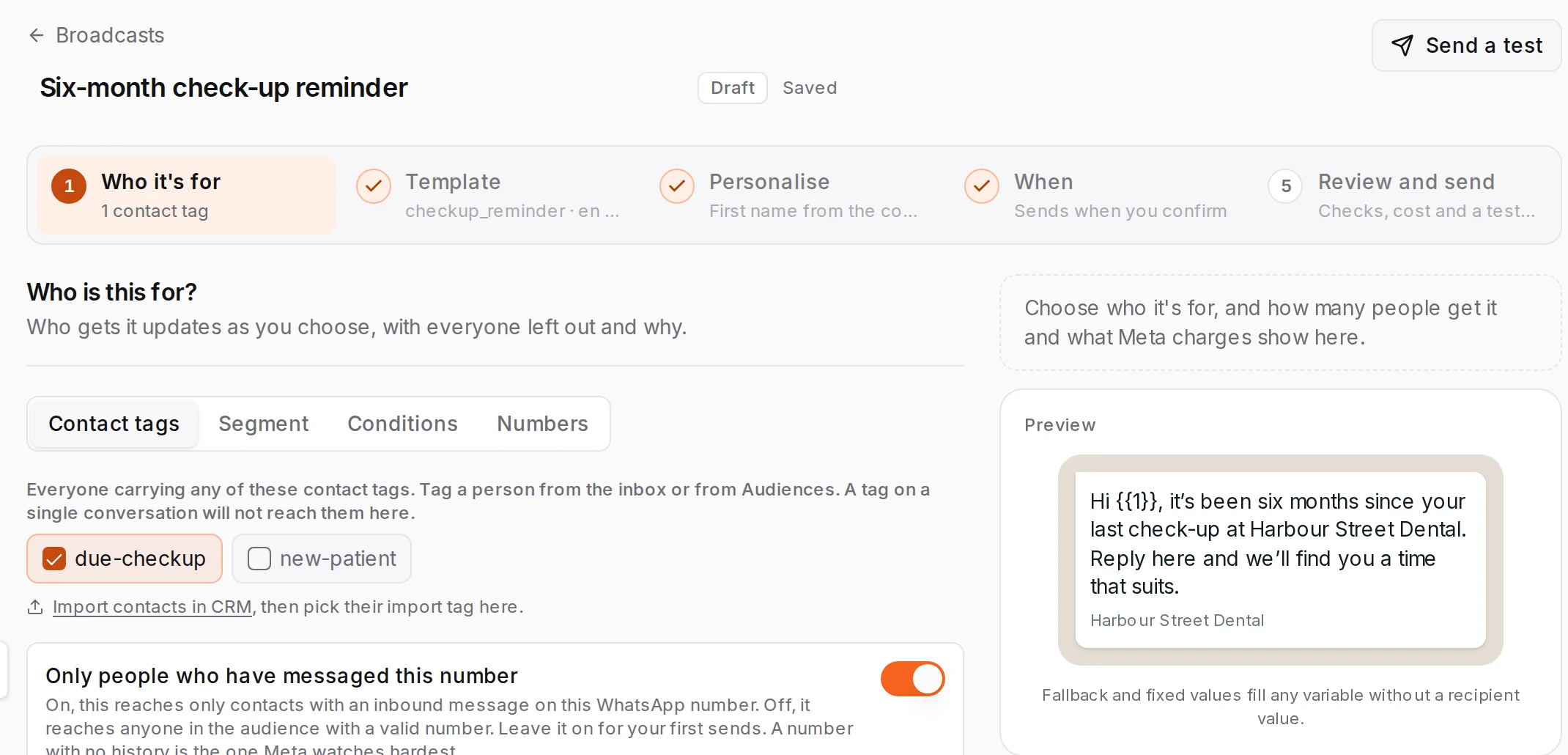
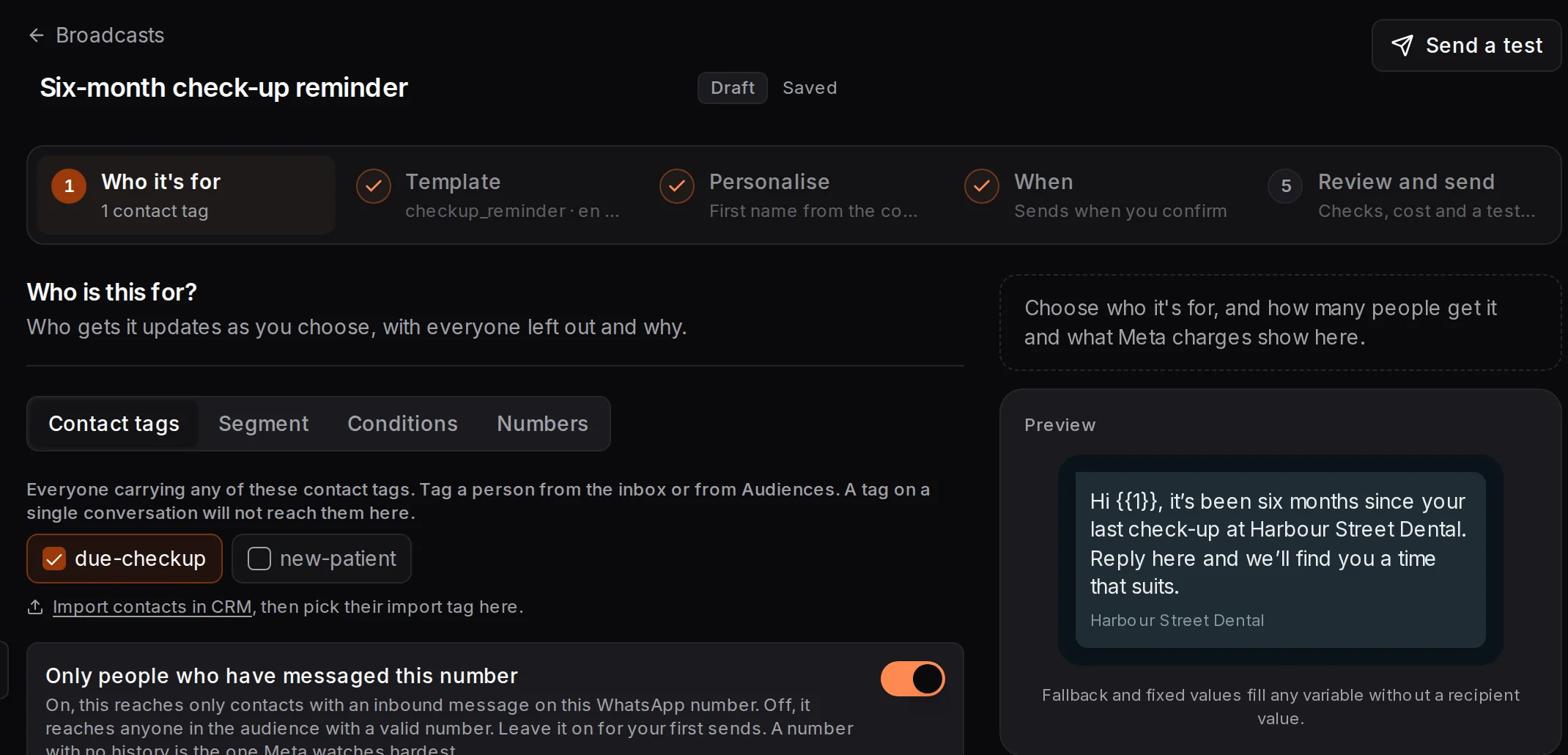
- Choose who gets it: contacts with a tag, an imported list, or everyone who has messaged you.
- Send a test to your own phone, check the estimated cost, then send now or at a set time.
- Answer the replies, which arrive in your inbox as normal chats.
In HiQBot, the broadcast builder walks through the same steps. By default a broadcast reaches only people who have already messaged your number, anyone who replied STOP is skipped for marketing, and US numbers are skipped for marketing templates. The broadcast is paced to your daily limit: HiQBot sends what the limit allows, then picks up on its own about a day later. Our WhatsApp broadcast page shows each step.
Who you may message
The WhatsApp Business Messaging Policy lets a business message people only if they gave it their number and agreed to receive its messages, and it must stop when asked. WhatsApp says the same for business broadcasts in the app. In practice:
- ask in the chat, at checkout or on a sign-up form, and name your business when you ask;
- never upload a list you bought or copied;
- stop messaging anyone who asks you to, the same day.
Consent is the sender's job on every platform. HiQBot stops marketing messages to anyone who replied STOP or turned off marketing messages in WhatsApp, but it keeps no opt-in record for you, so keep your own.
Examples of WhatsApp broadcast messages
A good broadcast message is short and gives one easy reason to reply. Three examples for an online store, written as API templates with buttons:
Back in stock (marketing)
"Hi Emily, the linen shirt you asked about is back in stock in medium. Want the link to order it?"
Buttons: Send the link · Not now
Weekend offer (marketing)
"Our weekend sale is on: 20% off every hoodie until Sunday night. Reply with your size and colour and we will check stock for you. Reply STOP to opt out."
Buttons: Shop the sale · Not now
New collection (marketing)
"Hi Sara, our winter coats are in, in three colours. Want to see them? Reply STOP to opt out."
Buttons: Show me · Not now
All three are marketing, so they will not reach US numbers. Like any message you start, they need the customer's agreement. Order and delivery updates go in utility templates, to the customer who placed the order. In a broadcast list from the app, you would type the same words without the buttons.
Answering the replies
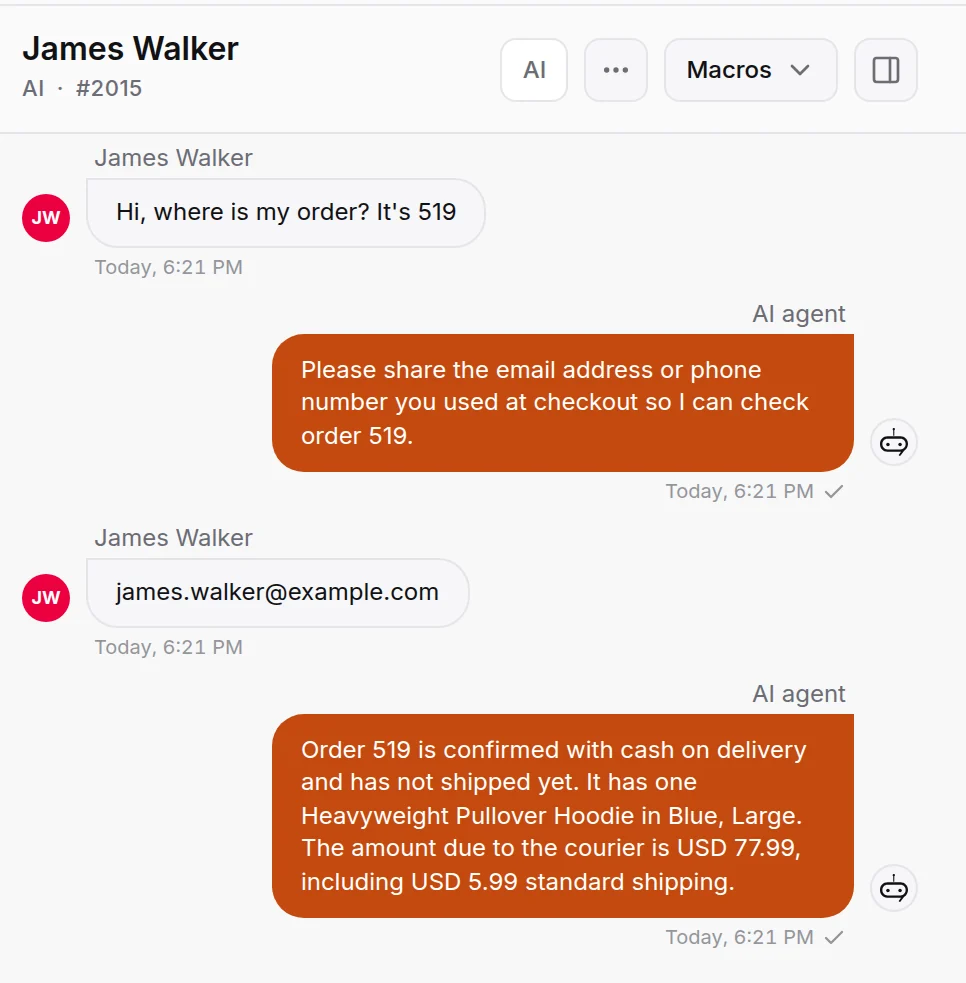
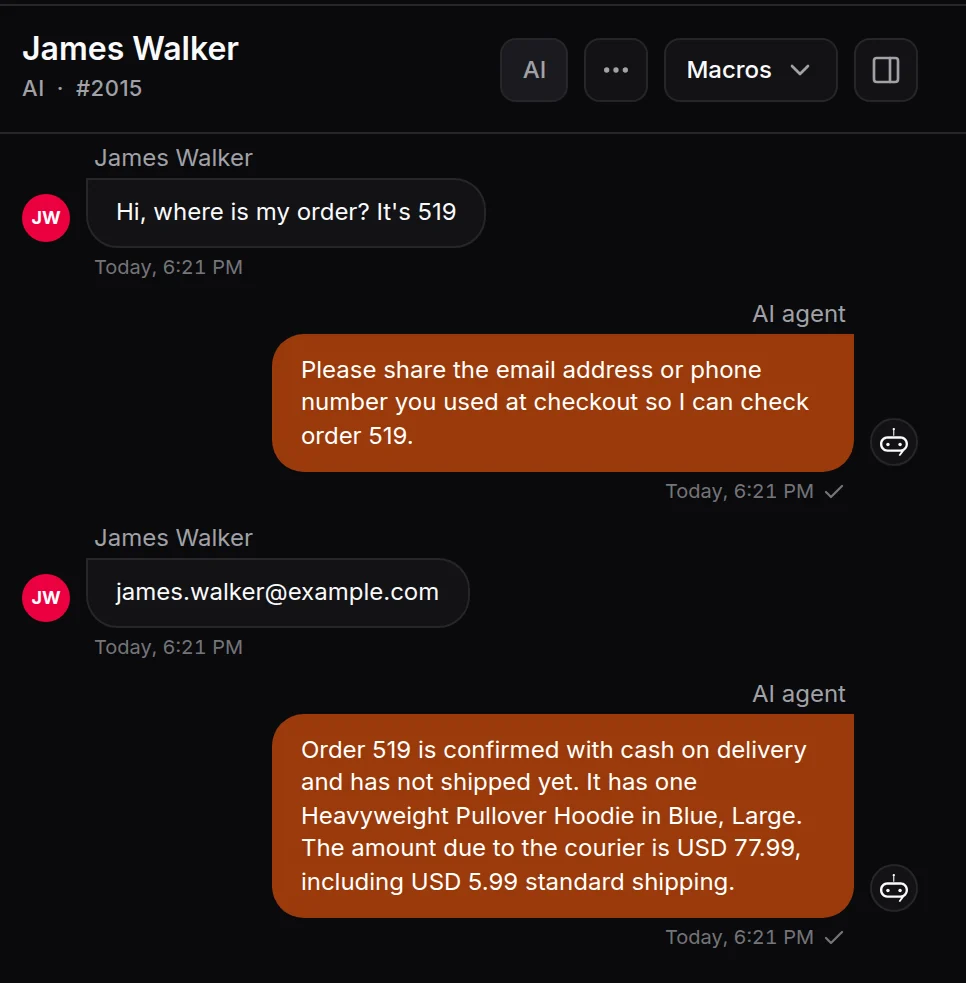
Replies need answering quickly. In the app, that is you. With HiQBot, replies land in one inbox, where the AI agent answers first and your team picks up the chats it hands over. For an online store connected to WooCommerce, the agent answers price and stock from your catalogue, sends a checkout link that the shopper pays on your own store, and looks up an order when the shopper gives the order number and the email or phone used at checkout. The AI never takes payment in the chat. Our AI chatbot for ecommerce page shows the rest, and the WooCommerce chatbot page shows the store connection.
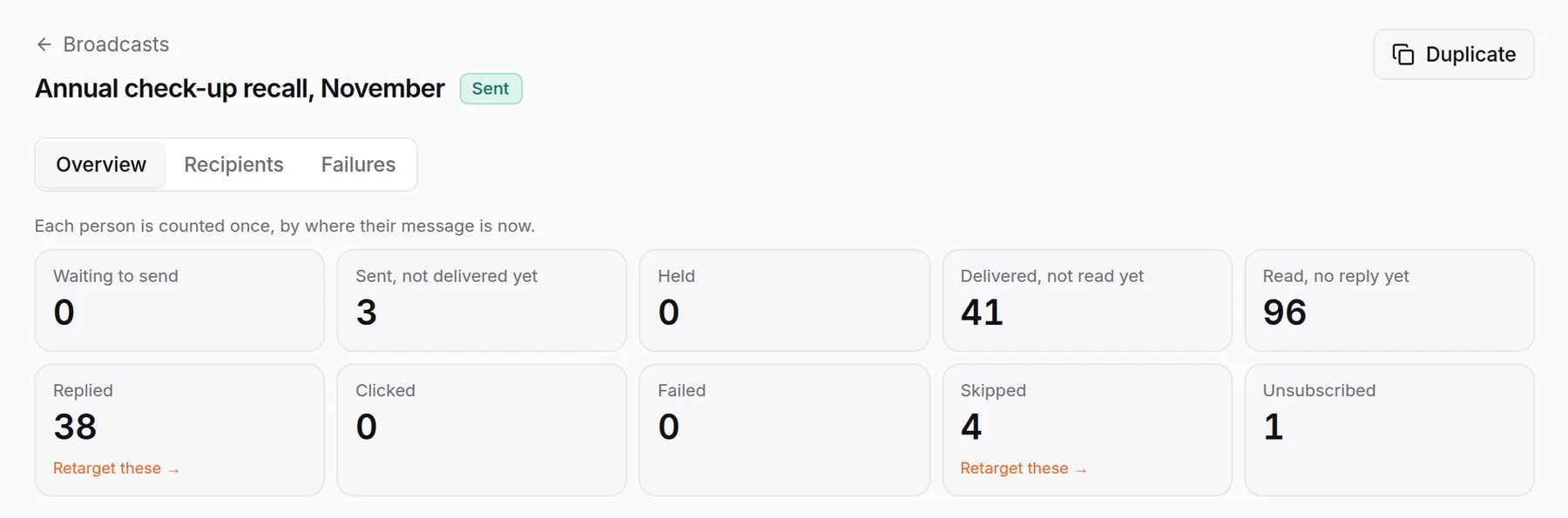
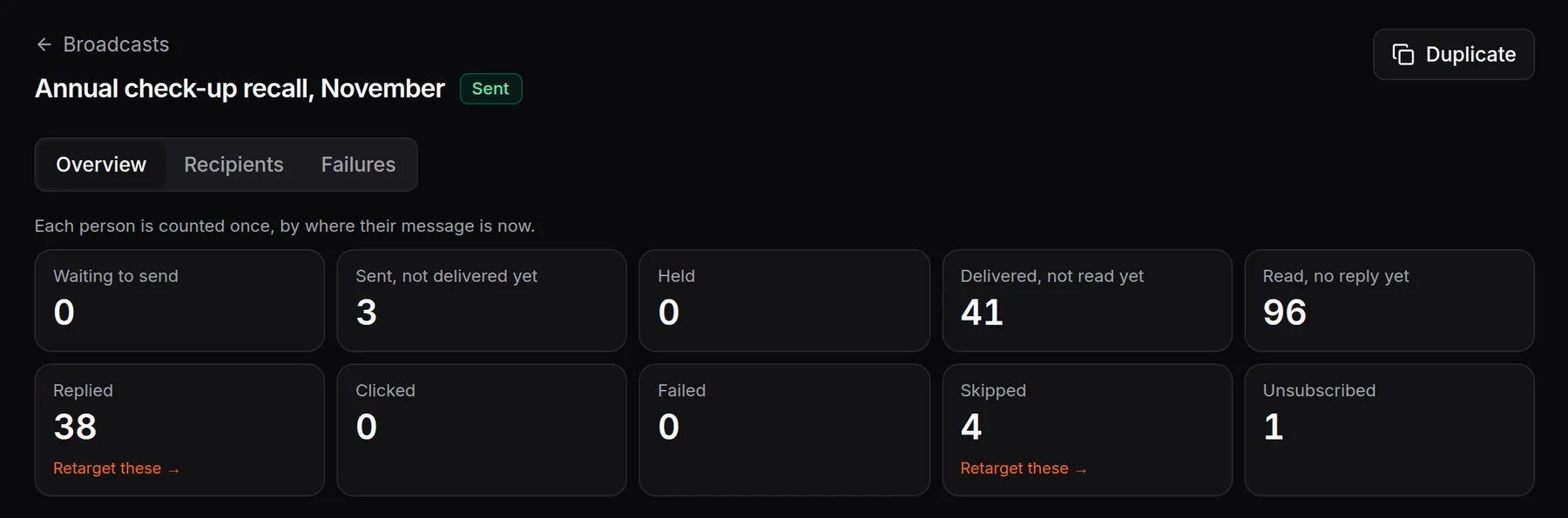
After the send, the report shows who it was delivered to, who read it, who replied within seven days, and who was skipped and why. Link clicks are not tracked.
How we checked
On 13 November 2026 we read WhatsApp's Help Center articles on broadcast lists and business broadcasts, and Meta's developer pages on templates, messaging limits, marketing messages and pricing, linked above. The HiQBot screens are real captures with sample data. WhatsApp changes menu names from time to time, so if a step looks different on your phone, the Help Center article has the current one. To report an error, see our editorial standards.
Common questions
How many contacts can a WhatsApp broadcast list have?
Up to 256 contacts per list. You can create as many lists as you like. To reach more people at once, a business uses the WhatsApp Business API, where the limit is a daily number of people set by Meta.
Why did some contacts not get my broadcast message?
They have probably not saved your number in their phone. WhatsApp only delivers broadcast list messages to contacts who saved it. In some countries a monthly broadcast limit may also apply.
Can people on a broadcast list see each other?
No. Each person gets the message in their own chat with you, and their reply comes only to you. That is the main difference from a group.
Can I create a broadcast list on WhatsApp Web?
No. WhatsApp does not support broadcast lists on WhatsApp Web, Windows or Mac. Create and send them from the app on your phone.
Is a WhatsApp broadcast free?
A broadcast list in the app is free, though some countries may see a monthly limit. Business broadcasts in the WhatsApp Business app cost a fee per delivered message after any free ones. Through the API, Meta charges for each template message delivered, by country and category, whatever platform you use.
Can I send a broadcast to people who have not saved my number?
Not with a broadcast list. Templates through the WhatsApp Business API can reach them, as long as they agreed to hear from you.
Can I schedule a WhatsApp broadcast?
Not with a broadcast list. Business broadcasts in the Business app can be scheduled, and so can API broadcasts sent from a platform such as HiQBot, which starts the send at the time you set.
What is the difference between a WhatsApp broadcast and a WhatsApp bulk message?
They mean much the same: one message to many people. People usually say bulk message when the send is too big for the app, which means approved templates through the WhatsApp Business API and Meta's daily limits.