Restaurant online ordering: delivery apps, your own ordering system, or orders in WhatsApp and Instagram chat

Muhammad Hassan, FounderLinkedIn
Published Updated
Restaurant online ordering means guests order food for collection or delivery from their phone, in one of three places: a delivery app such as DoorDash or Uber Eats, your own online ordering system, or a chat on WhatsApp, Instagram or your website. Delivery apps find you new guests and charge commission on each order. The other two keep the guest and most of the margin.
We make HiQBot, a customer service platform with AI agents, live chat, guided flows and WhatsApp calling. Its AI takes food orders in chat from your menu, and your team confirms each one. It is not a delivery app and has no checkout, so this guide compares all three ways fairly. It is written for owners of independent restaurants, takeaways, pizzerias, cafés and cloud kitchens.
Three ways to take online orders for your restaurant
| Delivery app | Your own ordering system | Orders in chat | |
|---|---|---|---|
| Where guests order | In the app | Your website or app | WhatsApp, Instagram, website chat |
| Who finds the guest | The app | You | You |
| What it costs | A commission on each order | A monthly fee or card fees, usually no commission | The chat software, no commission |
| Payment | In the app | Online at checkout | Your usual way: at pickup, on delivery or your own payment link |
| Delivery | The app’s couriers, or yours | Your drivers or a courier service | Your drivers, or collection |
Online ordering systems for restaurants compared
Prices and commissions below were read on each company’s own website on 13 November 2026, for the US. HiQBot is listed first because it is ours and it covers the chat column; the rest are listed by type.
| Option | Type | What you pay | Best for |
|---|---|---|---|
| HiQBot (our pick for chat orders) | AI takes orders in WhatsApp, Instagram, Messenger, Telegram, LINE and website chat; your team confirms | No commission; a monthly plan (pricing), 7-day free trial | Restaurants whose guests already message to order |
| Square Online | Your own ordering site | Free plan; online card fee 3.3% + 30¢ on Free, 2.9% + 30¢ on paid plans (fees) | A free ordering page with online payment |
| GloriaFood | Ordering on your own site | No monthly or setup fee; card payments US$29 a month, POS add-on US$49 a month per location | The cheapest way to start |
| ChowNow | Your own branded ordering | From $249 a month ($229 billed yearly); card processing 2.95% + $0.29 | A fixed monthly price and its own delivery option |
| Owner.com | Your own ordering site | $249 a month plus 5% per order, or $499 a month flat; guests pay a 5% order fee on both | The flat plan costs less than 5% per order above $5,000 of orders a month |
| Uber Eats | Delivery app | 20%, 25% or 30% of delivery orders by plan; 7% to 10% on pickup; 2.5% + $0.29 on your own Webshop | Reaching guests who don’t know you yet |
| Grubhub | Delivery app | 5%, 15% or 20% marketing commission by plan, plus delivery and payment processing fees | Reaching new guests in the US |
Delivery apps and their commission
Delivery apps list your restaurant where hungry people already look, send couriers, and take payment. In return they keep a share of each order. On Uber Eats’ US price list, a $40 delivery order on the 25% plan costs the restaurant $10 before any other fees. Pickup orders cost 7% to 10%.
Guests use the apps but don’t all love them. In the National Restaurant Association’s State of the Restaurant Industry 2026, 75% of US delivery customers had ordered through a third-party service in the past six months, yet 56% said they would rather order directly from the restaurant. Baby boomers leaned most toward ordering direct, at 80%, while 56% of Gen Z adults preferred the apps.
Your own restaurant online ordering system (direct ordering)
A restaurant online ordering system puts a menu with a basket and checkout on your own website, and sometimes in your own app. Guests pay online, and the order goes to your kitchen. Most charge no commission: you pay a monthly fee, card processing, or both. Square and GloriaFood have free starting plans, and Grubhub offers a commission-free ordering site called Grubhub Direct.
Your own system brings no new guests. People find the ordering page when you send them there, from Google, your Instagram bio, your menu and your packaging, so commission-free online ordering pays off once enough regulars order direct.
Commission-free orders in WhatsApp and Instagram chat
Regulars already message restaurants to order. The hard part is answering them during service. HiQBot’s AI takes those orders for you on WhatsApp, Instagram, Messenger, Telegram, LINE and your website chat, and your team confirms each one.
How a chat order works
- You upload your menu as a spreadsheet or link a Google Sheet, then switch the menu list to take orders. You set the delivery charge, the free-delivery threshold and the minimum order.
- The guest writes the order the way they would say it. The AI finds the dishes on your menu, asks for a size or option when one is missing, and offers an alternative when something is out of stock.
- It reads the order back with the items total and the delivery charge, asks for collection or delivery and takes a name and phone number.
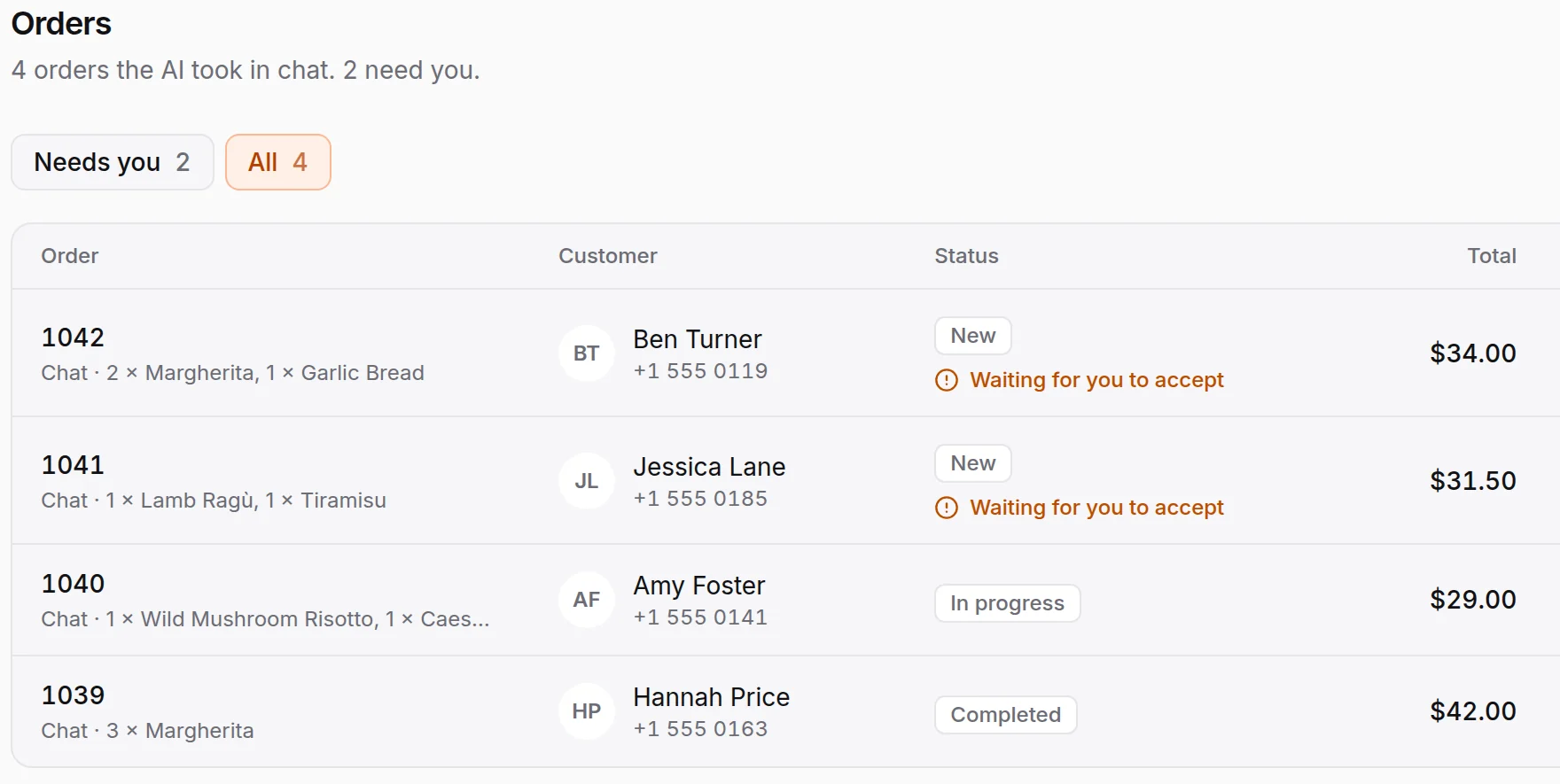
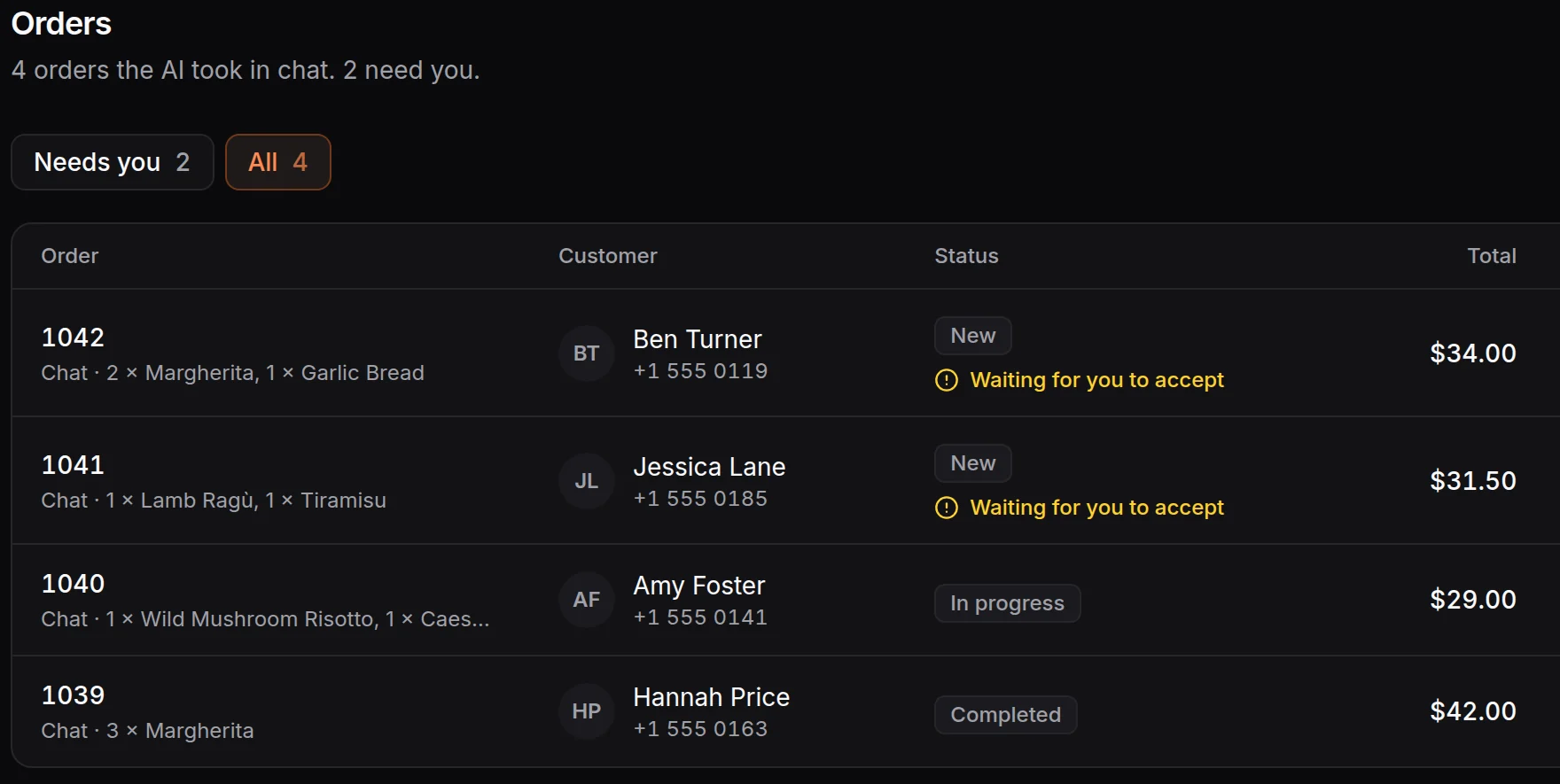
- The order lands in your Orders view with an order number the guest can ask about later.
- Your team confirms, declines with a reason, completes or cancels it, and the guest is told in the same chat. Teammates can also get an email for each order.
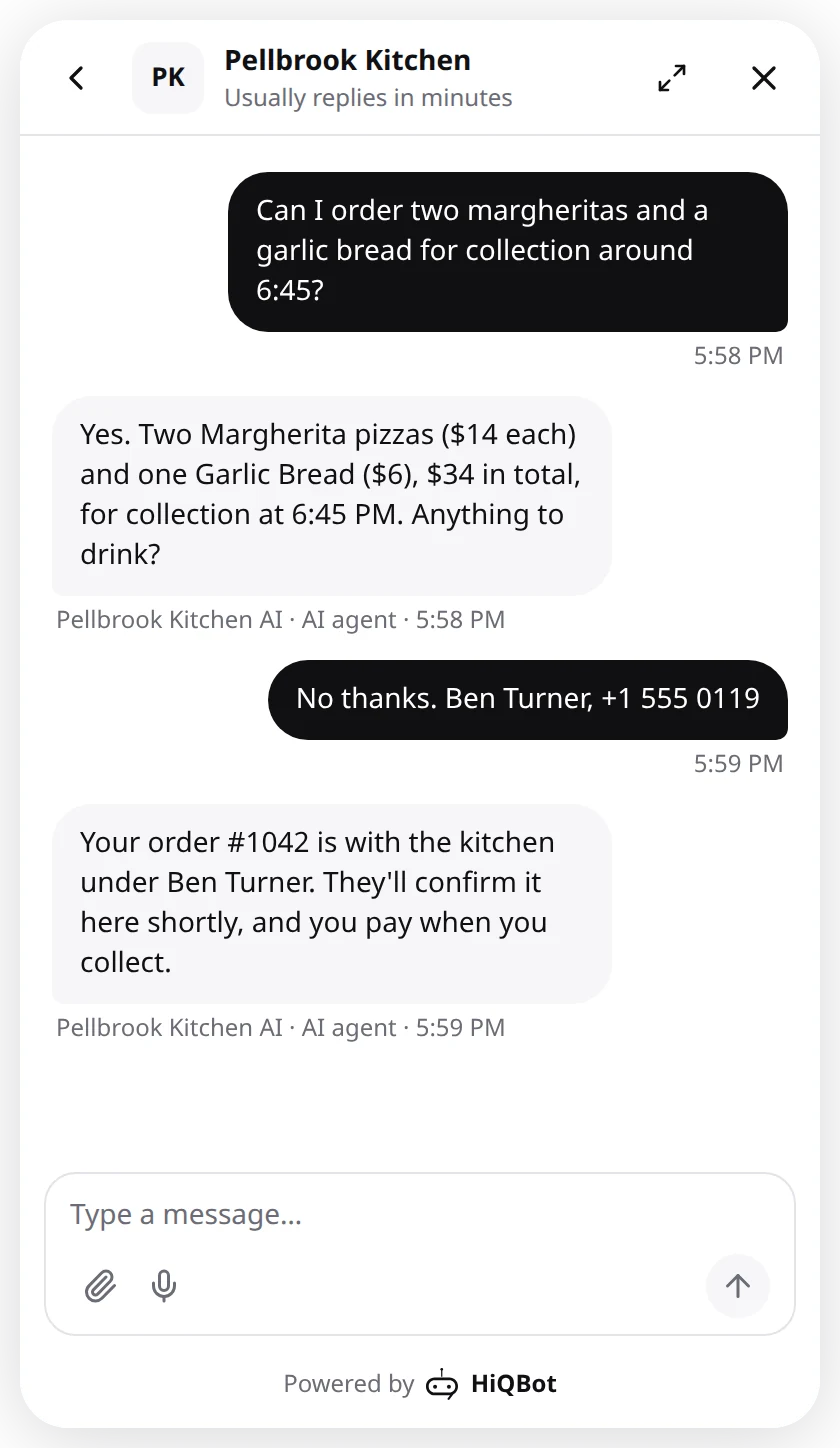
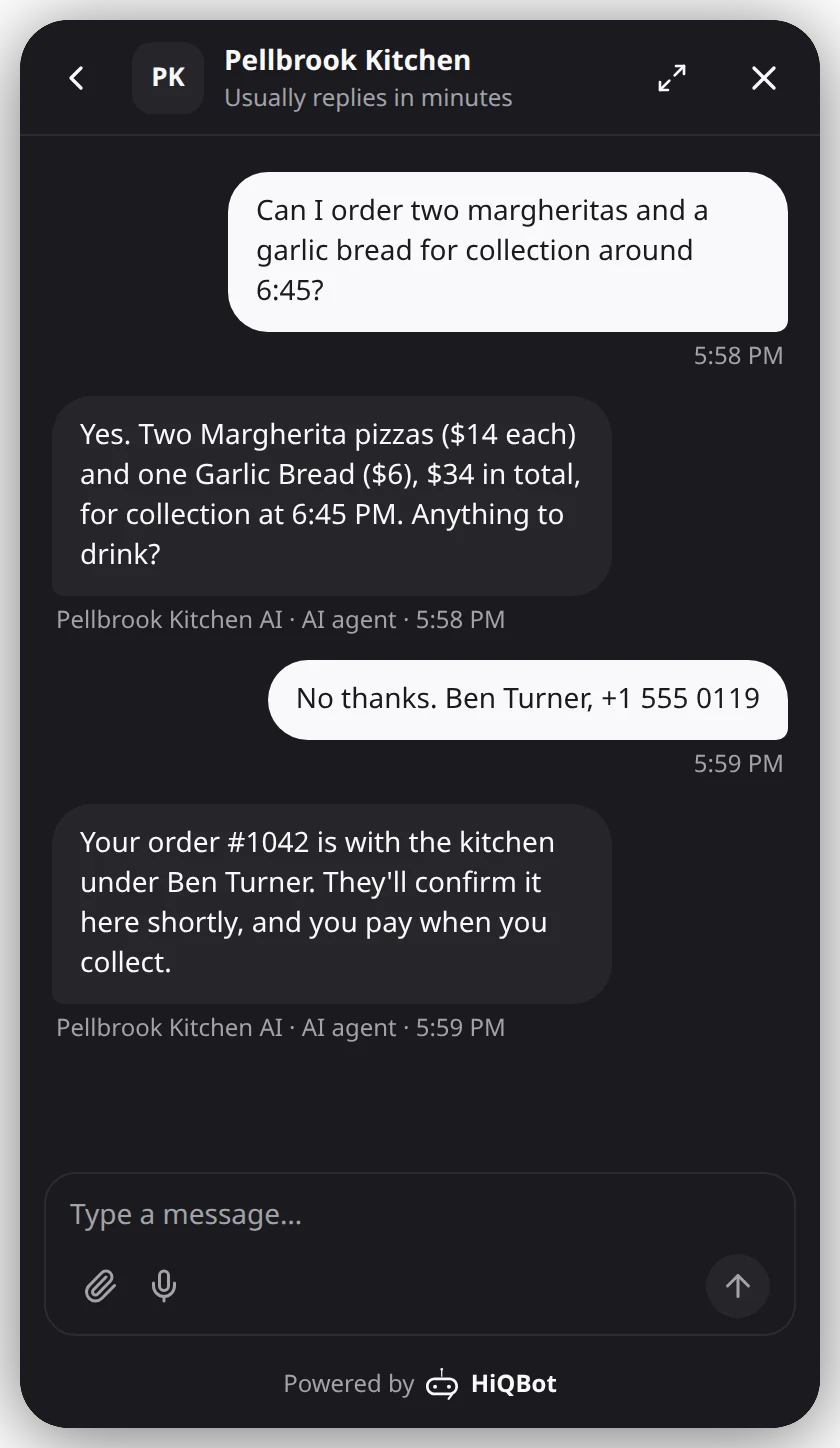
The AI never tells a guest an order is paid or on its way, and it orders only what is on your menu. Payment stays the way you take it today. The same menu lets it answer the questions that come before an order: what is in a dish, whether you deliver to an area, what time you close. Allergy questions get your written allergen information and never a promise that a dish is safe, and any allergy goes onto the order in the guest’s own words.
WhatsApp food ordering
A WhatsApp ordering system lets guests order by message on your WhatsApp Business number, without an app or a website. Put the number on your menu, packaging, Google profile and Instagram bio. If a guest would rather talk, they can tap call on the same number and it rings your team in the HiQBot inbox, next to the chat; the AI itself works in writing. Our guide to selling on WhatsApp covers the WhatsApp side in more detail.
Instagram orders
When a guest sends a DM asking for the special, the AI answers and takes the order in the same chat. A post can also ask people to comment a word such as MENU, and each one gets a private message with the menu (Instagram comment bot).
A person can step in at any point
Every chat from every channel lands in one inbox. A teammate can take over an order chat, see everything already said. The full setup for restaurants, including table requests, is on our restaurant chatbot page.
Which way fits your restaurant
- New and unknown locally: a delivery app gets you seen while you build direct orders.
- Busy website and online payments wanted: your own ordering system with a checkout.
- Regulars who already message you: orders in chat, confirmed by your team, paid at pickup or on delivery.
- All of the above: many restaurants run an app for reach, an ordering page for the website, and chat for the guests who write in.
Moving app guests to direct orders takes marketing: a reason to order direct, your number on everything, and a quick reply when they do write. Our restaurant marketing guide covers the rest.
How to start taking orders in chat
- Put your menu in a spreadsheet with names, prices, sizes and options, or link the Google Sheet you keep.
- Switch the menu list to take orders and set collection, delivery, the delivery charge and the minimum order.
- Add your allergen sheet, opening hours and delivery area to the knowledge base.
- Connect WhatsApp, Instagram and your website chat.
- Choose who confirms orders and who gets an email for each one.
What HiQBot does not do
- Take payment, card details or deposits in the chat.
- Confirm an order for you. Your team does.
- Connect to your POS or a delivery app.
- Quote a total that includes tax.
Common questions
What is the best online ordering system for restaurants?
It depends on how your guests order. For a checkout on your website, Square Online and GloriaFood start free, and ChowNow or Owner.com charge a monthly fee. If guests message you to order, HiQBot takes those orders in chat for your team to confirm.
Is there a free online ordering system for restaurants?
Yes. GloriaFood charges no monthly or setup fee, with paid add-ons such as card payments at US$29 a month. Square Online has a free plan and charges 3.3% + 30¢ per online card payment.
How much does an online ordering system cost?
From free to about $500 a month. On 13 November 2026, ChowNow started at $249 a month and Owner.com ran from $249 a month plus 5% per order to $499 a month flat, with card processing on top.
What is commission-free online ordering?
It means the restaurant pays no percentage of each order to the platform. You pay a monthly fee or card processing instead, and you bring the guests yourself.
What is a WhatsApp ordering system?
It lets guests order food by message on your WhatsApp Business number. With HiQBot, the AI takes the order from your menu, quotes the total and the delivery charge, and your team confirms it in the Orders view.
Can guests pay for a chat order inside the chat?
Not with HiQBot. Guests pay the way you already take payment: at pickup, on delivery, or by a payment link your team sends.
Can AI take food orders for a restaurant?
Yes, from your menu list. HiQBot’s AI orders only dishes on your menu, reads the order back and files it for your team to confirm. It never says an order is paid or on its way.
Do chat orders work with my POS?
No. HiQBot keeps orders in its own Orders view and does not connect to a POS or a delivery app.
Vendor prices and commissions were read on their own websites on 13 November 2026 and change often; check before you sign. The screens are the real HiQBot product with sample data. How we write and check posts: editorial standards.