How to sell on WhatsApp: 7 steps, the WhatsApp catalog and taking orders in the chat

Muhammad Hassan, FounderLinkedIn
Published Updated
How to sell on WhatsApp: set up a WhatsApp Business account, show your products with prices, answer every message quickly, then take the order in the chat and send the customer to pay on your store's checkout or by your own payment link. Selling on WhatsApp works with a website or without one.
This guide is for sellers and online stores that sell on WhatsApp. People call it WhatsApp commerce: the customer finds a product, asks a question and orders in the same chat. The guide covers the steps, the WhatsApp catalog, taking orders, and broadcasts. We make HiQBot, a customer service platform whose AI agent answers WhatsApp messages, so we show where it fits near the end.
How to sell on WhatsApp in 7 steps
- Use a WhatsApp Business account. The WhatsApp Business app is free. Add your business name, hours, address and website to the profile, so a new customer knows who they are talking to.
- Decide where people pay. On your own store's checkout, or by a payment link, bank transfer or cash on delivery after you confirm the order. The next section compares the two.
- Show your products. Add them to your WhatsApp catalog, with a photo and price for each, or keep a price list you can send.
- Tell people they can order on WhatsApp. Put a WhatsApp link on your website, your Instagram bio, your packaging and your shop counter.
- Answer fast. Someone asking "price?" at 10 at night wants to buy now. If the answer comes the next morning, they may have bought elsewhere.
- Take the order and get paid. Collect the item, name, phone and delivery details, confirm the total, and send the payment step.
- Follow through in the same chat. Tell the customer when the order ships, answer "where is my order?", and ask happy buyers to recommend you.
Where your customers pay
WhatsApp is where the customer asks and decides. You still choose where they pay. There are two common ways:
| Where they pay | What you need | How the customer gets there | Best for |
|---|---|---|---|
| Your store’s checkout | An online store, such as WooCommerce | You send a product or checkout link in the chat | Stores with a catalogue, shipping and card payments |
| Your own payment link or method | A price list and a way to get paid | You confirm the order, then send your payment link or bank details, or collect cash on delivery | Small sellers, made-to-order and local delivery |
Without a website, the second way is enough: a price list, a chat and a payment method your customers trust. Cash on delivery is common in many countries. Bank transfers and payment links work almost everywhere.
Your WhatsApp catalog
A WhatsApp Business catalog is a list of your products or services that shows on your business profile. Each item needs a title, at least one image and the country of origin, according to WhatsApp's catalog help page. You can add a price, a sale price, a description, a website link and a product code, though prices are available only in some countries.
How to add a catalog to WhatsApp Business
- In the WhatsApp Business app, open Catalog from the menu or your business tools.
- Tap Add new item and add up to 10 images.
- Enter the name and country of origin, then the price, description, link and code if you want them.
- Save it to the catalog.
WhatsApp reviews every image, and an item shows to customers only once it is approved (see WhatsApp's steps). Customers can add catalog items to a cart and send it to you. You then confirm the order and send the payment step yourself.
Taking orders in the chat
Most WhatsApp ordering is a short conversation: the customer asks, you answer, and you write down the order. Ask for the same details every time so nothing is missing when you pack it:
| Detail | What to ask for |
|---|---|
| The item | Name, size or colour, and quantity |
| The customer | Name and phone number |
| Delivery | Pickup, local delivery or shipping, the address, and your delivery charge |
| Payment | How and when they pay: your checkout, your payment link, a bank transfer or cash on delivery |
| The order number | So the customer can ask “where is my order?” later |
Repeat the total back to the customer before they pay, including delivery. Labels in the WhatsApp Business app, such as "new order", "paid" and "shipped", help you see which chats still need something.
What people mean by a WhatsApp store or shop
A "WhatsApp store" or "WhatsApp shop" usually means one of three things: the catalog on your business profile, a website with a WhatsApp button where people order by chat, or a store app that sends finished orders to your WhatsApp. All three end in a chat, so the order still depends on how fast and how well someone answers.
WhatsApp for ecommerce stores
Once messages arrive faster than you can type prices, a WhatsApp chatbot for ecommerce answers them for you. With HiQBot, your WhatsApp messages land in one inbox with your website chat, Instagram, Messenger, Telegram and LINE, and the AI agent answers each one in the customer's language. You can keep using the same number in the WhatsApp Business app on your phone. What the AI sells from depends on what you connect:
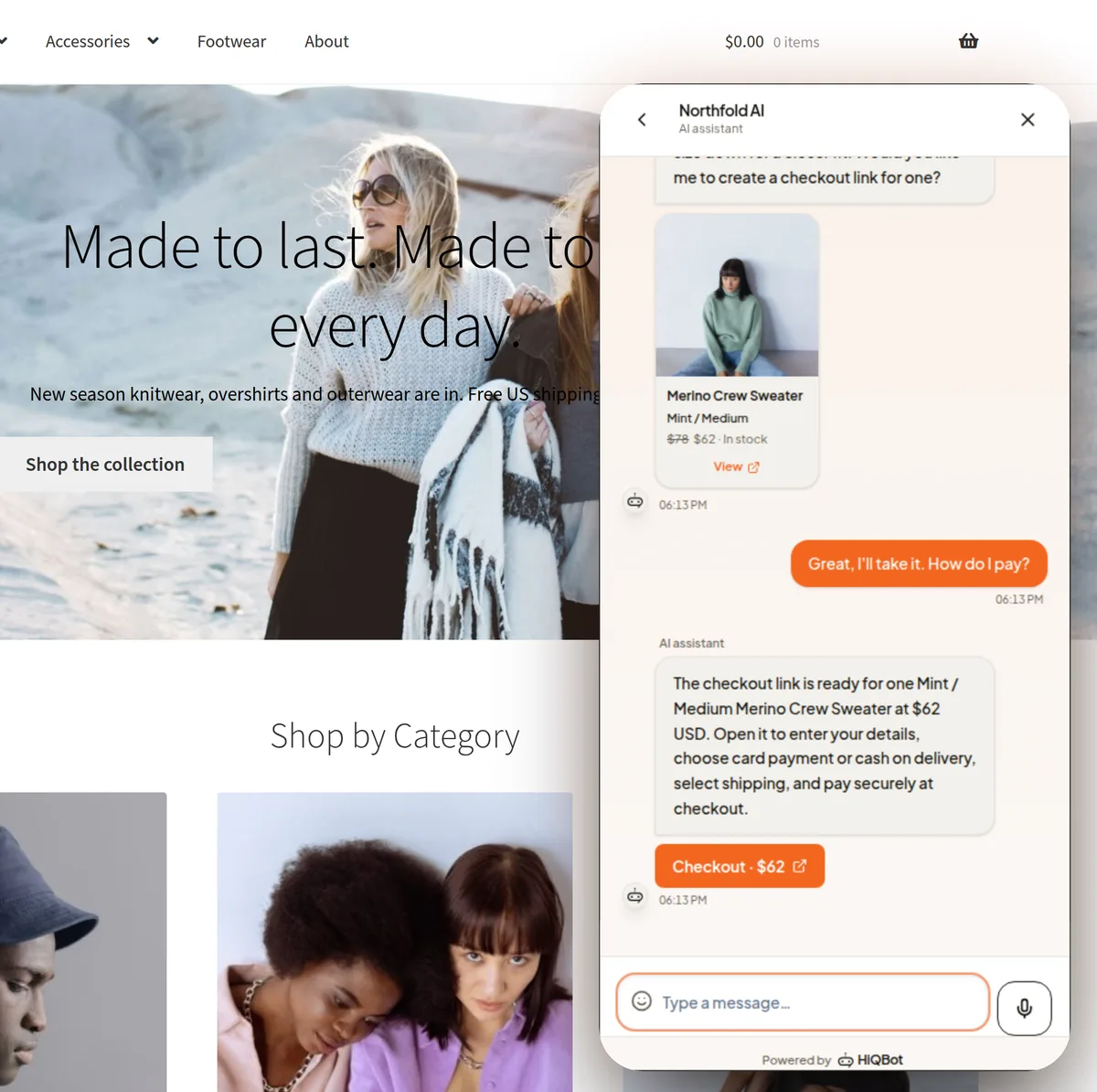
- A WooCommerce store. The AI finds products from how the customer describes them, answers price and stock from your store, and sends a checkout link in the chat. The customer pays on your store's own checkout. Our WooCommerce chatbot page shows the connection.
- A product list or Google Sheet. For sellers without a website. Switch the list to take orders and the AI quotes the items total and your delivery charge, then takes the order with the customer's name and phone and gives them an order number. Your team confirms or declines it in Orders, and the customer hears back in the same chat.
The AI never takes payment in the chat. On WhatsApp it replies in text, with the checkout link as a link in the message.
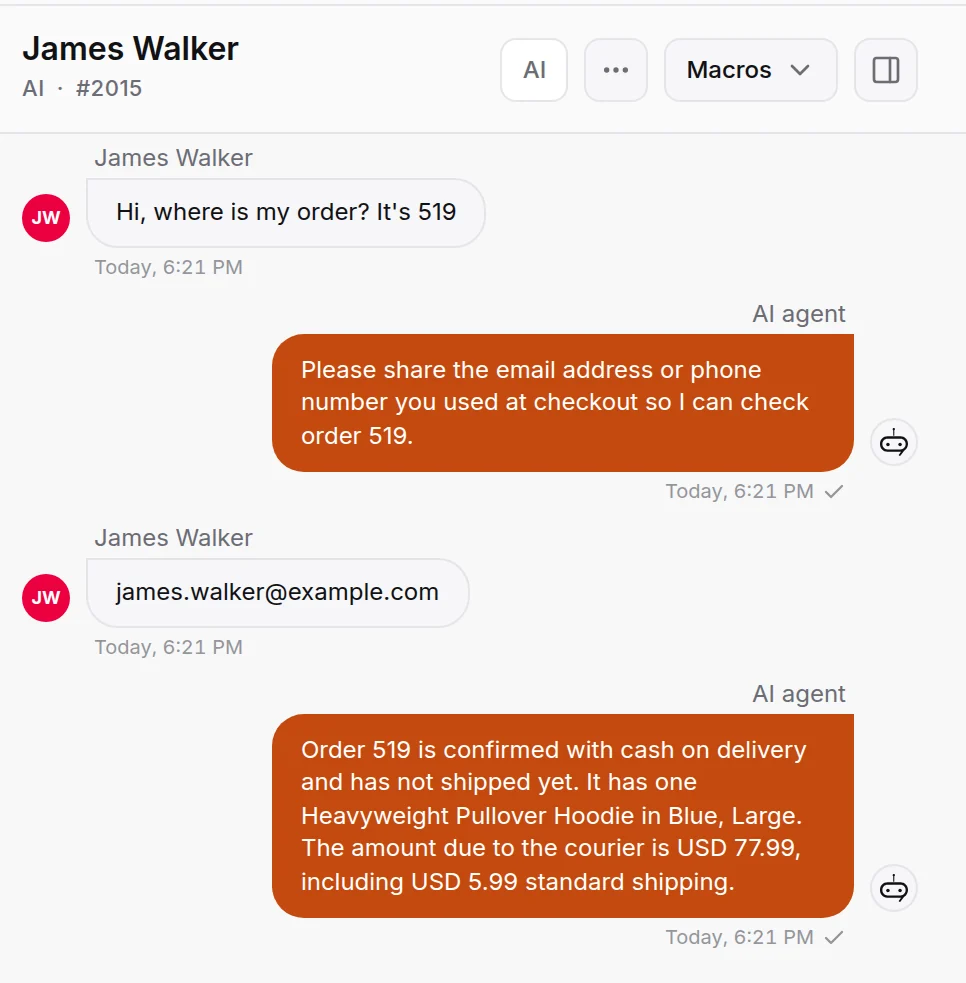
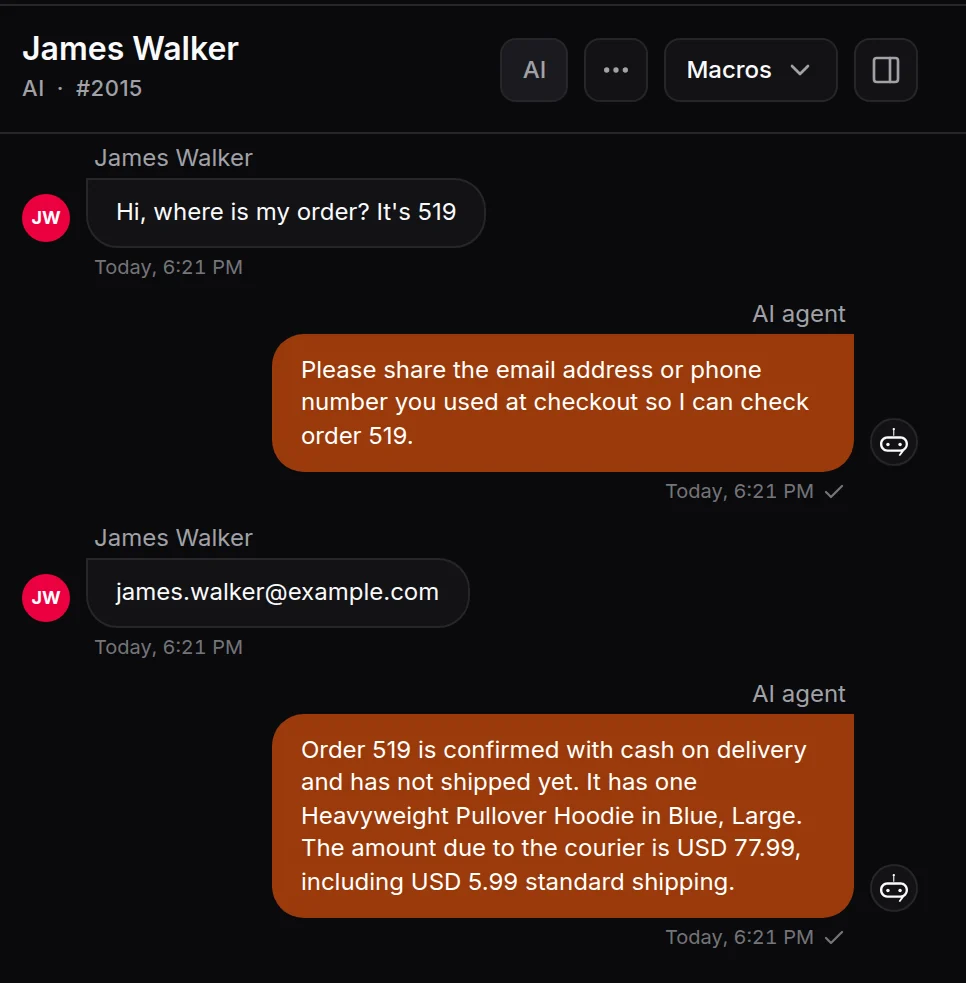
Order status works too. Once the customer gives the order number and the email or phone used at checkout, the AI reads the order from your store, including cash-on-delivery orders. Refunds, exchanges and cancellations go to a person to approve.
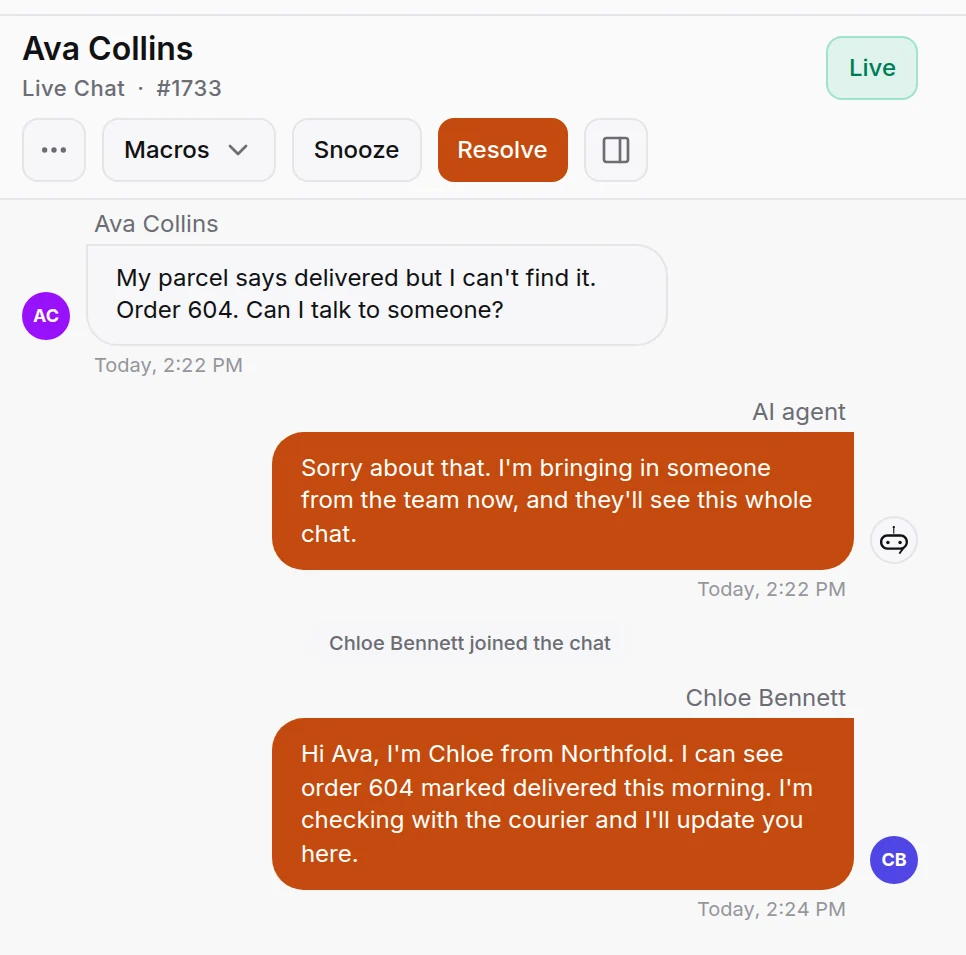
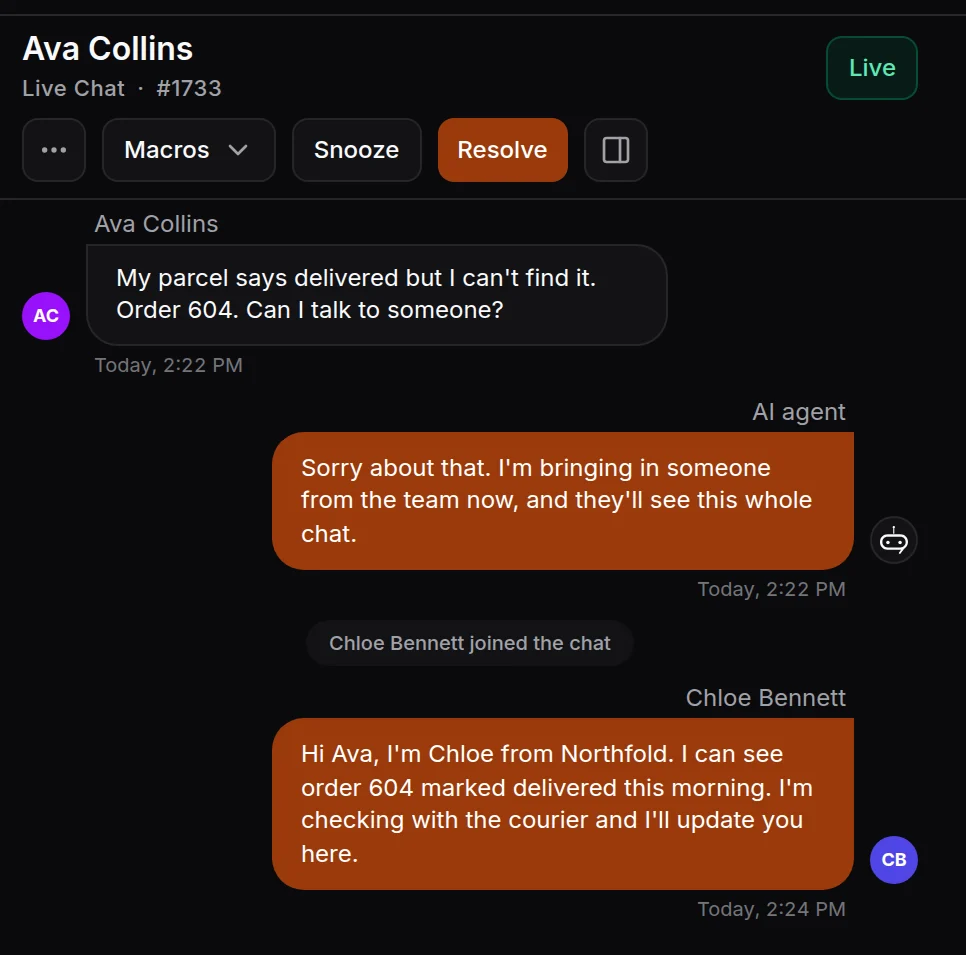
When a customer needs a person, the AI brings in your team on live chat, where they see the whole chat and can add notes, assign it and use AI drafts. Customers who call your WhatsApp Business number ring your team in the HiQBot inbox, beside the chat (see WhatsApp calling); the AI itself works in writing. A guided flow can greet each new chat with buttons such as "New arrivals" or "Track my order", and show cards you write with a photo and a link. An automation can send an order confirmation and a shipping update on WhatsApp. For the whole store setup, see our AI chatbot for ecommerce page.
Broadcasts, with consent
A broadcast sends one message, such as a new collection or a restock, to many customers at once. The WhatsApp Business Messaging Policy lets a business message people only if they gave it their number and agreed to hear from it, and it must stop when asked. Ask at checkout or in the chat, name your business when you ask, and never upload a list you bought.
Consent is your job. HiQBot skips marketing messages to anyone who typed STOP or turned off marketing messages in WhatsApp, but it keeps no opt-in record for you. It never sends marketing templates to numbers in the United States. Our WhatsApp broadcast list guide covers the limits and the approved templates.
How we checked
On 13 November 2026 we read the Google results for "sell on WhatsApp" and "WhatsApp catalog", and WhatsApp's help pages on catalogs, adding items and carts. The HiQBot screens are real captures with sample data. To report an error, see our editorial standards.
Common questions
Can I sell on WhatsApp without a website?
Yes. Show your products in the WhatsApp catalog or a price list, take orders in the chat, and get paid by bank transfer, a payment link or cash on delivery.
Can I make money through WhatsApp?
Yes, if you have something to sell. Customers ask and order in the chat, and you earn from the products or services you sell. The WhatsApp Business app is free to use.
Are sellers on WhatsApp legit?
Many are, but buyers have good reason to check. Earn their trust with a complete business profile, a website or social page that matches, clear prices and delivery terms, and payment through your store's checkout or a known payment provider.
What is the difference between the WhatsApp Business app and the WhatsApp Business API?
The app is free and runs on your phone, with a few linked devices. The WhatsApp Business Platform, often called the WhatsApp Business API, "is not an app at all", as WhatsApp puts it: you use it through software such as HiQBot, which adds a shared inbox, an AI agent and broadcasts. See our WhatsApp Business API page.
How can I send 10,000 messages on WhatsApp?
Through the WhatsApp Business Platform, once Meta raises your limit. Meta's messaging limits run 250, 2,000, 10,000 and 100,000 people in a rolling 24 hours, then unlimited, and each person must have agreed to hear from you.
Can an AI answer my WhatsApp customers?
Yes. With HiQBot, the AI agent answers WhatsApp messages from your store or product list, sends checkout links or takes orders for your team to confirm, and brings in a person when needed. It never takes payment in the chat.