Patient intake forms: templates, and what to ask before the visit

Muhammad Hassan, FounderLinkedIn
Published Updated
A patient intake form collects what a practice needs before a patient’s first visit: who they are, how they pay, their medical history, medicines and allergies, the reason for the visit and their consent. Most practices split it in two: booking questions asked when the patient gets in touch, and the clinical form filled in securely before the visit.
We make HiQBot, a customer service platform with AI agents, live chat, guided flows and WhatsApp calling. In clinics it answers patients on WhatsApp and the other chat channels and takes their appointment requests. It asks the booking questions, never the clinical ones: symptoms, history and medicines stay out of the chat. This guide is for practice owners and practice managers, with templates for both parts.
What is a patient intake form?
A patient intake form, sometimes called a medical intake form or new patient form, is the first record a practice holds for a patient. The patient fills it in, or a parent, guardian or carer does it for them. New patients fill in the whole form. Returning patients usually confirm their details and update what has changed.
It does two jobs. The front desk uses it to register the patient and check how they pay. The clinician reads it before the visit, so the appointment starts with the history, medicines and allergies already known.
Two parts: booking questions and the clinical form
Patients now get in touch on WhatsApp, Instagram or your website chat before they ever see a form. The questions you need to book them are not the questions your clinician needs, and they belong in different places. Health details sit in a chat thread on a phone, so keep them in your own secure form.
The US Agency for Healthcare Research and Quality asks practices to check that forms ask only for the “need to know” information, and ask for it only once (AHRQ Health Literacy Toolkit, Tool 11). Splitting the two parts does that: the chat asks only what the booking needs, and the form asks only what the clinician needs.
| Question | When they book, in the chat | On your clinical form |
|---|---|---|
| Name and a phone number or email | Yes, to book | Yes, with legal name and address |
| New or registered patient | Yes | No |
| Who the appointment is for | Yes (me, my child, a relative) | Yes, with parent or guardian details |
| Kind of appointment | Yes, as a service | No |
| Preferred clinician and time | Yes | No |
| Self-pay or insurance | The insurer’s name only | Member ID, group number, policyholder |
| Date of birth | No | Yes |
| Reason for the visit, symptoms | No | Yes |
| Medical history, medicines, allergies | No | Yes |
| Consent and privacy notice | No | Yes, signed |
New patient intake form: what to ask when they book
These are the questions a front desk asks on the phone, written as a guided flow: buttons a patient taps on WhatsApp, Instagram, Messenger, Telegram or LINE. Copy them, change the names, and drop any your practice doesn’t need. The flow can tag the patient or set a contact field from each tap, so your front desk sees the answers on the contact.
A clinic’s WhatsApp booking flow in the HiQBot flow editor, from the welcome buttons to a free time.
1. New or registered
Are you already registered with Brookfield Family Clinic?
- Yes, registered
- No, I’m new
Free reply57 charactersAfter “Book an appointment”
A condition can send new and registered patients down different steps.
2. Who it is for
Who is the appointment for?
- Me
- My child
- Someone else
Free reply27 charactersNext step
3. Kind of appointment
What kind of appointment do you need?
- Doctor appointment
- New patient check
- Child health check
- Physiotherapy
- Something else
Free reply37 charactersNext step, as a WhatsApp list
A WhatsApp list holds up to 10 options. Name them as your services, never as symptoms. “Something else” can go to the AI agent or to your front desk.
4. Preferred clinician
Do you have a doctor in mind?
- Dr Clarke
- Dr Osei
- First available
Free reply29 charactersNext step
5. Self-pay or insurance
Will you pay yourself, or use insurance?
- Self-pay
- Cascade Health
- Another insurer
Free reply40 charactersOnly if you route by payment
List only the insurers you work with. The flow takes the name and never says a plan covers the visit; your front desk confirms cover.
6. Name and phone
What name should we book it under? And the best phone number for us to reach you?
Free reply82 charactersTwo short steps
The name and phone steps check the answer and ask again when it doesn’t look right.
7. A free time
Here are the next free times with Dr Clarke. Tap one and the front desk will confirm it with you here.
- Tue 3:40 PM
- Wed 9:10 AM
- Thu 11:30 AM
Free reply102 charactersThe booking step
The times come from your HiQBot booking calendar. The request waits on your bookings list for the front desk to confirm.
8. The form link
Thank you. The front desk will confirm your appointment here. New patients, please fill in our health form before the visit.
- Open the health form
Free reply124 charactersClosing message
A link button opens your own secure form. The answers go into your form, never into the chat.
Any typed answer can go to the AI agent, and a patient who asks for a person goes to your front desk. Guided flows don’t run on website chat, which has a greeting with tappable buttons instead; there, the AI agent asks the same questions in writing.
When the AI asks instead
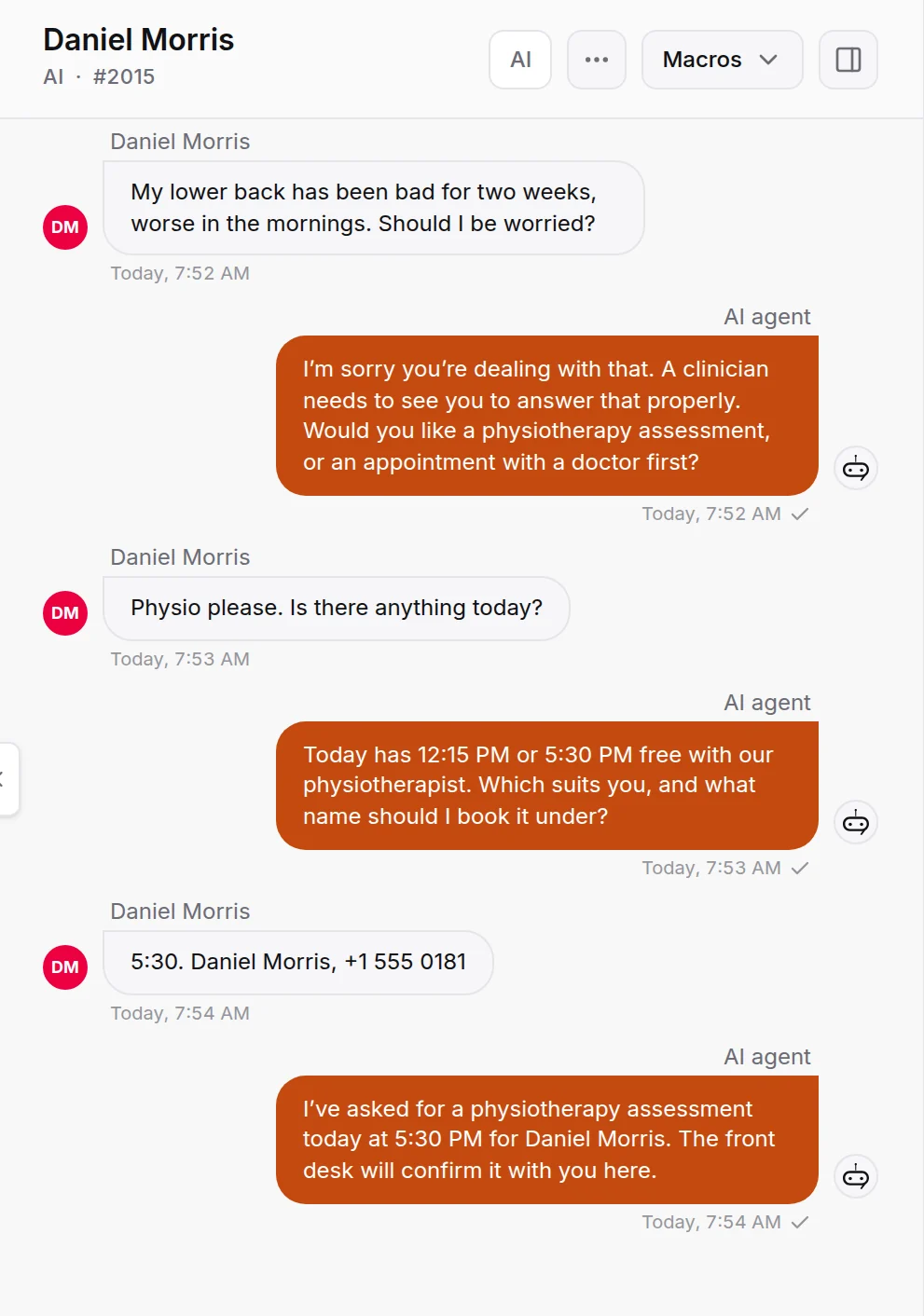
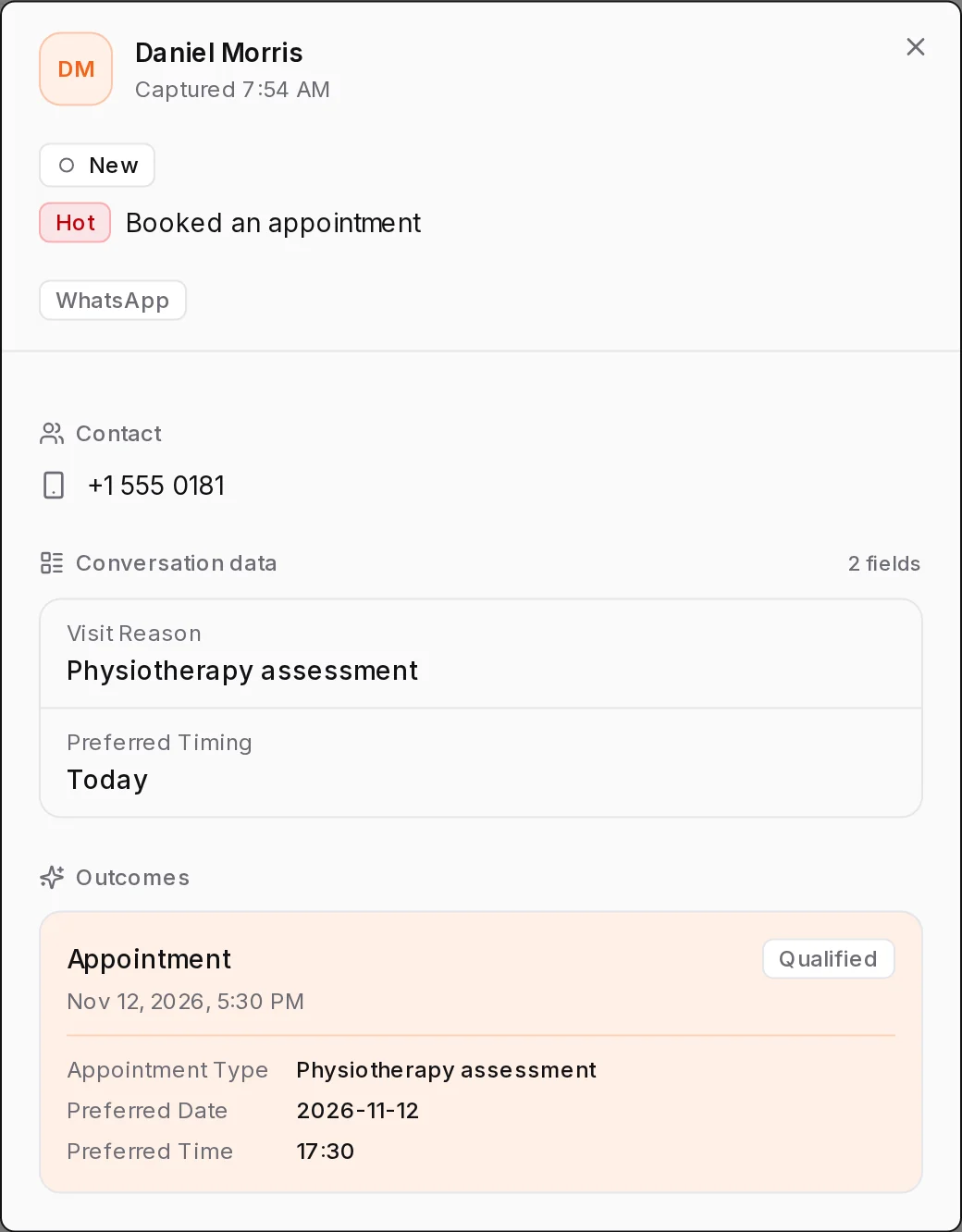
Many patients skip the buttons and write a sentence. HiQBot’s AI agent then asks what a booking needs and nothing more: the kind of appointment, new or registered, when they can come, a clinician if they have one in mind, and self-pay or which insurer when your practice routes by payment. Once it knows the kind of appointment and roughly when, it asks for the name and phone number in one message and books it. A parent booking for a child is normal, and the booking records who it is for.
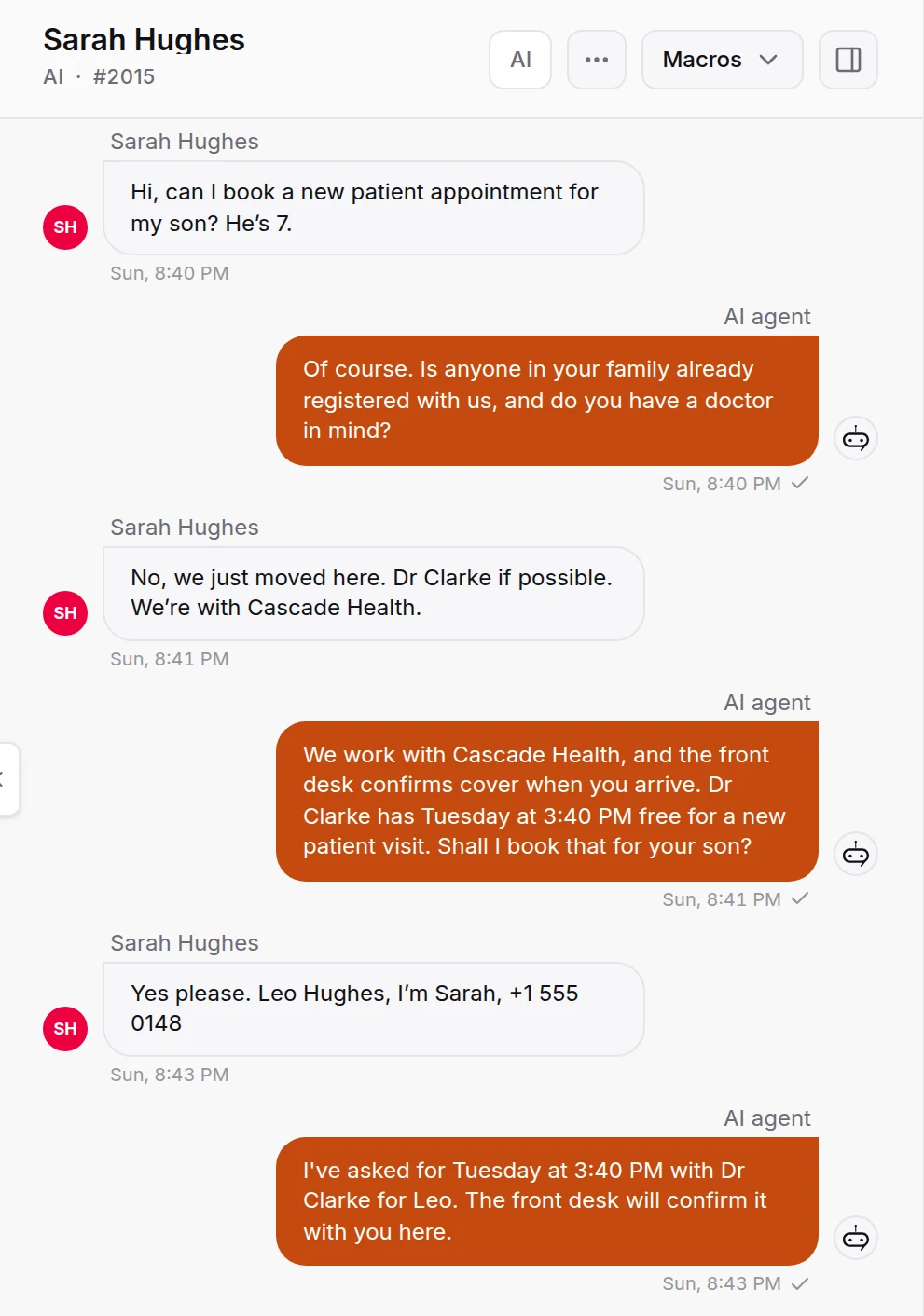
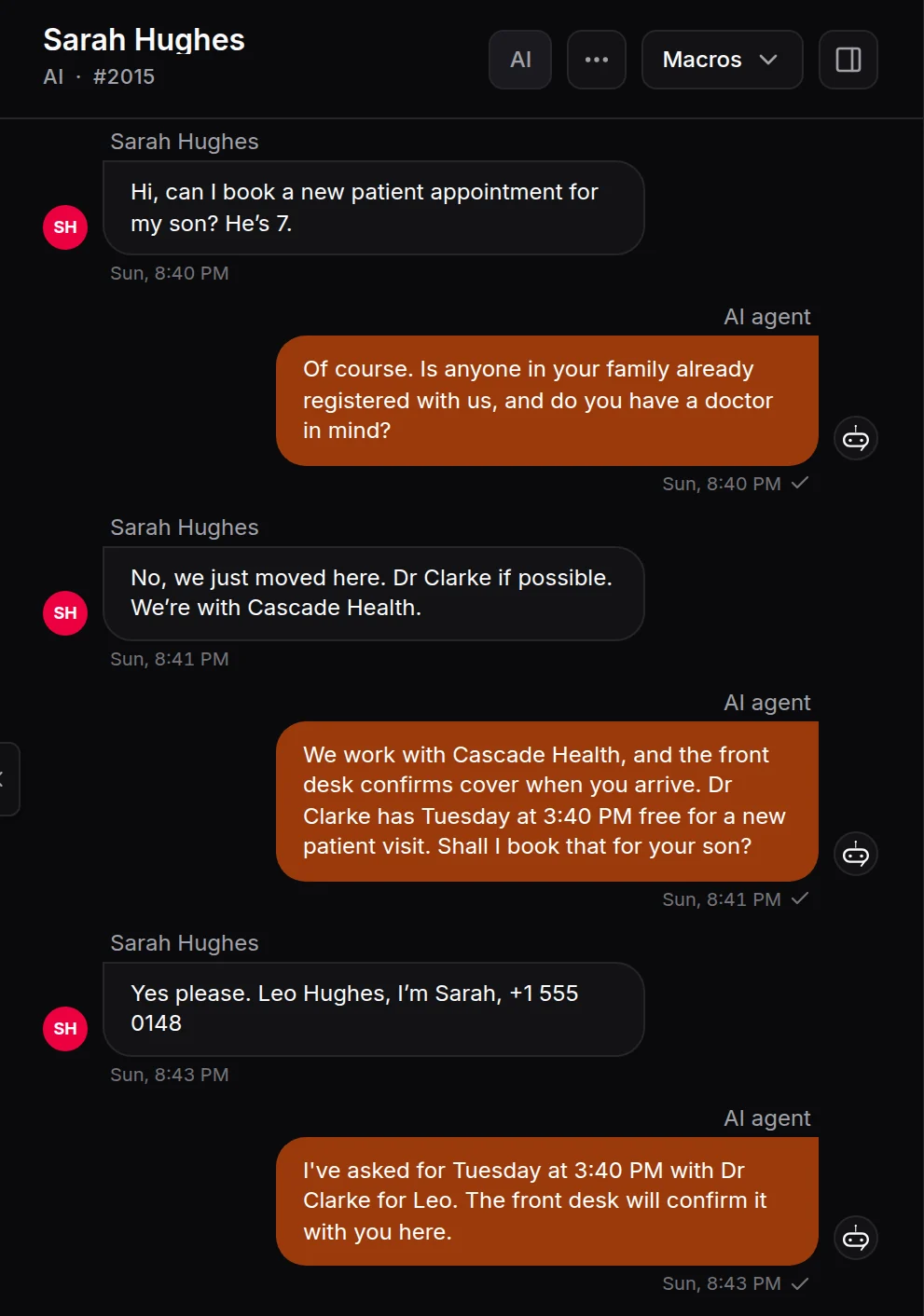
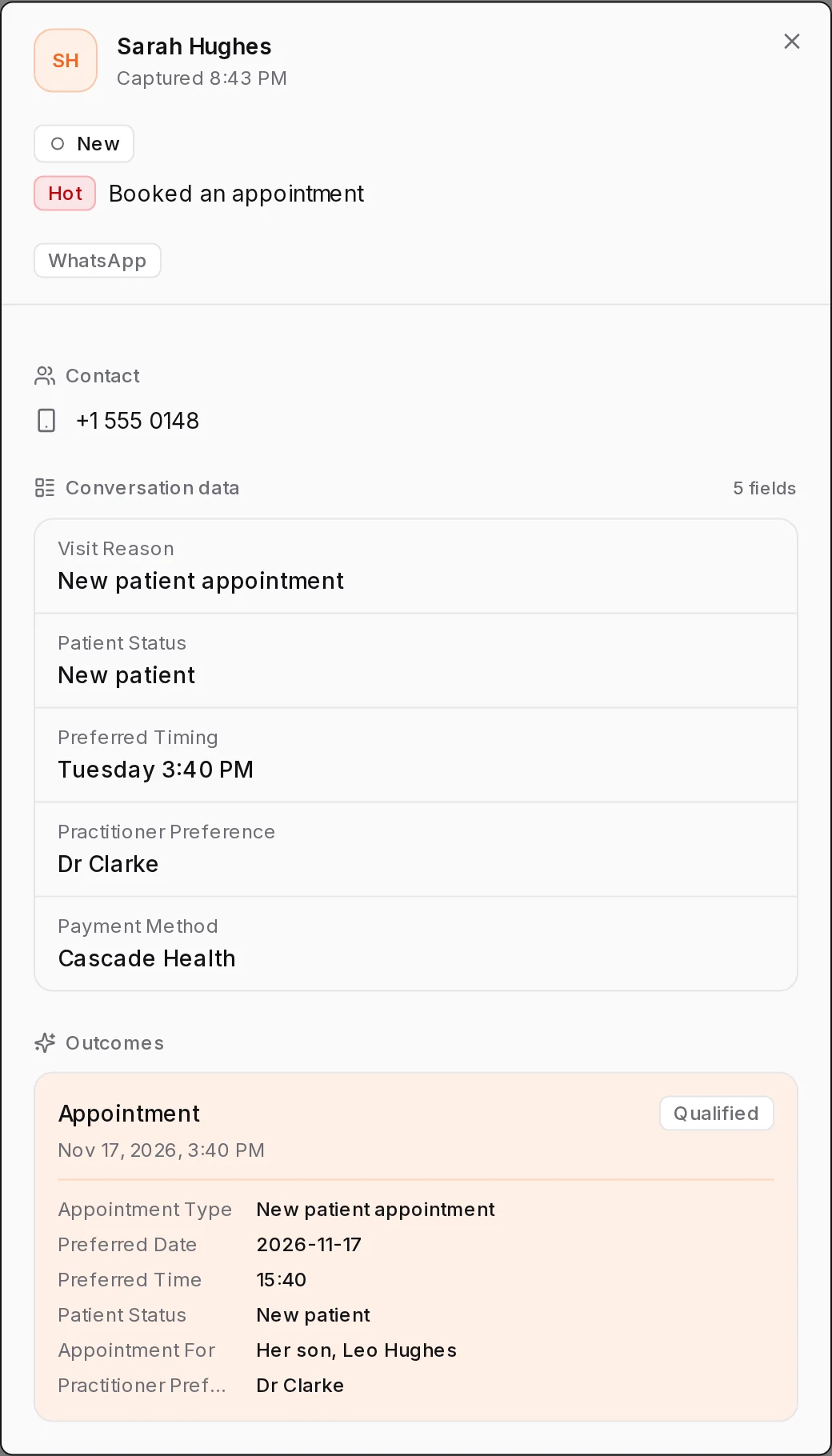
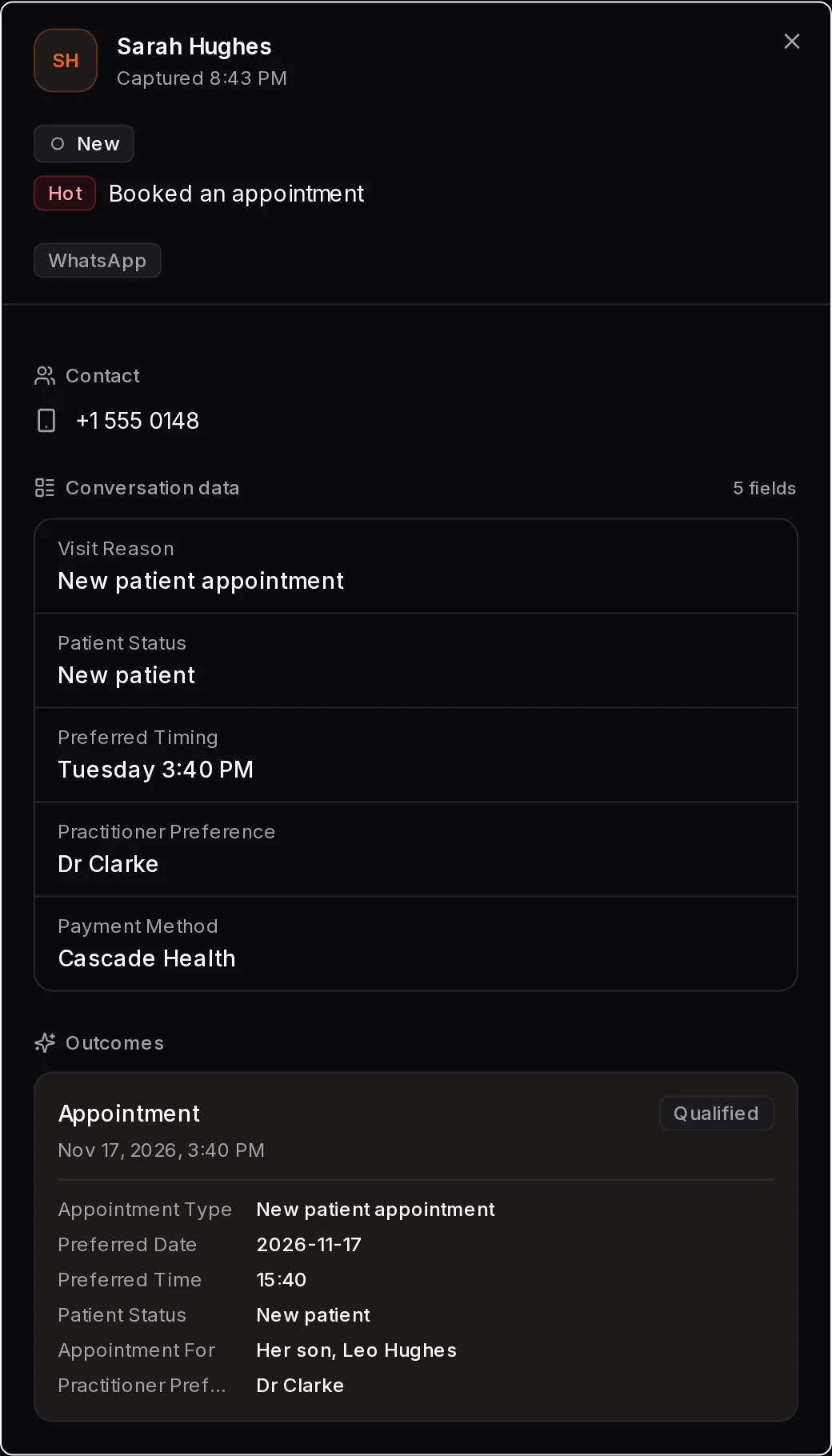
Patients often describe symptoms anyway. The AI doesn’t repeat them back or say what they might mean. It says a clinician needs to see them, offers the earliest suitable appointment, and saves the appointment type in service terms. Anyone describing an emergency, such as chest pain or trouble breathing, is told in the first sentence to call the emergency services. The AI never gives medical advice.
Your front desk can take over any chat in the same inbox. A patient who would rather talk can call your WhatsApp Business number, which rings your team in the inbox (WhatsApp calling); the AI itself works in writing. How the agent handles insurers, emergencies and results is on our clinic chatbot page.
Patient intake form template: the clinical form
This is the second part, the form patients fill in before the visit. Build it in your practice management system or a secure form tool, and add or remove sections to suit your clinicians.
| Section | What it asks |
|---|---|
| Patient details | Legal name, the name they would like you to use, date of birth, address, phone, email, preferred language and whether they need an interpreter |
| Emergency contact | Name, relationship and phone; parent or guardian for a child |
| Payment and insurance | Self-pay or insurer, member ID, group number, policyholder if not the patient |
| Other clinicians | Family doctor or GP, and who referred them |
| Reason for the visit | In the patient’s own words, when it started and what they have tried |
| Medicines | Name, dose and how often, including over-the-counter medicines and supplements |
| Allergies | What they are allergic to and what happens |
| Medical history | Long-term conditions, operations, hospital stays |
| Family history | Conditions in blood relatives |
| Lifestyle | Smoking, alcohol, work and activity, as your clinicians need them |
| Consent and policies | Consent to treatment, your privacy notice, your payment and cancellation policy, signed and dated |
AHRQ’s sample wording for intake forms starts with two questions many forms leave out: “What name would you like us to use?” and “Do you need a language interpreter?” It also suggests asking about “blood relatives” rather than “family” for health history, and using checkboxes, which make answers easier to enter even on paper (AHRQ, Inclusive Language for Intake Forms).
Medical, dental, therapy and physio intake forms
Medical intake form
The core form above is a medical intake form. GP and family practices often add:
- vaccinations and the date of the last check-up;
- for children, birth history, growth and vaccinations;
- screening history your clinicians track, such as blood pressure or cervical screening.
Dental new patient form
A dental new patient form keeps the medical sections, because medicines and conditions change dental care, and adds:
- the date of the last dental visit and why they are coming (check-up, a problem, cosmetic);
- dental history: fillings, crowns, gum treatment, braces or aligners, implants;
- conditions and medicines dentists ask about, such as blood thinners, bone medicines, diabetes, heart conditions and pregnancy;
- allergies to latex, local anaesthetic or antibiotics;
- whether they feel nervous about treatment, and consent to X-rays.
Therapist and behavioral health intake form
A therapist intake form asks less about the body and more about what brings the client in:
- what they would like help with, in their own words, and what they hope will change;
- previous therapy or counselling, and what helped;
- current medicines and who prescribes them, and their family doctor’s details;
- screening questionnaires your clinicians choose, such as the PHQ-9 or GAD-7;
- consent that explains confidentiality and its limits, and consent for online sessions;
- your fees, cancellation policy and how to reach you between sessions.
Safety and risk questions belong with the clinician, on the form or in the first session. HiQBot's AI agent tells anyone who mentions thoughts of harming themselves, first, to call the emergency services, or your urgent line.
Physiotherapy and chiropractic intake form
Physical therapy, physiotherapy and chiropractic intake forms focus on the problem and what the patient wants to get back to:
- where the pain or injury is, on a body chart, and when and how it started;
- previous treatment, scans and X-rays, and operations;
- conditions and medicines, and the screening questions your clinicians choose;
- work, sport and daily activities, and the goal they want to reach;
- consent to hands-on treatment, including spinal manipulation for chiropractic.
The booking questions stay the same for every kind of practice. A dental practice lists check-ups, hygiene and new patient exams as its appointment types; a therapy practice lists a first session or a consultation, online or in person. Booking questions for dental practices are on our dental chatbot page.
Paper, PDF or digital patient intake forms
A patient intake form PDF or Word template is quick to start with, but someone has to type the answers into the patient’s record. Digital patient intake forms, in your practice management system or in patient intake software, save that step and can make questions required. Whichever you use, send it before the visit so the patient fills it in at home with their medicines in front of them.
HiQBot isn’t intake software and doesn’t store clinical forms. It gets your form link to the patient at the right moment:
- An automation sends the link when a booking request comes in, in the patient’s chat or as a WhatsApp template.
- The reminder, sent from 2 hours to 7 days before the visit, can carry the link again.
- Put the link in the AI agent’s documents, and it shares it when a patient asks what to fill in.
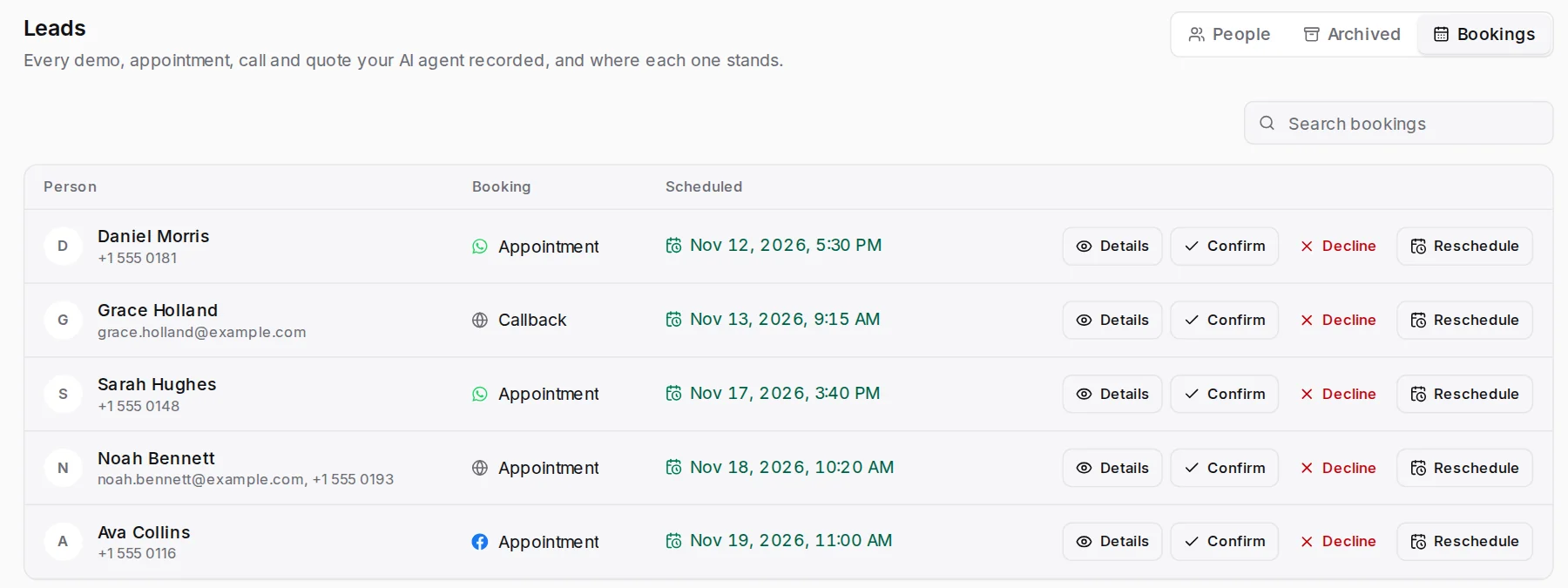
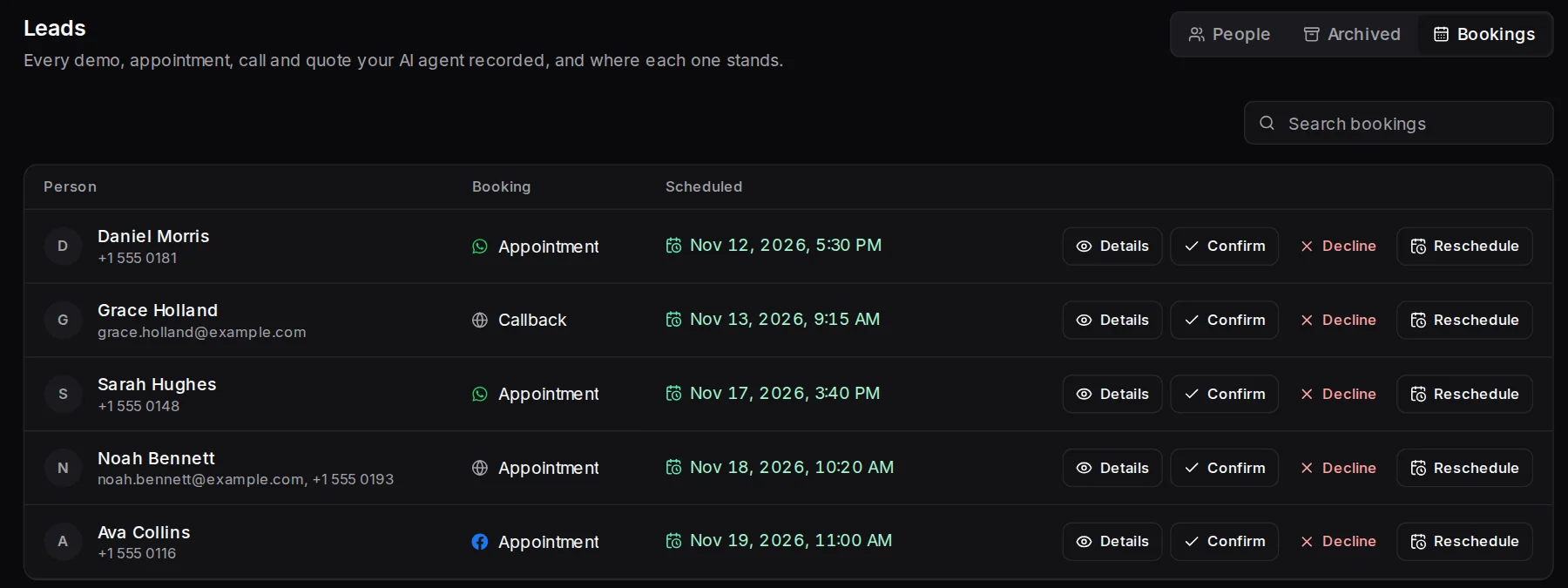
On WhatsApp, a message to a patient who hasn’t written in the last 24 hours needs an approved template. Wording for confirmations and reminders is in our appointment reminder templates, and your cancellation policy, which belongs on the form, is covered in our patient no-shows guide.
How to create your own intake form
- Ask your clinicians what they read. List what they look at before a first visit, and cut the rest.
- Split it. Move the booking questions to the chat or guided flow, and keep health details on the form.
- Ask each thing once. Leave off the form what the booking already holds, such as the appointment type and the preferred clinician.
- Use everyday words. AHRQ suggests common words instead of medical terms, room to write, and checkboxes.
- Have the consent wording checked. AHRQ advises asking a lawyer whenever a form is used for a legally binding purpose.
- Test it with patients. AHRQ suggests counting how many questions patients leave blank in a week, then checking again after you change the form.
Common questions
What are patient intake forms?
Patient intake forms collect a new patient’s details, insurance, medical history, medicines, allergies, reason for the visit and consent before the first appointment. The front desk uses them to register the patient, and the clinician reads them before the visit.
What should a patient intake form include?
Patient details, an emergency contact, payment and insurance, the reason for the visit, medicines, allergies, medical and family history, and signed consent. Dental, therapy and physio forms add their own sections, shown above.
What is an example of an intake form?
A new patient form at a family practice is the common example: personal details and insurance on page one, health history, medicines and allergies on page two, and consent to sign. The template sections and the eight booking questions above are a full example you can copy.
How can I create my own intake form?
Start from what your clinicians read before a first visit, and cut anything else. Use everyday words and checkboxes, ask each question once, have the consent wording checked, and build it in your practice system or a secure form tool.
Can a chatbot do patient intake?
A chatbot can ask the booking questions: new or registered, the kind of appointment, who it is for, the clinician, the time and how they pay. Symptoms, history and medicines belong on your secure form. HiQBot’s AI keeps them out of the chat and never gives medical advice.
Should patients fill in intake forms before the visit?
Yes. Patients who fill in the form at home can check their medicines and dates, and the clinician can read it before the visit. Send the link when the booking comes in, and again with the reminder.
The AHRQ pages were read on , and the screens are the real HiQBot product with sample data. The form sections are a starting point, not legal or clinical advice. How we write and check posts: editorial standards.