Canned response examples: 70 saved replies for live chat and WhatsApp, by situation and industry

Muhammad Hassan, FounderLinkedIn
Published Updated
Canned response examples are ready-made replies a support or sales team saves once and sends in a couple of clicks: greetings, order updates, refund answers, out-of-hours notes. Below are 70 you can copy, written short enough for WhatsApp and grouped by situation and by industry, with a fill-in wherever a reply needs the customer's details.
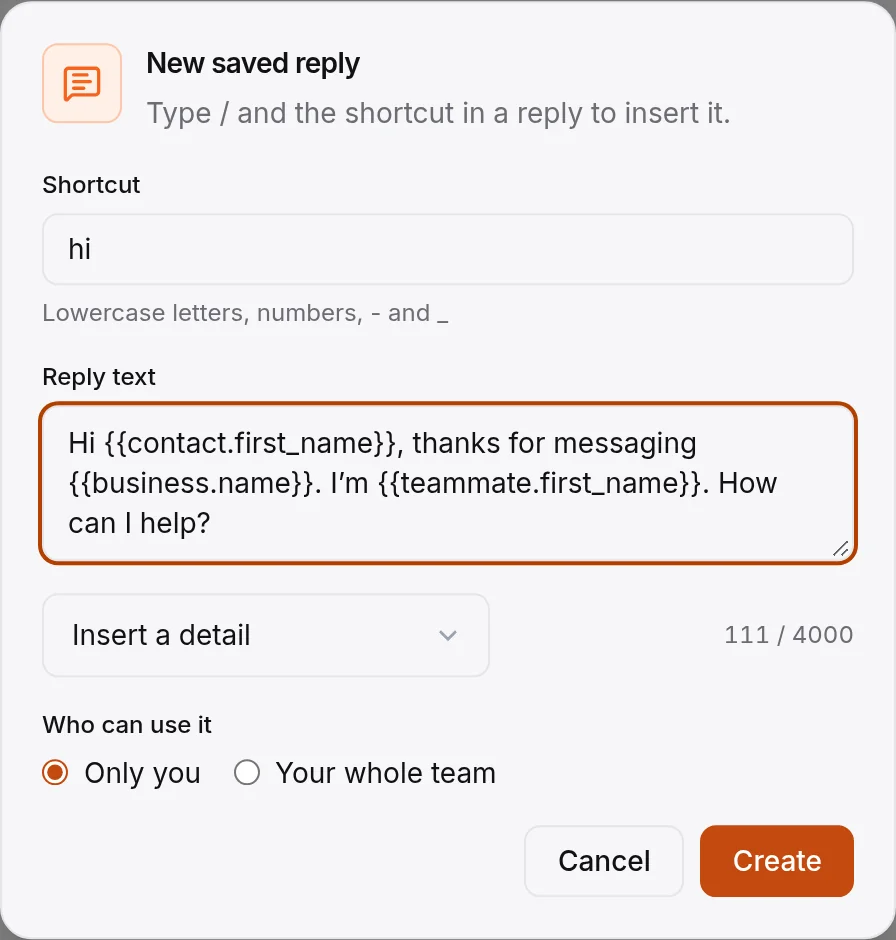
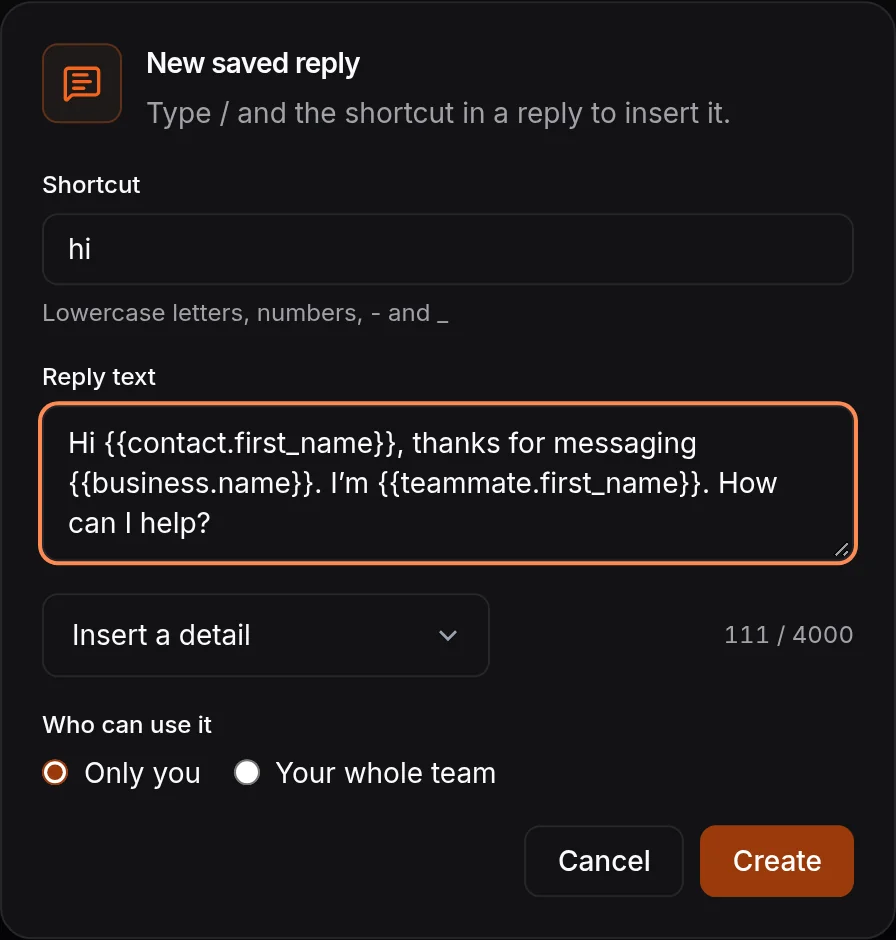
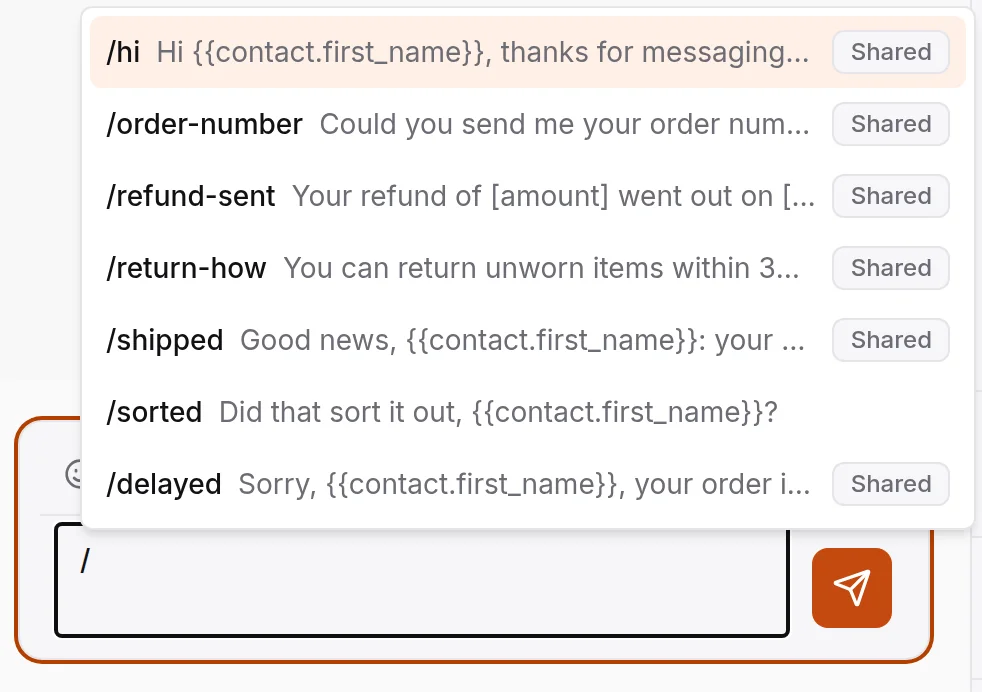
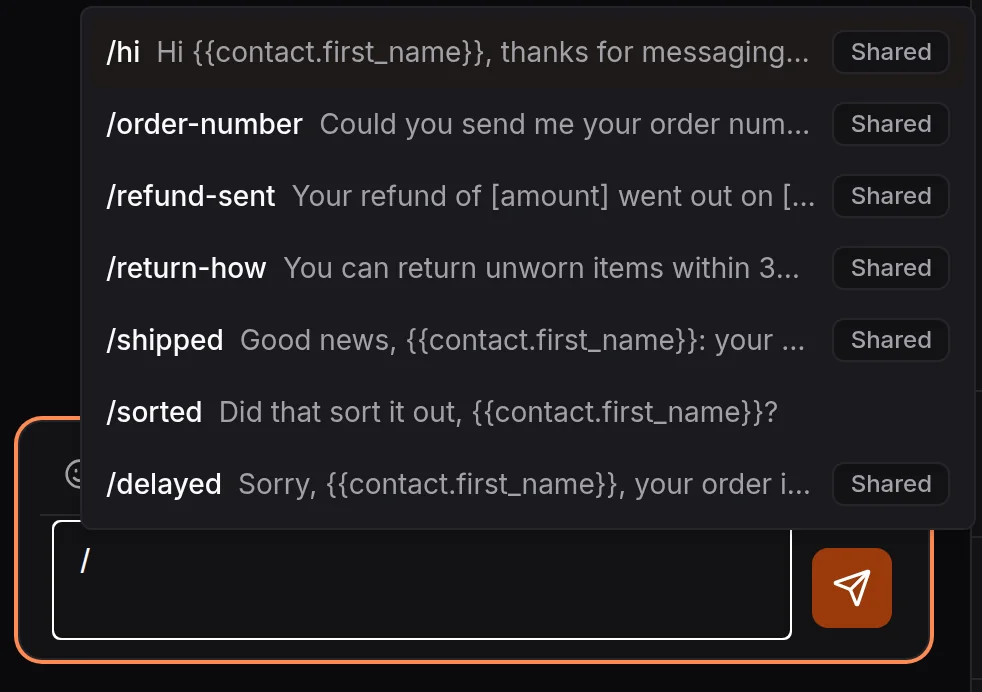
This guide is for the team lead who needs three or ten people giving the same answers. We make HiQBot, a customer service platform with live chat, AI agents, guided flows and WhatsApp calling, and the screens show how saved replies work in our inbox. The replies themselves work in any tool.
What is a canned response?
A canned response is a saved reply to a question your team answers again and again. An agent picks it from a list or types its shortcut, adds anything specific, and sends it. Tools give them different names: canned responses, saved replies, canned messages, or quick replies in the WhatsApp Business app.
Canned responses, macros and auto-replies
| Name | What it does | Who sends it |
|---|---|---|
| Canned response or saved reply | Puts a saved message in the reply box to edit and send | A person |
| Macro | Sends a saved message and does the next steps too, such as tagging and resolving the chat | A person, in one click |
| Auto-reply | Sends a fixed message when something happens, such as a new chat out of hours | The software |
| AI agent | Writes its own answer from your documents and can take a booking or order request for your team to confirm | The software |
How to write a canned response that doesn't sound canned
Customers notice a pasted reply when it ignores what they wrote. Six habits keep canned responses for customer service sounding like the person sending them:
- Use a fill-in for the customer's first name, so the tool adds it from their contact details.
- Answer the question first, then ask one question back.
- Keep it to two or three lines. On WhatsApp, long blocks of text get skimmed.
- Leave a blank in brackets for the specific part, such as [order number] or [date], so the gap is easy to spot before you send.
- Sign with your own name when a person is writing, and say so when it is an assistant.
- Never answer an angry message with a template alone. Read it, then edit the reply to match.
Canned response examples by situation
Each reply has a suggested shortcut. Words in brackets are the parts you fill in, and [first name], [your name] and [business name] can be filled automatically in HiQBot and many other inboxes. They are written for chat and messaging apps rather than email.
Greetings and first replies (6)
- /hiHi [first name], thanks for messaging [business name]. I’m [your name]. How can I help?
- /hi-waitHi [first name], sorry for the wait. I’m [your name], and I’m with you now.
- /hi-againWelcome back, [first name]. I can see our last chat about [topic]. Is this about the same thing?
- /hi-adHi [first name], thanks for messaging us from our ad. Are you asking about [offer]? Happy to tell you more.
- /hi-commentHi [first name], thanks for your comment on our post. Here’s the link you asked for: [link]. Any questions, just reply here.
- /hi-languageHi [first name], I can help in English or [language]. Which would you prefer?
Asking for details: order number, photo, address (6)
- /order-numberCould you send me your order number? It starts with [#] and it’s in your confirmation email.
- /photoCould you send a photo of [the item or the problem]? It helps me sort this out faster.
- /which-emailTo find your account, which email address did you use when you ordered?
- /address-checkCan you confirm the delivery address, including the ZIP code?
- /more-detailThanks, [first name]. Can you tell me a bit more about what happened, and when?
- /payment-failedSorry the payment didn’t go through, [first name]. Could you try again with [another card or payment method]? If it fails again, send me the error message and I’ll check.
Order status and delivery (6)
- /shippedGood news, [first name]: order [order number] shipped on [date] with [carrier]. Track it here: [tracking link].
- /packingYour order [order number] is being packed and should ship by [date]. I’ll send the tracking link as soon as it’s out.
- /delayedSorry, [first name], your order is running late. [Carrier] now expects it on [date]. Here’s the tracking link: [link].
- /delivered-missingThe tracking shows it was delivered on [date]. Could you check with neighbors and your building’s mail room? If it hasn’t turned up by tomorrow, I’ll open a claim with [carrier].
- /change-addressI can change the address while the order hasn’t shipped. What’s the new address, including the ZIP code?
- /cancel-orderI can cancel order [order number] before it ships. Shall I go ahead?
Returns, refunds and exchanges (6)
- /return-howYou can return [unworn] items within [30] days. Start here: [returns link]. Once we receive it, the refund takes [5 to 7] working days.
- /return-lateThis order is past our [30]-day return window, so I can’t refund it. I can offer [store credit or a repair]. Would that help?
- /refund-sentYour refund of [amount] went out on [date]. Banks usually take [3 to 5] working days to show it.
- /exchangeHappy to swap it. Which size or color would you like instead? I’ll check it’s in stock.
- /damagedSorry it arrived damaged, [first name]. Could you send a photo of the item and the box? I’ll [send a replacement or refund it] as soon as I see them.
- /wrong-itemThat’s our mistake, sorry. You can keep the wrong item, or send it back free with this label: [link]. I’ll ship the right one [today].
Pricing and quotes (6)
- /price[Product] is [price], and that includes [what’s included]. Would you like the link to order?
- /price-rangePrices start at [price] for [basic option] and go up to [price] for [top option]. What do you need it for? I’ll suggest the right one.
- /quote-detailsI can put a quote together. Could you send [the size, the dates or the number of people] and your email?
- /quote-sentHere’s your quote: [link]. It’s valid until [date]. Any questions, reply here.
- /discountWe don’t have a discount code running right now. I can message you when the next sale starts, if you like.
- /price-matchWe don’t price-match, but delivery is free over [amount]. Want me to check stock for you?
Out of hours (5)
- /closedThanks for your message, [first name]. We’re closed now and back at [time] tomorrow. We’ll reply first thing.
- /closed-weekendWe’re closed for the weekend and back on Monday at [time]. If it’s about an order, send the order number and we’ll start there.
- /holidayOur team is off for [holiday] until [date]. We’ll answer every message when we’re back.
- /closed-urgentWe’re closed right now. If it’s urgent, [what to do]. Otherwise we’ll reply when we open at [time].
- /closed-assistantOur team is offline, but our assistant can answer questions about [prices, opening hours and bookings] now. Anything it can’t answer, a person picks up at [time].
Handing over to a colleague or a person (5)
- /transferI’m passing you to [name], who looks after [billing]. They can see our whole chat, so you won’t need to repeat anything.
- /person-will-replyA person from our team will reply here. We usually get back within [time].
- /escalateI’ve passed this to my manager, [name]. They’ll reply here by [time] today.
- /callbackHappy to talk it through. What time suits you for a call, and is this the best number?
- /whatsapp-callYou can call us on this WhatsApp number between [hours]. If we miss you, message us here and we’ll set a time to talk.
Follow-up and closing the chat (6)
- /anything-elseIs there anything else I can help with today?
- /sortedDid that sort it out, [first name]?
- /check-inHi [first name], following up on [topic] from earlier today. If you still need help, reply here and we’ll pick it up.
- /byeThanks for chatting with us, [first name]. Have a good [day or evening].
- /reviewGlad we could help. If you have a minute, a review would mean a lot: [review link].
- /feedbackHow did we do today? Reply with a number from 1 to 5.
Complaints and apologies (5)
- /sorryI’m sorry, [first name]. That shouldn’t have happened. Let me look into it now.
- /sorry-slowSorry for the slow reply, and thanks for waiting. Here’s where things stand: [update].
- /looking-into-itThanks for telling us. I’m checking with [team] and will update you here by [time].
- /fixedThat’s fixed now: [what changed]. Sorry for the trouble, and thanks for flagging it.
- /cant-doI can’t [do that] because [reason]. What I can do is [alternative]. Would that work?
Saved replies for WhatsApp
On WhatsApp, a canned response reads like a text from a person, so keep it short, with one point per message, the name at the start and a question at the end. Customers also send voice notes and photos and ask to call. Keep a reply ready for each.
When a saved reply won't send: the 24-hour window
When a customer messages a business on the WhatsApp Business Platform, a 24-hour customer service window opens. Inside it you can send any reply, saved or typed. After it closes, in Meta's words, When the window closes, you can only send pre-approved template messages.
The window resets each time the customer writes again. So a follow-up two days later needs an approved template, and a saved reply only works once the customer answers it.
WhatsApp Business app quick replies vs a shared inbox
The WhatsApp Business app has its own quick replies: type “/” to pick one, and you can store up to 50. They belong to that one account. Once two or more people answer the same number, the team needs replies everyone can use and change in one place, which is what a shared inbox gives you.
Canned responses by industry
The situations above cover most businesses. These are for questions only one kind of business gets.
Online stores (3)
- /sizeThe [product] fits [true to size]. If you’re between sizes, [go one up]. What’s your usual size?
- /restock[Product] in [size] is sold out. We expect it back around [date]. Shall I message you when it’s in?
- /giftYes, we can gift wrap it and add a note. What would you like the note to say?
More for this industry: AI chatbot for ecommerce.
Clinics and dental practices (3)
- /clinic-timesWe have [day] at [time] or [day] at [time] with [clinician]. Which suits you?
- /clinic-adviceI can’t give medical advice over chat. Please book a consultation with [clinician]. If it’s an emergency, call [emergency number].
- /clinic-reminderYou’re booked for [date] at [time] at [address]. Reply here if you need to change it.
More for this industry: clinic chatbot.
Real estate agents (3)
- /still-available[Address] is still available. Would you like to see it? I have [day] at [time] or [day] at [time].
- /buyer-questionsAre you buying to live in, and have you talked to a lender yet?
- /home-value[Agent] prices every home in person, so I can’t give a number here. Could they come and see it on [day] or [day]?
More for this industry: real estate chatbot.
Restaurants and cafés (3)
- /tableWe have a table for [number] at [time] on [day]. Shall I hold it under your name?
- /allergensHere’s our menu with allergens marked: [link]. Please tell your server about any allergy when you arrive.
- /groupFor groups over [number], we offer a set menu and ask for a deposit. Shall I send the options?
More for this industry: restaurant chatbot.
Salons and beauty (3)
- /stylist[Stylist] has [day] at [time] free. Shall I book you in for [service]?
- /patch-testFor [color or lashes] we need a patch test at least [48] hours before. Can you pop in for 5 minutes on [day]?
- /running-lateNo problem, [first name]. If you’re more than [15] minutes late, we may need to shorten the treatment. See you soon.
More for this industry: salon chatbot.
Auto repair shops (2)
- /car-detailsWhat’s the make, model, year and mileage? And when did the light come on?
- /car-readyYour [car] is ready to collect. We’re open until [time] today, and the total is [amount], as quoted.
More for this industry: auto repair shop chatbot.
Software companies (2)
- /bug-reportThanks for reporting this. Which browser and version are you on? A screenshot would help too.
- /feature-requestWe can’t do that yet. I’ve passed it to our product team; I can’t promise a date, but they read every request.
More for this industry: SaaS chatbot.
How to organize saved replies for a team
A good library stays small enough that people remember what is in it:
- Start with the 20 questions you answer most. Read a week of chats and count. Add more only when the same question keeps coming back.
- Name shortcuts by what the customer asked, such as /order-number or /still-available, so anyone can guess them.
- Keep shared replies for the team and let each person keep a few personal ones.
- Give each shared reply an owner who updates it when a price or policy changes.
- Review the list each month against real chats, and delete what nobody uses.
For replies that always lead to the same next steps, use a macro. In HiQBot a macro can send a message or a private note, assign the chat, set its priority, add or remove tags and resolve or snooze it, up to ten steps in one click, on one chat or on several selected at once.
Which questions an AI agent should answer instead
Let an AI agent answer the questions that have one right answer, such as opening hours, prices from your list, “is it in stock?” and order status. An AI agent answers them at any hour from your documents, product list and store. Keep saved replies for the conversations where a person adds judgment: complaints, exceptions, refunds outside the policy.
In HiQBot with live chat, the AI answers what it can and, when a customer needs a person, hands the chat to your team in the same inbox with the whole history. Your team then answers with saved replies and macros.
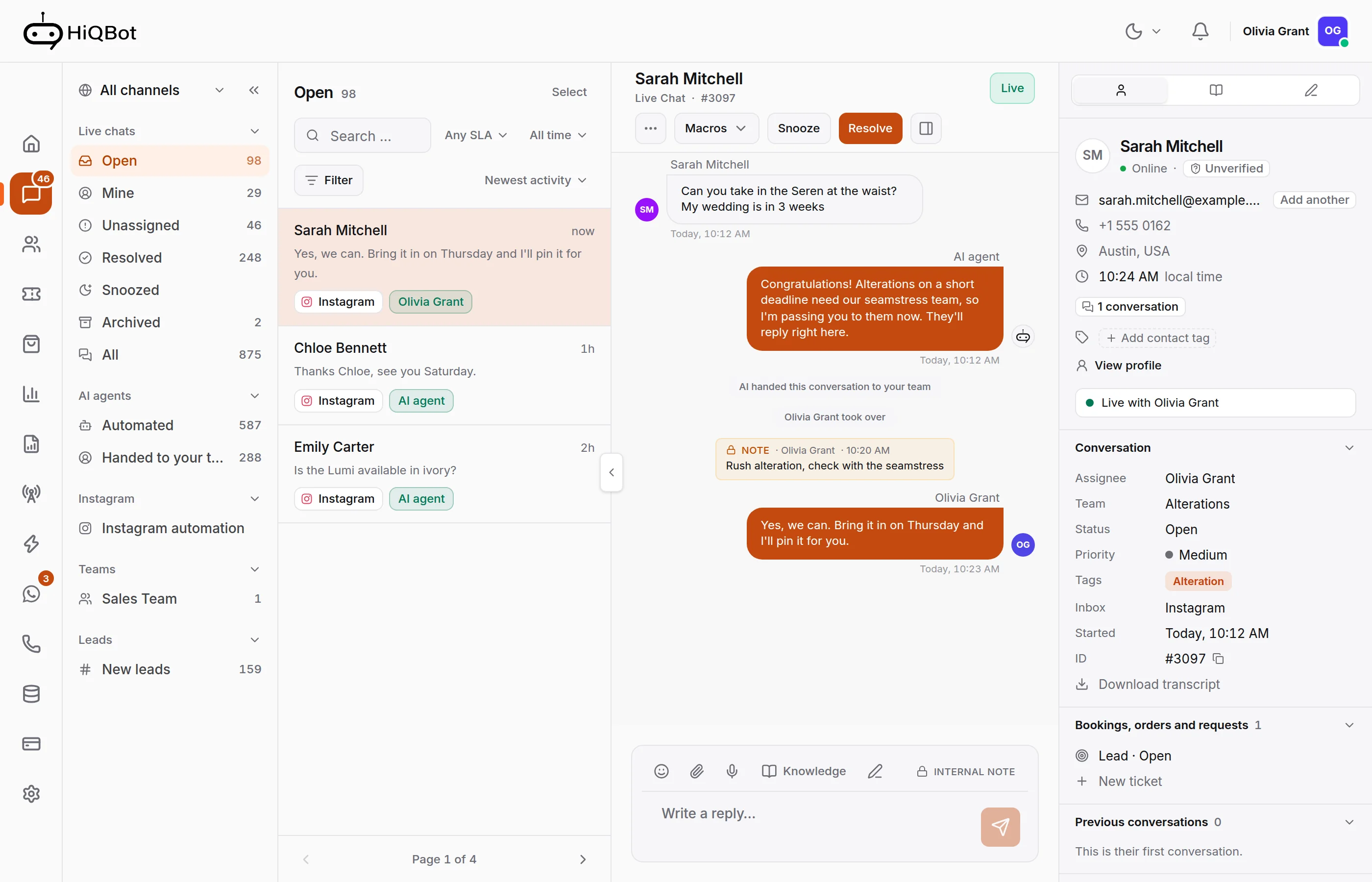
Saved replies in HiQBot
Saved replies and macros come with HiQBot's live chat, in one shared inbox for website chat, WhatsApp, Instagram, Messenger, Telegram and LINE. Type / in the reply box to pick one, on any channel. Fill-ins cover the customer's first or full name, email and phone, your own name, the inbox and your business name, and HiQBot points out any it can't fill before you send. Replies are shared with the team or kept personal. When no saved reply fits, a teammate can have the AI draft one from the conversation and your knowledge base, make the draft shorter, friendlier or more formal, then read it and send it themselves.
Live chat works on its own or alongside the AI agent and guided flows that take customers through set steps. With WhatsApp calling, customers call your WhatsApp number and it rings your team in the inbox.
Common questions
What is the difference between a canned response and an auto-reply?
A person chooses and sends a canned response, usually after editing it. An auto-reply goes out on its own when something happens, such as a message arriving out of hours.
Are canned responses the same as macros?
No. A canned response only inserts text, while a macro sends the text and also takes actions, such as tagging, assigning or resolving the conversation.
How many canned responses does a support team need?
Start with about 20, covering the questions you answer most, and grow from there. A list of hundreds is hard to search, and people go back to typing.
Do canned responses hurt customer satisfaction?
They hurt when they ignore what the customer said. Short replies with the customer's name, a direct answer and room for the specific detail read as personal, and they arrive faster.
How do you personalize a canned response?
Use fill-ins for the customer's name and your own, leave a bracketed blank for the specific detail, and change a line when the situation calls for it before sending.
Can AI write or choose canned responses?
Yes, with a person in charge. An AI agent can answer the repeated questions itself from your documents, which removes the need for many canned responses. In HiQBot a teammate can also have the AI draft a reply and adjust its tone, then read it and send it themselves. Keep saved replies for the answers your team has already agreed on.
Can I use canned responses on Instagram and Messenger?
Yes. In a shared inbox the same saved replies work on every channel. Keep them short, since Instagram and Messenger chats read like WhatsApp.
The replies are ours, written for this guide; Meta and WhatsApp rules were read on 12 November 2026, and the screens are the real HiQBot product with sample data. How we write and check posts: editorial standards.