Auto repair shop chatbot for independent shops and garages
HiQBot answers the price and booking questions customers send on your website, WhatsApp and Instagram while your team is under the cars. It quotes from your price list and takes drop-off requests with the car’s details. When someone asks “is my car ready?”, your front desk gets the chat.
7-day free trial.
What is an auto repair shop chatbot?
An auto repair shop chatbot is AI software that answers a repair shop’s customers in chat. It quotes prices from the shop’s own list, checks the job is one the shop does, and takes a drop-off request with the make, model, year and problem written down. Questions about a car already in the shop go to a person.
HiQBot’s auto repair chatbot runs on the same Automotive & Dealership agent as our automotive chatbot for dealerships, set up here for repair work.
HiQBot is a conversational platform for customer service, with AI agents and live chat on website chat, WhatsApp, Instagram, Messenger, Telegram and LINE.
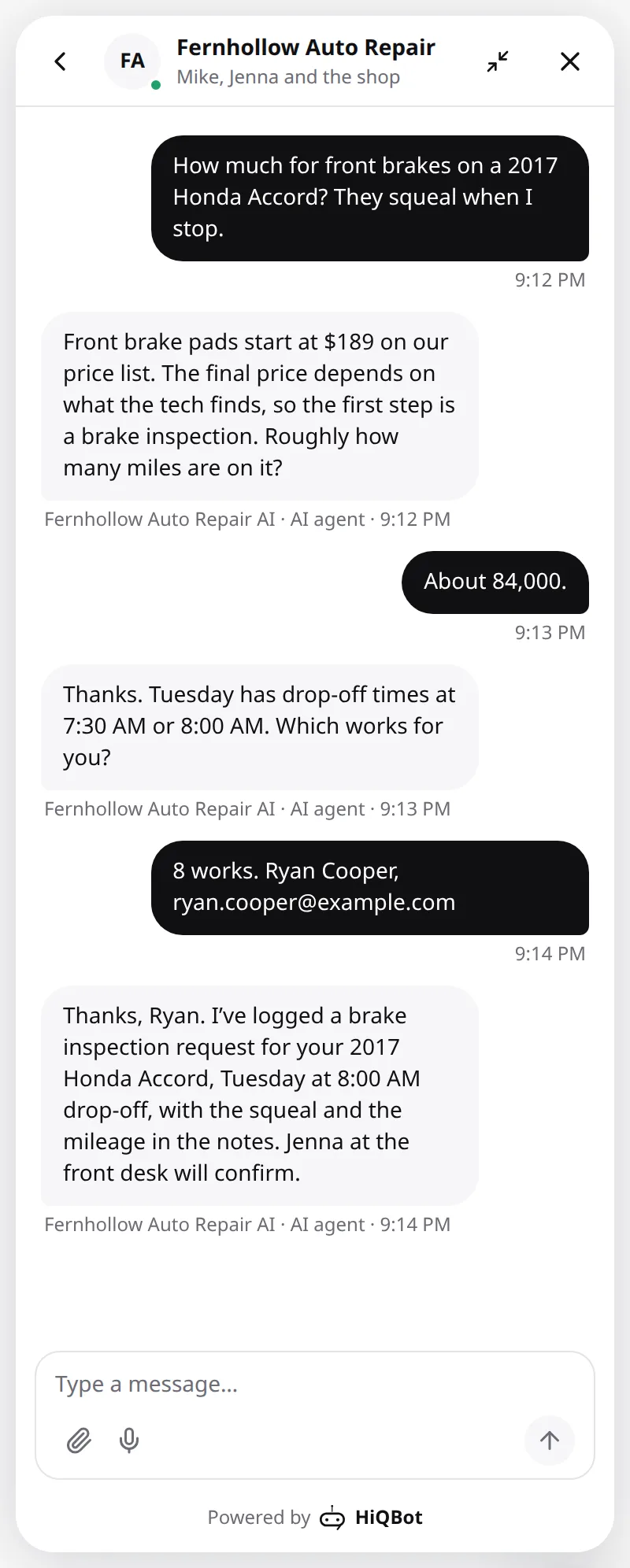
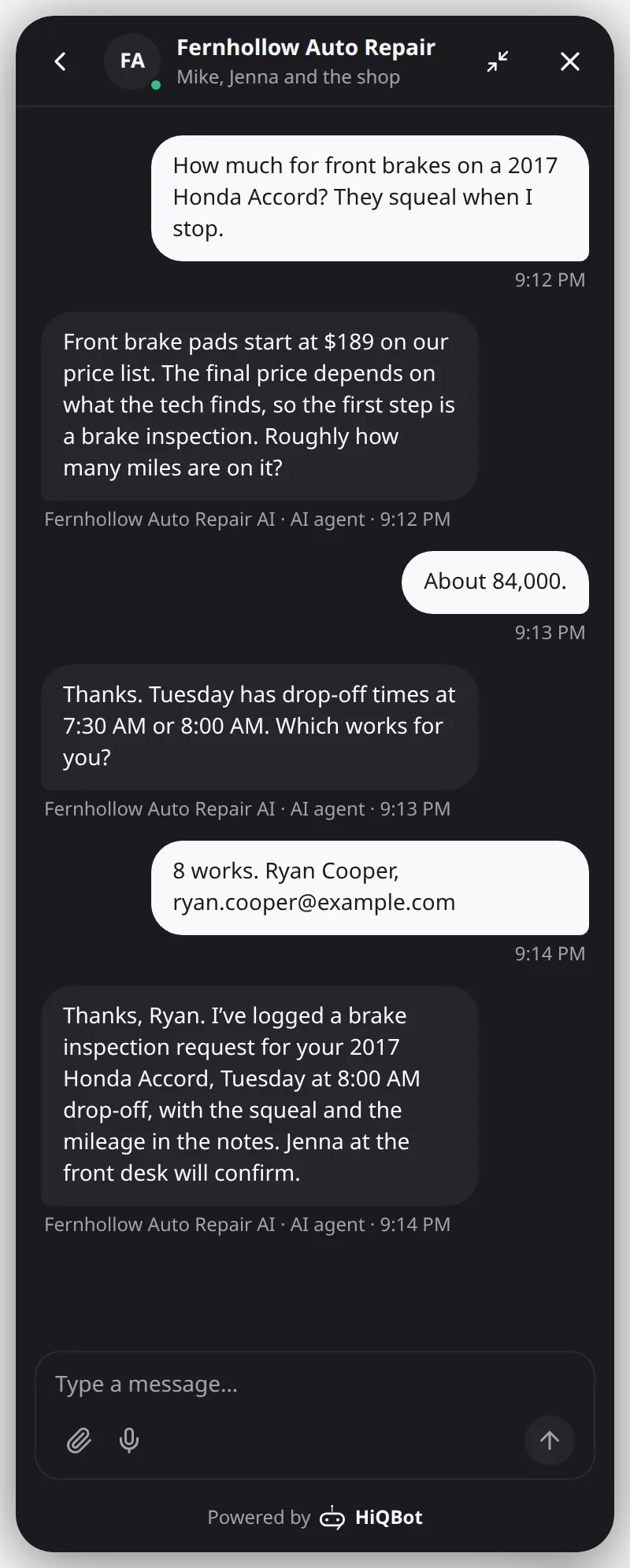
Price questions answered from your price list
“How much for brakes?” is a question your front desk hears every day, often from someone asking other shops the same thing. The AI answers only from the price list you give it, and columns you mark private, such as parts cost, stay out of every answer.
The HiQBot website chat| A fixed price, such as an oil change | Quoted exactly as your list has it. |
|---|---|
| A price the car decides, such as brakes | Your starting price, what the final number depends on, and an inspection slot. |
| Your diagnostic fee | The fee, and whether it comes off the repair, if your list says so. |
| A discount that isn’t on your list | Not agreed. The customer is told your team decides. |
| A job you don’t do | It says it can’t confirm that and offers to put them through to your team. |
Drop-off times booked with the car’s details
Booking works like an auto repair appointment scheduler inside the chat. First the AI checks the job is one you do. Then it asks for the make, model, year and mileage, writes the problem down in the customer’s words and offers a drop-off time from the hours you keep free. Each drop-off lands in HiQBot ready for your team to confirm.
- A confirmation, and a reminder from 2 hours to 7 days before the drop-off, if you switch them on
- Customers move or cancel in the same chat, and Google Calendar updates too
- Drop-offs and diagnostics on one Bookings list, with the vehicle and mileage in the notes
Photos of a warning light, read in the chat
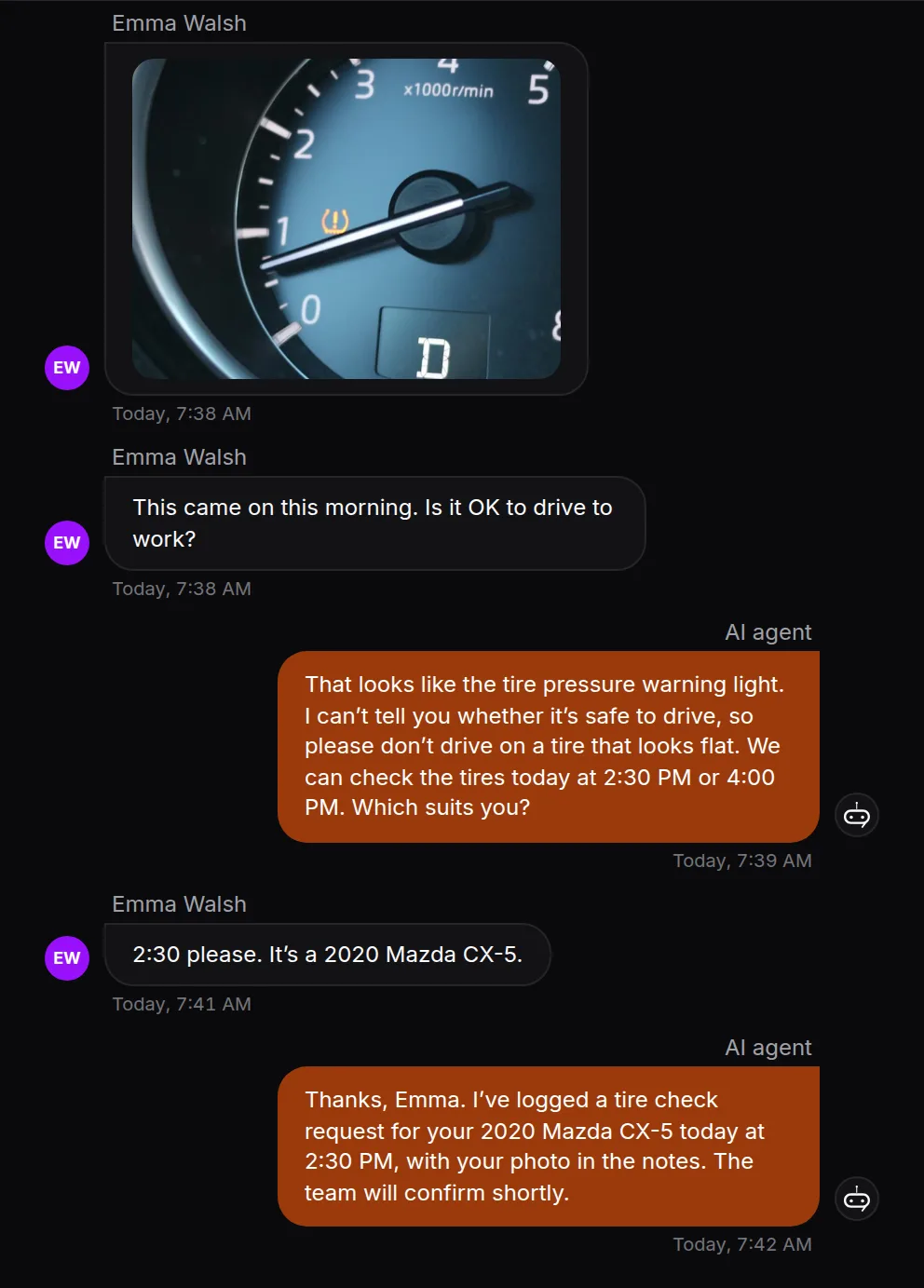
Customers send a photo of the dashboard on WhatsApp, up to five in one message, and ask whether they can still drive. The AI reads the photo, treats warning lights and brake problems as urgent, tells the customer plainly when the car should not be driven and offers your soonest slot. Working out the fault is your technician’s job.
The HiQBot WhatsApp chatbot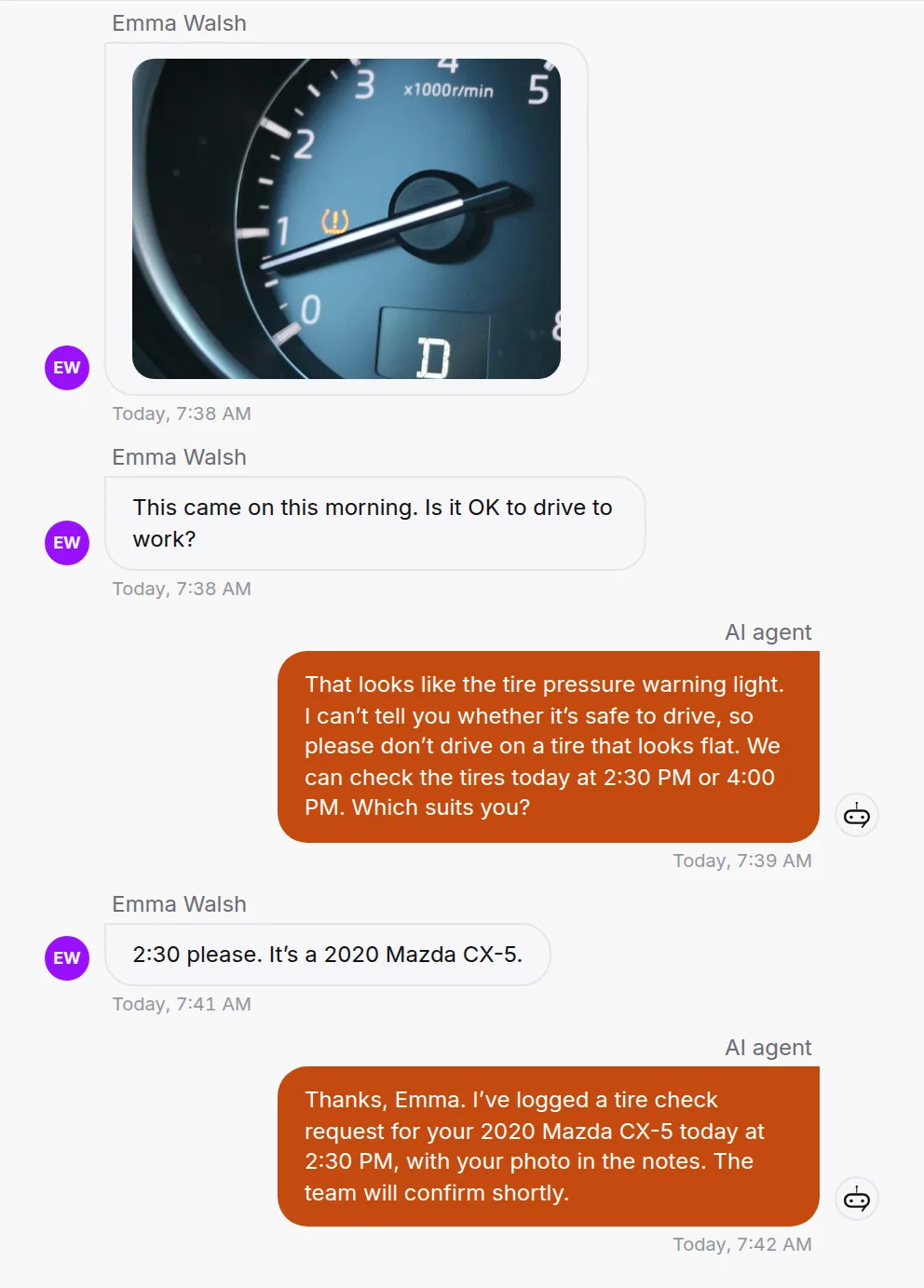
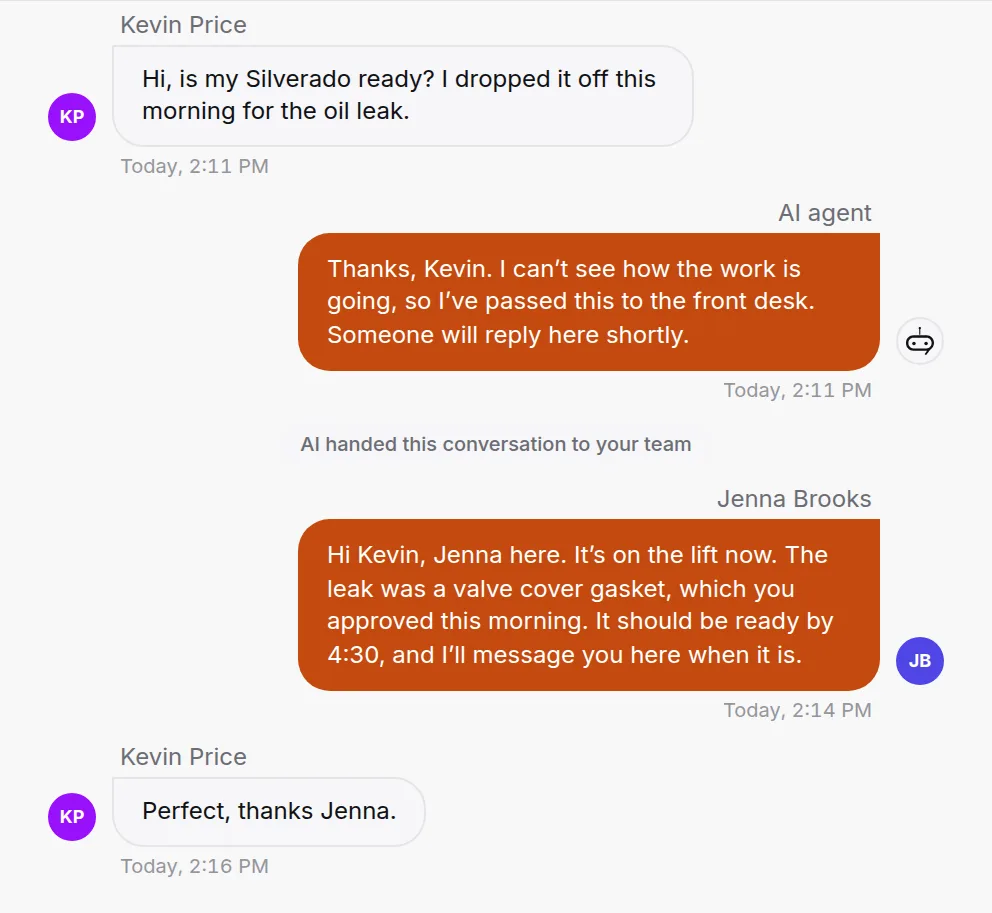
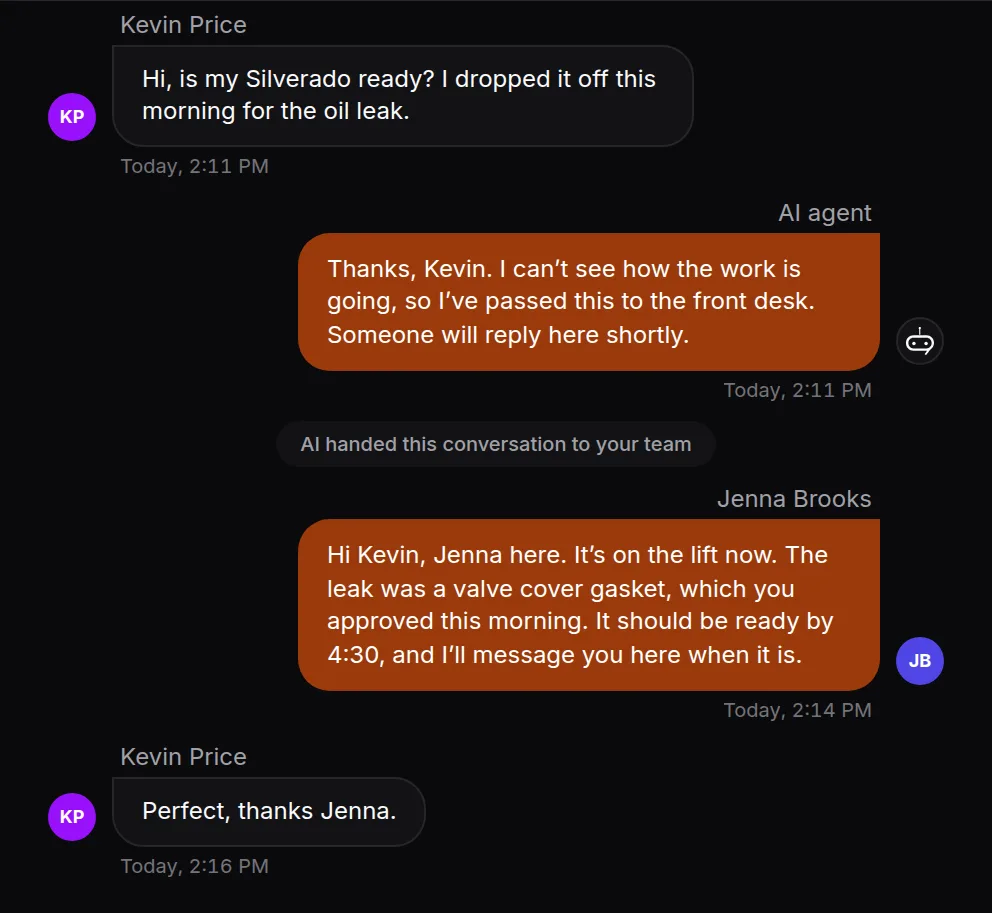
“Is my car ready?” goes to your front desk
HiQBot does not connect to your shop management system, so it never guesses how a job is going. It passes the chat to the person on your desk, who replies in the same thread with everything the customer said in front of them. Outside your hours, the AI tells the customer when you are back.
- Customers who call your WhatsApp Business number ring your team in the HiQBot inbox, beside the chat
- Your team can call them back from the same screen
- Job cards and invoices stay in your shop system
Comebacks and warranty questions go to a person
When a customer says a fault came back after your work, the AI stops selling and passes the chat to your team with the job, the date and what is wrong. It quotes your warranty only as you wrote it. Refunds and re-dos are your call.
Repair shops, MOT garages and tire shops
Independent auto repair shops
Brakes, oil changes, diagnostics and state inspection where your state has one, quoted from your list and booked into the drop-off times you keep free.
Garages and MOT centres
Customers book an MOT, a service or both as one drop-off from WhatsApp or your website chat, with your MOT fee quoted as you set it (the legal maximum for a car is £54.85, GOV.UK). A car’s first MOT is due by its third anniversary (GOV.UK), then every year, so you can send past customers who agreed to hear from you a WhatsApp broadcast reminding them to book. WhatsApp requires that opt-in before a business messages anyone (Meta).
Tire and quick-lube shops
Upload a sheet of tire sizes and prices, and the AI answers “do you have 225/45R17?” from it and takes the fitting request.
Chatbot or AI receptionist?
An AI receptionist answers the phone. HiQBot answers in writing, on website chat, WhatsApp, Instagram, Messenger, Telegram and LINE. Calls to your WhatsApp Business number ring your team in the HiQBot inbox, and voice notes can be understood when you switch them on. If most of your customers ring a landline, a phone answering service suits you better; HiQBot answers the ones who message.
What the front desk sees
Every chat lands in your HiQBot dashboard next to the drop-off request or lead it produced, so nobody retypes a car’s details.
- The make, model, year, mileage and problem on each request
- Drop-off requests on one Bookings list, and the ones with a time on Google Calendar
- New customers saved as leads, marked hot, warm or cold with the reason, and sent to HubSpot if you use it
- A WhatsApp follow-up after someone gets in touch, with a wait you set of up to 7 days
- The questions the AI could not answer, so you can add the answers
What it won’t do
Diagnosis, final prices and anything about a car already in the shop stay with your team.
- Work out what is wrong with a car
- Quote a job that isn’t on your price list
- Promise a car will be ready by a time
- Offer a refund or a free re-do
- Read Tekmetric, Shopmonkey, Mitchell 1 or any shop system, or look up a VIN
- Answer a call itself (calls to your WhatsApp number ring your team)
How to set it up
- 1
Pick Automotive & Dealership
The AI starts with what the customer needs doing, then the vehicle, then a time.
- 2
Add your price list and the jobs you don’t do
Upload a spreadsheet or link a Google Sheet. Mark parts cost and supplier columns as private, and they stay out of every answer.
- 3
Set your drop-off hours and connect Google Calendar
The AI offers only the times you keep free, and each request lands on your calendar.
- 4
Connect website chat and WhatsApp
Add Instagram and Messenger if your customers message you there, and Telegram or LINE if they use them.
- 5
Choose what happens when the AI can’t help
It hands the chat to your team, or takes the customer’s details so someone can reply.
Questions shop owners ask
Last updated . Spotted something out of date? Email support@hiqbot.com. See how we check our pages.
What is an auto repair shop chatbot?
An auto repair shop chatbot is AI software that answers a repair shop’s customers in chat and takes their drop-off request. HiQBot quotes from your own price list, checks the job is one you do, writes down the make, model, year, mileage and problem, and takes a drop-off request. Questions about a car already in the shop go to your team.
Can it give repair quotes?
Yes, from your price list only. A fixed price, like an oil change, is quoted as written. When the car decides the price, as with brakes, it gives your starting price, says what the final price depends on and offers an inspection or a diagnostic slot. It never makes up a number or agrees a discount you have not listed.
Can it book drop-offs and diagnostics into my calendar?
Yes. It offers times from the drop-off hours you set, and each request lands in HiQBot with the vehicle and notes, ready for your team to confirm, and on Google Calendar when it is connected. Customers can get a confirmation and a reminder, and can move or cancel in the chat, and Google Calendar updates too.
Can it tell customers when their car is ready?
No, your team does. HiQBot cannot see how a job is going, so “is my car ready?” goes to the person on your front desk in the same chat, with everything the customer said in front of them. Outside your hours, the AI tells the customer when you are back.
Does it work with Tekmetric, Shopmonkey or Mitchell 1?
No. HiQBot does not connect to shop management software or look up VINs. It works beside it: drop-off requests land in HiQBot and on Google Calendar, contacts and deals can go to HubSpot, and your team keeps job cards and invoices in the shop system.
Does it answer the phone?
The AI works in writing, so it does not answer calls. When a customer calls your WhatsApp Business number, it rings your team in the HiQBot inbox, beside the chat, and they can call back from there. Voice notes can be understood when you switch them on.
What happens when a customer sends a photo of a warning light?
The AI reads the photo, treats a warning light as urgent, tells the customer plainly when the car should not be driven and offers your soonest slot. Working out the fault is left to your technician.
Does it work for UK garages and MOT bookings?
Yes. Put your MOT fee and service prices on your list, and the AI quotes them and takes a request for an MOT, a service or both as one drop-off, with the make, model, year and mileage in the notes. You can also send a WhatsApp broadcast reminding past customers who agreed to hear from you to book their MOT.
What happens with comebacks and warranty claims?
They go to a person. When a customer says a fault came back after your work, the AI stops selling and passes the chat to your team with the job, the date and what is wrong. It tells the customer plainly if a brake or steering fault means the car should not be driven, and quotes your warranty only as you wrote it.
What languages does it reply in?
The language the customer writes in. A customer who messages in Spanish gets an answer in Spanish, from the same price list and policies.
Let it answer while you’re under the car
Start the free trial with your price list, then ask it the question a customer asked you yesterday.