Restaurant reservation system: what it does, the main systems and their prices, and how to choose

Muhammad Hassan, FounderLinkedIn
Published Updated
A restaurant reservation system is software that takes table bookings online, day and night, and manages them on a digital floor plan. It shows guests only the times you have free, holds the table, sends the confirmation and reminder, keeps a waitlist and guest notes, and can take a deposit or card hold to cut no-shows.
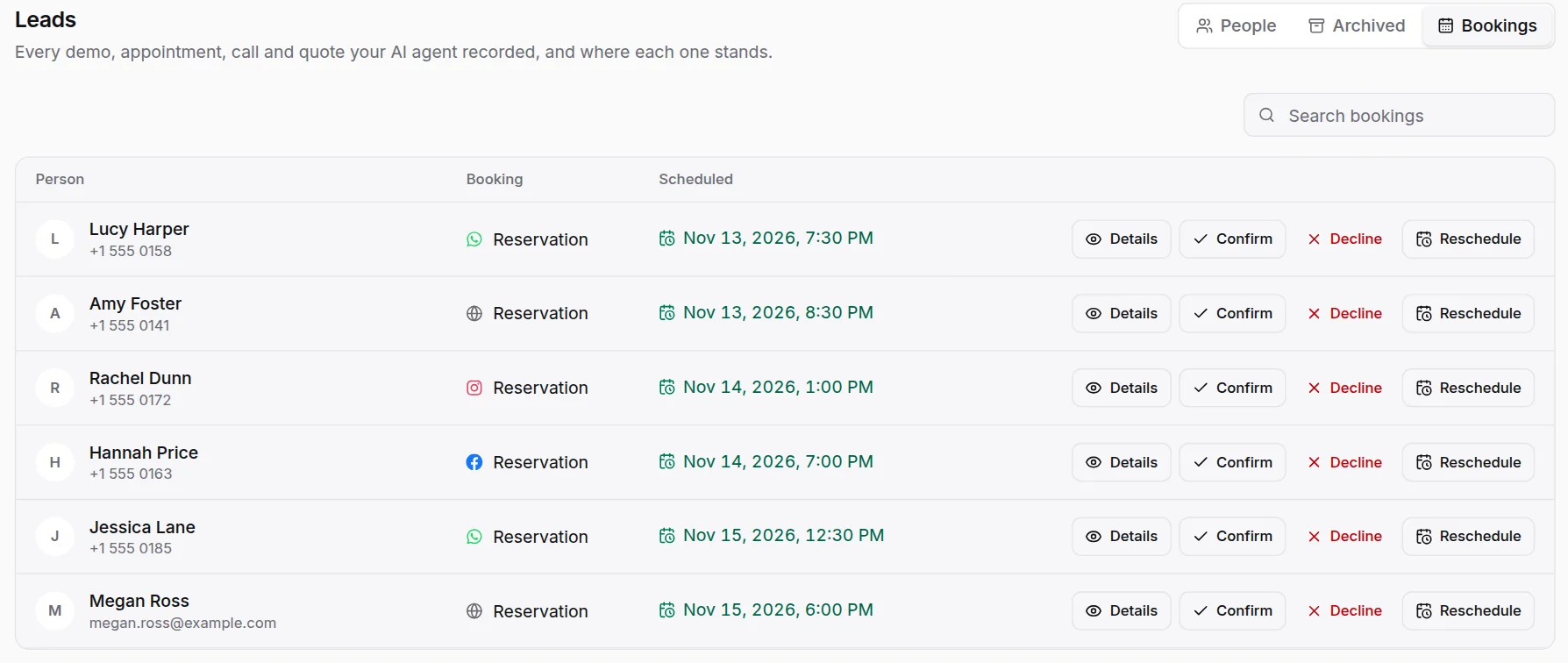
We make HiQBot, a conversational platform for customer service, with AI agents and live chat on website chat, WhatsApp, Instagram, Messenger, Telegram and LINE. HiQBot takes reservations in the chat: the AI asks the date, time, party size and name, the booking lands in HiQBot's Bookings for your team to confirm, and guests get reminders and can move or cancel in the same chat. This guide is for owners and managers of independent restaurants, cafés and small groups choosing a booking system, or deciding whether they need one yet.
What a restaurant reservation system does
Every reservation system does the same core job: it turns your tables and sittings into times a guest can book, and stops two parties landing on the same table. Past that, systems differ in how much of the front of house they run.
- Online booking from your website, Google and social profiles, and often a diner app.
- A floor plan and table management for the host stand, with covers per sitting.
- Confirmations and reminders by email or text, and a way for guests to cancel.
- A waitlist for walk-ins and full nights.
- Deposits, prepayment or a card on file for busy nights and large parties.
- Guest profiles: visits, allergies, birthdays and spend, often linked to your POS.
- Marketing to past guests by email or text.
How table reservations work
A guest picks a date, time and party size. The system checks which tables fit, holds one and sends a confirmation. On the night, the host sees the booking on the floor plan, seats the party and marks the table free when they leave. Most reservation software also lets your team add bookings that came in by phone, email or message, so the floor plan stays the one true list.
Restaurant reservation systems compared
We read each vendor’s own pricing and product pages on 13 November 2026. Where a vendor asks you to contact sales, we say so rather than quote a reseller’s number. HiQBot is listed first as our pick: its own reservation system takes bookings where guests already message you.
| System | Type | Price shown (13 Nov 2026) | No-show tools | Fits |
|---|---|---|---|---|
| HiQBot (our pick for chat reservations) | Reservation system built into chat: Bookings, confirmations, reminders, changes and Google Calendar sync | See pricing | Reminders in the guest’s chat; move or cancel in the chat | Places whose guests message on WhatsApp, Instagram or website chat |
| OpenTable | Marketplace and booking system | Pricing page would not load for us | See vendor | Restaurants that want diners from its app |
| Resy (with Tock) | Marketplace and booking system | $289 or $459 a month, no per-cover fees | Card holds, deposits, prepayment | Restaurants, bars, hotels and groups |
| SevenRooms | Booking system and guest CRM | Contact sales | Not listed on pricing page | Groups, hotels, clubs, venues |
| Eat App | Standalone booking system | Free tier; paid from $99 a month ($69 yearly) | Deposits, prepayment | Small venues up to groups |
| Zenchef | Standalone booking system | Contact sales; card fees 2% to 6% | Deposits, prepayment; card hold add-on | Independents to fine dining |
| ResDiary | Standalone booking system | Base plan by quote; add-ons £10 to £35 a month + VAT | Deposits; no-show prediction | Single sites to large groups, UK-led |
| SpotOn Reserve | POS add-on | $100 a month with SpotOn POS, $250 setup | Deposits, cancellation policies | Restaurants on SpotOn POS |
| Yelp Guest Manager | Booking system with Yelp listing | Contact sales; $0 cover fees | Card holds | Busy floors and groups |
| Toast Tables | POS add-on | Pricing page would not load; $50 a month at launch in 2023 | See vendor | Restaurants on Toast POS |
The restaurant reservation systems one by one
1. HiQBot: our pick for reservations taken in chat
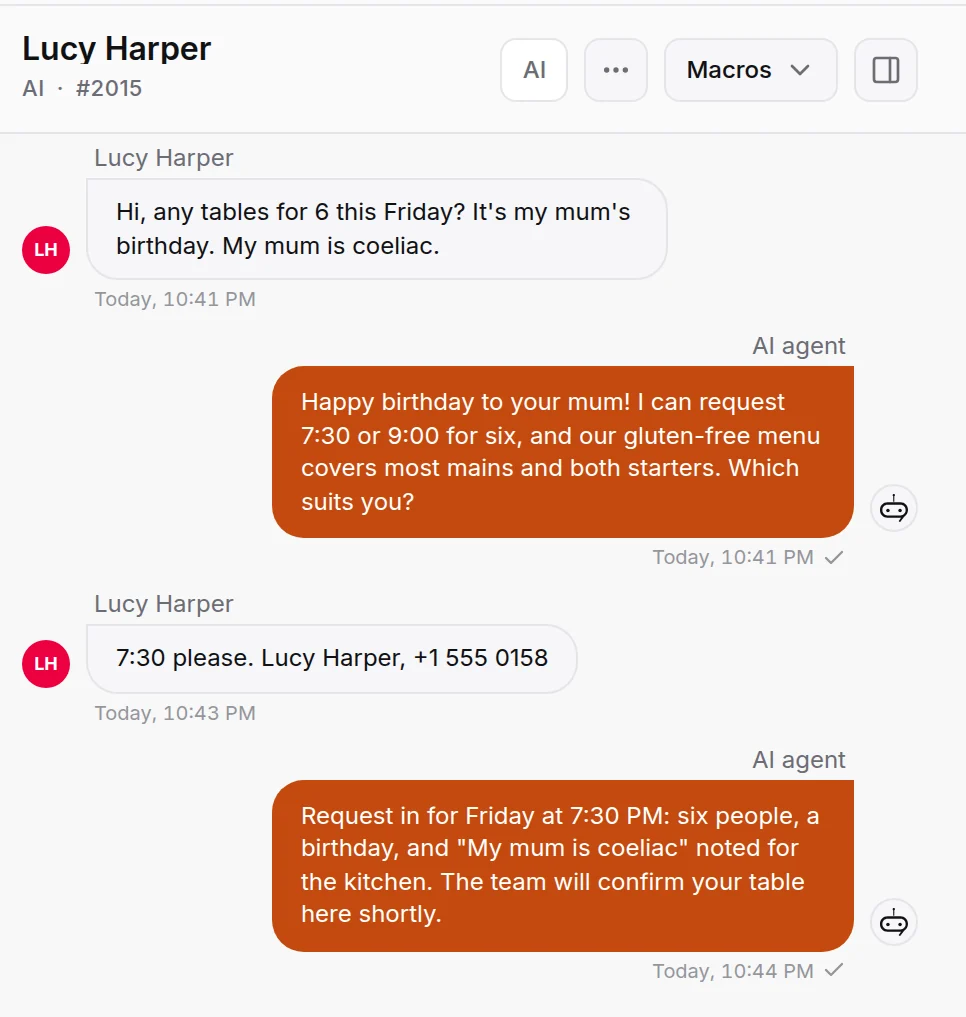
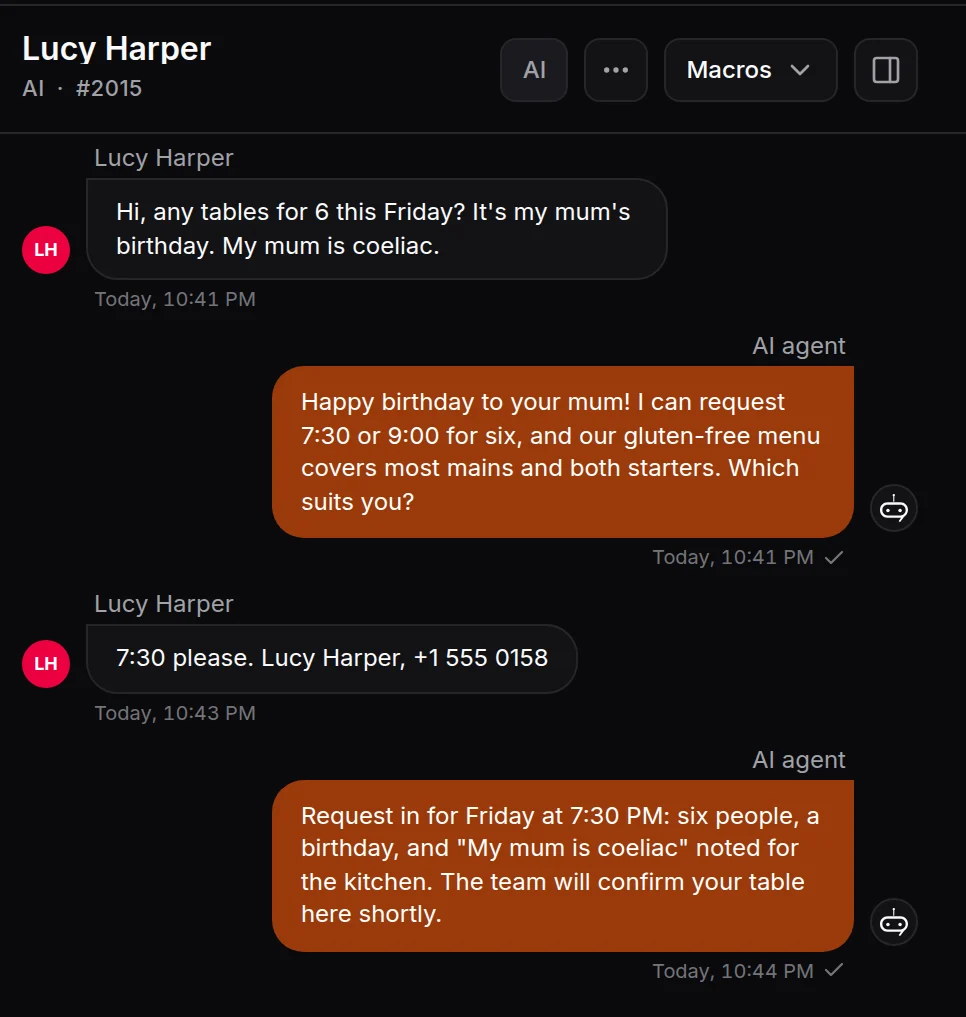
Plenty of guests skip the booking page and send a message: “Do you have a table for six on Friday? One of us is coeliac.” HiQBot’s AI answers those on WhatsApp, Instagram, Messenger, Telegram, LINE and your website chat, from your menu, allergen sheet and opening hours. It takes a table request with the day, time, party size, name and phone, and your team confirms it. It can send a WhatsApp reminder from 2 hours to 7 days before, and a guest who can’t make it can move or cancel in the chat.
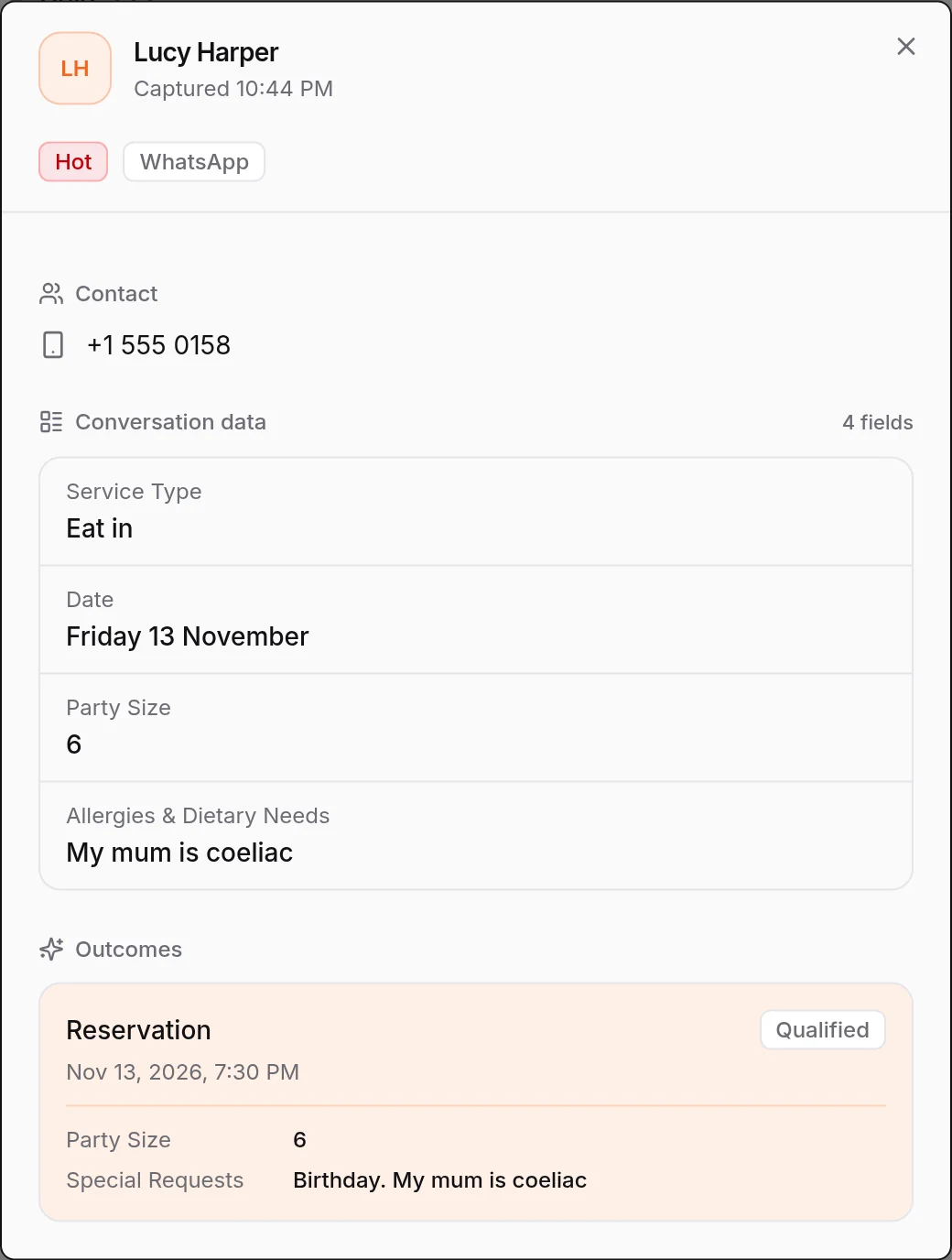
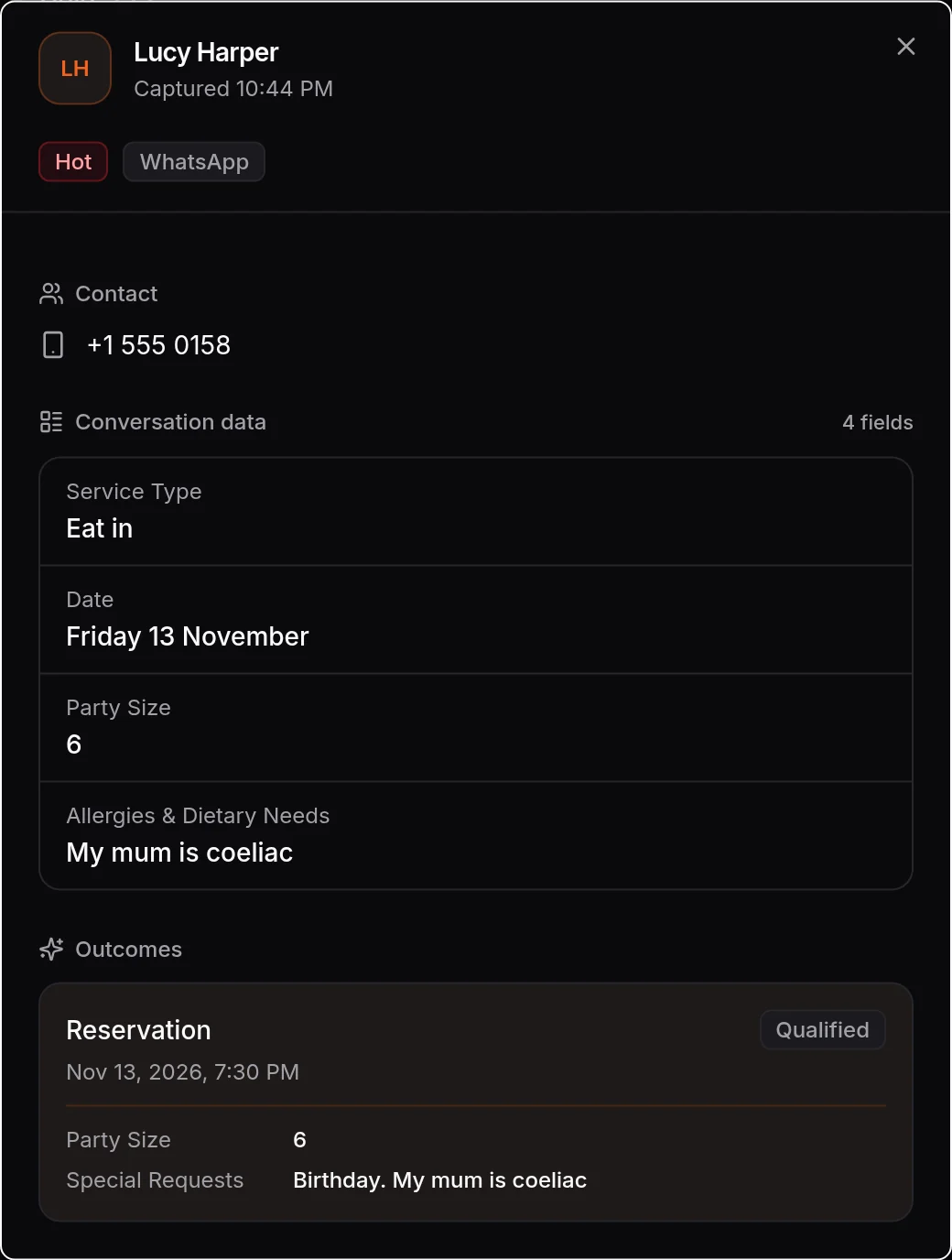
Who it fits: restaurants and cafés whose guests book by WhatsApp, Instagram or website chat, from a first reservation system to one that replaces taking bookings by phone and DM. Every reservation lands in HiQBot's Bookings list, where your team confirms it, and on your Google Calendar if you connect it. See HiQBot for restaurants.
2. OpenTable
OpenTable lists your restaurant in its own diner app and website, so guests can find you there as well as book from your site. Square’s UK page names OpenTable’s Core and Pro plans as the ones its OpenTable link needs. OpenTable’s pricing page timed out every time we tried on 13 November, so we leave its prices out; check them on OpenTable’s site, including any fee per guest booked through its network.
3. Resy (now with Tock)
Resy publishes its prices: Platform at $289 a month and Platform 360 at $459, with “no per-cover fees.” Its page also lists two plans “powered by Tock”: Essential at $289 a month plus a 3% prepayment fee, and Premium at $459 plus 2%. Standard card processing is on top. Resy offers card holds, deposits, prepayment, a 24/7 waitlist, guest profiles with visit history and spend, and POS links (Resy plans, read 13 November 2026).
4. SevenRooms
SevenRooms sells Starter, Growth and Premium plans by quote. Starter includes guest profiles and CRM, reservations, a waitlist, table management, and a listing on the DoorDash and Deliveroo reservation marketplace with no cover fees. It is built for groups, hotels, clubs and venues that want one guest database across sites (SevenRooms pricing).
5. Eat App
Eat App has a free plan limited to 100 guests a month, then Lite at $99 a month ($69 billed yearly), Core at $199 ($159) and Pro at $389 ($299). Payments and POS links are $39 a month each, included in Pro, and there is a 14-day trial. You get a live floor plan, a waitlist with texts, deposits and prepayment, and guest profiles tied to the bill (Eat App pricing). Its plan cards and comparison table disagree on cover limits, so ask before you sign.
6. Zenchef
Zenchef sells Reserve, Manage and Grow by quote, with no commission per cover. Card fees are public: 6% on Reserve, 4% on Manage and 2% on Grow. Every plan has a seating plan, deposits and prepayment; the waitlist and Instagram and Google booking start on Manage, and a card hold is an add-on (Zenchef pricing).
7. ResDiary
ResDiary’s four plans have the same features and differ by booking volume; the price comes with a demo. Add-ons are public, per month plus 20% VAT: £10 for SMS, group bookings, POS link or marketing, and £35 for order and pay, gift vouchers or an event manager. It charges 1% on deposits and payments, and lists no-show prediction and booking through Google and Meta (ResDiary pricing).
8. SpotOn Reserve
SpotOn Reserve costs $100 a month added to SpotOn’s POS, with a one-time $250 setup fee. The table map is shared between the host app and the POS, and it has a waitlist with texts, optional deposits and guest profiles with dietary notes (SpotOn Reserve). It makes sense if SpotOn already runs your tills.
9. Yelp Guest Manager
Yelp quotes “one predictable monthly price” by sales call and $0 cover fees. It has floor maps, a waitlist, card holds and Toast and other POS links, and guests can book from Yelp, Google and Apple Maps among others (Yelp Guest Manager).
10. Toast Tables
Toast Tables is the reservation and waitlist add-on for Toast POS. Toast’s pages would not load for us. At launch in April 2023, Restaurant Dive reported Tables at $50 a month for 25 reservations with an unlimited waitlist, and Tables Plus at $199; check Toast for today’s price.
On Square for Restaurants there is no reservation book of its own: bookings come through OpenTable, which in the UK needs the Plus plan at £69 a month per location and an OpenTable Core or Pro account (Square UK).
Marketplace apps vs your own booking page
A marketplace restaurant booking app such as OpenTable or Resy puts you in front of diners who don’t know you yet. That reach is what you pay for, sometimes per guest booked through the network. A standalone system such as Eat App, Zenchef or ResDiary puts the booking button on your own website, Google profile and Instagram, and mostly books guests who already found you.
Ask yourself whether you need new diners or are already full on busy nights. Then ask who keeps the guest’s details if you leave. Eat App’s comparison of 14 systems gives a whole section to who owns the guest data. Ask every vendor in writing.
No-shows, deposits and reminders
Every system here fights no-shows the same few ways: a reminder before the booking, a deposit or prepayment, or a card held and charged only if the party doesn’t come. Card fees on those payments differ a lot: Zenchef charges 2% to 6% by plan, ResDiary 1% plus its card processor, and Resy’s Tock plans 2% or 3% on prepayment.
A reminder works best where the guest already talks to you. With HiQBot, the reminder goes into the guest’s WhatsApp chat from 2 hours to 7 days before, and a guest who can’t make it can cancel or move the booking in the same chat, so the table is free sooner. HiQBot takes no deposits or card holds; if you need those, they stay in your reservation system.
Group bookings and private dining
A large group reservation rarely fits a booking widget. A party of 14, a set menu or a private room needs a person to quote, and the enquiry usually arrives by message or phone. ResDiary sells group bookings (£10 a month) and an event manager (£35) as add-ons; on most other systems the team handles big parties by hand.
On WhatsApp, Instagram, Messenger, Telegram and LINE, HiQBot has ready-made guided flows for a reservation enquiry and private events: buttons that collect the date, numbers and occasion. Any answer can go to the AI or to your team, and the chat ends with your team or with the details taken so they can follow up with a quote.
When table requests in chat are enough
A small place with one sitting, a café that takes a few bookings a week, or a takeaway with a handful of tables may not need a reservation system yet. What it needs is for every “table for four on Saturday?” to get a quick answer, and for someone to say yes or no.
HiQBot’s AI asks the day, the time and how many, picks up the occasion and any allergy in the guest’s own words, and offers times you serve. Then it files a table request and tells the guest your team will confirm. It never tells a guest the table is held. Your team confirms from the Bookings list, or adds the booking to the reservation system you already run, and the guest hears back in the same chat.
The same chat answers menu, hours and allergy questions from your own files, and takes takeaway orders from your menu for the kitchen to confirm. Calls to your WhatsApp Business number ring your team in the HiQBot inbox. The full setup is on our restaurant chatbot page, and our restaurant chatbot examples show the chats in full. For the other jobs AI can and can’t do in a restaurant, see AI for restaurants.
What HiQBot does not do: it has no floor plan, covers or live table availability, takes no deposits or card holds, and does not connect to OpenTable, Resy, SevenRooms or any other reservation system. If you run one, HiQBot sits in front of it as the place guests message, and your team keys the confirmed bookings in.
How to choose a restaurant booking system
- Decide if you need new diners or fewer phone calls. A marketplace brings discovery and charges for it. A standalone system books your own guests for a flat fee.
- Work out the real monthly cost on a normal month and a busy one: plan, per-cover or per-booking fees, setup, hardware and card fees on deposits.
- Check it works with your POS if you want spend on guest profiles or tables that close when the bill is paid.
- Look at no-show tools: reminders, deposits, card holds and a cancellation policy you can set per night or party size.
- Ask who owns the guest data and whether you can export it if you leave.
- Try the host-stand screen on a busy night during the trial, not only the booking page.
- Plan for the guests who message or call. Booking pages do not answer “can we bring the dog?” or a party of 14. Decide who answers those, and how fast.
Common questions
What is a restaurant reservation system?
It is software that takes table bookings online and manages them on a floor plan. It checks availability, holds the table, sends confirmations and reminders, and usually adds a waitlist, guest profiles and deposits for no-shows.
How do table reservations work?
The guest chooses a date, time and party size; the system finds a table that fits, holds it and confirms. The host seats the party from the floor plan on the night, and bookings that came by phone or message are added by hand.
Which reservation system is best for restaurants?
It depends on what you need most. For new diners, a marketplace like OpenTable or Resy. For a flat fee on your own website, Eat App, Zenchef or ResDiary. If your POS is Toast or SpotOn, its own add-on keeps tables and bills together.
Is there a free restaurant reservation system?
Yes, with limits. Eat App’s free plan covers up to 100 guests a month, read on 13 November 2026. Most other systems charge a monthly fee, and some add fees per cover or on deposits.
Do I need a reservation system for a small restaurant?
Not always. With one sitting and a few bookings a week, table requests by message, confirmed by a person, can be enough. Once you turn tables or take many bookings a night, a floor plan and online booking save time.
Can a chatbot take restaurant reservations?
A chatbot can take the booking details and pass them on. HiQBot’s AI files a table request with the day, time, party size and any allergy, and your team confirms it. It never tells a guest the table is held.
What is the 30/30/30 rule for restaurants?
It is a budgeting rule of thumb: about 30% of revenue on food and drink, 30% on labour and 30% on overheads, leaving about 10% profit (Parts Town). It has nothing to do with reservations, but it is a useful check on what a booking system can cost.
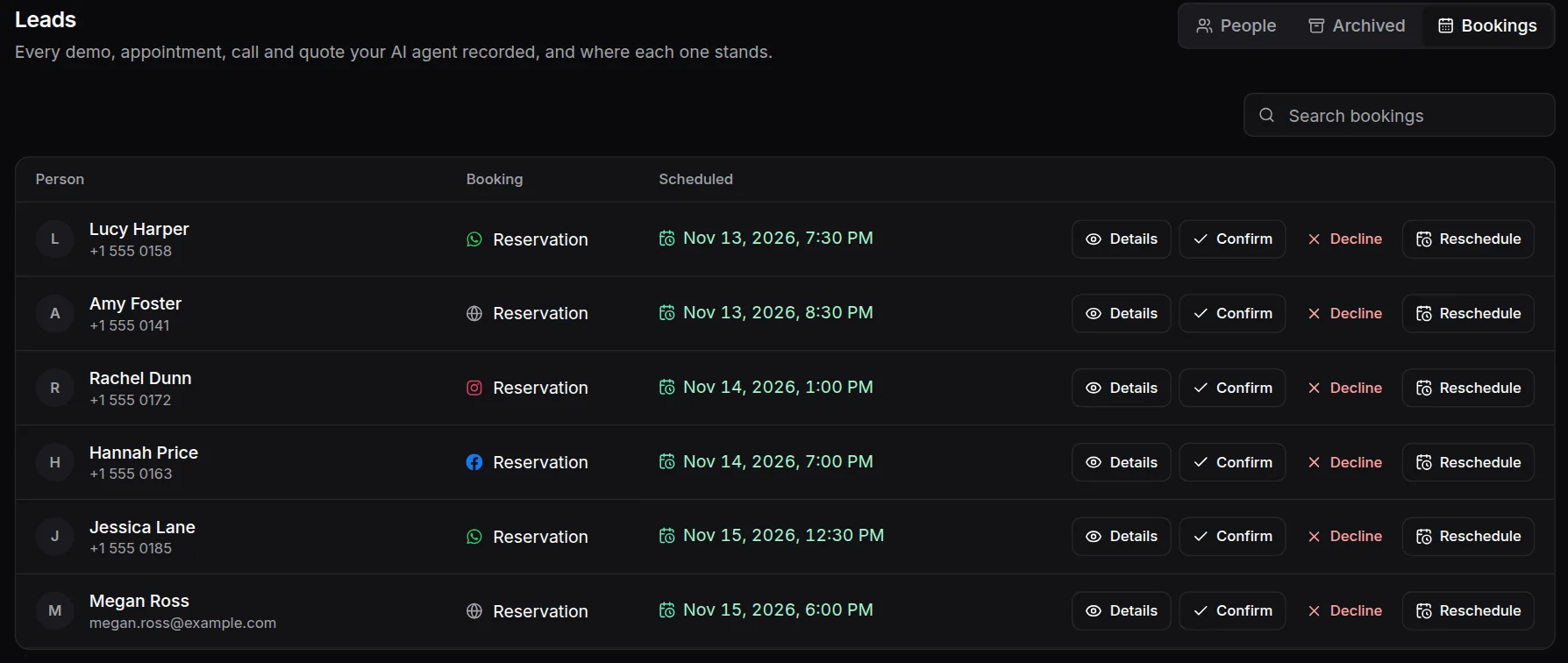
Vendor prices and features were read on each vendor’s own site on 13 November 2026 and change often; check them before you sign. The screens are the real HiQBot product with sample data. How we write and check posts: editorial standards.