How to sell on Instagram: 7 steps, the Instagram Shop and selling in DMs

Muhammad Hassan, FounderLinkedIn
Published Updated
How to sell on Instagram: switch to a professional account, decide where customers pay (your website, an Instagram Shop or the DM), post your products with prices, and answer every DM and comment quickly. On Instagram, the sale often happens in the DMs, where a buyer asks about price, size or delivery before paying.
This guide is for sellers and online stores selling on Instagram, with or without a website. It covers the steps, what an Instagram Shop is now that Meta sends buyers to your own website to pay, and how to turn DMs and comments into orders. We make HiQBot, a customer service platform whose AI agent answers Instagram DMs, so we show where it fits near the end.
How to sell on Instagram in 7 steps
- Switch to a professional account. In your profile settings, switch to a professional account and choose Business. It is free, and it gives you contact buttons, insights and ads.
- Decide where people pay. On your own website, through an Instagram Shop, or in the DM. The next section compares the three.
- Write a bio that sells. Say what you sell, where you deliver and how to order, in one or two lines. Put your store link in the bio.
- Show your products. Post photos and reels of each product in use, with the price, sizes and delivery in the caption. Keep a highlight for prices, sizing and delivery so new followers find them.
- Answer DMs and comments fast. A buyer asking "price?" at 11 at night wants to buy now. Answer the next morning and they may have bought somewhere else.
- Take the order and get paid. Send a checkout link, or take the order in the chat and confirm it with a payment method you trust.
- Deliver, then ask for a review. Answer "where is my order?" in the same chat, and ask happy buyers to tag you in a post or story.
Where your customers pay
Instagram lets people find your products. You still choose where they pay. There are three common ways to sell products on Instagram:
| Where they pay | What you need | How the buyer gets there | Best for |
|---|---|---|---|
| Your own website | An online store such as WooCommerce | A link in your bio, product tags, or a checkout link in the DM | Stores with a catalogue and shipping |
| Instagram Shop | Your website, plus a catalogue in Meta Commerce Manager | Tap a product tag, then pay on your website | Stores that meet Meta’s eligibility rules |
| In the DM | A price list and a way to get paid | Order in the chat, then pay by bank transfer, a payment link or cash on delivery | Small sellers, made-to-order and local delivery |
How to sell on Instagram without a website
You can. Post your products with prices, take orders in the DMs, and collect the buyer's name, phone and address. Get paid by bank transfer, a payment link from your payment provider, or cash on delivery where it is common, as in India and the Gulf. An Instagram Shop is not an option without a website, because Meta sends Shop buyers to your own site to pay.
Instagram Shop in 2026: what it is now
An Instagram Shop is a storefront on your profile that shows products from a catalogue you keep in Meta's Commerce Manager. You can tag those products in posts and reels, and a buyer who taps a tag sees the product, then goes to your website to pay. Meta's developer guide on checkout URLs says the checkout for a shop on Facebook or Instagram "takes place on your own website". Paying inside the Instagram app is no longer how shops work, so older guides that describe Instagram Checkout are out of date.
Instagram shopping helps people find your products, but buyers still ask their questions in the DMs before they pay.
Who can open an Instagram Shop
Meta's commerce eligibility requirements ask you to:
- follow Meta's and Instagram's policies, including its commerce policies;
- represent your business and your own website domain, where the products can be bought;
- be in a market where Meta supports shops;
- show that your business is trustworthy;
- give accurate information about your products and follow Meta's best practices.
How to set up an Instagram Shop
- Use a professional Instagram account and a website with a working checkout.
- Open Meta's Commerce Manager and create a shop for your Instagram account.
- Choose checkout on your website and add the checkout URL Meta asks for.
- Add your products to the catalogue, by hand or from your store.
- Submit the shop for review. Once approved, tag products in your posts and reels.
Meta changes these screens often. If a step looks different, Meta's Business Help Center has the current one.
How to sell on Instagram DMs
Selling on Instagram DMs is a short conversation that ends in an order. A good one follows the same order each time:
- Answer the question first. Give the price, the sizes in stock and the delivery time in the first reply. "DM for price" and then a slow answer loses buyers.
- Narrow it down. Ask for the size, colour or quantity, and suggest something else in stock if the first choice is sold out.
- Make paying easy. Send the product link or a checkout link, or take the name, phone and address for an order you will confirm.
- Confirm and follow through. Tell the buyer when the order is confirmed and when it ships, in the same chat.
If you reply from a messaging platform rather than the app, Meta lets a business answer within 24 hours of the customer's last message, so answer the same day.
Comments that turn into sales
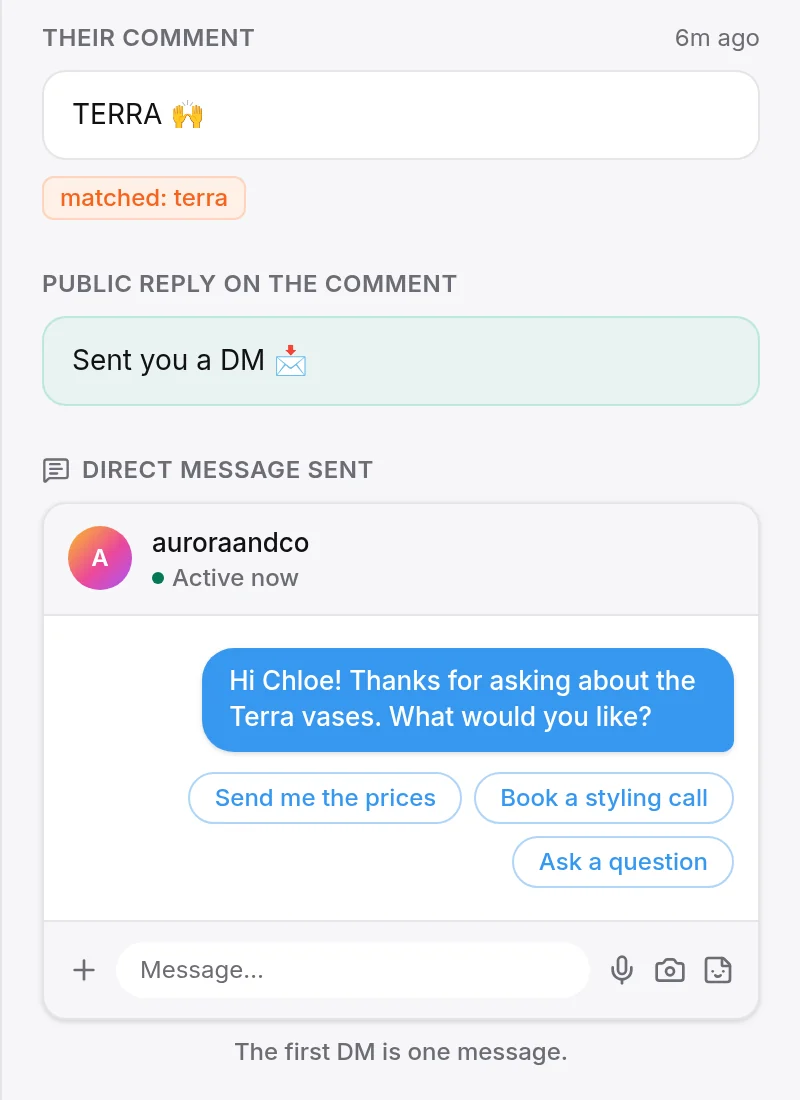
Someone who comments "price?" under a reel wants to buy. A short public reply shows others that you answer, and the DM is where you talk size, delivery and payment in private.
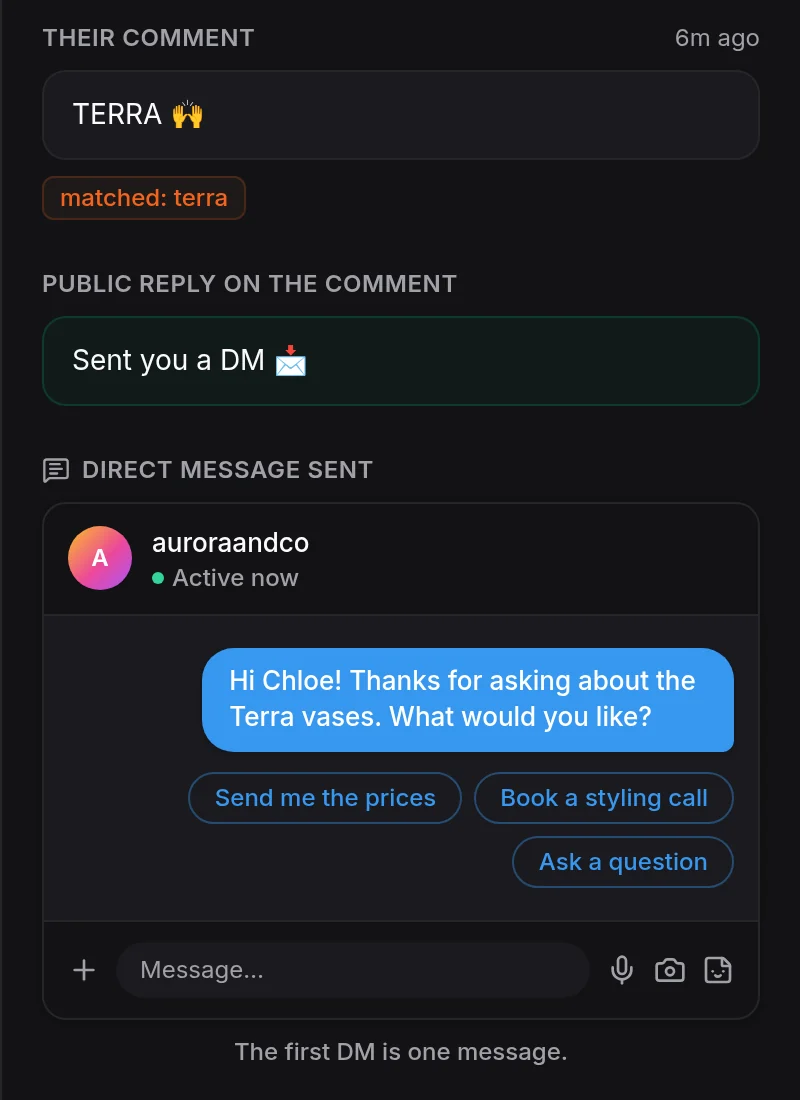
A comment-to-DM rule does that for you. You pick a post or reel and the words to watch for, such as "price" or a product name. When someone comments one of them, they get a short public reply pointing to their DMs and a private message with the next step. On our Instagram comment bot page you can see how the rules work in HiQBot.
Instagram business marketing that leads to a sale
- Reels that show the product in use. Try-ons, before and after, how it is made. Put the price in the caption.
- Stories for stock news. New arrivals, last sizes and restocks, and ask people to reply, since story replies land in your DMs.
- Instagram Live selling. Show products live and answer questions on camera, then ask viewers to DM you to order.
- Ads that open a chat. Meta's click-to-message ads open an Instagram DM instead of a web page, so someone has to answer it.
- Posts from your buyers. Share photos customers tag you in. They show real people using what you sell.
Selling on Facebook too? In HiQBot, Messenger chats land in the same inbox and the AI answers them the same way. Our ecommerce marketing guide covers the other channels.
Answering Instagram DMs with an AI agent
When DMs pile up, sellers miss them at night and on busy days. With HiQBot, your Instagram DMs land in one inbox with your website chat, WhatsApp, Messenger, Telegram and LINE, and the AI agent answers them in your customer's language. What it can sell depends on what you connect:
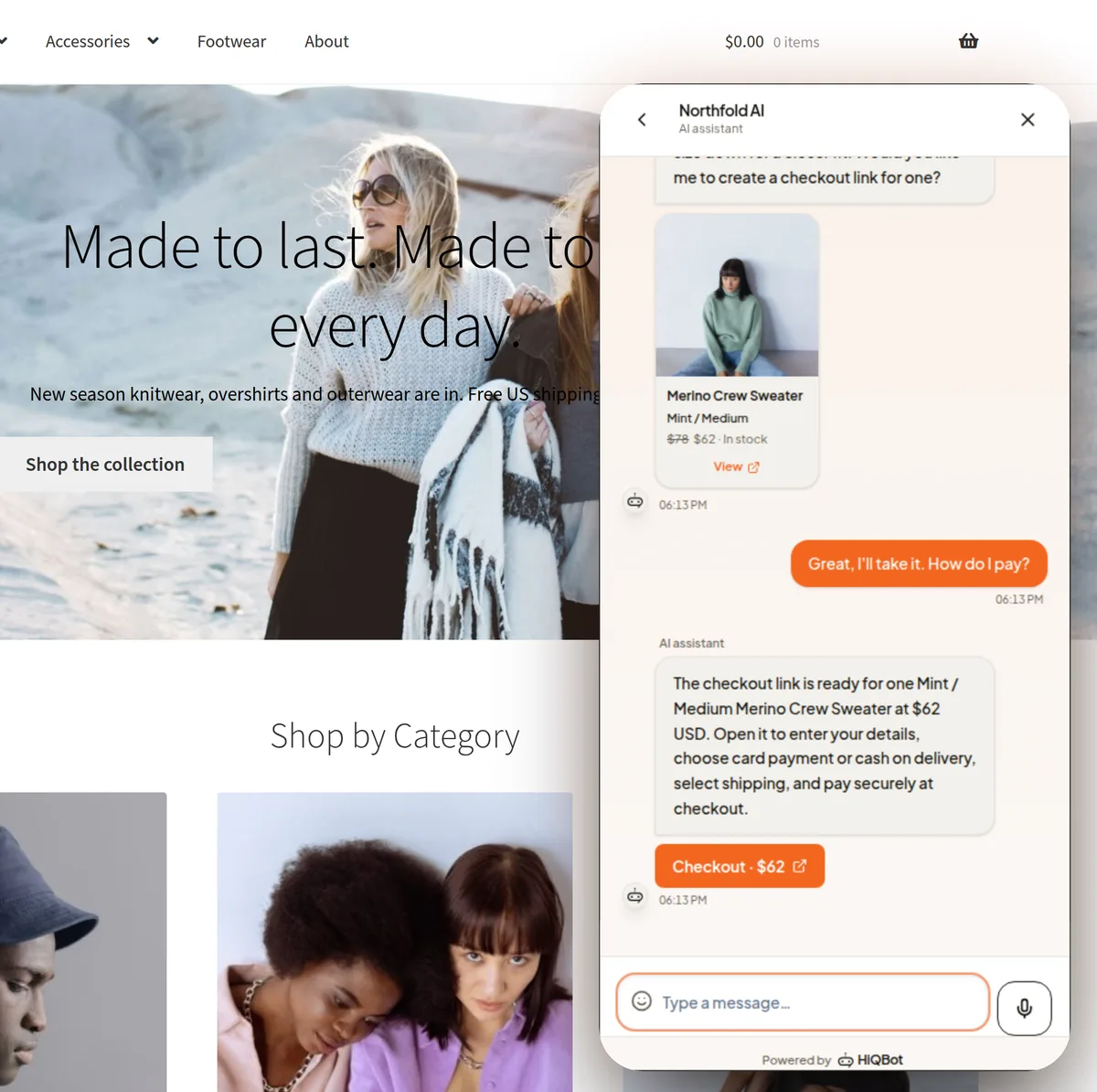
- A WooCommerce store. The AI finds products from how the shopper describes them, answers price and stock from your store, and sends a checkout link in the DM. The shopper pays on your store's own checkout. Our WooCommerce chatbot page shows the connection.
- A product list or Google Sheet. For sellers without a website. Switch the list to take orders and the AI quotes the total and takes the order with the buyer's name and phone. Your team confirms or declines it in Orders, and the buyer hears back in the same chat.
The AI never takes payment in the chat. On Instagram it replies in text, with the checkout link as a link in the message. A comment rule replies under the comment with your own words; the AI answers in the DM, never in the comments, and knows which post and comment the buyer came from.
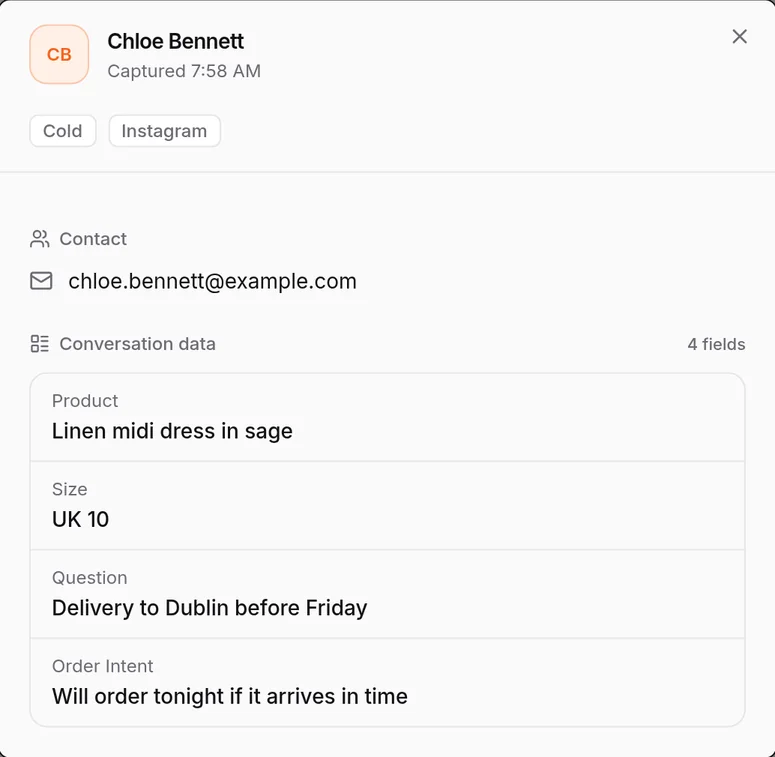
A buyer who is not ready yet becomes a lead, with the product, size and question they asked, so your team can follow up. Order status works too: once the shopper gives the order number and the email or phone used at checkout, the AI reads the order from your store. Refunds, exchanges and cancellations go to a person to approve.
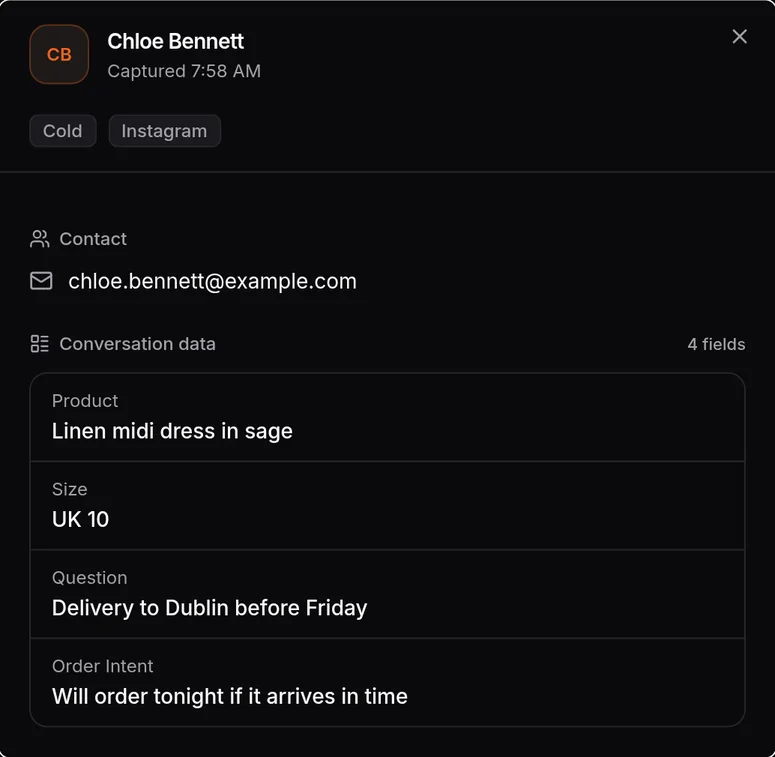
When a buyer needs a person, the AI brings in your team, who see the whole chat and can add notes, assign it and use AI drafts. You can also set up a guided flow with quick replies and cards you write, for questions you want answered the same way every time. To set up automatic replies, see our Instagram DM automation page; for the whole store setup, see our AI chatbot for ecommerce page.
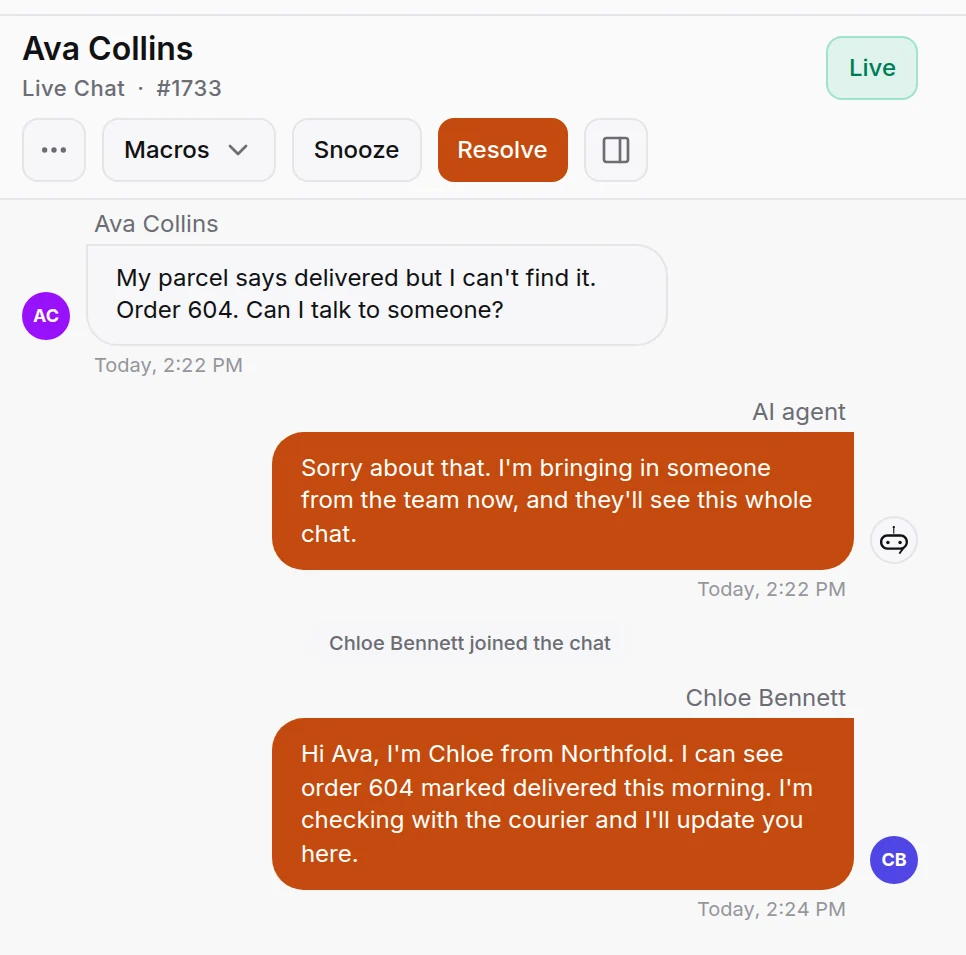
How we checked
On 13 November 2026 we read the Google results for "how to sell on Instagram" and "Instagram shop", Meta's checkout URL guide and its commerce eligibility requirements. The HiQBot screens are real captures with sample data. To report an error, see our editorial standards.
Common questions
Is it free to sell on Instagram?
Yes, to start. A professional account, posts, reels and DMs cost nothing. You pay for your website or store, your payment provider's fees, and any ads you run.
Can I sell on Instagram without a website?
Yes. Take orders in the DMs and get paid by bank transfer, a payment link or cash on delivery. You cannot open an Instagram Shop without one, because Meta sends Shop buyers to your own website to pay.
Can people buy directly in the Instagram app?
Not through an Instagram Shop. Buyers browse and tap product tags on Instagram, then pay on the seller's website, as Meta's checkout guide describes.
How do I sell on Instagram DMs?
Answer the price, sizes and delivery in the first reply, ask for the size or colour, then send a checkout link or take the order details. Reply the same day, because buyers in the DMs usually want to order now.
Is it better to sell on Etsy or Instagram?
It depends on where your buyers are. Etsy is a marketplace: shoppers already search there, but you pay its fees and sit beside other sellers. On Instagram you build your own audience and keep the conversation. You can also sell on both.
What is the 5-3-1 rule on Instagram?
It is a rule of thumb for a content mix, not an Instagram rule, and guides define the numbers differently. The useful part for sellers is to post more helpful and personal content than sales posts.
Can an AI answer my Instagram DMs?
Yes. With HiQBot, the AI agent answers Instagram DMs from your store or product list, sends checkout links or takes orders for your team to confirm, and brings in a person when needed. It never takes payment in the chat.