Hotel welcome message templates for WhatsApp and website chat, and the rules Meta applies to them

Muhammad Hassan, FounderLinkedIn
Published Updated
A hotel welcome message is the first note a guest gets from you: before arrival, on arrival day, or in reply to their first chat. The best ones are short, use the guest’s name and dates, and say how to reach the desk. On WhatsApp, more than 24 hours after the guest’s last message, it must be a Meta-approved template.
We make HiQBot, a customer service platform with AI agents, live chat, guided flows and WhatsApp calling. Below are 15 welcome messages you can copy, each marked with the category Meta is likely to give it and its length, then the WhatsApp rules that decide whether it reaches the guest. We wrote the 48-hour message as a template in HiQBot for a sample resort and set it to go out two days before each arrival; the screens are that setup in the real product.
What a good hotel guest welcome message includes
- The guest’s first name and the hotel’s name, so it doesn’t read like a broadcast.
- The arrival date, which lets the guest check you have the right booking.
- One practical fact they need next: check-in time, Wi-Fi, parking or breakfast.
- How to reach the desk, and that this chat is a good place to do it.
- A question or a button, so replying takes one tap.
- Nothing to sell, if you want it treated as a utility message on WhatsApp.
Each moment in a stay has its own message, and on WhatsApp each has its own rule:
| Moment | Where | Template needed on WhatsApp? |
|---|---|---|
| Booking confirmed | WhatsApp, or your booking email | Yes, unless the guest wrote in the last 24 hours |
| One to three days before arrival | Yes, usually | |
| Arrival day | WhatsApp, a card in the room | Yes, unless the guest wrote in the last 24 hours |
| The guest writes to you first | WhatsApp, website chat, Instagram, Messenger | No |
Pre-arrival welcome messages for guests in your hotel
These go out before the guest has written to you, so on WhatsApp each one must be an approved template. The words in double curly brackets are variables HiQBot fills in for each guest.
When the booking is confirmed
Hi {{first_name}}, your stay at {{hotel_name}} from {{arrival_date}} to {{departure_date}} is confirmed. If you have a question before you arrive, reply here and the front desk will answer.
Likely category: utility189 charactersStraight after your desk confirms the stay
About the guest’s own booking, with nothing to sell, so it fits utility.
48 hours before arrival
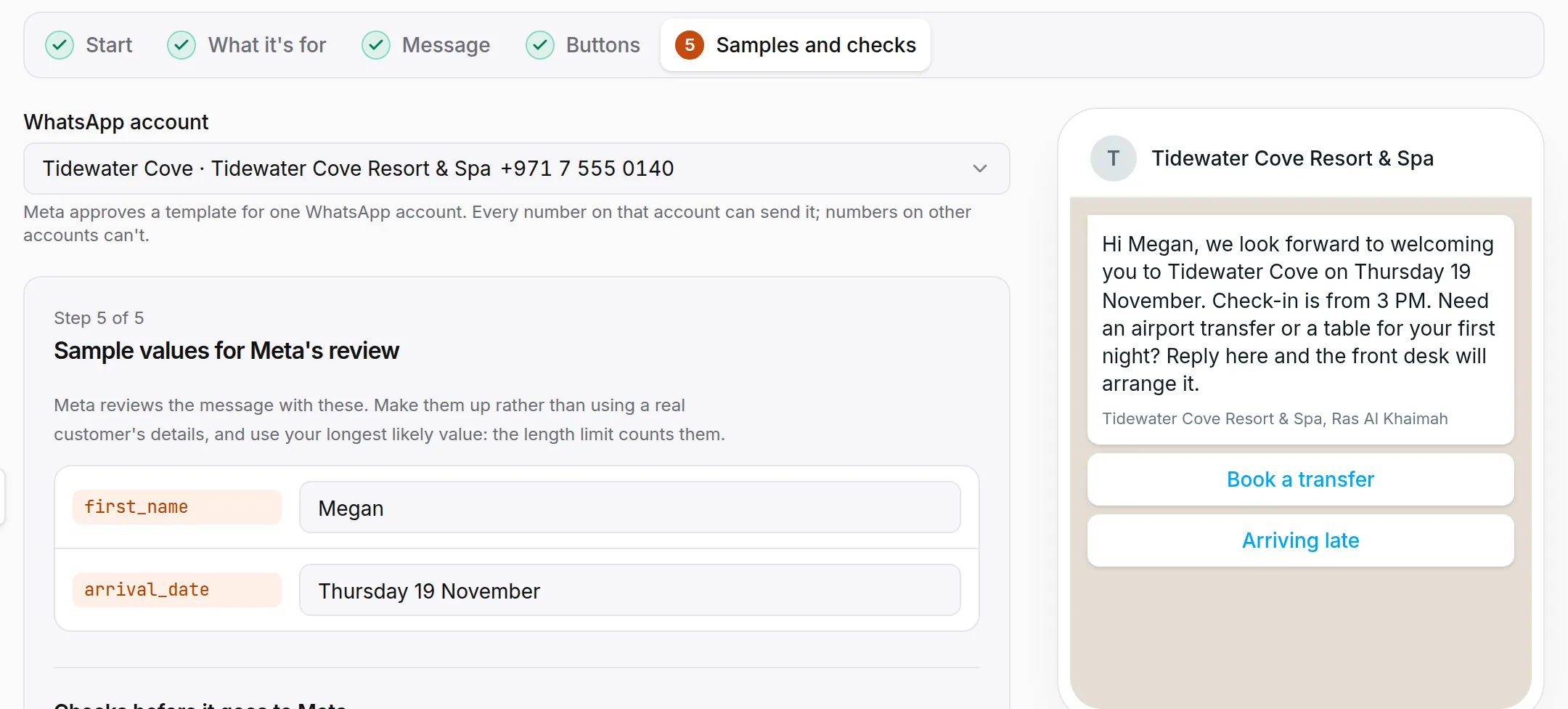
Hi {{first_name}}, we look forward to welcoming you to {{hotel_name}} on {{arrival_date}}. Check-in is from {{check_in_time}}. Reply here with your arrival time, or with anything we can arrange before you get here.
- Arriving late
- Airport transfer
Likely category: utility214 charactersTwo days before check-in
The transfer button helps the guest get to you. If you add a price or an offer, Meta may class it as marketing.
Asking for an arrival time
Hi {{first_name}}, so we can have your room ready, what time do you expect to reach {{hotel_name}} on {{arrival_date}}?
- Before 3 PM
- 3 PM to 8 PM
- After 8 PM
Likely category: utility119 characters24 to 72 hours before check-in
Change the button times to match your check-in hours. Each label must stay under 25 characters.
Directions and parking
Hi {{first_name}}, here is how to find {{hotel_name}} tomorrow. {{parking_details}} The front desk is open all night, so reply here if you need directions on the way.
- Open in Maps
Likely category: utility166 charactersThe day before arrival
Open in Maps is a website button that links to your map pin. A template can carry two website buttons.
Pre-arrival message with an offer
Hi {{first_name}}, the spa at {{hotel_name}} still has morning treatments free during your stay from {{arrival_date}}. Would you like us to hold one for you?
- Show me the times
- No thanks
Likely category: marketing157 characters3 to 7 days before arrival
This one sells something, so it is marketing. Send it separately from the utility messages above, and expect it not to reach guests with US numbers.
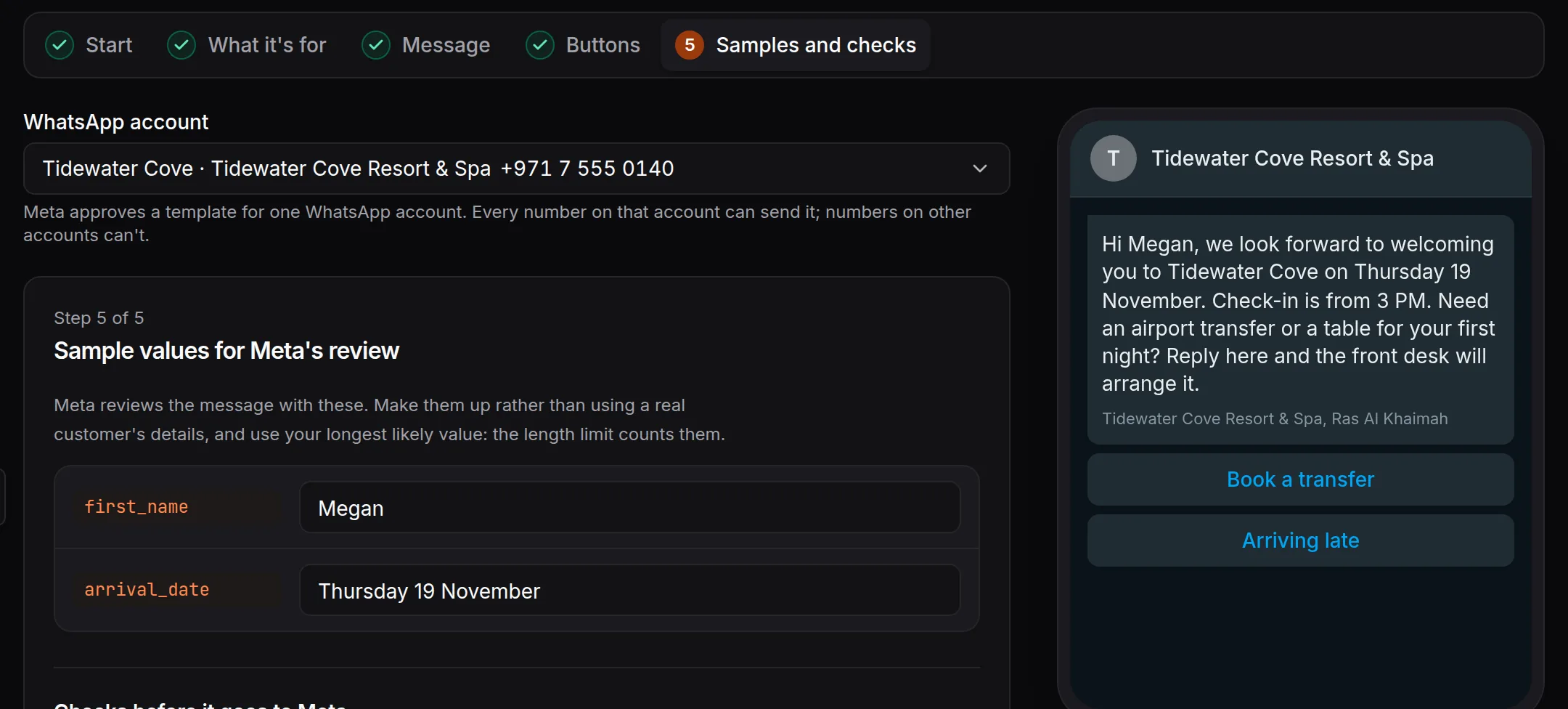
Here is a 48-hour message written as a template in HiQBot, with the sample values Meta reviews. This version also offers a table for the first night, which Meta could class as marketing; the one above leaves it out.
Check-in day: the welcome message to a hotel guest
A guest who checked in at the desk has usually not written to you on WhatsApp, so these are templates too. If they have messaged you in the last 24 hours, the same words go out as a normal reply.
Your room is ready
Hi {{first_name}}, good news: your room at {{hotel_name}} is ready. Come to the front desk when you arrive and we will have your keys waiting.
Likely category: utility142 charactersWhen housekeeping releases the room
Welcome after check-in
Welcome to {{hotel_name}}, {{first_name}}. The Wi-Fi is {{wifi_name}} and the password is {{wifi_password}}. Breakfast is served {{breakfast_hours}}. Message us here for anything during your stay, day or night.
Likely category: utility210 charactersAn hour after check-in
Keep it to what guests look for on the first evening: the Wi-Fi, breakfast and how to reach you.
Printed welcome card for the room
Dear [guest name], Welcome to [hotel name]. We hope the journey was kind to you. Wi-Fi: [network], password [password]. Breakfast: [hours] in [restaurant]. For anything at all, message us on WhatsApp at [number] or dial [extension] from your room. [Your name], [your role]
Printed272 charactersOn the desk or pillow when the guest walks in
Put your WhatsApp number on the card. A guest who saves it can message you during the stay, and for 24 hours after each message you answer in your own words, with no template.
Hotel greeting messages for new WhatsApp and website chats
When a guest writes to you first, your first reply sits inside WhatsApp’s 24-hour window. It needs no template and no approval, so you can add buttons and change the words whenever you like.
Greeting on WhatsApp, Instagram or Messenger
Hi, welcome to [hotel name]. How can we help?
- Book a stay
- Food & room service
- Front desk
Free reply45 charactersEvery new chat, and again after a quiet spell
WhatsApp shows up to three reply buttons, or a list of up to ten. Each button can lead to the AI or to your front desk.
Greeting on your website chat
Hi, welcome to [hotel name]. Ask us about rooms, rates or your stay, and we’ll answer here.
- Rooms and rates
- Check-in times
- Talk to the desk
Free reply91 charactersWhen a visitor opens the chat on your site
Greeting at night
Hi, thanks for writing to [hotel name]. Our front desk team is back at [time]. Until then we can answer questions about rooms, rates and your stay here, and anything else waits for the team with your details.
Free reply208 charactersOutside your front desk hours
In HiQBot the WhatsApp greeting is a guided flow that starts on every new chat. Each button can hand the guest to the AI agent or to your front desk. Here it is from the first message to a reservation request:
A WhatsApp greeting for new chats: three buttons, then the AI or the front desk.
Short, warm, family and welcome-back versions
Swap these in for the guests who fit. All of them are about the guest’s own stay, so they stay in utility as long as nothing is offered for sale.
Short welcome message for a hotel guest
Welcome to {{hotel_name}}, {{first_name}}. You are in room {{room_number}}, and the Wi-Fi password is {{wifi_password}}. Reply here if you need anything.
Likely category: utility153 charactersAny time on arrival day
Warm welcome for a special occasion
Hi {{first_name}}, congratulations from everyone at {{hotel_name}}. We have noted the occasion on your booking and look forward to welcoming you on {{arrival_date}}.
Likely category: utility165 charactersBefore arrival, when the booking notes an occasion
Mention a cake or a package for sale and it becomes marketing.
Family arriving with children
Hi {{first_name}}, we look forward to welcoming your family to {{hotel_name}} on {{arrival_date}}. {{family_details}} Reply here if the children need anything else in the room.
Likely category: utility176 charactersBefore arrival
Fill family_details with what they asked for, such as “The cot you asked for will be in your room.”
Welcome back message to a hotel guest
Welcome back, {{first_name}}. It’s good to have you staying with us at {{hotel_name}} again on {{arrival_date}}. Tell us here if you would like the same room or anything done differently this time.
Likely category: utility197 charactersBefore a returning guest arrives
WhatsApp template rules for hotel welcome messages
Meta’s rules decide whether a welcome message goes out, what it costs and whether it arrives. Here are the ones a hotel runs into, from Meta’s developer documentation.
The 24-hour window
When a guest messages or calls your WhatsApp number, you can reply in your own words for 24 hours, and each new message from them restarts the clock. Outside that window, you can only send an approved template (Meta, pricing and the customer service window). Most pre-arrival messages fall outside it, because the guest booked on your website or through an online travel agency and never wrote to you on WhatsApp.
Approval
Meta reviews every new or edited template, which can take up to 24 hours. Each variable needs a sample value for the review, and each language is its own template, since Meta doesn’t translate them (template fundamentals). Write the English and Arabic versions, for example, and submit both.
Utility or marketing: how Meta decides
A utility template must be about something the guest asked for or needs, such as their booking, with no promotional intent. It may not promote, upsell or cross-sell, or include an offer. A template that mixes the two is marketing (template categorization). Meta can move a utility template to marketing, usually with a day’s notice, and businesses that keep mislabelling templates can lose the use of utility ones for a while. So send the check-in details and the spa offer as two messages.
Length and buttons
| Part | Limit |
|---|---|
| Header (text) | 60 characters, one variable |
| Body | 1,024 characters |
| Footer | 60 characters |
| Buttons | Up to 10 in all: quick replies, up to 2 website links, 1 call button |
| Button label | 25 characters |
Source: template components. Variables can be numbered, like {{1}}, or named, like {{first_name}}; names use lowercase letters and underscores. The longest template above is well under the body limit. Meta counts the sample values too, so test with your longest guest name.
Guests with US phone numbers
Since , Meta has not delivered marketing messages to WhatsApp users in the United States (Meta), and its documentation still says WhatsApp “does not currently deliver marketing template messages” to US numbers (per-user marketing limits). Utility templates still arrive. For a hotel with American guests, that is one more reason to keep pre-arrival messages free of offers.
What a welcome template costs
Meta charges per delivered template, at a rate set by category and the guest’s country (pricing). Since , utility templates sent inside the 24-hour window are charged too, and each business number gets 1,000 free service messages a month, the replies you write yourself (pricing updates). Meta bills your WhatsApp account directly.
How to send hotel welcome messages automatically in HiQBot
HiQBot runs the whole sequence from one inbox. The full setup for a hotel is on our WhatsApp for hotels page; here is how each message above goes out.
Write the template once
You write the template in the dashboard, with named variables, buttons and sample values, and submit it to Meta from there. You can also start from Meta’s template library or bring in templates already on your account.
Send it before each arrival
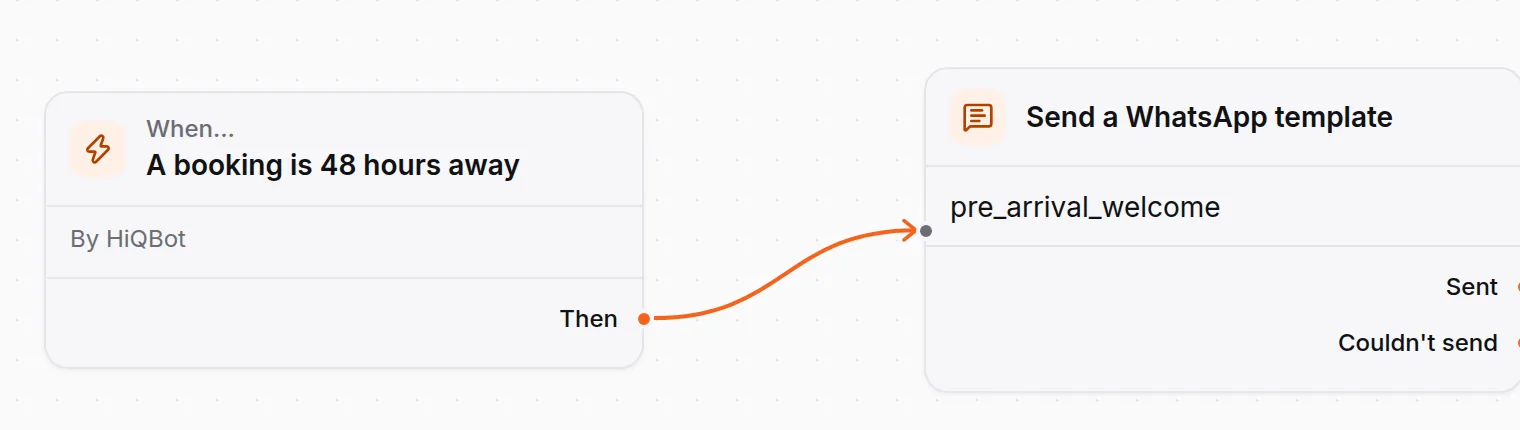
An automation sends it a set number of hours before a booking, anywhere from 1 to 168. Reservation requests the AI takes count as bookings, so a guest who asked in chat gets the welcome too. If the guest’s chat is still open, the automation can write into it in plain words instead of using the template.
Let the AI answer the replies
Guests answer a welcome message with questions: parking, the airport, an early check-in. HiQBot’s AI agent answers from your own notes, in the guest’s language, and files reservation, table and room service requests for your desk to confirm. It never tells a guest a room is booked. Your team can take over any chat with the whole history in view.
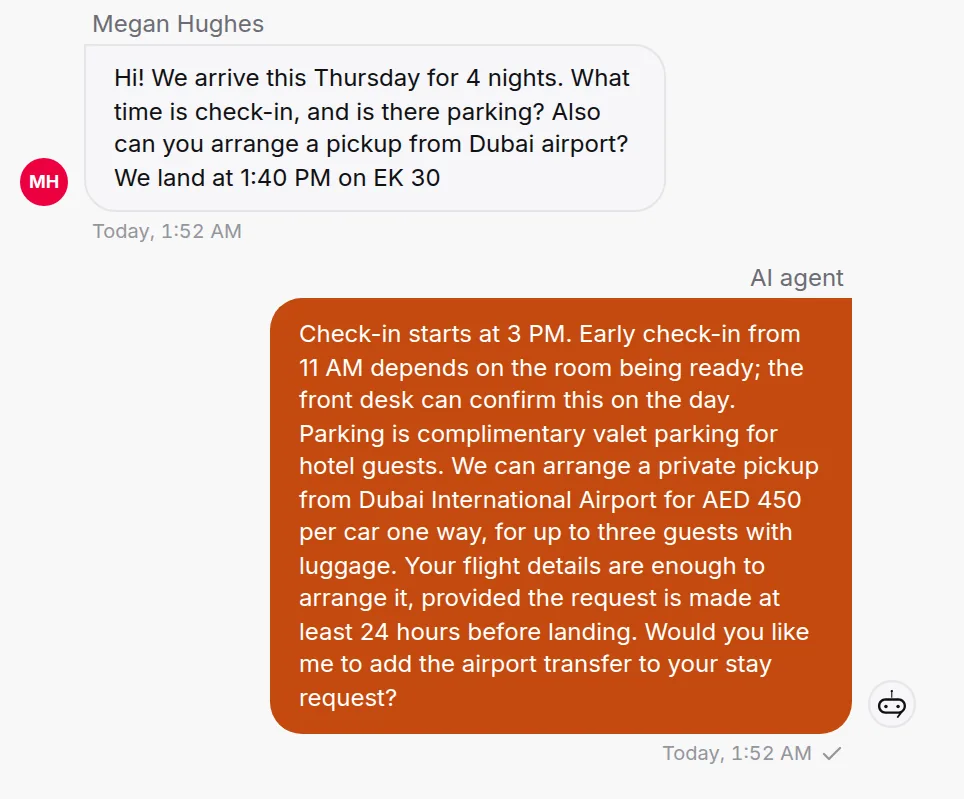
When a guest would rather call
The AI works in writing. Guests can tap call on your WhatsApp Business number, and it rings your team in the HiQBot inbox beside the chat (WhatsApp calling).
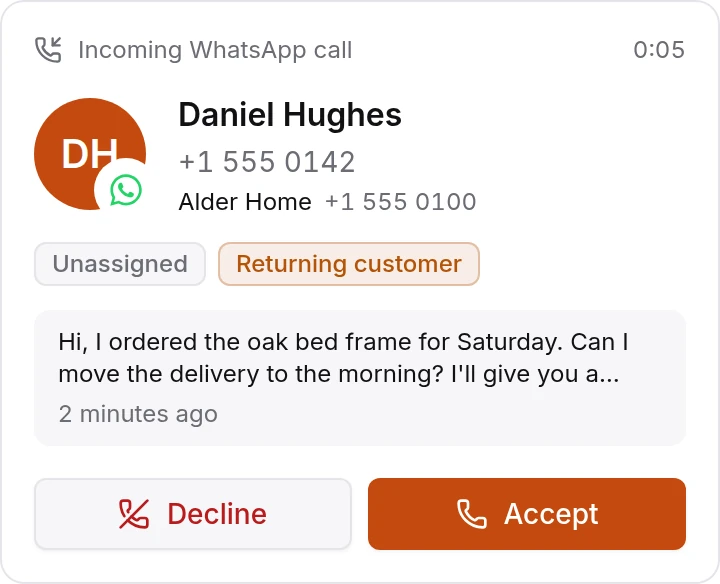
Other channels
Templates are a WhatsApp feature. On Instagram, Messenger, Telegram and LINE, the greeting flow above runs on each new chat, and website chat opens with a greeting and tappable chips. To welcome back past guests with an offer, send a WhatsApp broadcast of a marketing template; anyone who replies STOP is skipped from then on, and you are responsible for having their consent. For what AI does across the rest of a hotel, read AI for hotels, or see the hotel chatbot page.
Common questions
What should a hotel welcome message include?
The guest’s name, the hotel’s name and the arrival date, one fact they need next such as check-in time or Wi-Fi, and how to reach the desk. End with a question or a button so replying is easy.
How do you welcome a guest on WhatsApp?
If the guest wrote first, reply with a greeting and two or three buttons. If they haven’t, send an approved utility template with their name and dates a day or two before arrival.
Can a hotel message a guest on WhatsApp before they write?
Yes, with a template Meta has approved. Free-form messages are only allowed within 24 hours of the guest’s last message or call.
Is a pre-arrival message utility or marketing?
Utility, if it is only about the guest’s booking: dates, check-in time, directions. Add an offer, such as a spa treatment or an upgrade, and Meta treats it as marketing.
How long does Meta take to approve a template?
Up to 24 hours, and often much less. Submit templates a few days before you need them, in every language you plan to send.
How long should a hotel welcome message be?
Two to four sentences. WhatsApp allows 1,024 characters in the body, but guests read a welcome on their phone between other messages.
What is the difference between a welcome message and a welcome letter?
A welcome message is short and sent to the guest’s phone, often before arrival. A welcome letter or card is printed and left in the room. The card works best when it gives your WhatsApp number.
Meta’s documentation was read on 12 November 2026, and the screens are the real HiQBot product with sample data. How we write and check posts: editorial standards.