AI for ecommerce: what it can do for a small online store, sorted by what each use needs

Muhammad Hassan, FounderLinkedIn
Published Updated
AI for ecommerce is software that writes product copy, sets prices, recommends products or talks to shoppers. For a small online store, the use that pays back first is the conversation: answering size, shipping and returns questions on your site, WhatsApp and Instagram from your own policies, sending a checkout link, and telling customers where their order is.
We make HiQBot, a customer service platform with AI agents, live chat, guided flows and WhatsApp calling. This guide is for owners of small and mid-sized online stores, most of all stores on WooCommerce that also sell through Instagram and WhatsApp. It sorts the AI uses you will read about by what each one needs, then shows one store’s shopper conversations. We set up that sample store in HiQBot, connected it to WooCommerce and ran the chats ourselves; every screen is the real product.
What AI for ecommerce means
AI in ecommerce falls into four families. Content tools write product descriptions, ads and emails. Pricing and merchandising tools set prices and choose what each shopper sees. Forecasting and fraud tools work on your order data. Conversation tools answer shoppers in chat and messaging apps.
Small firms have started. In the Federal Reserve Banks’ 2026 Report on Employer Firms (6,525 US small businesses surveyed in late 2025), 46% said they or their staff use AI. Among those users, the top challenge was accuracy, also at 46%. For a store, a wrong answer about an order costs a customer, so an AI that answers only from your own policies and orders is the safer place to start.
How to use AI in ecommerce: start with what each use needs
Most lists of AI tools for ecommerce assume a big platform or a data team. Sort them by what they need first, and the place a small store can start becomes clear.
| Use | What it needs | Fits a 1-5 person store? |
|---|---|---|
| Size, shipping and returns questions | Your policies, size charts and website | Yes |
| Finding products and sending a checkout link | A store connection (WooCommerce) or a product list | Yes |
| Order status | A store connection | Yes |
| Refund, exchange and address-change requests | A store connection and a person to approve | Yes |
| Product descriptions and ad copy | A writing tool and someone to check it | Yes, separate tool |
| Recommendations across the storefront | A recommendation app and enough traffic | Sometimes |
| Dynamic pricing | A pricing tool and competitor data | Rarely |
| Demand forecasting and fraud | Order history and a platform feature or app | Rarely |
HiQBot covers the first four rows, the conversations. It does not write product copy, set prices or forecast. For a side-by-side of chat tools, see our best AI chatbots for ecommerce.
Where AI helps a small store first: the questions before and after a sale
HiQBot’s AI agent for stores answers from your policies and, with WooCommerce connected, from your live catalogue and orders. The connection is approved inside your WooCommerce admin, with nothing installed on the store. The full setup is on the WooCommerce chatbot page.
Size, shipping and returns, answered from your policies
Shoppers often leave over these questions. In Baymard Institute’s research (updated October 2026), the average cart abandonment rate is 70.22%. Among reasons shoppers gave for leaving at checkout, 40% named extra costs such as shipping, 20% slow delivery and 13% the returns policy. An AI that answers those questions while the shopper is still on the page gives them the facts before they leave. It quotes your own shipping rates for the cart from a country and postcode, and your delivery and returns policies from the files you upload.
From a question to a checkout link
When the shopper has picked, the AI sends a checkout link with the items in the cart. They pay on your own WooCommerce checkout, where they also enter their details, choose shipping and apply a discount code. The AI never takes payment.
“Where is my order?”
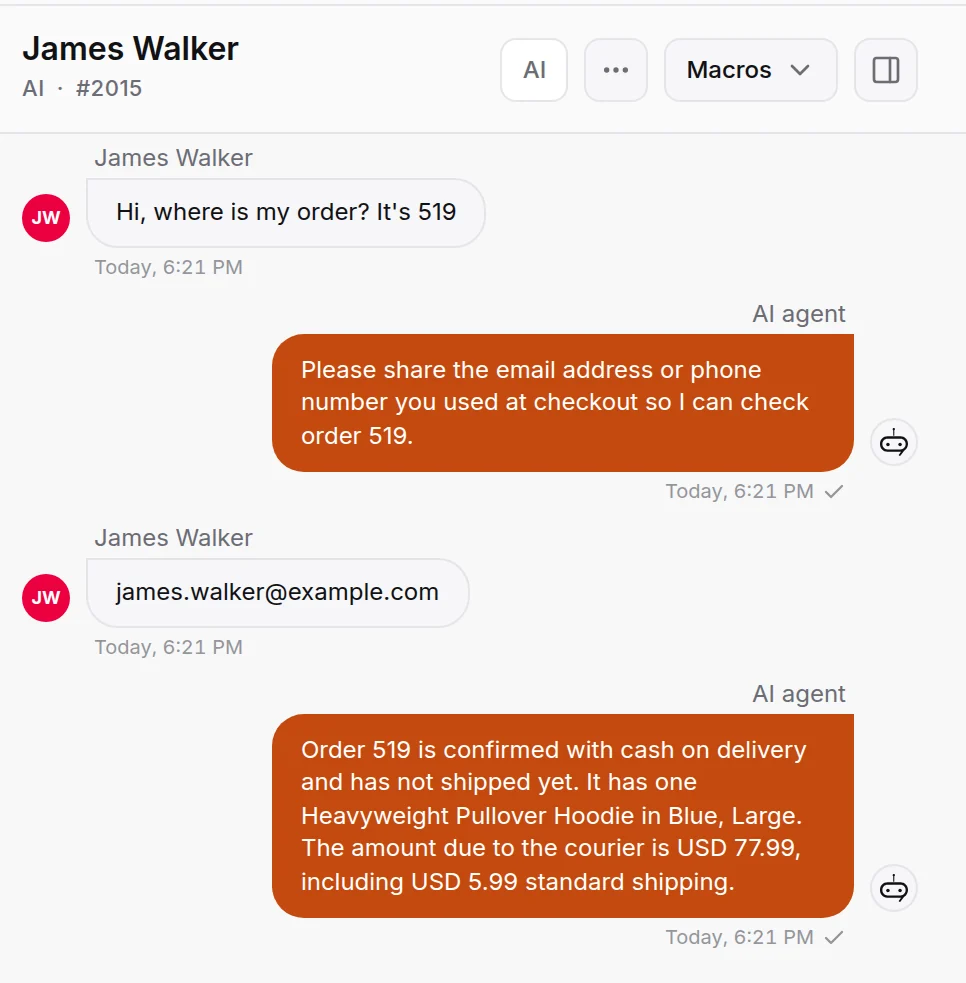
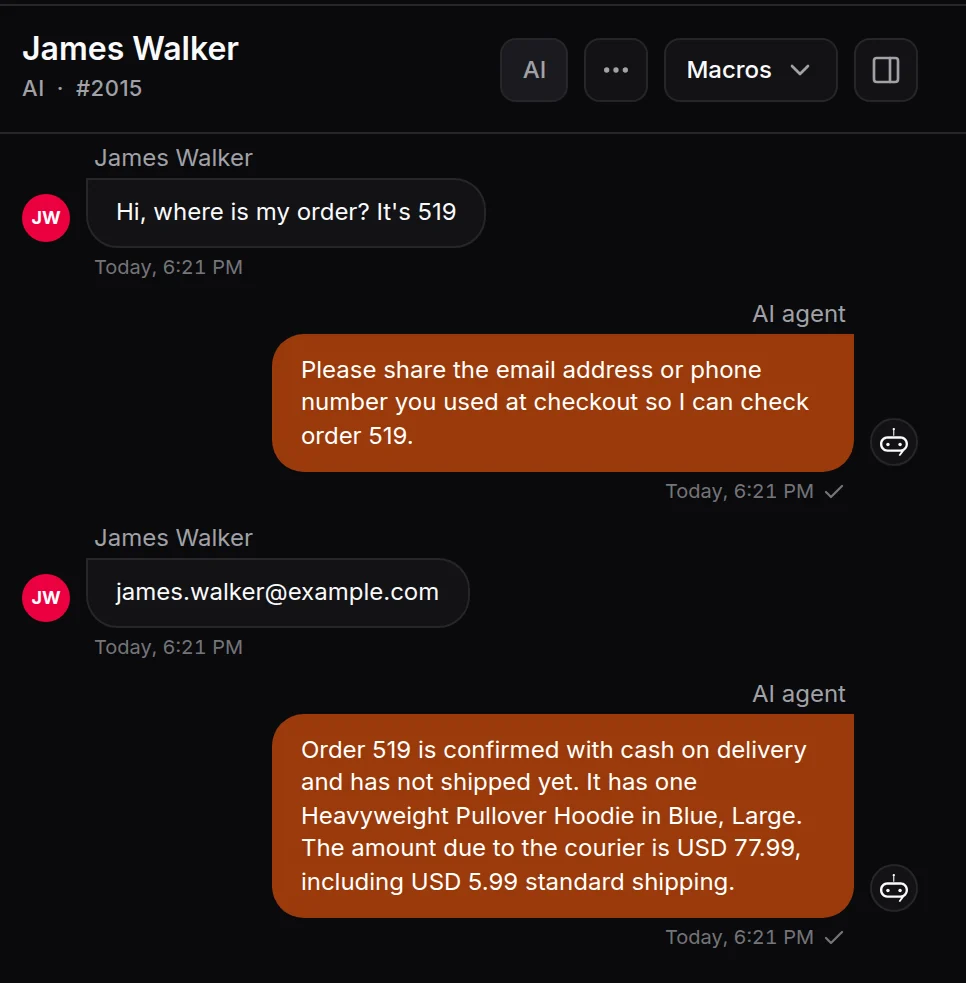
The AI asks for the order number and the email or phone used at checkout, then reads the order from your store: its stage, items, totals and tracking details when the store has them. It answers from the order itself, so it doesn’t guess a delivery date.
Refunds, exchanges and address changes wait for you
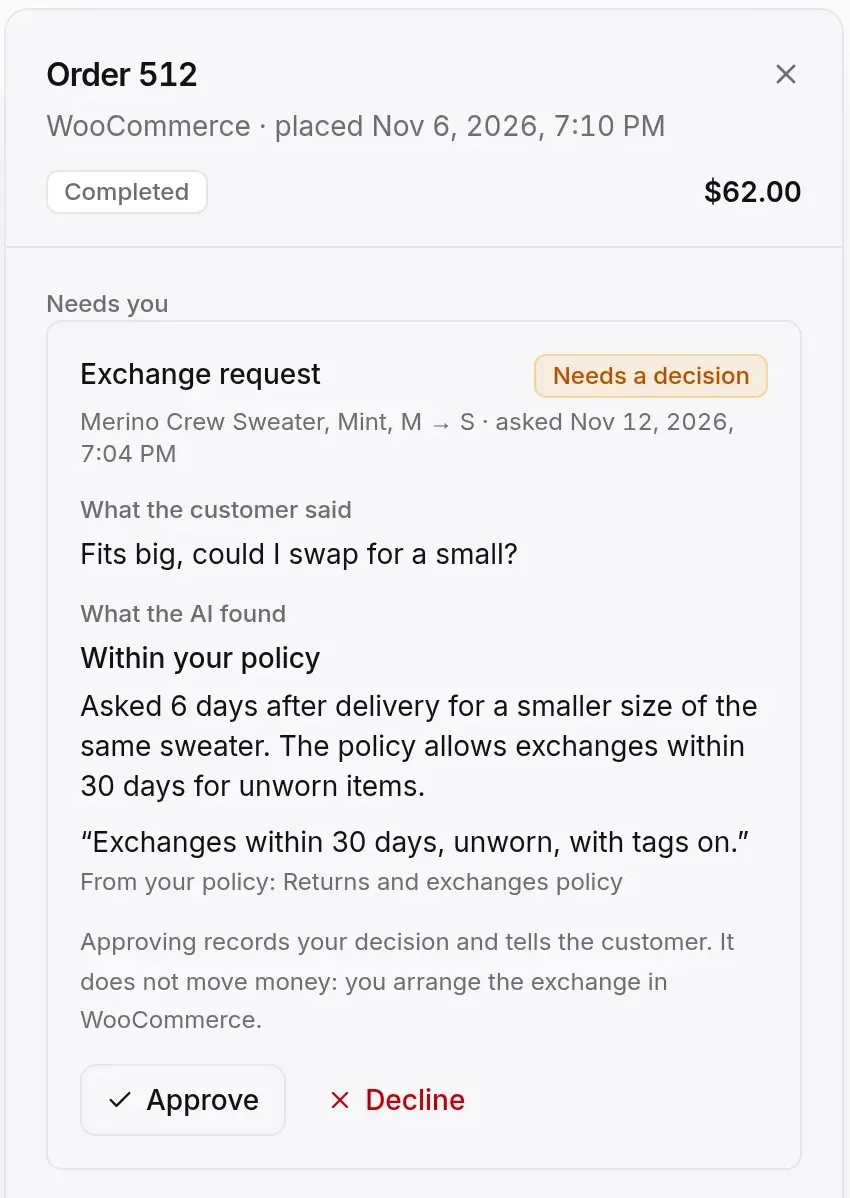
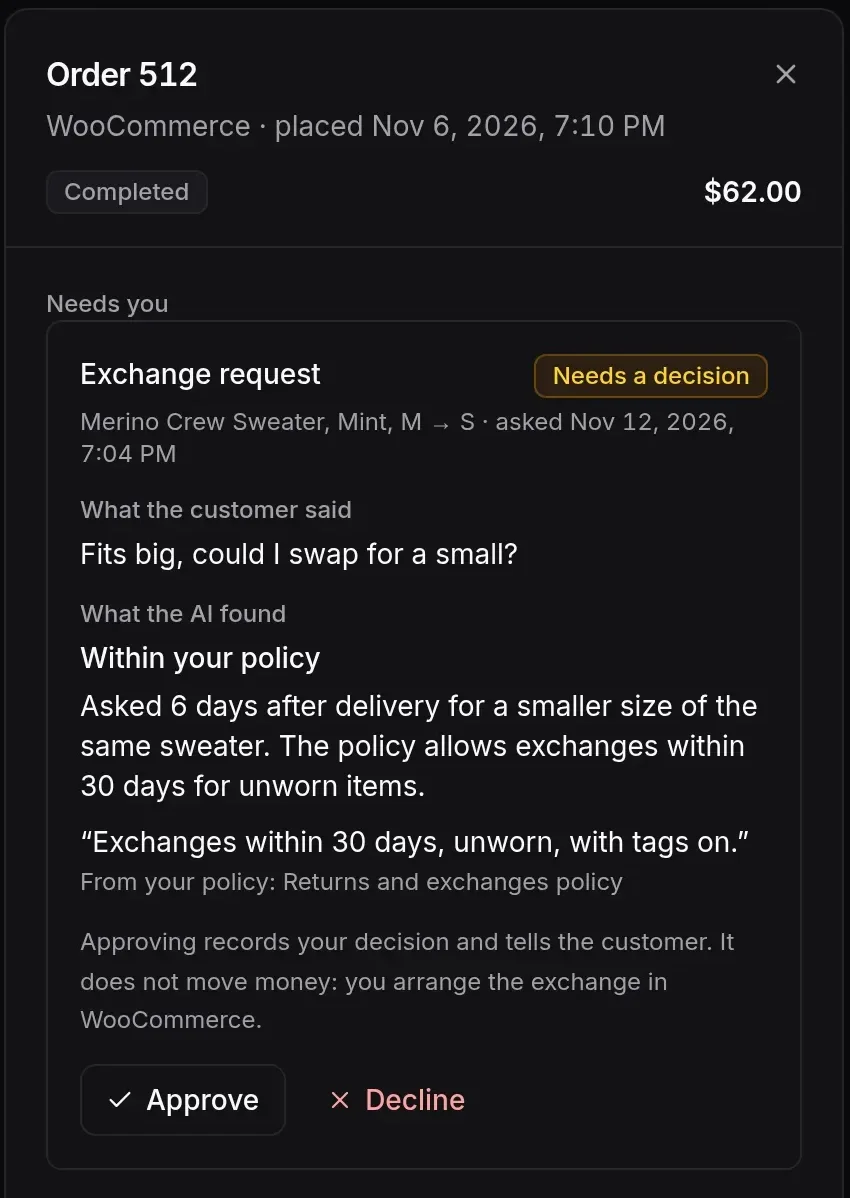
A shopper who wants to swap a size or cancel gets their request filed with the reason and checked against your returns policy. It lands in Orders under Needs you. A person approves or declines, and does the change in WooCommerce. HiQBot changes nothing on the order itself.
Answer shoppers on WhatsApp and Instagram, where they already ask
Many small stores get more questions in DMs than on their website. In The State of Business Messaging, a 2025 Kantar survey of 11,056 adults in 22 markets commissioned by Meta, 72.4% said they are more likely to buy from a brand that offers messaging.
HiQBot’s AI answers on website chat, WhatsApp, Instagram, Messenger, Telegram and LINE from the same catalogue and policies. Website chat, Telegram and LINE show products as cards with a photo, price and stock. On WhatsApp, Instagram and Messenger the AI replies in text, and the checkout link arrives as a link.
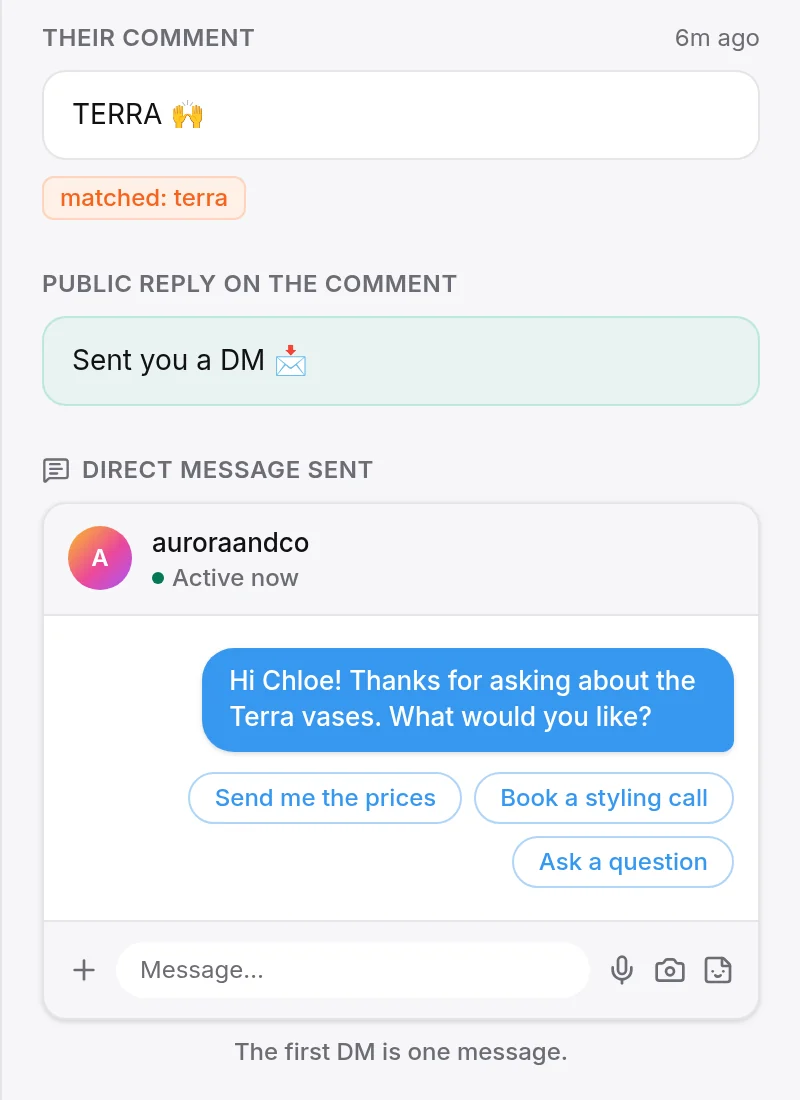
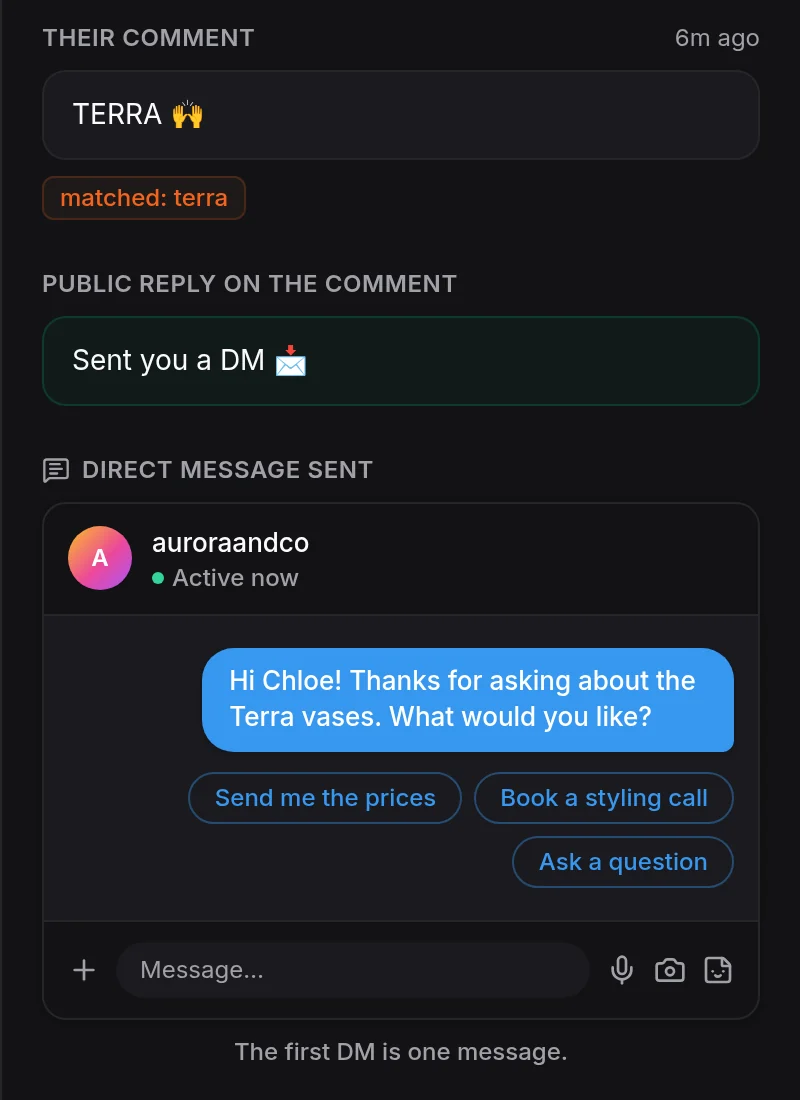
On Instagram, a comment on a product post can start the conversation. Pick a post and a keyword, and each matching comment gets a short public reply and a private message (Instagram comment bot). Guided flows add buttons on WhatsApp, Instagram, Messenger, Telegram and LINE, such as a product picker or a discount code, with any answer going to the AI or to you. Customers who would rather talk can call your WhatsApp Business number; it rings your team in the HiQBot inbox.
Your team stays behind the AI
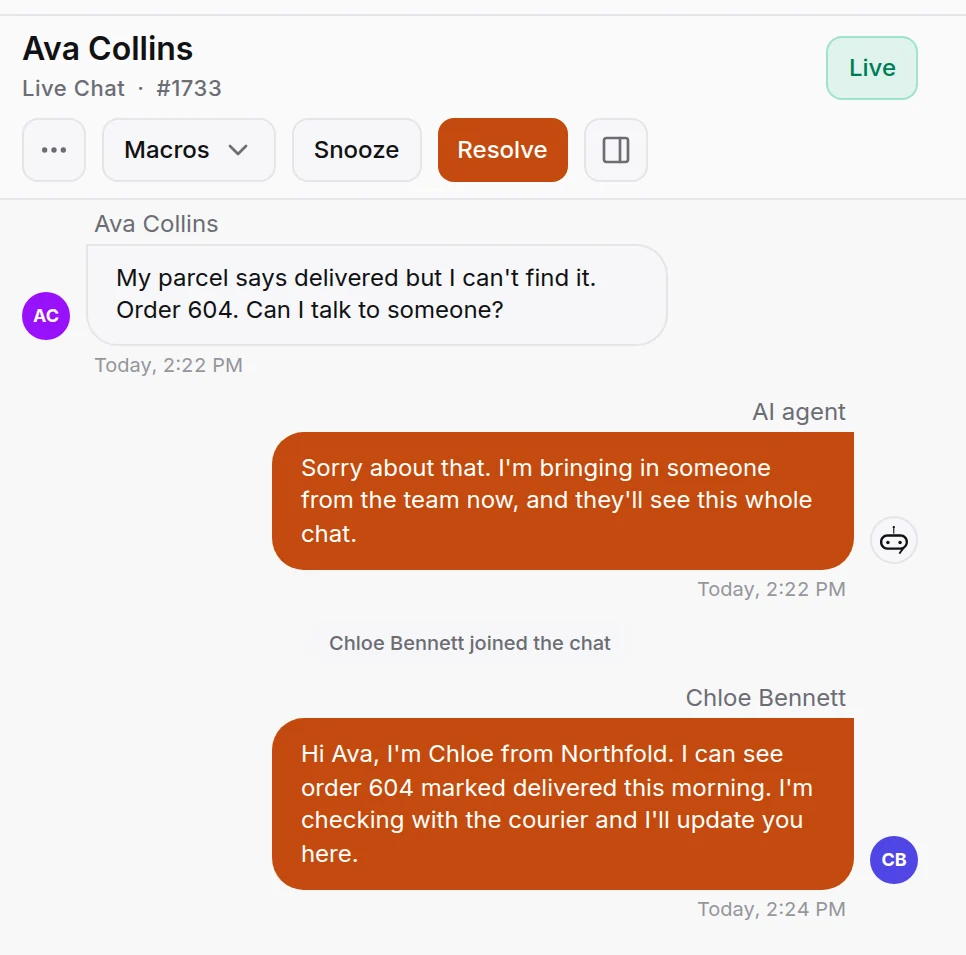
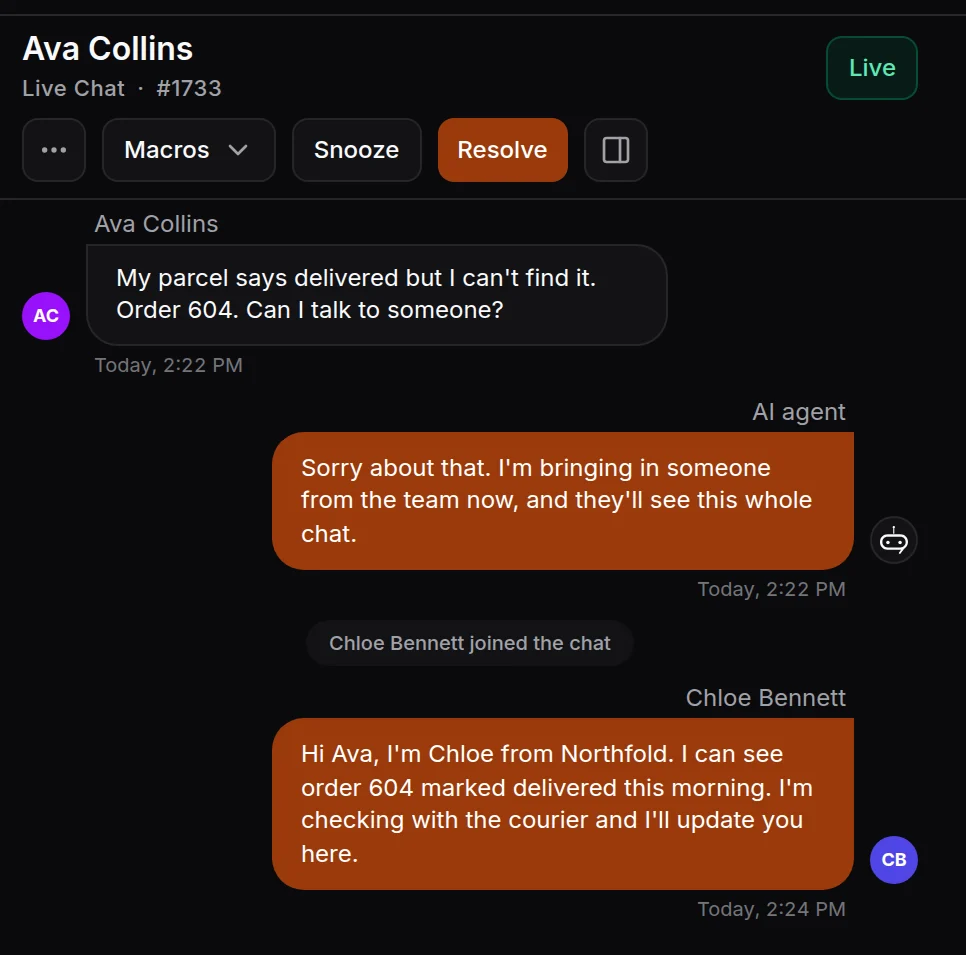
When the AI can’t help, or a shopper asks for a person, a teammate takes over the same chat and sees everything already said. You choose per channel whether the AI answers, your team answers, or the AI answers with your team one tap away.
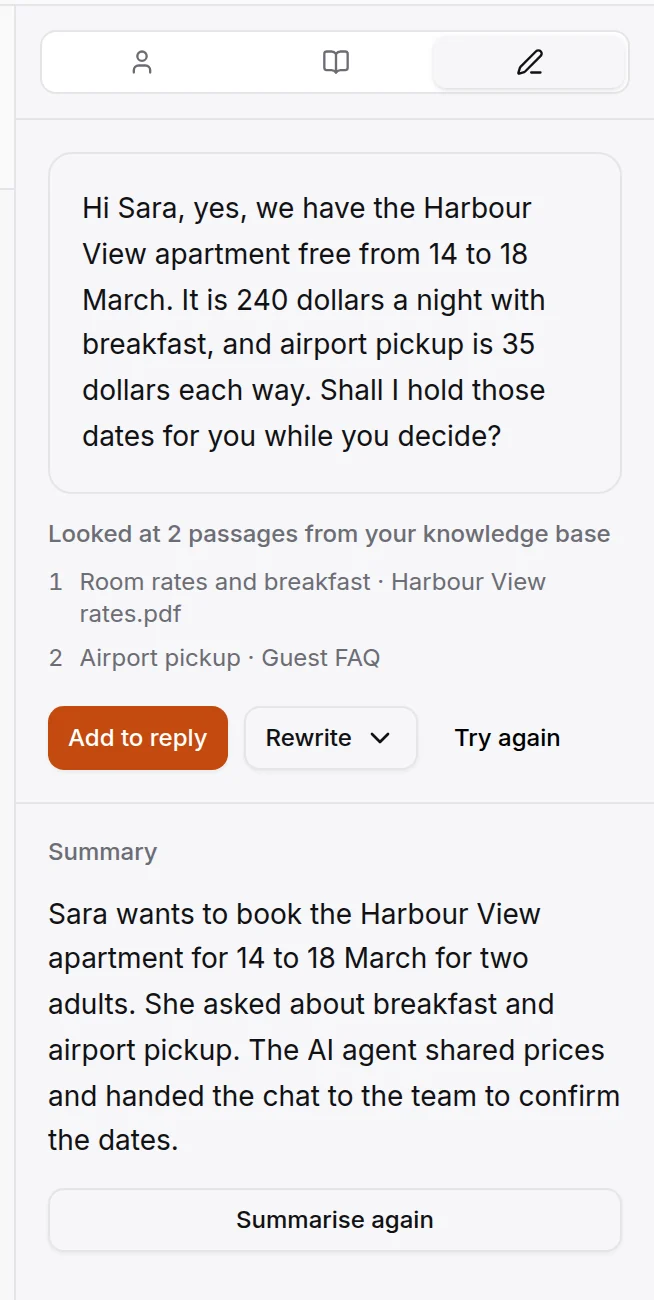
Your team gets AI help in the inbox too: a drafted reply from your knowledge base, a rewrite that is shorter or friendlier, a summary of a long thread. Nothing is sent until the teammate sends it. Private notes and assignment keep a returns question with the person who handles returns.
Replies in the shopper’s language
A store that ships abroad gets questions in many languages. In a 2020 survey by CSA Research of 8,709 consumers in 29 countries, 76% preferred to buy products with information in their own language, and 40% said they never buy from websites in other languages. HiQBot’s AI replies in the language each shopper writes in, from your English policies. In the inbox, your team can read a shopper’s message in their own language and send the reply back in the shopper’s.
Selling in DMs without an online store
Plenty of shops sell only through Instagram and WhatsApp. Without a store connection, upload a product list or link a Google Sheet and switch it to take orders. The AI finds items the way the customer describes them, quotes the total with your delivery charge, and places the order in the chat. Your team confirms or declines it in Orders, and the customer is told in the same chat. Payment happens the way you already take it. More on the AI chatbot for ecommerce page.
Messages after the sale
Automations can write to the customer when an order is placed or shipped, in the existing chat or as an approved WhatsApp template. For news and offers, send a WhatsApp broadcast with an approved template to customers who agreed to hear from you. HiQBot sends what your daily limit allows, then picks up on its own. Our guide to WhatsApp marketing software covers broadcasts in depth.
What AI can’t do for your store (in HiQBot)
HiQBot does not:
- Write product descriptions or ads, or set prices.
- Recommend products across your storefront outside the chat.
- Take payments in the chat. Shoppers pay on your own checkout.
- Message shoppers who left a cart, or send back-in-stock alerts.
- Refund, cancel or change an order by itself. A person approves every request.
- Answer the phone with AI. WhatsApp calls ring your team instead.
Content, pricing and forecasting tools do some of these jobs. Pick them separately, after the conversations are handled.
How to start in five steps
- Connect WooCommerce from the HiQBot dashboard, or upload a product list or Google Sheet.
- Pick E-commerce & Retail as your industry and upload your delivery, returns and refund policies.
- Add the website chat with one snippet, and connect WhatsApp and Instagram.
- Choose when a chat goes to a person.
- Approve refund, exchange and cancellation requests from Orders.
Common questions
How is AI used in ecommerce?
For product copy, pricing, recommendations, forecasting, fraud checks and conversations with shoppers. Small stores usually start with conversations, because they need only the store’s own policies and catalogue.
What can AI do for a small online store?
It can answer size, shipping and returns questions, find products, send a checkout link and tell customers where their order is, on your website, WhatsApp and Instagram. Refunds and exchanges still go to you.
Can AI tell customers where their order is?
Yes, with your store connected. HiQBot’s AI asks for the order number and the checkout email or phone, then reads the order’s stage, items and tracking details from WooCommerce.
Will AI give customers wrong answers?
It can, if it guesses. Limit it to your own policies, catalogue and orders, and let it hand the chat to a person when it isn’t sure. Questions it could not answer show up in a list you can fill in.
Can AI process refunds?
HiQBot’s AI files the refund request with the reason and checks it against your policy. A person approves it and makes the refund in WooCommerce.
What data does AI need for ecommerce?
For conversations, your delivery, returns and refund policies, size charts and product details. A WooCommerce connection adds live stock, prices and orders.
Does it work on WhatsApp and Instagram?
Yes. The same AI answers on website chat, WhatsApp, Instagram, Messenger, Telegram and LINE, and every chat lands in one inbox.
Can AI reply in the shopper’s language?
Yes. HiQBot’s AI replies in the language each shopper writes in, from the same policies, with no language list to set up.
Sources were read on 12 November 2026, and the screens are the real HiQBot product with sample data. How we write and check posts: editorial standards.